
Introduction
This manual provides instructions for the setup, operation, and maintenance of your Orpat TBB-137 Analog Alarm Clock. Please read these instructions carefully before use to ensure proper functionality and longevity of your device.
Package Contents
- One Orpat TBB-137 Analog Alarm Clock
Product Overview
Familiarize yourself with the components of your alarm clock.
Front View
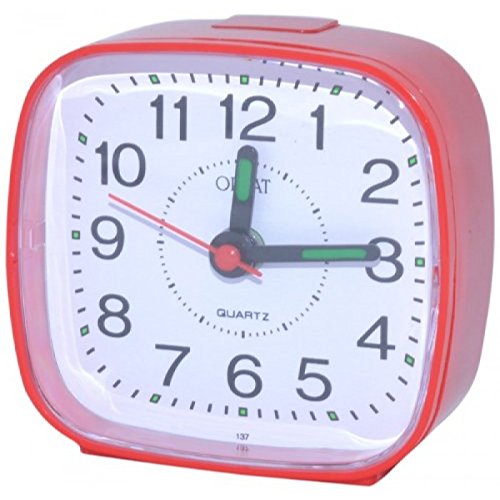
The front of the Orpat TBB-137 alarm clock features a clear analog dial with hour, minute, and second hands. A smaller hand indicates the set alarm time. The clock is housed in a durable red plastic casing.
Angled Product View
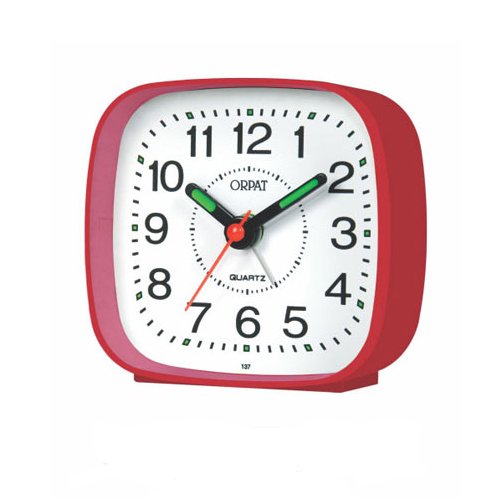
This angled view provides a better perspective of the clock's compact, square design. The rear of the clock typically houses the time setting knob, alarm setting knob, and an alarm ON/OFF switch, along with the battery compartment.
Setup
Battery Installation
- Locate the battery compartment cover on the back of the clock.
- Gently slide or lift the cover to open the compartment.
- Insert one AA battery (included) into the compartment, ensuring the positive (+) and negative (-) terminals align with the polarity indicators inside.
- Securely close the battery compartment cover.
Operating Instructions
Setting the Time
- Locate the Time Setting Knob on the back of the clock.
- Rotate this knob clockwise or counter-clockwise until the hour and minute hands display the correct current time.
Setting the Alarm
- Locate the Alarm Setting Knob on the back of the clock.
- Rotate this knob to move the small alarm hand to your desired alarm time.
- Ensure the alarm ON/OFF switch (typically a small slide switch) is in the "ON" position to activate the alarm.
Turning the Alarm On/Off
- To activate the alarm, slide the Alarm ON/OFF switch to the "ON" position.
- To deactivate the alarm, slide the Alarm ON/OFF switch to the "OFF" position.
Maintenance
Cleaning
- Wipe the clock with a soft, dry cloth.
- Do not use abrasive cleaners, solvents, or chemical sprays, as these may damage the clock's finish or internal components.
Battery Replacement
- When the clock's timekeeping becomes inaccurate, the hands stop moving, or the alarm sound weakens, it is time to replace the battery.
- Follow the battery installation steps outlined in the "Setup" section.
Troubleshooting
Clock Not Working / Incorrect Time
- Check if the battery is inserted correctly with the positive (+) and negative (-) terminals aligned.
- Replace the battery with a new, fresh AA battery.
- Ensure the time setting knob is not stuck or damaged.
Alarm Not Sounding
- Ensure the alarm ON/OFF switch is in the "ON" position.
- Verify that the alarm time is set correctly using the alarm setting knob.
- Replace the battery if the alarm sound is weak or intermittent.
Specifications
| Feature | Detail |
|---|---|
| Brand | Orpat |
| Model | TBB-137 |
| Display Type | Analog |
| Colour | Red |
| Style | Vintage |
| Special Feature | Alarm |
| Power Source | Battery Powered |
| Material | Plastic |
| Product Dimensions (LxWxH) | 10 x 3 x 10 cm |
| Item Weight | 300 g |
| Batteries Included | Yes |
| Operation Mode | Mechanical |
Warranty and Support
For warranty information or technical support regarding your Orpat TBB-137 Analog Alarm Clock, please refer to the warranty card included with your purchase or visit the official Orpat website. You may also contact the retailer from whom the product was purchased. Please retain your purchase receipt as proof of purchase for any warranty claims.