
Introduction
This manual provides instructions for the G.T.Master GT-RC wireless remote control, designed for use with G.T.Master automatic sliding gate openers. Please read these instructions carefully before use to ensure proper operation and longevity of your device.
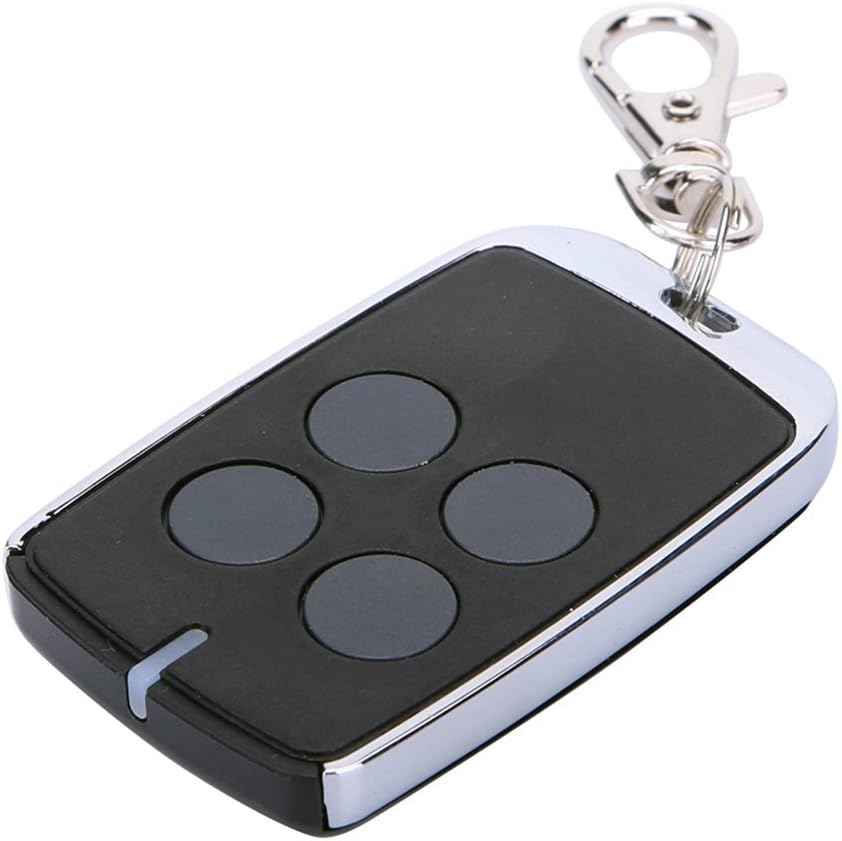
Image: The G.T.Master GT-RC remote control with four buttons and a keychain attachment.
Setup Instructions
1. Remote Control Learning (Adding a New Remote)
To add an additional remote control to your gate opener system:
- Remove the upper cover of the main gate opener engine to access the control board.
- Locate and press the learning button (S1) on the control board. The 'LEARN' indicator light will illuminate.
- Within a few seconds, press any button on the new remote control twice.
- The 'LEARN' light on the control board will flash repeatedly and then turn off, indicating successful pairing.
A maximum of 25 remote controls can be programmed to a single control board.

Image: The GT-RC remote control shown alongside a G.T.Master gate opener control board, emphasizing compatibility.
2. Deleting Remote Controls
To delete all previously learned remote controls from the system:
- Press and hold the learning button (S1) on the control board for approximately two seconds. The 'LEARN' light will turn on.
- Continue to hold the button until the 'LEARN' light turns off. This action will delete all previously programmed remote controls.
Operating Instructions
1. Single Button Mode
The G.T.Master GT-RC remote control operates in a single button mode for the main gate functions. The first three buttons on the remote control share the same function:
- Press once to OPEN the gate.
- Press again to STOP the gate during opening or closing.
- Press a third time to CLOSE the gate.
- Press a fourth time to STOP the gate during closing.
This sequence cycles through OPEN/STOP/CLOSE/STOP with each press of any of the first three buttons.
2. Pedestrian Mode
The fourth button on the remote control is dedicated to the pedestrian mode:
- When the gate is closed, press the fourth button.
- The gate will open approximately 1 meter (3.3 feet), allowing pedestrian access only.

Image: Diagram illustrating the functions of the remote control buttons, including OPEN/CLOSE/STOP for the main buttons and Pedestrian Mode for the fourth button.
Maintenance
Battery Replacement
The remote control is powered by a CR2032 3V Lithium battery. To replace the battery:
- Use a plastic spudger or a similar non-metallic tool to carefully separate the clips around the edge of the remote control casing. Avoid using hard metal tools to prevent damage.
- Once the casing is open, gently remove the old CR2032 battery.
- Insert a new CR2032 3V Lithium battery with the positive (+) side facing up (typically the side with the brand logo).
- Carefully reassemble the remote control casing, ensuring all clips snap securely into place.
Troubleshooting
- Remote Not Responding:
Check the battery. If the battery is low or depleted, replace it with a new CR2032 3V battery. Ensure the remote is within the operating range of the gate opener. - Gate Not Opening/Closing:
Verify that the remote control has been successfully programmed to the gate opener's control board. Refer to the "Remote Control Learning" section. Ensure there are no obstructions in the gate's path. - Intermittent Operation:
This could indicate a weak battery or interference. Try replacing the battery. If the issue persists, ensure there are no strong radio frequency sources nearby that could cause interference.
Specifications
| Brand | G.T.Master |
| Model | GT-RC |
| Item Weight | 1.13 ounces |
| Package Dimensions | 2.87 x 1.77 x 0.87 inches |
| Batteries | 1 CR2032 3V Lithium battery (included) |
| Compatible Devices | G.T.Master Gate Openers |
| Special Feature | Ergonomic design |

Image: Technical drawing showing the dimensions of the GT-RC remote control.
Warranty Information
For specific warranty details regarding your G.T.Master GT-RC remote control, please refer to the documentation provided with your original gate opener system or contact G.T.Master directly. Warranty terms typically cover manufacturing defects for a specified period from the date of purchase.
Customer Support
If you encounter any issues or have questions not covered in this manual, please contact G.T.Master customer support or the seller from whom you purchased the product. Provide your product model (GT-RC) and purchase details for efficient assistance.