
1. Product Overview
This manual provides instructions for the YUSTDA 9V AC/DC Adapter, Model ES180414001. This adapter is designed to provide reliable power to compatible electronic devices, including various Sportcraft and Halex dartboard models. It features a wide input voltage range for global compatibility and incorporates multiple safety features.
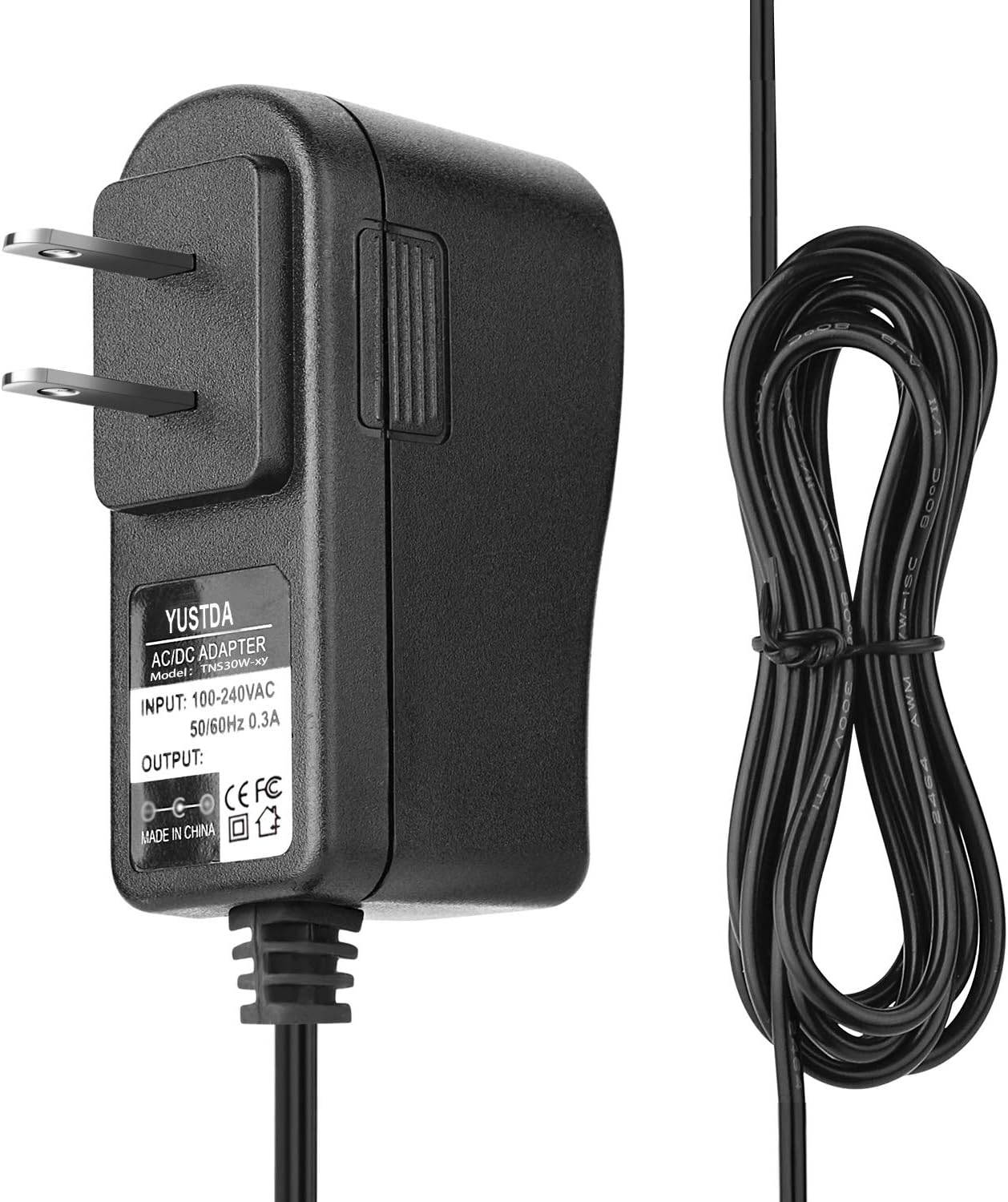
Figure 1: Front view of the YUSTDA 9V AC/DC Adapter, showing the adapter unit and its attached power cord.
2. Key Features
- Universal Input Voltage: Supports 100-240VAC 50/60Hz, allowing for worldwide use.
- Compatibility: 100% compatible with the specified device models, including various Sportcraft Smartness and Halex dartboards.
- Extended Reach: Features a total power cord length of 6.5 feet for convenient placement.
- Advanced Safety Protections: Equipped with over current protection, total power protection, over voltage protection, and short circuit protection to ensure safe operation.
- Quality Construction: Manufactured with high-quality materials and certified by FCC, CE, and RoHS standards.

Figure 2: Illustration of the adapter's safety features, including over-temperature, over-voltage, over-current, and short circuit protection.
3. Setup Instructions
- Verify Compatibility: Ensure your device requires a 9V AC/DC adapter and has a compatible barrel connector. This adapter is specifically designed for Sportcraft Smartness and Halex dartboards as listed in the product description.
- Connect to Device: Insert the barrel connector end of the adapter's power cord into the power input port of your electronic device.
- Connect to Power Outlet: Plug the two-prong AC plug of the adapter into a standard wall power outlet (100-240VAC, 50/60Hz).
- Power On Device: Once connected, power on your device as per its own operating instructions.

Figure 3: The YUSTDA AC adapter connected to a power strip, demonstrating typical usage.
4. Operating Guidelines
The YUSTDA 9V AC/DC Adapter operates automatically once connected to a power source and a compatible device. No user intervention is required for its basic function.
- Ensure the adapter is placed in a well-ventilated area to prevent overheating.
- Do not cover the adapter during operation.
- Disconnect the adapter from the power outlet when not in use for extended periods.
5. Maintenance and Care
To ensure the longevity and optimal performance of your YUSTDA 9V AC/DC Adapter, follow these maintenance guidelines:
- Cleaning: Disconnect the adapter from all power sources before cleaning. Use a soft, dry cloth to wipe the exterior. Do not use liquid cleaners or aerosols.
- Storage: Store the adapter in a cool, dry place away from direct sunlight and extreme temperatures when not in use. Avoid tightly winding the power cord to prevent damage.
- Handling: Do not drop, disassemble, or attempt to repair the adapter. Avoid exposing it to water or excessive moisture.
- Cable Integrity: Regularly inspect the power cord and connector for any signs of damage, such as fraying, cuts, or bent pins. Discontinue use if damage is observed.

Figure 4: Internal structure of the power cable, highlighting the high-quality copper wire and PVC insulation jacket for durability.
6. Troubleshooting
| Problem | Possible Cause | Solution |
|---|---|---|
| Device not powering on. | Adapter not properly plugged in; power outlet issue; incompatible device; damaged adapter/cable. | Ensure adapter is securely plugged into both the device and the wall outlet. Test the outlet with another device. Verify device compatibility with 9V power. Inspect adapter and cable for damage. |
| Adapter feels hot during use. | Normal operation; insufficient ventilation; overloaded circuit. | A slight warmth is normal. Ensure adapter is in a well-ventilated area and not covered. If excessively hot, disconnect immediately and contact support. |
| Intermittent power to device. | Loose connection; damaged cable/connector. | Check all connections for tightness. Inspect the cable and connector for any visible damage. |
7. Product Specifications
| Specification | Value |
|---|---|
| Model Number | ES180414001 |
| Input Voltage | 100-240VAC, 50/60Hz |
| Output Voltage | 9 Volts |
| Output Current | 1 Amps |
| Connector Type | Barrel Connector |
| Power Cord Length | 6.5 Feet (approx. 1.98 meters) |
| Item Weight | 3.98 ounces (approx. 112.8 grams) |
| Package Dimensions | 3.7 x 3.1 x 1.2 inches |
| Certifications | CE, FCC, RoHS |
8. Safety Information
WARNING:
- Risk of Heat: The adapter may become warm during normal operation. Ensure adequate ventilation and do not cover it.
- Indoor Use Only: This adapter is designed for indoor use. Do not expose it to rain, moisture, or extreme environmental conditions.
- Electrical Safety: Do not use if the adapter or cable is damaged. Do not attempt to open or modify the adapter.
- Children and Pets: Keep the adapter and its cord out of reach of children and pets to prevent accidental injury or damage.
- Correct Voltage: Only connect to devices requiring 9V DC input with a compatible connector. Using with incompatible devices may cause damage.

Figure 5: Rear view of the adapter, showing a warning label that advises caution as the unit may become hot during use.
9. Warranty and Support
YUSTDA products are manufactured with high-quality materials and undergo rigorous testing to ensure reliability.
For any questions, concerns, or technical support regarding your YUSTDA 9V AC/DC Adapter, please contact our customer service team:
Email: epcustomerservice@yahoo.com
Please provide your product model number (ES180414001) and a detailed description of your inquiry when contacting support.