
Introduction
This manual provides instructions for the setup, operation, and maintenance of your MARATHON Atomic Wall Clock. This clock features a large 9-inch digital display, automatic time synchronization, multiple display modes, and indoor temperature readings. Please read this manual thoroughly before use.
Setup
1. Battery Installation
The clock requires three AAA batteries (included). Locate the battery compartment on the back of the clock. Insert the batteries, ensuring correct polarity (+/-). The clock will power on and begin searching for the atomic time signal.

Image: Rear view of the clock, highlighting the battery compartment and control buttons for setup.
2. Initial Atomic Time Synchronization
Upon battery installation, the clock will automatically attempt to synchronize with the NIST radio frequency broadcast from Colorado. This process may take several minutes to several hours, depending on your location and environmental conditions. For optimal reception, place the clock near a window, away from electronic devices that may cause interference.

Image: The clock displaying time, date, and temperature, emphasizing its ease of use and battery inclusion.
3. Time Zone Selection
After successful synchronization, you may need to set your local time zone. This clock supports eight North American time zones: Pacific, Mountain, Central, Eastern, Atlantic, Newfoundland, Alaska, and Hawaii. Refer to the buttons on the back of the clock to cycle through and select the appropriate time zone.
4. Daylight Saving Time (DST)
The clock is designed to automatically adjust for Daylight Saving Time. Ensure the DST setting is enabled according to your region's requirements. This setting is typically found near the time zone selection buttons on the back of the unit.
Operating Instructions
1. Display Modes
The clock offers multiple display modes to show various information. Use the designated buttons (e.g., 'MODE' or 'DISPLAY') on the back of the clock to switch between the following:
- Time Display: Shows the current time in either AM/PM or 24-hour format.
- Date Display: Shows the month, weekday, and date.
- Indoor Temperature Display: Shows the current indoor room temperature in Celsius or Fahrenheit.

Image: Detailed view of the clock's dynamic display, showing time, date, day, and temperature.
2. Manual Time/Date Adjustment (If Needed)
In rare cases where atomic synchronization is not possible or desired, the time and date can be set manually. Consult the specific button functions on the back of your clock (e.g., 'TIME SET' button) to enter manual adjustment mode. Follow the on-screen prompts to set the time, date, and year.
Features
- Self-Setting and Self-Adjusting: Automatically synchronizes with the NIST atomic clock for precise timekeeping.
- Large 9-Inch Digital Display: Provides clear and easy-to-read numbers.
- Multiple Display Modes: Choose between AM/PM or 24-hour time, date (month, weekday, date), and indoor temperature (°C/°F).
- Eight North American Time Zones: Select your specific time zone for accurate local time.
- Indoor Temperature Display: Monitors and displays the ambient room temperature.
- Versatile Mounting Options: Designed for wall mounting or tabletop placement using the integrated fold-out stand.
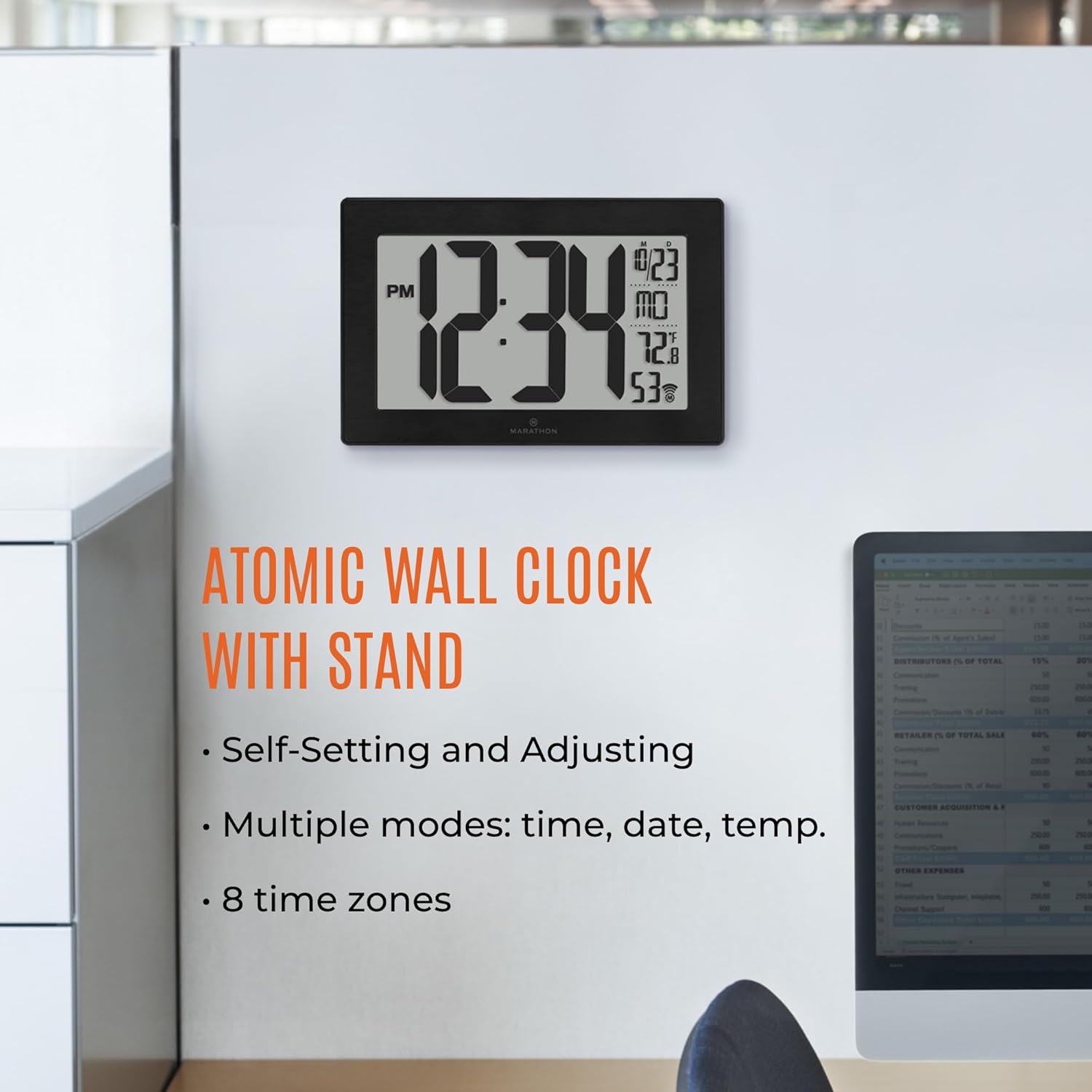
Image: The clock with callouts pointing to its various display features and functions.

Image: The clock positioned on a surface, demonstrating the use of its fold-out stand.
Maintenance
1. Battery Replacement
When the display dims or the clock stops functioning, replace the three AAA batteries. Always replace all batteries at the same time with new ones. Dispose of old batteries responsibly.
2. Cleaning
Clean the clock's display and frame with a soft, dry cloth. Avoid using abrasive cleaners or chemical sprays, as these can damage the finish or screen.
Troubleshooting
| Problem | Possible Cause | Solution |
|---|---|---|
| Clock not synchronizing | Weak atomic signal, interference, incorrect time zone. | Relocate the clock near a window, away from electronics. Ensure correct time zone is selected. Perform a manual signal search if available. |
| Incorrect time/date displayed | Failed synchronization, incorrect manual setting, dead batteries. | Check batteries. Initiate atomic synchronization. Manually set time/date if necessary. |
| Temperature reading inaccurate | Clock placed near heat/cold source, sensor obstruction. | Move the clock to a location with stable ambient temperature. Ensure the sensor area is clear. |
| Display is dim or blank | Low or dead batteries. | Replace all three AAA batteries with new ones. |
Specifications
- Model: CL030068
- Display Type: Digital
- Screen Size: 9 Inches
- Product Dimensions: 9.45"W x 6.3"H
- Power Source: Battery Powered (3 x AAA batteries included)
- Frame Material: Stainless Steel
- Operation Mode: Atomic
- Special Features: Temperature Display, 8 Time Zones, AM/PM or 24-Hour Format
- Mounting Type: Wall Mount, Tabletop Stand

Image: The clock with its physical dimensions clearly indicated.
Warranty and Support
This MARATHON Atomic Wall Clock comes with a Limited Warranty. For detailed information regarding warranty coverage, terms, and conditions, please refer to the warranty card included with your product or visit the official MARATHON website. For technical support, troubleshooting assistance, or to inquire about replacement parts, please contact MARATHON customer service through their official channels.


