
Merge Games 819335020184
The Coma: Recut - Nintendo Switch User Manual
Brand: Merge Games | Model: 819335020184
Introduction to The Coma: Recut
The Coma: Recut is a remastered version of the indie cult classic, The Coma: Cutting Class. This survival horror game has been rebalanced and 'recut' to include new and updated animations, mechanics, cut scenes, and art. Players assume the role of Young-ho, a Korean student who awakens to find himself trapped in a nightmarish version of his school, Sehwa High, after falling asleep during his final exam. He is not alone, as a relentless killer pursues him through the school's dread-filled corridors and classrooms. Young-ho's objective is to evade his pursuer and find a way to escape.

Image: The official game cover for The Coma: Recut on Nintendo Switch.
Core Gameplay Mechanics
The game emphasizes survival and exploration within a terrifying school environment. Key mechanics include:
- Hide: Utilize the environment by crouching in darkness or cowering in closets to remain unseen and evade the killer.
- Survive: Employ your flashlight to locate useful items and clues, but be aware that its light can attract unwanted attention.
- Mystery: Collect notes and clues scattered throughout Sehwa High to piece together the dark history of its students and teachers.
- Death: Confront the horrors lurking in the shadows; failure to evade them can lead to a grim end in a forgotten classroom.
- Art Style: The characters and eerie corridors of Sehwa High are brought to life through a distinctive hand-illustrated manhwa art style, drawing inspiration from the real-world challenges faced by overworked high school students in Korea.
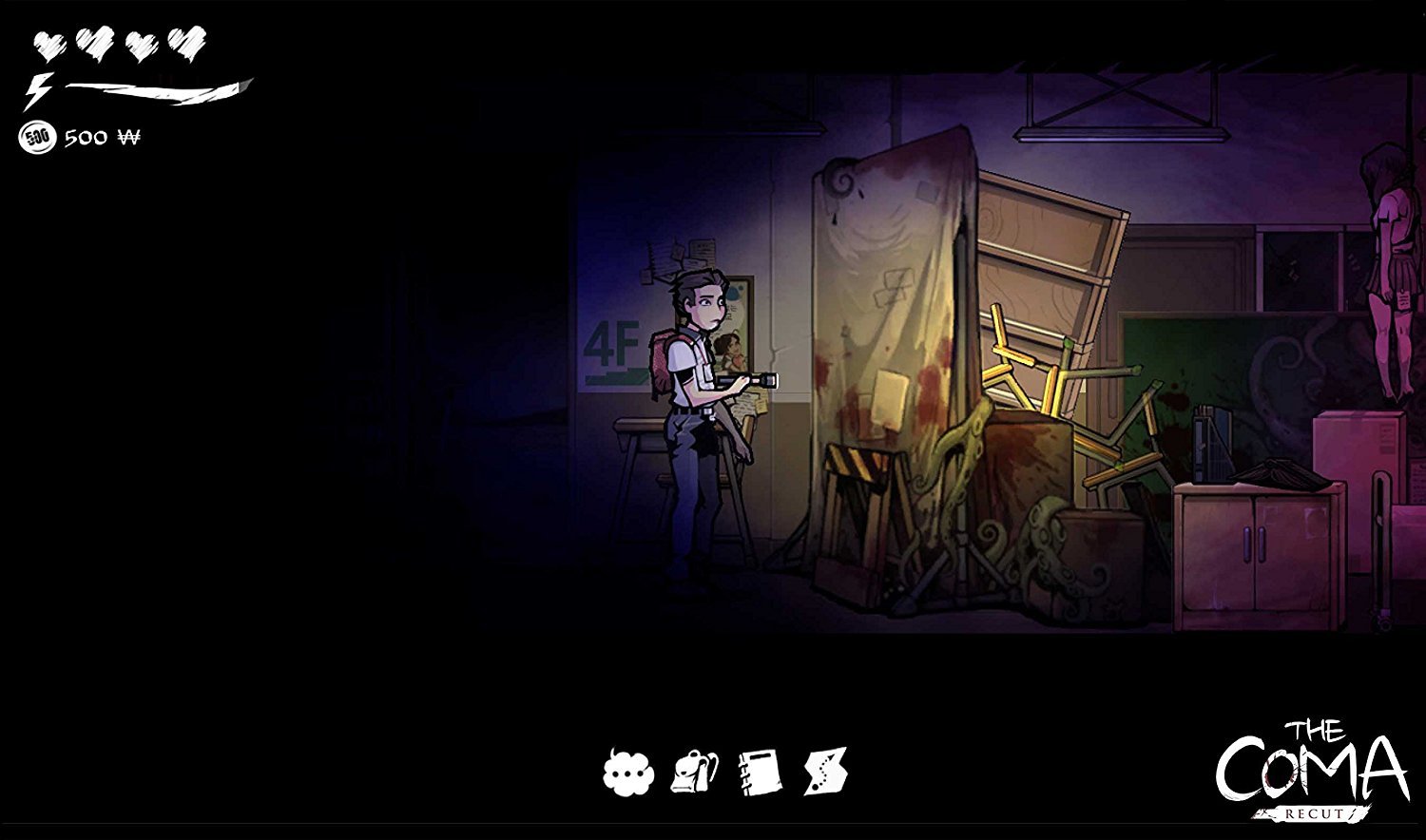
Image: Young-ho using his flashlight to navigate a dark room.

Image: Interacting with a vending machine to acquire items.

Image: The killer lurking in the school corridors.

Image: Successfully hiding from the killer.
Setup and Installation
The Coma: Recut is designed for the Nintendo Switch console. Follow these steps to begin playing:
- Insert Game Card: Gently insert The Coma: Recut game card into the game card slot on your Nintendo Switch console until it clicks into place.
- Launch Game: From the Nintendo Switch HOME Menu, select The Coma: Recut icon to start the application.
- System Updates: Ensure your Nintendo Switch console's system software is updated to the latest version for optimal game performance and compatibility.
Basic Controls and Navigation
The Coma: Recut utilizes standard Nintendo Switch controls. Familiarize yourself with the basic inputs:
- Left Stick: Move character (Young-ho).
- Right Stick: Control flashlight direction (if applicable).
- A Button: Interact with objects, confirm selections in menus.
- B Button: Cancel action, run (hold).
- X Button: Open inventory/menu.
- Y Button: Use item (contextual).
- L/R Buttons: Navigate menus, quick turn.
- ZL/ZR Buttons: Crouch, hide.
- Plus (+) Button: Pause game, access system menu.
For more detailed in-game controls and advanced maneuvers, refer to the game's tutorial or the options menu accessible during gameplay.
Game Data Management
To ensure proper game function and data integrity, please note the following:
- Saving Progress: The Coma: Recut features an auto-save function that activates at key points in the game. Additionally, manual save points may be available at designated locations within the game world. Always ensure the game has completed its saving process before closing the application or powering off your Nintendo Switch console to prevent data corruption.
- Software Updates: Periodically check for software updates for The Coma: Recut via the Nintendo Switch HOME Menu. Updates can provide performance improvements, bug fixes, and sometimes new content.
- Data Storage: Game save data is stored on the Nintendo Switch's internal memory or a compatible microSD card. Do not remove the game card or microSD card while the game is running or actively saving data.
Common Issues and Solutions
If you encounter any issues while playing The Coma: Recut, consider the following troubleshooting steps:
- Game Not Starting: Ensure the game card is fully and correctly inserted into the Nintendo Switch. Try restarting your Nintendo Switch console. Verify that your console's system software is up to date.
- Performance Issues (Lag/Freezing): Close any other applications running in the background on your Nintendo Switch. Confirm that your console has sufficient free storage space. Restart the game application.
- Audio/Visual Problems: Check your console's audio settings and ensure your TV/monitor connections are secure. Make sure the game software is updated to the latest version.
- Unresponsive Controls: Disconnect and then reconnect your Joy-Cons or Pro Controller. Ensure your controllers are adequately charged.
For persistent issues not resolved by these steps, please consult the official Merge Games support website or Nintendo Switch support resources.
Product Specifications
| Feature | Detail |
|---|---|
| Publication Date | August 14, 2018 |
| Computer Platform | Nintendo Switch |
| UPC | 819335020184 |
| Compatible Video Game Console Models | Nintendo Switch |
| Release Date | August 14, 2018 |
| Item Model Number | 819335020184 |
| Manufacturer | Merge Games |
| Item Weight | 0.704 ounces |
| Product Dimensions | 0.9 x 4.1 x 6.7 inches |
| Rated | Teen |
Warranty Information and Customer Support
For information regarding product warranty for The Coma: Recut, please refer to the official Merge Games website or any documentation included with your game purchase. Warranty terms and conditions may vary.
For technical support, gameplay assistance, or any other inquiries related to The Coma: Recut, please visit the Merge Games support portal or contact their customer service directly. Nintendo's official support channels can also provide assistance with console-related issues.
Online Resources:
Ask a question about this manual
Ask about setup, troubleshooting, compatibility, parts, safety, or missing instructions. Manuals+ will review the question and use this page’s manual context to help answer it.