1. Introduction
The Panasonic KX-HN3001W Video Baby Monitor provides a secure and clear monitoring solution for your baby. Utilizing DECT technology, it offers an extended range and features such as remote pan/tilt/zoom, two-way communication, soothing sounds, and smart sensor alerts for temperature, motion, and sound.
2. Setup
2.1 Unpacking and Components
Carefully unpack all components and ensure the following items are present:
- Color Monitor (Parent Unit)
- Night Vision Camera (Baby Unit)
- Speaker Wall Mount
- AC Adapters (2)
- Rechargeable Lithium Ion Battery (for Parent Unit)

Figure 2.1: Included components of the Panasonic KX-HN3001W Video Baby Monitor system.
2.2 Charging the Parent Unit
Before initial use, fully charge the parent unit's rechargeable battery. Connect the AC adapter to the parent unit and a power outlet. A full charge typically takes several hours. The parent unit can operate on AC power or its internal battery, providing up to 13 hours in standby mode or 5 hours of continuous video monitoring.
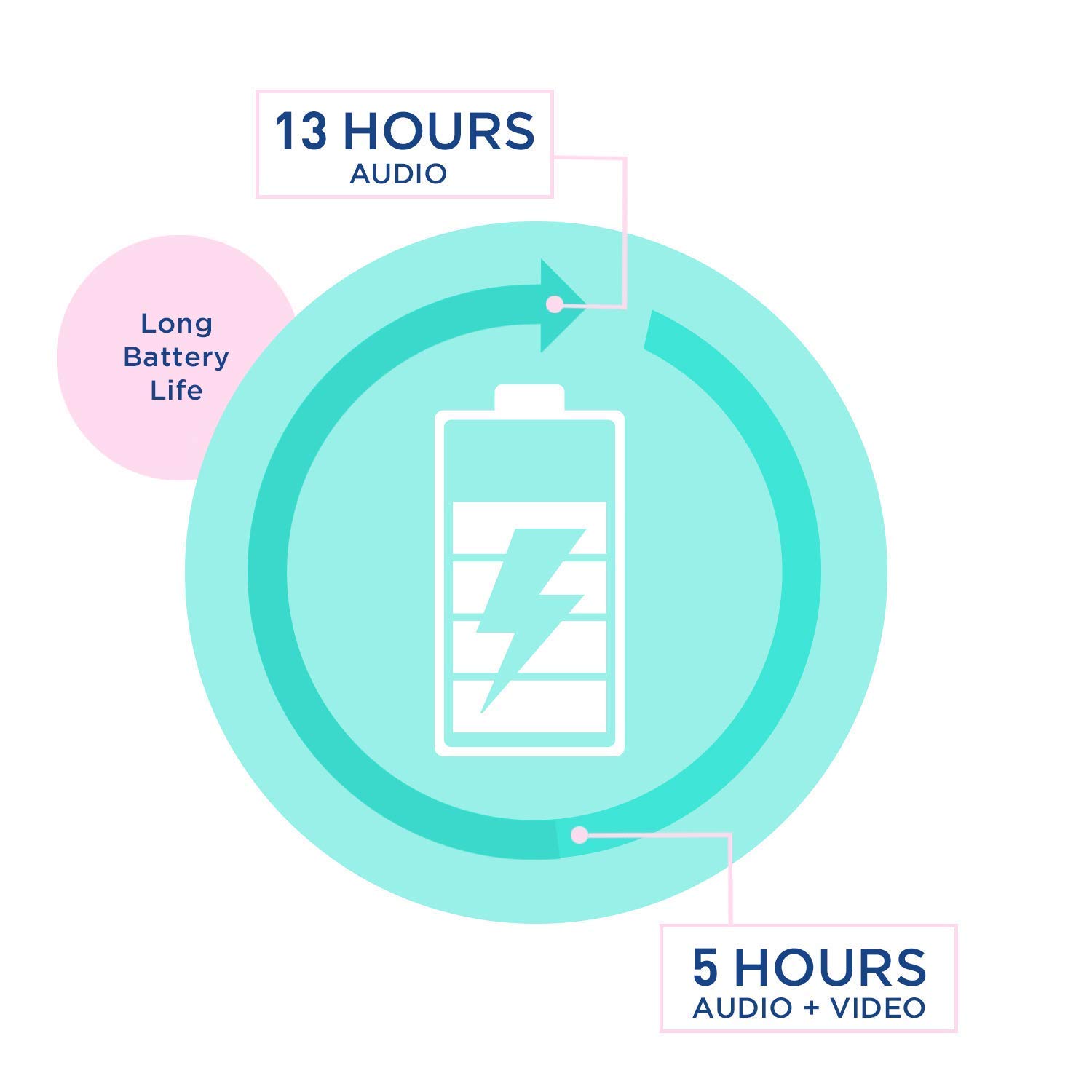
Figure 2.2: Battery life indicators for the parent unit.
2.3 Positioning the Baby Unit (Camera)
Place the baby unit in a location that provides a clear view of your baby. Ensure it is out of your baby's reach. The camera can be placed on a flat surface or mounted to a wall using the included wall mount. Screws for wall mounting are not included.

Figure 2.3: The baby unit (camera) and parent unit.
For optimal signal, avoid placing the baby unit near large metal objects or other electronic devices that may cause interference. The monitor utilizes DECT technology for a secure and interference-free signal up to 1500 feet in line-of-sight conditions. Actual range may vary based on environmental factors.

Figure 2.4: Illustration of the monitor's long-range capability.
3. Operation
3.1 Powering On/Off
Press and hold the power button on both the parent and baby units to turn them on or off. The parent unit display will activate, showing the camera feed.
3.2 Remote Pan, Tilt, and Zoom
Use the directional pad on the parent unit to remotely adjust the camera's view. Press the up/down arrows to tilt the camera, and the left/right arrows to pan. The zoom function allows for closer inspection of your baby. The camera features monochrome night vision for clear viewing in low-light conditions.

Figure 3.1: Remote control of camera movement and zoom from the parent unit.
3.3 Two-Way Talk
To speak to your baby, press and hold the microphone button on the parent unit. Release the button to listen. This feature allows for direct communication with your baby from another room.
3.4 Soothing Sounds (Lullabies & White Noise)
The baby unit can play a selection of lullabies or white noise to help soothe your baby. These can be activated and selected remotely from the parent unit's menu. Refer to the parent unit's menu options for sound selection.

Figure 3.2: The baby unit can play soothing sounds.
3.5 Smart Sensor Alerts
The monitor is equipped with smart sensors that provide alerts for:
- Motion Detection: Alerts you when movement is detected in the baby's room.
- Sound Detection: Notifies you of sounds made by your baby.
- Temperature Monitoring: Alerts if the room temperature falls outside a set range.
These alerts can be customized via the parent unit's menu. When an alert is triggered, the parent unit will chime, illuminate an LED, and display a notification on the screen. The system includes noise reduction to minimize background interference, ensuring clear audio of your baby.

Figure 3.3: Overview of smart sensor capabilities.
3.6 Official Product Videos
For a visual guide on the product's features and operation, please refer to the official videos below:
Panasonic Video Baby Monitor with Remote Pan/Tilt/Zoom, Extra Long Audio/Video Range, 2 Way Talk...
Video 3.1: This video demonstrates the remote pan, tilt, and zoom functions, along with the two-way talk feature and extended range of the Panasonic Video Baby Monitor.
4. Maintenance
4.1 Cleaning
Wipe the monitor and camera units with a soft, dry cloth. Do not use abrasive cleaners or solvents. Ensure units are unplugged before cleaning.
4.2 Battery Care
To prolong battery life, avoid fully discharging the parent unit's battery frequently. Recharge the battery when the low battery indicator appears. If the unit will not be used for an extended period, store it with a partial charge.
5. Troubleshooting
| Problem | Possible Cause | Solution |
|---|---|---|
| No signal or poor signal quality | Units are too far apart or obstructions are present. Interference from other electronic devices. | Move the parent unit closer to the baby unit. Ensure no large metal objects or other Wi-Fi devices are directly between the units. Relocate units to minimize interference. |
| Parent unit battery drains quickly | Continuous video display. Battery degradation over time. | Reduce screen brightness or use standby mode when not actively viewing. Ensure the battery is fully charged before use. Consider replacing the battery if it's old and no longer holds a charge effectively. |
| Temperature sensor alerts constantly | Temperature range settings are too narrow. | Adjust the temperature alert range settings in the parent unit's menu to a wider, more appropriate range for the room. The alarm typically sounds when the temperature falls outside the set range. |
| Static or unclear audio | Interference or distance. | Ensure units are within optimal range and away from other electronics. The system has noise reduction, but extreme interference can still affect clarity. |
6. Specifications
| Feature | Detail |
|---|---|
| Model Number | KX-HN3001W |
| Brand | Panasonic |
| Connectivity Technology | Wireless (DECT) |
| Video Capture Resolution | 720p |
| Parent Unit Display Size | 3.5 inches |
| Power Source | Battery Powered (Parent Unit), AC Powered (Baby Unit) |
| Battery Type (Parent Unit) | 1 Lithium Ion battery (included) |
| Battery Life (Parent Unit) | Up to 13 hours (standby), up to 5 hours (continuous video) |
| Wireless Range | Up to 1500 feet (line-of-sight) |
| Special Features | Remote Pan/Tilt/Zoom, Night Vision, Two-Way Talk, Lullabies, White Noise, Smart Sensors (Motion, Sound, Temperature) |
| Color | White |
| Dimensions (L x W x H) | 7.2 x 5.2 x 6 inches |
| Item Weight | 1.7 Pounds |
7. Warranty & Support
7.1 Warranty Information
For detailed warranty information regarding your Panasonic KX-HN3001W Video Baby Monitor, please refer to the warranty card included in your product packaging or visit the official Panasonic support website. Keep your proof of purchase for warranty claims.
7.2 Customer Support
Should you require further assistance, technical support, or have questions not covered in this manual, please contact Panasonic customer support. You can find contact information and additional resources on the official Panasonic website: na.panasonic.com/us/support.