Product Overview
The TELEFUNKEN Elektroakustik M 782 is a durable metal microphone mount designed specifically for use with the TELEFUNKEN Elektroakustik M82 Dynamic Microphone and CU-29 Tube Microphone. It ensures secure positioning and stability for your microphone during use.
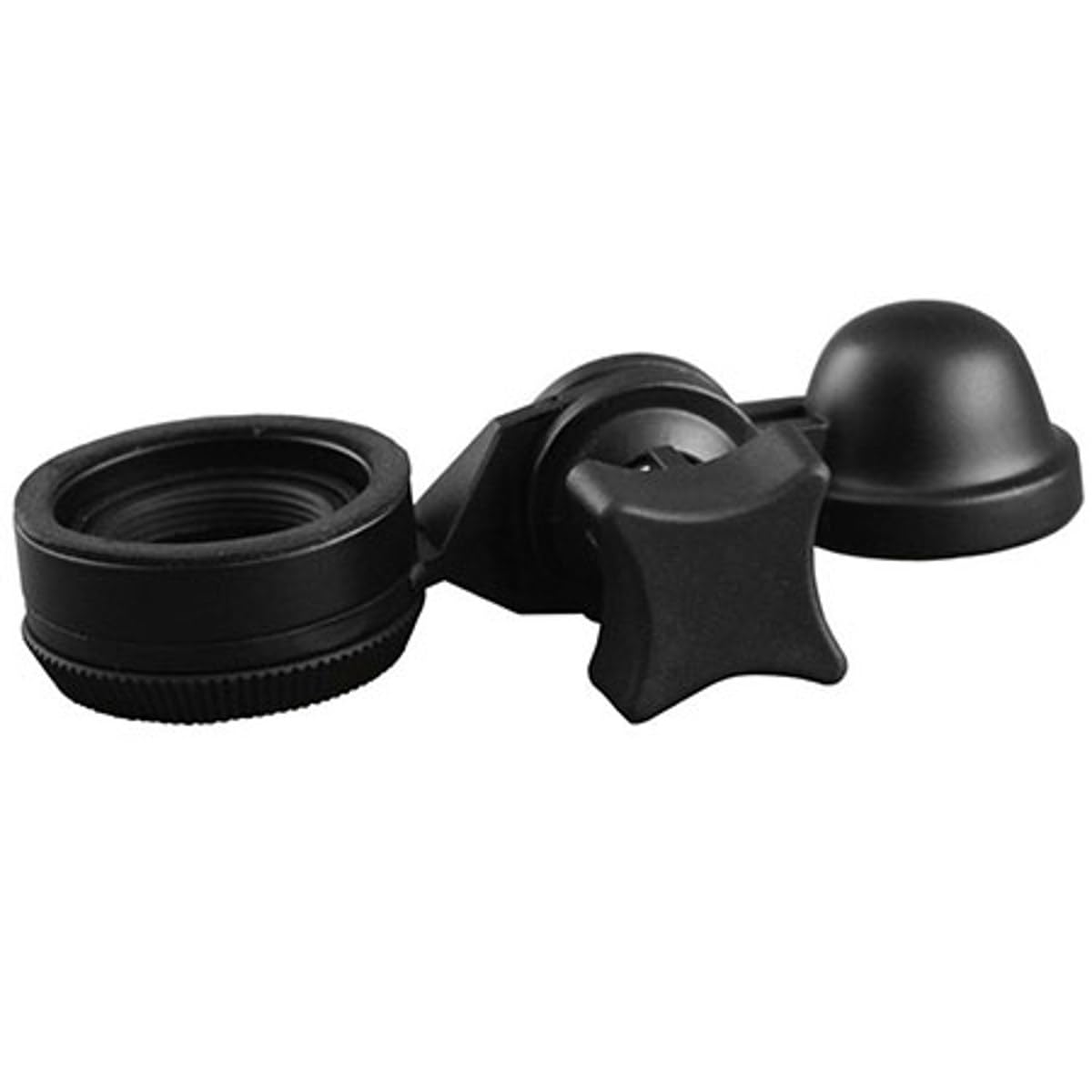
Image: The TELEFUNKEN M 782 Microphone Mount, a black metal bracket designed to securely hold compatible microphones.
Package Contents
Verify that all items are present in the package:
- TELEFUNKEN Elektroakustik M 782 Microphone Mount (1 unit)
Setup Instructions
Follow these steps to properly attach the M 782 Microphone Mount to your microphone and stand:
- Identify Compatible Microphones: Ensure you are using a TELEFUNKEN Elektroakustik M82 Dynamic Microphone or CU-29 Tube Microphone. This mount is designed specifically for these models.
- Prepare the Microphone: Gently hold your compatible microphone.
- Attach the Mount: Align the microphone with the mounting mechanism on the M 782. The mount features a threaded connector type. Carefully screw the microphone onto the mount until it is secure. Do not overtighten.
- Mount to Stand: The M 782 mount has a standard threaded base. Attach this base to a compatible microphone stand. Rotate the mount clockwise onto the stand's thread until it is firmly seated.
- Adjust Position: Once secured, adjust the angle and position of your microphone as needed for optimal recording or performance.
Operating Instructions
The M 782 Microphone Mount is a passive accessory designed to hold your microphone securely. Once installed, its operation involves ensuring the microphone remains stable and positioned correctly.
- Stability Check: Before each use, verify that both the microphone and the mount are securely fastened to the microphone stand to prevent accidental drops.
- Positioning: Adjust the microphone's angle and height using the microphone stand's mechanisms. The M 782 mount provides a stable connection point.
- Transportation: When moving the microphone and mount assembly, handle with care to avoid impacts. For long-distance transport, it is recommended to detach the microphone from the mount and store them separately in protective cases.
Maintenance
Proper maintenance ensures the longevity and reliable performance of your M 782 Microphone Mount.
- Cleaning: Wipe the mount with a soft, dry cloth to remove dust and fingerprints. For stubborn dirt, a slightly damp cloth can be used, followed by immediate drying. Avoid abrasive cleaners or solvents, as these can damage the metal finish.
- Inspection: Periodically inspect the mount for any signs of wear, such as loose screws or damaged threads. If any issues are found, discontinue use and contact TELEFUNKEN support.
- Storage: Store the mount in a clean, dry environment when not in use, away from extreme temperatures and humidity.
Troubleshooting
This section addresses common issues you might encounter with the M 782 Microphone Mount.
| Problem | Possible Cause | Solution |
|---|---|---|
| Microphone feels loose on the mount. | Microphone not fully tightened or incompatible microphone. | Ensure the microphone is screwed in completely. Verify it is an M82 or CU-29 microphone. |
| Mount is wobbly on the microphone stand. | Mount not fully tightened to the stand. | Screw the mount firmly onto the microphone stand's thread. |
| Difficulty attaching microphone or stand. | Misalignment of threads or debris in threads. | Carefully align threads before screwing. Check for and remove any debris. Do not force. |
| Visible wear or damage. | Physical impact or prolonged heavy use. | Discontinue use and contact TELEFUNKEN support for replacement or repair options. |
Specifications
Technical details for the TELEFUNKEN Elektroakustik M 782 Microphone Mount:
| Feature | Detail |
|---|---|
| Model Number | M 780 |
| Item Weight | 12 ounces (approximately 340 grams) |
| Package Dimensions | 6 x 4 x 4 inches (15.24 x 10.16 x 10.16 cm) |
| Body Material | Metal |
| Color | Black |
| Connector Type | Threaded Mount |
| Compatible Microphones | TELEFUNKEN Elektroakustik M82, CU-29 |
| Base Type | Flat |
| Style | Modern |
Warranty Information
For detailed warranty information regarding your TELEFUNKEN Elektroakustik M 782 Microphone Mount, please refer to the official TELEFUNKEN Elektroakustik website or the documentation provided at the time of purchase. Warranty terms and conditions may vary by region and product.
Customer Support
If you require assistance, have questions, or need to report an issue with your M 782 Microphone Mount, please contact TELEFUNKEN Elektroakustik customer support through their official website. Provide your product model number (M 780) and a detailed description of your inquiry for efficient service.


