
1. Introduction
This manual provides essential information for the installation, operation, and maintenance of the Samsung DG44-01006B Range Dual Surface Element Control Switch. This genuine Original Equipment Manufacturer (OEM) part is designed to replace the existing surface element control switch in compatible Samsung ranges, ensuring proper function of the dual surface elements.
The surface element control switch DG44-01006B is responsible for turning the surface element on and off, and precisely controlling the heat output of the element. It is compatible with various Samsung range models, including NE59K3310SB/AA-00, NE59M4310SB/AA-00, NE58K9500SG/AA-01, NE59K3310SS/AA-00, NE59M4310SW/AA-00, NE58K9430SS/AA-00, NE59M6850SS/AA-00, NE59K3310SW/AA-00, NE59M4310SS/AA-00, NE58K9850WG/AA-00, NE58K9850WS/AA-00, NE59M6850SG/AA-00, NE58K9500SG/AA-00, NE59M6850SG/AA-01, NE58R9431SG/AA-00, NE58F9710WS/AA-03, NE58F9710WS/AA-04, and NE59J7850WG/AA-04.
2. Important Safety Information
WARNING: Before attempting any installation or repair, always unplug the range from its power source or shut off the corresponding house circuit breaker for the range. Failure to do so can result in electric shock, serious injury, or death.
- Ensure the appliance is completely disconnected from power before beginning work.
- Wear appropriate personal protective equipment, such as gloves, if necessary.
- If you are unsure about any step, consult a qualified appliance technician.
- Keep children and pets away from the work area.
3. Installation (Setup)
This section outlines the general procedure for replacing the surface element control switch. Specific steps may vary slightly depending on your range model. It is highly recommended to take photographs of the wiring connections before disconnecting any wires to aid in reassembly.

Always verify part compatibility with your specific range model number before installation.
Required Tools:
- Screwdriver (Phillips and/or Flathead, as needed)
- Needle-nose pliers (optional, for wire connections)
Installation Steps:
- Disconnect Power: As stated in the safety information, unplug the range or turn off the circuit breaker supplying power to the range. Verify power is off before proceeding.
- Access the Control Panel: Depending on your range model, you may need to remove screws from the back panel or top of the range to access the control board where the switch is located. Typically, there are about 5 screws on the back of the stove.
- Locate the Old Switch: Identify the faulty surface element control switch. It will have multiple wires connected to it.
- Document Wiring: Before disconnecting any wires, take clear photographs of all wire connections to the old switch. This is crucial for correct reassembly. Note the color and position of each wire.
- Disconnect Wires: Carefully disconnect each wire from the old switch. Some connections may be push-on terminals, while others might be screw terminals.
- Remove Old Switch: Unscrew any mounting screws holding the old switch in place. There are typically two screws securing the switch to the control panel.
- Install New Switch: Position the new DG44-01006B switch in the same location as the old one and secure it with the mounting screws.
- Connect Wires: Refer to your photographs and connect each wire to the corresponding terminal on the new switch. Ensure all connections are secure.
- Reassemble Range: Reattach any panels or covers that were removed to access the switch. Ensure all screws are tightened.
- Restore Power: Plug the range back into the power outlet or turn the circuit breaker back on.
- Test Functionality: Test the surface element to ensure the new switch operates correctly, allowing for proper on/off control and heat regulation.
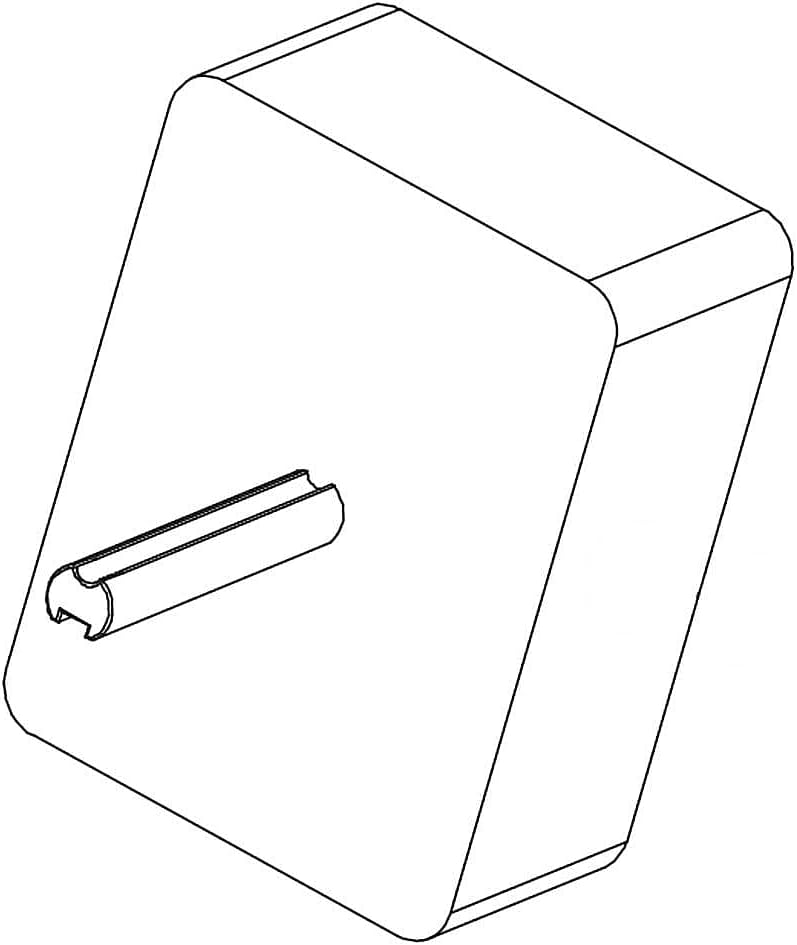

Images of the Samsung DG44-01006B Range Dual Surface Element Control Switch.
4. Operating Instructions
The DG44-01006B control switch functions as the primary interface for controlling your range's dual surface elements. Once installed, its operation is integrated with your range's existing control knobs.
- Turning On/Off: Rotate the corresponding control knob for the desired surface element to the 'On' position. To turn off, rotate the knob to the 'Off' position.
- Heat Regulation: The switch allows for variable heat settings. Rotate the control knob to adjust the heat from low to high, or to specific numbered settings if your range provides them. The switch translates the knob's position into the appropriate power output for the element.
- Dual Element Control: For ranges equipped with dual elements, the switch manages both the inner and outer heating coils, allowing you to select the appropriate size for your cookware.
5. Maintenance
The Samsung DG44-01006B control switch is a sealed electronic component and requires no routine maintenance. To ensure its longevity and proper function:
- Keep Dry: Prevent liquids from spilling onto the control panel area, as moisture can damage internal components.
- Gentle Cleaning: When cleaning the range's control panel, use a soft, damp cloth and mild detergent. Avoid abrasive cleaners or excessive moisture near the control knobs.
- Avoid Force: Do not apply excessive force when turning the control knobs, as this can stress the internal mechanism of the switch.
6. Troubleshooting
If you experience issues with your range's surface elements after installing or while using the DG44-01006B switch, consider the following common problems and solutions:
- Element Not Heating or Heating Continuously on High:
- Possible Cause: Faulty control switch or incorrect wiring.
- Solution: Ensure all wires are securely connected to the switch according to the wiring diagram or photographs taken during installation. If the issue persists, the switch may be defective and require replacement.
- Element Not Responding to Knob Adjustments:
- Possible Cause: Loose connection or internal switch failure.
- Solution: Recheck wiring connections. If connections are secure, the switch may need to be replaced.
- No Power to Element:
- Possible Cause: Blown fuse, tripped circuit breaker, or faulty wiring.
- Solution: Check your home's circuit breaker panel and reset any tripped breakers. Inspect the range's internal wiring for any visible damage. If the problem persists, professional diagnosis may be required.
If troubleshooting steps do not resolve the issue, it is recommended to contact a qualified appliance repair technician.
7. Specifications
| Feature | Detail |
|---|---|
| Model Number | DG44-01006B |
| Brand | SAMSUNG |
| Part Type | Dual Surface Element Control Switch |
| Operation Mode | Manual |
| Connector Type | Plug In |
| Terminal Type | Screw |
| Circuit Type | 2-way |
| Mounting Type | Surface Mount |
| Actuator Type | Manual Control |
| Contact Material | Phosphor Bronze |
| Number of Positions | 2 |
| Control Method | Touch (via knob) |
| Color | Black |
| Item Weight | 3.2 ounces |
| Package Dimensions | 4.02 x 3.19 x 2.13 inches |
| Date First Available | April 2, 2018 |
8. Warranty and Support
Specific warranty information for the Samsung DG44-01006B Range Dual Surface Element Control Switch is typically provided by the retailer or the manufacturer at the time of purchase. Please refer to your purchase documentation for details regarding warranty coverage.
For technical support, replacement parts, or service inquiries, please contact Samsung customer service or an authorized Samsung service center. When contacting support, have your range's full model number and serial number readily available, in addition to the part number DG44-01006B.
You can often find support contact information on the Samsung official website or within your range's original user manual.


