
1. Product Overview
The Atosa MBF8503 is a commercial-grade, two-door reach-in freezer designed for professional kitchen environments. This unit provides reliable and efficient freezing for various food products, ensuring they remain safely stored. It features a robust stainless steel construction, adjustable shelving, and precise temperature control.
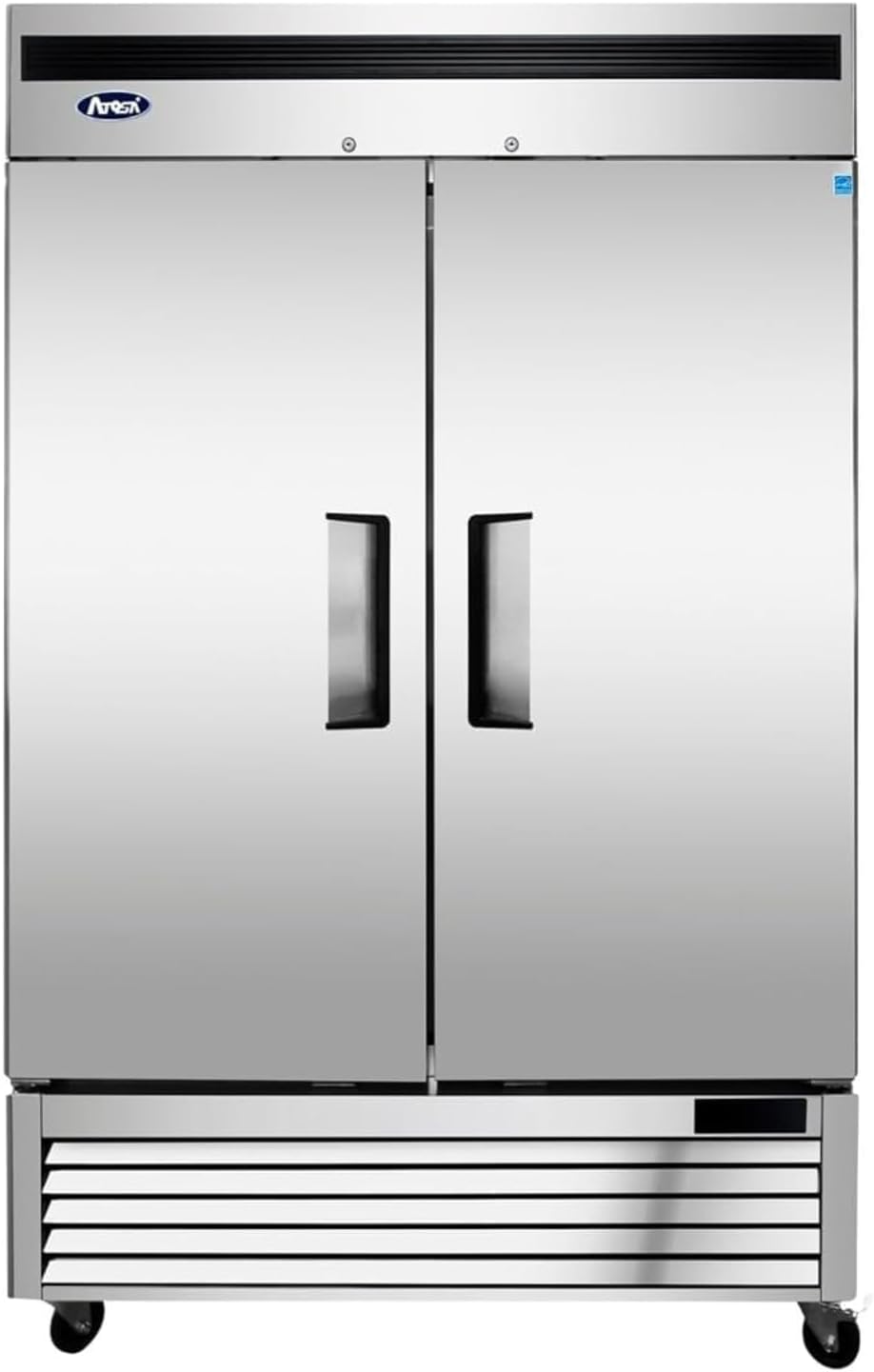
Image 1.1: Front view of the Atosa MBF8503 Commercial 2-Door Freezer. This image displays the stainless steel exterior and two large doors.
Key features include:
- Durable stainless steel interior and exterior.
- Two self-closing doors with stay-open feature.
- Digital temperature control for precise settings.
- Multiple adjustable, plastic-coated shelves.
- Environmentally safe R290 refrigerant.
- Equipped with casters for mobility.
Video 1.2: An overview video demonstrating the features and capacity of the Atosa commercial freezer, including interior shelving and food storage examples.
2. Safety Information
Read all instructions before using this appliance to reduce the risk of fire, electric shock, or injury. Keep this manual for future reference.
- Electrical Safety: Ensure the unit is connected to a properly grounded electrical outlet with the correct voltage (115 Volts, 60Hz, Phase 1). Do not use extension cords.
- Placement: Position the freezer on a level, stable surface. Maintain adequate clearance around the unit for proper ventilation (minimum 6 inches from walls).
- Refrigerant: This unit uses R290 refrigerant. Servicing should only be performed by qualified personnel.
- Cleaning: Disconnect power before cleaning or performing maintenance.
- Heavy Appliance: The unit is heavy (463 pounds). Use appropriate lifting techniques and equipment during installation to prevent injury.
- Children: Do not allow children to play with or inside the appliance.
3. Setup
- Unpackaging: Carefully remove all packaging materials, including any protective films or tapes. Inspect the unit for any shipping damage.
- Placement: Move the freezer to its desired location. Ensure the floor is strong enough to support the unit's weight when fully loaded. Allow sufficient space for door opening and air circulation.
- Leveling: Use a level to ensure the unit is perfectly level. Adjust the casters or leveling feet as needed. Proper leveling is crucial for door sealing and efficient operation.
- Power Connection: Plug the freezer into a dedicated, grounded 115V/60Hz/Phase 1 electrical outlet. Do not use multi-outlet adapters or extension cords.
- Initial Cool-Down: After plugging in, allow the freezer to operate for at least 2-4 hours empty to reach its set temperature before loading with food products.
- Shelf Installation: Install the six adjustable shelves into the desired positions. Ensure they are securely seated.

Image 3.1: Interior view of the freezer showing the adjustable shelves and internal structure. The shelves can be repositioned to accommodate various item sizes.
4. Operating Instructions
4.1. Digital Temperature Control
The Atosa MBF8503 is equipped with a digital temperature controller located on the front panel. This controller allows for precise temperature adjustments and monitoring.
- Setting Temperature: Refer to the controller's specific instructions for setting the desired temperature. The recommended operating temperature range for this freezer is -8°F to 0°F (-22°C to -17°C).
- Display: The digital display shows the current internal temperature of the freezer.
- Safety Zone: The controller is pre-programmed to maintain temperatures within the safety zone to comply with health regulations.

Image 4.1: This image highlights the digital temperature controls and other features like self-closing doors and magnetic door gaskets.
4.2. Loading the Freezer
- Ensure food items are properly sealed or covered to prevent moisture loss and cross-contamination.
- Distribute items evenly on the shelves to allow for proper air circulation. Do not block the internal air vents.
- Avoid overloading the shelves beyond their weight capacity.

Image 4.2: The freezer interior shown with various food items stored in containers on the shelves, demonstrating its storage capacity.
4.3. Door Operation
- The doors are designed to be self-closing to minimize temperature fluctuations.
- A stay-open feature allows the doors to remain open past a certain angle for convenient loading and unloading.
- Ensure the magnetic door gaskets are clean and free of debris to maintain a tight seal.
5. Maintenance
Regular maintenance ensures optimal performance and longevity of your Atosa freezer.
5.1. Cleaning the Interior
- Disconnect the unit from power before cleaning.
- Remove all food items and shelves.
- Clean the interior surfaces with a mild soap and water solution. Avoid abrasive cleaners or harsh chemicals.
- Rinse with clean water and dry thoroughly.
- Clean shelves with soap and water, then dry completely before returning them to the unit.
5.2. Cleaning the Exterior
- Wipe down stainless steel surfaces with a soft cloth and a stainless steel cleaner.
- Clean door gaskets regularly with warm, soapy water to maintain their elasticity and sealing ability.
5.3. Condenser Coil Cleaning
The condenser coil should be cleaned regularly (monthly or quarterly, depending on usage and environment) to ensure efficient operation and prevent compressor strain.
- Disconnect power to the unit.
- Locate the condenser coil (typically at the bottom rear of the unit).
- Use a stiff brush or vacuum cleaner with a brush attachment to remove dust and debris from the coil fins.
- Ensure the area around the condenser is clear for proper airflow.
6. Troubleshooting
Before contacting service, review the following common issues and solutions:
| Problem | Possible Cause | Solution |
|---|---|---|
| Unit not cooling | Power supply issue, thermostat setting, condenser coil dirty, door left open. | Check power connection and circuit breaker. Adjust thermostat. Clean condenser coil. Ensure doors are closed properly. |
| Excessive noise | Unit not level, fan obstruction, loose components. | Level the unit. Check for obstructions around fan blades. Contact service if noise persists. |
| Water on floor | Drain line clogged, excessive humidity, door gasket issue. | Clear drain line. Ensure proper ventilation. Check and clean door gaskets. |
| Doors not sealing | Dirty or damaged gaskets, unit not level. | Clean or replace gaskets. Level the unit. |
7. Specifications
| Feature | Detail |
|---|---|
| Brand | Atosa |
| Model Info | MBF8503 |
| Item Weight | 463 pounds |
| Product Dimensions | 31.5 x 54.4 x 84 inches |
| Capacity | 46 Cubic Feet |
| Installation Type | Freestanding Commercial Freezer |
| Part Number | MBF8503GR |
| Form Factor | Commercial Reach-in Freezer |
| Color | Silver |
| Voltage | 115 Volts |
| Wattage | 1380 Watts |
| Door Hinges | Reversible |
| Door Material Type | Stainless Steel |
| Shelves | 6 |
| Certification | Energy Star |
| Refrigerant | R290 |

Image 7.1: Product label detailing model information, refrigerant type, electrical requirements, and certifications.
8. Warranty and Support
Atosa provides a standard warranty for its commercial refrigeration products. For specific warranty terms and conditions, please refer to the warranty card included with your product or visit the official Atosa website.
For technical assistance, parts, or service inquiries, please contact Atosa customer support. Have your model number (MBF8503) and serial number ready when contacting support.
Contact Information:
- Refer to your product documentation for the most current contact details.
- Visit the Atosa USA website for support resources.
