
SVBONY SV105
SVBONY SV105 Telescope Camera Instruction Manual
Model: SV105 (FUSF9159B)
1. Introduction
The SVBONY SV105 Telescope Camera is an entry-level astrophotography camera designed for beginners. It serves as an electronic telescope eyepiece, allowing users to capture images and videos of celestial objects, particularly the Moon and planets. This manual provides detailed instructions for setting up, operating, and maintaining your SV105 camera to ensure optimal performance and a rewarding astrophotography experience.

2. Safety Information
WARNING: Do not look directly into the sun with the telescope or camera, as this can cause severe and permanent eye damage.
3. Setup
3.1. Package Contents
- SVBONY SV105 Telescope Camera
- USB Cable (with dual connectors for stable power)
- 1.25" Adapter Barrel
3.2. Connecting the Camera to Your Telescope
The SV105 camera features a standard 1.25-inch barrel, allowing direct insertion into the telescope's focuser, similar to a standard eyepiece. Ensure the focuser is securely tightened to hold the camera in place.
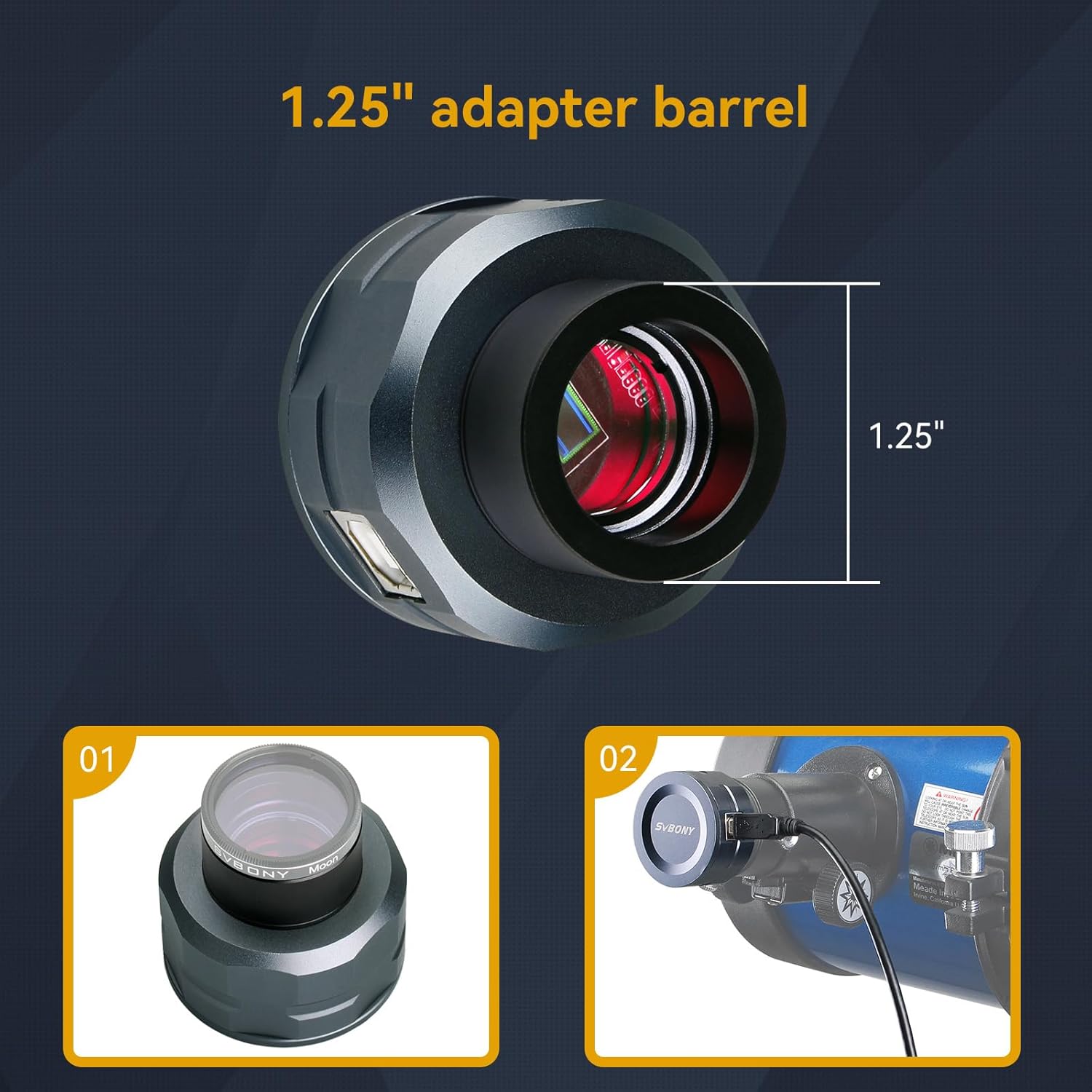
3.3. Connecting to Your Computer
Connect the SV105 camera to your laptop or PC using the provided USB cable. The camera is plug-and-play, meaning no specific driver installation is typically required for basic functionality. The USB cable includes two connectors; if you experience unstable power or connection issues, connect both USB ends to your computer or a powered USB hub to ensure sufficient power delivery.
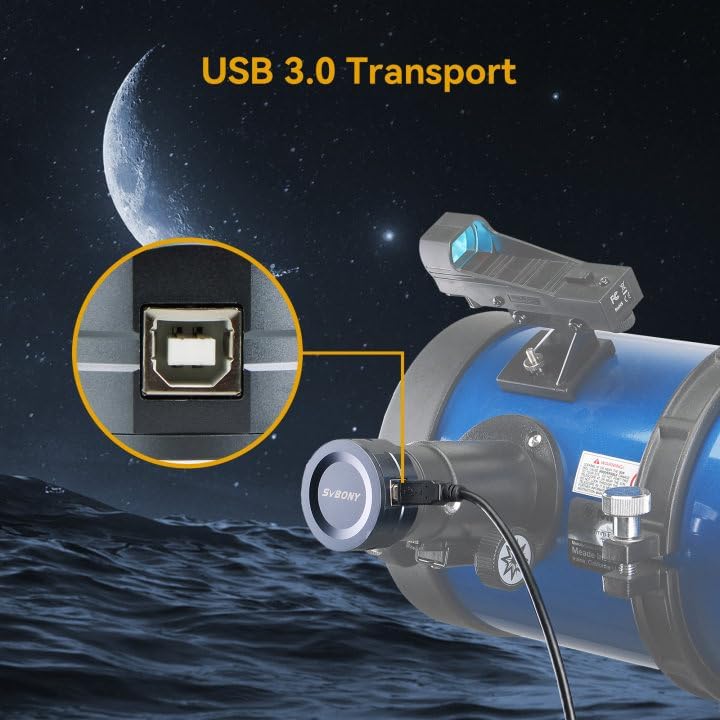

4. Operating Instructions
4.1. Software Requirements
To use the SV105 camera for imaging, you will need compatible software:
- Windows: Sharpcap Capture (recommended for its comprehensive features)
- Linux: AstroDMx Capture
- Android: USB Camera (requires an OTG adapter for mobile devices)
These applications allow you to view live feeds, adjust camera settings, and capture images or videos.
4.2. Astrophotography with SV105
The SV105 is particularly well-suited for lunar and planetary imaging. Its 1/2.8" IMX307 CMOS sensor and dark light compensation technology help improve image clarity, even in low-light conditions. To capture images:
- Point your telescope at the desired celestial object (e.g., Moon, Jupiter, Saturn).
- Ensure the object is centered and in focus through your telescope.
- Insert the SV105 camera into the focuser.
- Open your chosen capture software on your computer.
- Adjust exposure, gain, and other settings within the software to achieve a clear image.
- Record videos or capture still images as desired. The camera can record 2K video at up to 30 frames per second at 1920x1080 resolution.


5. Maintenance
To ensure the longevity and optimal performance of your SVBONY SV105 camera, follow these maintenance guidelines:
- Cleaning: Use a soft, lint-free cloth to gently wipe the camera body. For the sensor window, use specialized optical cleaning solutions and cloths designed for camera sensors. Avoid touching the sensor directly.
- Storage: Store the camera in a dry, dust-free environment when not in use. Keep it in its original packaging or a protective case to prevent damage.
- Handling: Handle the camera with care. Avoid dropping it or subjecting it to strong impacts.
6. Troubleshooting
If you encounter issues with your SVBONY SV105 camera, please refer to the official Troubleshooting Guide for detailed solutions and common problems. This guide can be accessed via the following link:
7. Specifications
Below are the technical specifications for the SVBONY SV105 Telescope Camera:
| Feature | Specification |
|---|---|
| Sensor | 1/2.8" IMX307 CMOS |
| Resolution | 1920 x 1080 (2K) |
| Frame Rate | Up to 30 frames per second (at 1920x1080) |
| Interface | USB 2.0 (with dual USB for power stability) |
| Barrel Size | 1.25 inches (threaded M28.5x0.6) |
| Product Dimensions | 7.28 x 5.31 x 2.95 inches (approx. 18.5 x 13.5 x 7.5 cm) |
| Item Weight | 9.6 ounces (approx. 272 grams) |
| Power Consumption | 150mA@5V |
| Working Temperature | 0°F ~ 122°F (-17.8°C ~ 50°C) |
| Storage Temperature | -4°F ~ 140°F (-20°C ~ 60°C) |
| Working Relative Humidity | 20%~80% |
| Storage Relative Humidity | 20%~95% |

8. Warranty and Support
For warranty information, product support, or any inquiries not covered in this manual, please contact SVBONY customer service directly. Refer to the official SVBONY website or your purchase documentation for contact details.
Ask a question about this manual
Ask about setup, troubleshooting, compatibility, parts, safety, or missing instructions. Manuals+ will review the question and use this page’s manual context to help answer it.