
Introduction
Thank you for choosing the JLENOVEG Digital Thermometer Indoor Hygrometer. This device is designed to provide accurate, real-time measurements of indoor temperature and humidity, helping you maintain a comfortable and healthy environment. Please read this manual thoroughly before use to ensure proper operation and longevity of your device.
Product Features
- Large LCD display for clear and easy reading of temperature and humidity.
- Records and displays maximum (MAX) and minimum (MIN) temperature and humidity values.
- Switchable temperature units between Fahrenheit (°F) and Celsius (°C).
- Integrated comfort indicator (smile/sad face) based on temperature and humidity levels.
- Versatile placement options: magnetic backing for metal surfaces and a retractable stand for tabletop use.
- Low power consumption for extended battery life.
Package Contents
- JLENOVEG Digital Thermometer Indoor Hygrometer x 1
- LR44 (AG13) 1.5V Battery x 1
- User Manual x 1
Setup
Battery Installation
- Locate the battery compartment on the back of the device.
- Slide down the battery compartment cover to open it.
- Insert one LR44 (AG13) 1.5V battery, ensuring the correct polarity (+/-) as indicated inside the compartment.
- Close the battery compartment cover by sliding it back into place. The device should power on automatically.

Image: Back view of the device, highlighting the battery compartment and control buttons.
Operation
Power On/Off
The device powers on automatically once the battery is installed. There is no manual power on/off switch.
Changing Temperature Units (°F/°C)
To switch between Fahrenheit (°F) and Celsius (°C), locate the small button labeled "°C/°F" on the back of the device. Press this button to toggle the temperature display unit.
Resetting MAX/MIN Records
The device automatically records the highest (MAX) and lowest (MIN) temperature and humidity values since the last reset. To clear these records and start new measurements, press the "RESET" button located on the back of the device.
Display Information
The large LCD screen provides clear readings of current conditions and historical data.
- Current Temperature: Displays the real-time indoor temperature in your selected unit (°F or °C).
- Current Humidity: Displays the real-time indoor relative humidity (RH) in percentage.
- MAX/MIN Records: Shows the highest and lowest temperature and humidity recorded since the last reset. These values are typically displayed in smaller digits next to the current readings.
- Comfort Indicator: A smile face icon appears when the indoor temperature is between 64°F and 77°F (18°C and 25°C) and humidity is between 40% RH and 65% RH, indicating a comfortable environment. A sad face appears outside this range.

Image: Main display showing current temperature, MAX/MIN records, and comfort indicator.

Image: Display showing humidity readings and the comfort indicator.
Placement Options
The JLENOVEG Digital Thermometer Indoor Hygrometer offers flexible placement options to suit your needs:
Retractable Stand
Pull out the retractable stand located on the back of the device to place it upright on any flat surface, such as a desk, shelf, or countertop.

Image: Device placed on a surface using its retractable stand.
Magnetic Backing
The device features a strong magnet on its back, allowing it to be easily attached to metal surfaces like refrigerators, metal cabinets, or whiteboards.
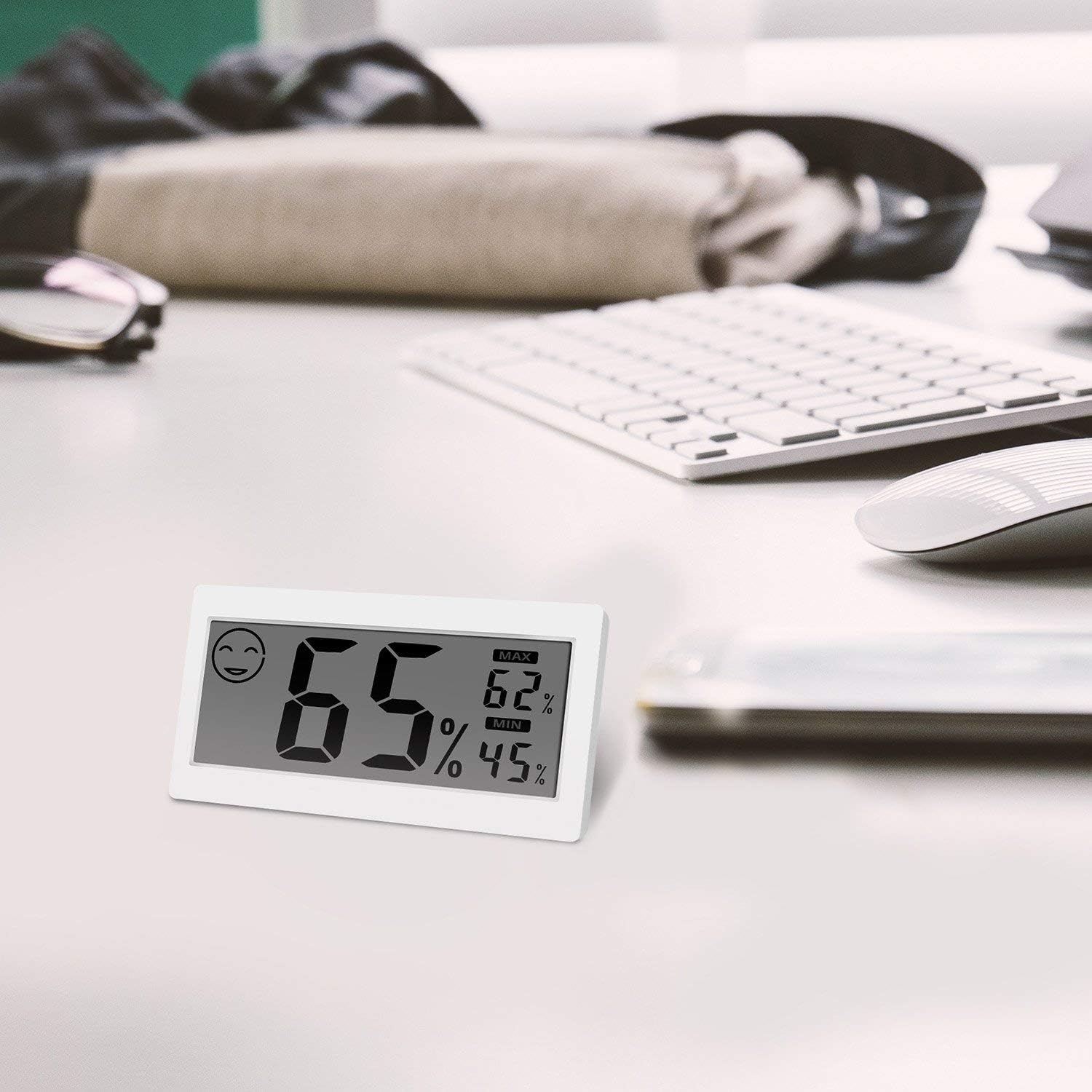
Image: Device magnetically attached to a refrigerator.
Maintenance
- Cleaning: Wipe the device gently with a soft, dry cloth. Do not use abrasive cleaners or immerse the device in water.
- Battery Replacement: When the display becomes dim or the device stops functioning, replace the LR44 (AG13) battery following the installation steps in the Setup section.
- Storage: If storing the device for an extended period, remove the battery to prevent leakage. Store in a cool, dry place.
Troubleshooting
| Problem | Possible Cause | Solution |
|---|---|---|
| No display or dim display | Battery is dead or incorrectly installed. | Check battery polarity. Replace the LR44 (AG13) battery. |
| Inaccurate temperature/humidity readings | Device placed near heat sources, direct sunlight, or drafts. Readings not stabilized. | Relocate the device to a stable environment away from extreme conditions. Allow 30 minutes for readings to stabilize. |
| MAX/MIN values not resetting | RESET button not pressed correctly. | Ensure the RESET button on the back of the device is pressed firmly. |
| Display appears stuck or frozen | Temporary software glitch. | Remove the battery, wait 10 seconds, then reinsert it to perform a soft reset. |
Specifications
| Model | 8541833439 |
| Indoor Temperature Range | 14°F ~ 122°F (-10°C ~ 50°C) |
| Indoor Humidity Range | 20% ~ 90% RH |
| Temperature Accuracy | ±0.5°C |
| Power Supply | 1 x 1.5V LR44 (AG13) Battery |
| Dimensions | 6.54 x 3.66 x 0.75 inches |
| Item Weight | 1.76 ounces (0.05 Kilograms) |
| Mounting Type | Wall Mount (Magnet), Tabletop (Stand) |
| Material | Plastic |
Warranty and Support
For warranty information or technical support, please refer to the product packaging or contact your retailer. Keep your purchase receipt as proof of purchase.