
1. Introduction
This manual provides essential information for the safe and efficient operation of your PRIMECOM Level 2 Electric Vehicle (EV) Charger. This portable EVSE (Electric Vehicle Supply Equipment) is designed to provide Level 2 charging for compatible electric vehicles. It operates at 16 Amps within a 100V-240V range, delivering approximately 3.84 kW per hour, which can add up to 15 miles of range per hour to your EV battery.
The charger features an intelligent chip and software developed in the USA, which communicates with your EV to optimize charging based on factors like ambient temperature, battery temperature, and current battery level. This intelligent management aims to extend battery life.

Figure 1: PRIMECOM Level 2 EV Charger (14-30P, 30 Feet) with control box and J1772 connector.
1.1 Universal Compatibility
The PRIMECOM EV Charger is compatible with all electric vehicles (EVs) and plug-in hybrid electric vehicles (PHEVs) that utilize the J1772 charging standard. For Tesla vehicles, a J1772 adapter (not included) is required. Please note that for Toyota Prius and RAV4 models, it is recommended to contact customer support for specific compatibility information regarding non-standard J1772 plugs.

Figure 2: The charger is compatible with most major EV brands, requiring a J1772 adapter for Tesla vehicles.
2. Setup
2.1 Choosing a Location
Select a charging location that is dry, well-ventilated, and within reach of your vehicle. The charger is designed for outdoor use and is weatherproof, but protecting it from direct harsh elements when possible can prolong its lifespan.
2.2 Power Outlet Requirements
This specific PRIMECOM Level 2 EV Charger model features a 14-30P plug, designed for use with a NEMA 14-30R 220V/240V outlet. Ensure your electrical system can support a continuous 16 Amp load. The charger is available in various plug configurations to suit different existing 220V outlets, eliminating the need for new outlet installations or adapters for many users.

Figure 3: Various plug options available for PRIMECOM EV Chargers, including the 14-30P.
2.3 Cable Length
This model comes with a 30-foot cable, providing flexibility for various parking arrangements. Other lengths, including 40 and 50 feet, are also available. Ensure the cable is fully uncoiled during use to prevent overheating.

Figure 4: PRIMECOM EV Chargers are available in 30, 40, and 50-foot cable lengths.
3. Operating Instructions
3.1 Connecting the Charger
- Plug the 14-30P power cord into a compatible 220V/240V NEMA 14-30R outlet.
- Ensure the control box display illuminates, indicating power.
- Insert the J1772 connector into your electric vehicle's charging port. Ensure it clicks securely into place.
- The charger will automatically begin the charging process. The display on the control box will show charging status and data.
3.2 Understanding the Display
The control box features an LCD screen that provides real-time charging information. Key indicators include:
- Control Box Temperature: Displays the internal temperature of the control unit.
- Amperage Limit: Shows the set amperage for charging (e.g., 16A).
- Actual Charging Voltage: Current voltage being supplied to the vehicle.
- Actual Charging Amperage: Current amperage being drawn by the vehicle.
- Actual Charging Power (kW): Real-time power delivery in kilowatts.
- Transferred Energy (kWh): Total energy transferred to the vehicle during the current session.
- Charging Time: Duration of the current charging session.
- Battery Status Icon: Indicates 'Not Connected', 'Charging', or 'Fully Charged'.

Figure 5: Explanation of the LCD screen display on the PRIMECOM EV Charger.
3.3 Disconnecting the Charger
- Ensure your vehicle's charging process is complete or paused.
- Press the release button on the J1772 connector handle and pull it firmly from the vehicle's charging port.
- Unplug the 14-30P power cord from the wall outlet.
- Store the charger and cable properly to prevent damage.
4. Safety Information
The PRIMECOM Level 2 EV Charger is designed with multiple safety features and has undergone rigorous testing to ensure user protection and product reliability. Adhere to all local electrical codes and safety guidelines during installation and use.
4.1 Built-in Safety Features
The charger incorporates 12 built-in safety features, including:
- Lightning-proof: Protection against electrical surges from lightning.
- Leakage Protection: Detects and prevents current leakage.
- Overvoltage Protection: Safeguards against excessive voltage.
- Overheat Protection: Monitors and prevents the unit from exceeding safe operating temperatures.
- Overcurrent Protection: Prevents damage from excessive current draw.
- Under-voltage Protection: Ensures stable voltage supply.
- Short Circuit Protection: Guards against electrical shorts.
- UL94V-0 Rating Flame Resistance: Materials used meet high standards for fire safety.
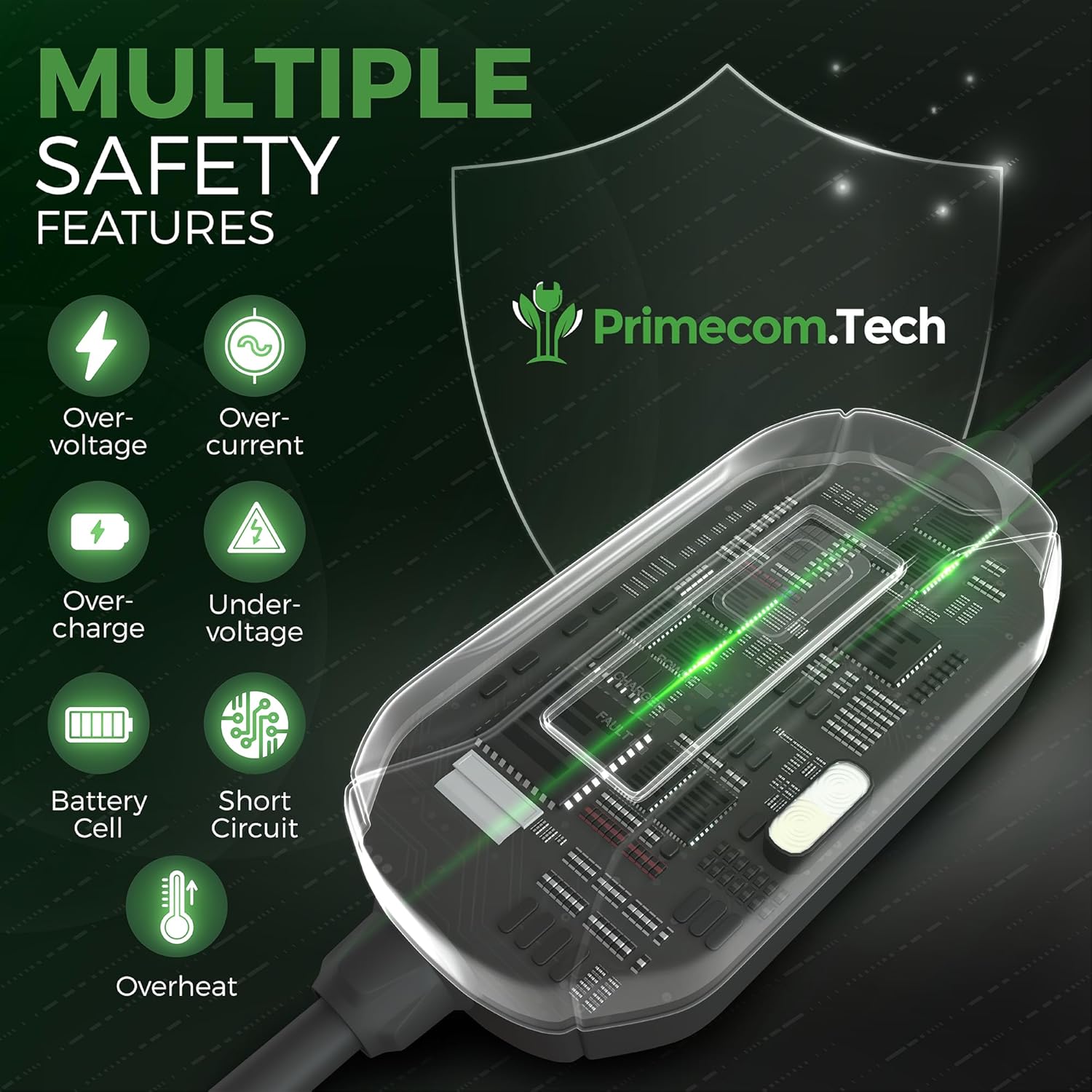
Figure 6: The charger includes comprehensive safety mechanisms for secure operation.
4.2 Weather Resistance
With an IP65 rating, the charger is waterproof and suitable for outdoor use, capable of withstanding exposure to snow, rain, and dust. However, always ensure the charging port on your vehicle is clean and dry before connecting.

Figure 7: The IP65 rating ensures the charger's durability in various weather conditions.
5. Maintenance
Regular maintenance ensures the longevity and optimal performance of your EV charger.
- Cleaning: Periodically wipe the control box and cable with a dry or slightly damp cloth. Do not use harsh chemicals or abrasive cleaners. Ensure the unit is unplugged before cleaning.
- Cable Inspection: Regularly inspect the charging cable and connector for any signs of wear, cuts, or damage. If any damage is observed, discontinue use immediately and contact customer support.
- Storage: When not in use, store the charger in a clean, dry place. Avoid coiling the cable too tightly. Use the protective cap for the J1772 connector to prevent dust and moisture ingress.
- Ventilation: Ensure the control box is not obstructed during operation to allow for proper heat dissipation.
6. Troubleshooting
If you encounter issues with your PRIMECOM EV Charger, refer to the following common troubleshooting steps:
- Charger Not Powering On:
- Ensure the 14-30P plug is fully inserted into the wall outlet.
- Check the circuit breaker for the outlet. Reset if tripped.
- Verify the wall outlet is receiving power.
- Charging Not Initiating:
- Confirm the J1772 connector is securely latched into the vehicle's charging port.
- Check your vehicle's dashboard or infotainment system for any charging errors or settings that might prevent charging.
- Ensure the vehicle's battery is not already full.
- Ground Fault Detected (Red Light/Error Code):
- This can sometimes occur after minor power fluctuations.
- Unplug the charger from the wall outlet, wait a few minutes, and plug it back in.
- If the issue persists, check the circuit breaker for the outlet and reset it.
- If the problem continues, contact customer support.
- Slow Charging:
- Ensure the charger is operating at its full 16 Amp capacity (check the LCD display).
- Verify your vehicle's charging settings are configured for Level 2 charging.
- Environmental factors (extreme cold) can affect charging speed.
For issues not covered here or if troubleshooting steps do not resolve the problem, please contact PRIMECOMTECH customer support.
7. Specifications
| Feature | Specification |
|---|---|
| Model Number | DEV-10 |
| Input/Output Voltage | 100V-240V AC |
| Max Output Current | 16 Amps |
| Max Charging Power | 3.84 kW |
| Plug Type (Current Model) | NEMA 14-30P |
| Connector Type | J1772 (Type 1) |
| Cable Length (Current Model) | 30 Feet |
| Product Dimensions | 2 x 4 x 7 inches (Control Box) |
| Item Weight | 6 pounds |
| Ingress Protection (IP) Rating | IP65 (Waterproof, Dustproof) |
| Flame Resistance | UL94V-0 Rated |
| Certifications | TÜV German Equipment and Product Safety, CE, UL Listed Cable |
8. Warranty and Support
PRIMECOMTECH offers US-based customer support 7 days a week to assist with any questions or issues regarding your EV charger. For warranty information or technical assistance, please contact PRIMECOMTECH directly.
Contact information can typically be found on the product packaging or the official PRIMECOMTECH website.