
Introduction
This manual provides essential instructions for the safe and efficient use of your Carromco Smartness Arcadia 4.0 Electronic Dartboard. Please read this manual thoroughly before installation and operation. Retain this manual for future reference.
Safety Information
- This dartboard is intended for domestic use only.
- Recommended age for users is 14 years and older.
- Use only soft-tip darts with a maximum weight of 14g to prevent damage to the dartboard.
- Ensure the dartboard is securely mounted before use to prevent falling.
- Keep the dartboard and accessories away from water and direct heat sources.
Package Contents
Verify that all items listed below are included in your package:
- Carromco Smartness Arcadia 4.0 Electronic Dartboard
- USB Power Cable
- 6 Smartness Soft-Tip Darts
- 20 Spare Soft Tips
- Multilingual User Guide (DE/EN)
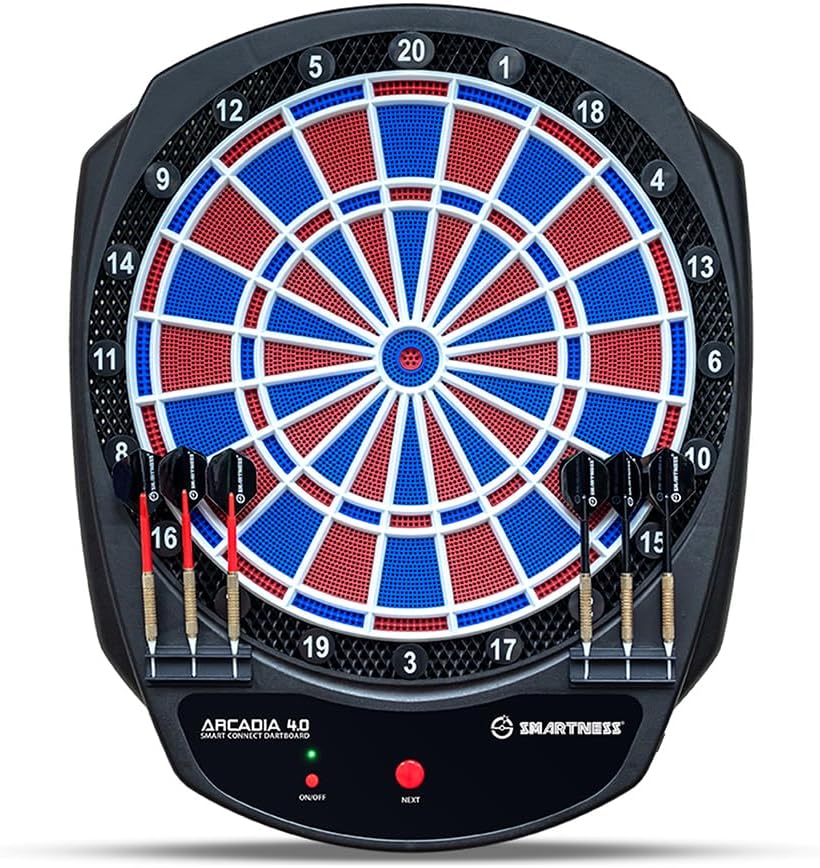
Image: The Carromco Smartness Arcadia 4.0 Electronic Dartboard, showing the full dartboard with its red, blue, and white segments, and the control panel at the bottom.

Image: A set of six Smartness soft-tip darts, three with red shafts and three with black shafts, featuring black flights and white soft tips.
Setup and Installation
1. Mounting the Dartboard
The dartboard should be mounted securely on a wall. Ensure the center of the bullseye is 1.73 meters (5 feet 8 inches) from the floor. The throwing line should be 2.37 meters (7 feet 9.25 inches) from the face of the dartboard.

Image: The Carromco Smartness Arcadia 4.0 dartboard mounted on a light-colored wall in a room, demonstrating typical installation.
2. Powering the Dartboard
The dartboard can be powered via the included USB cable or by batteries (not included).
- USB Power: Connect the USB cable to the dartboard and to a compatible USB power adapter (e.g., a phone charger) or a power bank.
- Battery Power: Insert the required batteries (check the battery compartment for type and quantity) into the designated slot.
3. Connecting to the Smartness App
- Download the free "Smartness Dartboard" app from the iOS App Store or Google Play Store onto your smartphone or tablet.
- Ensure Bluetooth is enabled on your device.
- Power on the dartboard using the ON/OFF button located on the control panel. The LED indicator will light up.
- Open the "Smartness Dartboard" app. The app will automatically search for and connect to your dartboard via Bluetooth.
- Once connected, the app will display "DART BOARD CONNECTED".

Image: The Carromco Smartness Arcadia 4.0 dartboard shown alongside a tablet displaying the "Smartness Dartboard" app interface, illustrating the Bluetooth connectivity.
Operating Instructions
Basic Controls
The dartboard features a simple control panel at the bottom:
- ON/OFF Button: Powers the dartboard on or off. An LED indicator shows the power status.
- NEXT Button: Used to confirm selections, switch players, or advance through game menus when not using the app.

Image: A close-up view of the bottom section of the dartboard, highlighting the "ON/OFF" and "NEXT" buttons, along with the "Arcadia 4.0 Smart Connect Dartboard" and "Smartness" branding.
Using the Smartness App
The Smartness app enhances your dart playing experience with advanced features:
- Game Selection: Choose from 17 varied game modes, including popular options like 301, Cricket, and Medley.
- Player Management: Supports 1 to 8 players. Easily add or remove players within the app.
- Score Tracking: The app automatically tracks scores in real-time, displaying throws, points, and game progress.
- Voice Announcer ("Caller"): Enjoy a realistic tournament feel with score announcements and interchangeable hit sounds.
- Statistics: Analyze your performance with detailed statistics, ideal for improving your technique.
Playing a Game
- Ensure the dartboard is powered on and connected to the Smartness app.
- Select your desired game mode and number of players in the app.
- Follow the on-screen prompts in the app to start the game.
- Throw your soft-tip darts at the board. The dartboard will register hits and transmit scores to the app.
- The app will indicate whose turn it is and display current scores.
- Remove darts from the board after each turn.
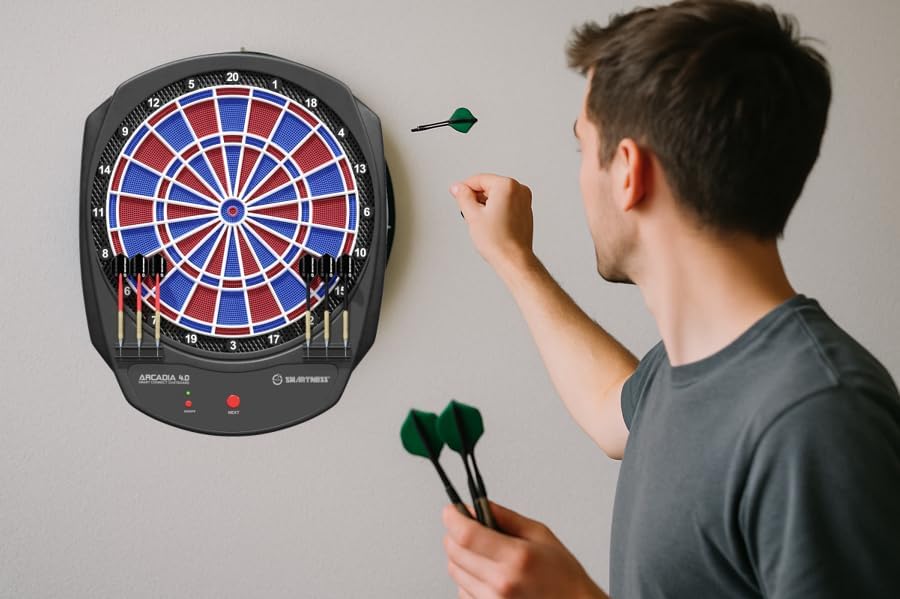
Image: A person in the process of throwing a dart towards the Carromco Smartness Arcadia 4.0 dartboard, which is mounted on a wall.
Maintenance and Care
- Cleaning: Wipe the dartboard surface with a soft, dry cloth. Do not use abrasive cleaners or solvents.
- Dart Tips: Regularly check and replace worn or broken soft tips on your darts to ensure proper scoring and prevent damage to the dartboard segments.
- Storage: When not in use, store the dartboard in a dry place away from direct sunlight and extreme temperatures.
- Power: If using batteries, remove them if the dartboard will not be used for an extended period to prevent leakage.
Troubleshooting
| Problem | Possible Cause | Solution |
|---|---|---|
| Dartboard does not power on. | No power supply or depleted batteries. | Ensure USB cable is properly connected to a power source, or replace batteries. |
| Cannot connect to the Smartness app via Bluetooth. | Bluetooth is off on the device, dartboard is off, or app issue. | Ensure Bluetooth is enabled on your smartphone/tablet. Power cycle the dartboard. Restart the app. Ensure the dartboard is within Bluetooth range. |
| Darts are not registering hits correctly. | Worn dart tips, darts too heavy, or segment issue. | Replace worn soft tips. Ensure darts do not exceed 14g. Gently press on the affected segment to ensure it moves freely. |
| App connection is unstable or disconnects frequently. | Interference, low battery, or distance from dartboard. | Ensure the dartboard has sufficient power (use USB if possible). Reduce distance between device and dartboard. Minimize other Bluetooth devices nearby. |
Technical Specifications
- Model: Carromco Smartness Arcadia 4.0
- Model Number: 94011
- Dimensions (approx.): 41.7 cm (L) x 52 cm (H) x 3.2 cm (D)
- Weight (approx.): 1.5 kg
- Connectivity: Bluetooth
- Power Supply: USB cable (included) or Batteries (not included)
- Player Capacity: 1 to 8 players
- Game Modes: 17 games, 312 variants (e.g., 301, Cricket, Medley)
- Dart Type: Soft-tip darts (max. 14g recommended)
- App Compatibility: Free "Smartness Dartboard" app for iOS and Android
- Special Features: 2-hole spacing for double/triple fields, score announcer, real-time statistics via app.
Warranty and Support
For information regarding warranty coverage, please refer to the warranty card included with your product or contact Carromco customer support directly. Keep your proof of purchase for warranty claims.
If you encounter issues not covered in the troubleshooting section or require further assistance, please visit the official Carromco website or contact their customer service department.