1. Introduction
Thank you for choosing the ICA KXP100N Aqua Lux Pro 100 Aquarium Kit. This 100-liter glass aquarium is designed for indoor use and comes complete with an internal filter, LED lighting, and essential accessories to help you establish a thriving aquatic environment. This manual provides detailed instructions for the safe setup, operation, and maintenance of your new aquarium.
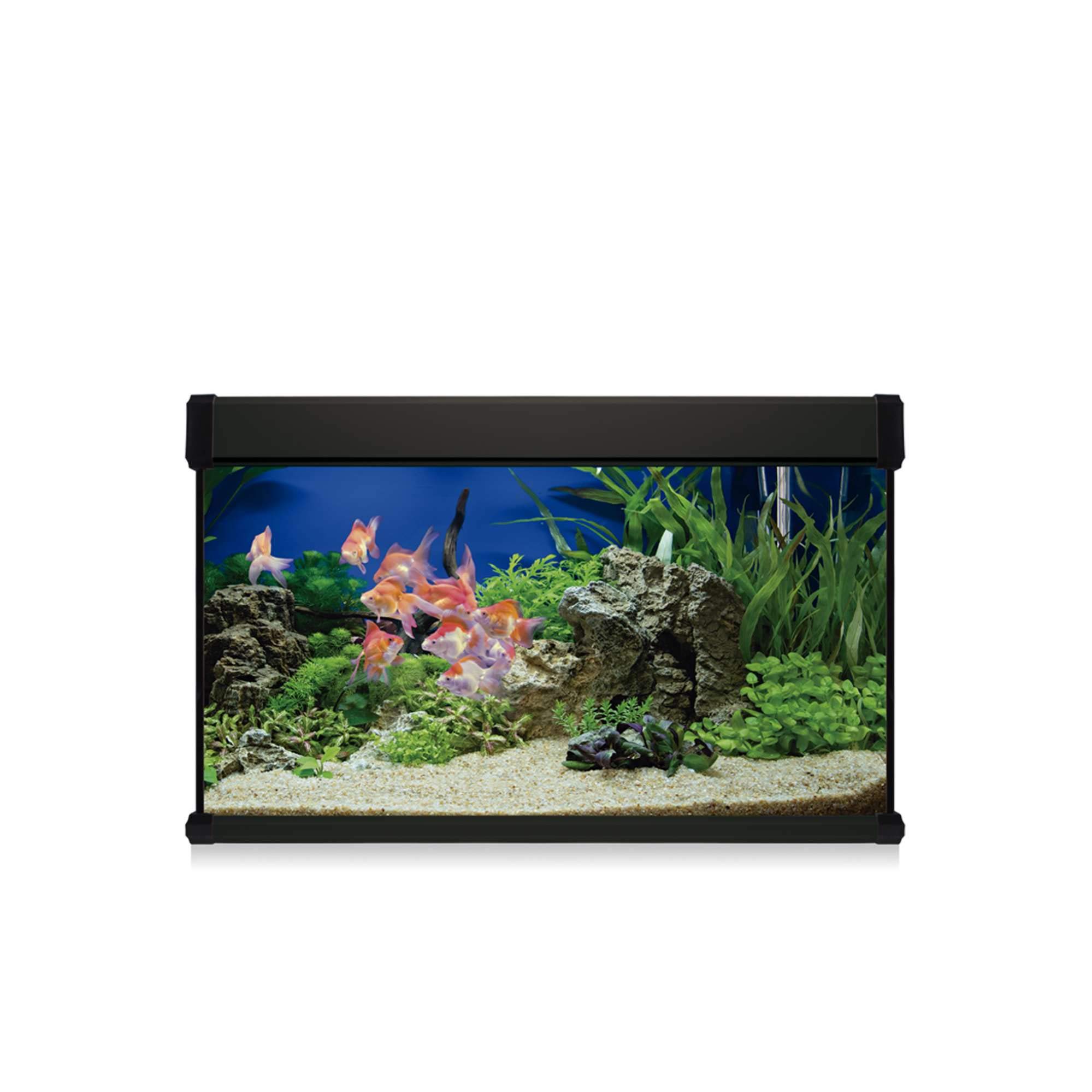
Image 1.1: The ICA KXP100N Aqua Lux Pro 100 Aquarium Kit, fully set up with fish and decorations.
2. Safety Instructions
Please read all safety instructions carefully before setting up and operating your aquarium. Failure to follow these instructions may result in injury or damage to the product.
- Always unplug all electrical components before performing any maintenance or placing hands in the water.
- Ensure the aquarium is placed on a sturdy, level surface capable of supporting its full weight (approximately 127 kg when filled).
- Do not place the aquarium in direct sunlight or near heat sources to prevent excessive algae growth and temperature fluctuations.
- Keep electrical cords and connections dry. Use a drip loop for all electrical cords to prevent water from traveling along the cord to the outlet.
- This product is for indoor use only.
- Do not attempt to move a filled aquarium.
- Keep out of reach of children and pets.
3. Package Contents
Carefully unpack all components and check against the list below. If any items are missing or damaged, contact your retailer.
- Glass Aquarium (100 Liters, Rectangular, Black frame)
- Internal Filter
- LED Lighting System
- Fish Food (starter pack)
- Basic Water Conditioners (starter pack)
- Thermometer
- Heater
- Aquarium Guide (printed manual)
4. Setup Instructions
4.1. Aquarium Placement
Choose a location that is stable, level, and can support the significant weight of the filled aquarium. Avoid areas with direct sunlight, drafts, or extreme temperature changes. Ensure there is easy access to electrical outlets for the filter, heater, and light.
4.2. Substrate and Decorations
Rinse any substrate (gravel or sand) thoroughly before adding it to the aquarium. Arrange decorations, rocks, and artificial plants to create an aesthetically pleasing and functional environment for your fish. Ensure all decorations are aquarium-safe and have no sharp edges.
4.3. Internal Filter Installation
Install the internal filter according to the specific instructions provided with the filter unit. Typically, it attaches to the inside wall of the aquarium using suction cups. Position it to ensure good water circulation throughout the tank.
4.4. Heater Installation
Mount the heater securely to the inside wall of the aquarium, usually with suction cups. Ensure it is fully submerged before plugging it in. Set the desired temperature (e.g., 24-26°C for most tropical fish). Do not plug in the heater until the aquarium is filled with water.
4.5. LED Lighting Setup
Place the LED lighting system on top of the aquarium, ensuring it is securely seated on the tank's edges or integrated into the hood. Connect it to a power source. Consider using a timer for consistent light cycles.
4.6. Water Filling and Conditioning
Carefully fill the aquarium with water, using a plate or plastic bag to disperse the water flow and prevent disturbing the substrate. Add the provided basic water conditioners as directed on their packaging to remove chlorine and chloramines. Allow the filter and heater to run for at least 24-48 hours to stabilize the water temperature and begin filtration before introducing fish.
5. Operating Instructions
5.1. Daily Operation
Daily, observe your fish for any signs of stress or illness. Check the water temperature on the thermometer to ensure it is within the appropriate range for your fish species. Verify that the filter is running correctly and providing adequate water circulation.
5.2. Feeding
Feed your fish small amounts of food once or twice a day. Only provide what they can consume within 2-3 minutes. Overfeeding can lead to poor water quality and health issues for your fish. Refer to the specific feeding guidelines for your fish species.
5.3. Lighting Schedule
Maintain a consistent lighting schedule, typically 8-10 hours per day. Excessive light can promote algae growth, while too little light can negatively impact plant health (if live plants are used) and fish behavior. A timer is recommended for consistency.
6. Maintenance
Regular maintenance is crucial for a healthy aquarium environment.
6.1. Water Changes
Perform partial water changes (25-30% of the tank volume) every 1-2 weeks. Use a gravel vacuum to remove debris from the substrate. Always treat new water with a water conditioner before adding it to the aquarium.
6.2. Filter Cleaning
Clean or replace filter media as recommended by the filter manufacturer, typically every 2-4 weeks. Rinse mechanical filter media (sponges) in old aquarium water to preserve beneficial bacteria. Do not clean all filter media at once, as this can disrupt the biological filtration.
6.3. Glass Cleaning
Clean the inside of the aquarium glass as needed to remove algae buildup. Use an aquarium-safe magnetic cleaner or algae scraper. Avoid using household cleaners or abrasive materials.
7. Troubleshooting
| Problem | Possible Cause | Solution |
|---|---|---|
| Cloudy Water | New tank syndrome, overfeeding, insufficient filtration, bacterial bloom. | Perform partial water change, reduce feeding, check filter, ensure proper cycling. |
| Algae Growth | Excessive light, high nitrates/phosphates, overfeeding. | Reduce lighting duration, perform water changes, clean tank, reduce feeding. |
| Fish Gasping at Surface | Low oxygen levels, poor water quality (ammonia/nitrite spike). | Increase aeration, perform immediate partial water change, test water parameters. |
| Heater Not Working | Not plugged in, faulty unit, power outage. | Check power connection, ensure full submersion, replace if faulty. |
8. Specifications
- Brand: ICA
- Model: KXP100N
- Material: Glass
- Tank Volume: 100 Liters
- Item Weight: 27.25 Kilograms (empty)
- Shape: Rectangular
- Specific Product Uses: Indoor
- Style: Modern
- Color: Black (frame)
- Special Features: Kit includes internal filter, LED lighting, fish food, basic conditioners, thermometer, heater, and aquarium guide.
9. Warranty and Support
For warranty information and technical support, please refer to the specific warranty card included with your product or contact ICA customer service directly. Keep your proof of purchase for any warranty claims.
Contact information can typically be found on the manufacturer's website or on the product packaging.