
Science4you Alfabot
Science4you Robotics Alfabot User Manual
Brand: Science4you | Model: Alfabot (605176)
1. Introduction
The Science4you Robotics Alfabot kit offers an engaging and educational experience for children aged 8 and above. This comprehensive construction set allows users to build three distinct interactive robots, fostering an understanding of robotics and STEM principles through hands-on activity. With 238 pieces and a detailed educational book, this kit provides a structured yet fun approach to learning about mechanical engineering and movement.

Figure 1.1: The Science4you Robotics Alfabot kit box, showcasing the 3-in-1 robot building capability and 238 pieces.
2. Safety Information
Please read all safety warnings carefully before assembly and operation.
- WARNING: Not recommended for children under 8 years of age due to small parts which may present a choking hazard.
- Adult supervision is recommended during assembly and play, especially for younger users.
- Keep all packaging materials away from children to prevent suffocation or other hazards.
- Do not ingest any parts of the kit. If ingestion occurs, seek immediate medical attention.
- Ensure batteries are inserted correctly according to polarity markings. Do not mix old and new batteries, or different types of batteries.
- Remove batteries from the robot if it will not be used for an extended period to prevent leakage.
3. Package Contents
Verify that all items listed below are present in your kit before beginning assembly:
- Educational Book (available in 9 languages: English, Spanish, German, French, Italian, Dutch, Portuguese, Greek, and Catalan)
- 238 Construction Pieces
- Integrated Motor (requires AA batteries, not included)

Figure 3.1: The kit includes an educational book with instructions in multiple languages, ensuring accessibility for a wide range of users.
4. Setup and Assembly
The Alfabot kit allows you to build three different interactive robots. Follow the detailed instructions provided in the educational book for step-by-step assembly.
- Review the Educational Book: Before starting, familiarize yourself with the educational book. It contains detailed diagrams and explanations for building each of the three robot models.
- Sort Pieces: Organize the 238 construction pieces. This will make the assembly process smoother and more efficient.
- Choose Your Robot: Decide which of the three robot models you wish to build first. Each model offers a unique building challenge and interactive experience.
- Follow Step-by-Step Diagrams: The educational book provides clear, easy-to-understand diagrams for each assembly step. Pay close attention to the orientation and connection points of each piece.
- Install Batteries: Once the robot structure is complete, locate the battery compartment for the integrated motor. Insert the required AA batteries (not included) according to the polarity indicators.

Figure 4.1: The kit includes a detailed instruction manual with visual guides to assist in the assembly of the robots.
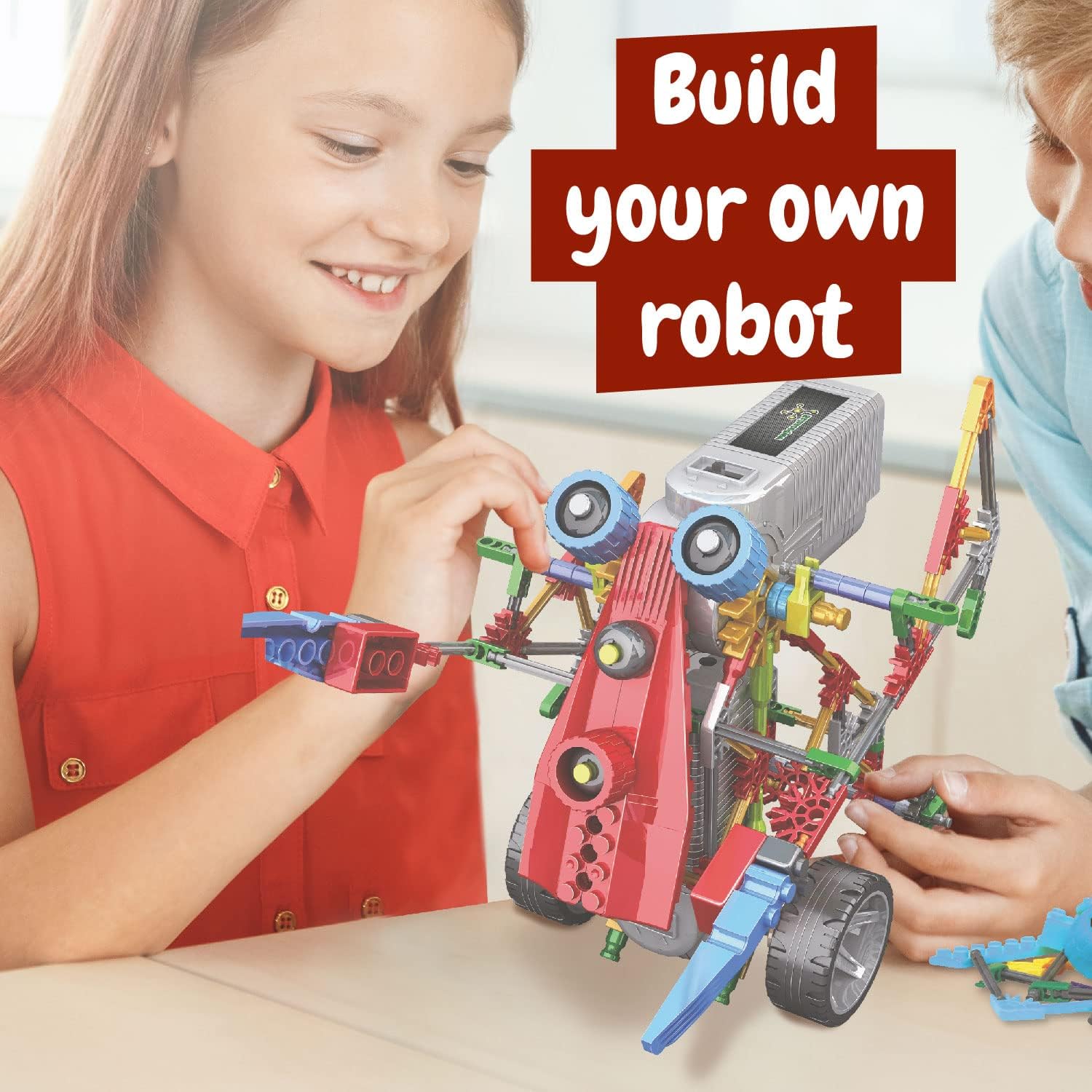
Figure 4.2: Children can engage in the hands-on process of building their own interactive robot.
5. Operating Your Alfabot
After successful assembly and battery installation, your Alfabot is ready for action. The integrated motor allows your robot to move, bringing your creation to life.
- Power On: Locate the power switch on the integrated motor unit. Flip the switch to the 'ON' position.
- Observe Movement: The robot will begin to move according to its design. Each of the three models has unique movement patterns.
- Experiment: Explore the different movements and functionalities of each robot. The educational book may offer suggestions for interactive play.
- Power Off: When finished playing, always turn the power switch to the 'OFF' position to conserve battery life.

Figure 5.1: A child watches with fascination as the Alfabot robot moves, demonstrating its interactive capabilities.

Figure 5.2: The kit allows for the construction of three distinct robot models, each with unique designs and movements.
6. Maintenance
Proper maintenance will ensure the longevity and continued enjoyment of your Science4you Robotics Alfabot.
- Cleaning: Use a soft, dry cloth to wipe down the robot and its components. Avoid using water or harsh cleaning agents, as these can damage the electronic parts and plastic.
- Storage: Store the robot and all its pieces in a cool, dry place, away from direct sunlight and extreme temperatures. Keep all small parts in a designated container to prevent loss.
- Battery Care: Always remove batteries if the robot will not be used for an extended period (e.g., several weeks or months) to prevent battery leakage and corrosion.
- Disassembly: If you wish to build a different robot model, carefully disassemble the current one, following the reverse steps of the assembly instructions if necessary.
7. Troubleshooting
If you encounter issues with your Alfabot, refer to the following common troubleshooting steps:
| Problem | Possible Cause | Solution |
|---|---|---|
| Robot does not move. |
|
|
| Parts do not fit together. |
|
|
| Robot is unstable or falls over. |
|
|
8. Product Specifications
| Specification | Detail |
|---|---|
| Product Dimensions (L x W x H) | 22.86 x 6.35 x 21.84 cm; 269 grams |
| Recommended Age | 8 years and up |
| Educational Value | STEM (Science, Technology, Engineering, Mathematics) |
| Languages (Educational Book) | Spanish, English, German, Portuguese, Dutch, Catalan, French, Italian |
| Manufacturer Reference | 605176 |
| Number of Pieces | 238 |
| Batteries Required | Yes |
| Batteries Included | No |
| Battery Type | AA Battery |
| Main Material | Plastic |
| Color | Assorted |
| Brand | Science4you |
9. Warranty and Support
Science4you is committed to providing high-quality educational toys. While specific warranty details are not provided in this manual, for any product support, inquiries, or concerns regarding missing or damaged parts, please contact Science4you customer service through their official website or the retailer where the product was purchased.
For more information about Science4you products and educational initiatives, please visit the official Science4you website.
Ask a question about this manual
Ask about setup, troubleshooting, compatibility, parts, safety, or missing instructions. Manuals+ will review the question and use this page’s manual context to help answer it.