
1. Introduction
This manual provides essential information for operating your Samsung Galaxy S9 Plus (SM-G965F/DS). It covers device setup, basic functions, camera usage, performance details, battery management, and technical specifications. Please read this manual thoroughly to ensure proper use and maintenance of your device.
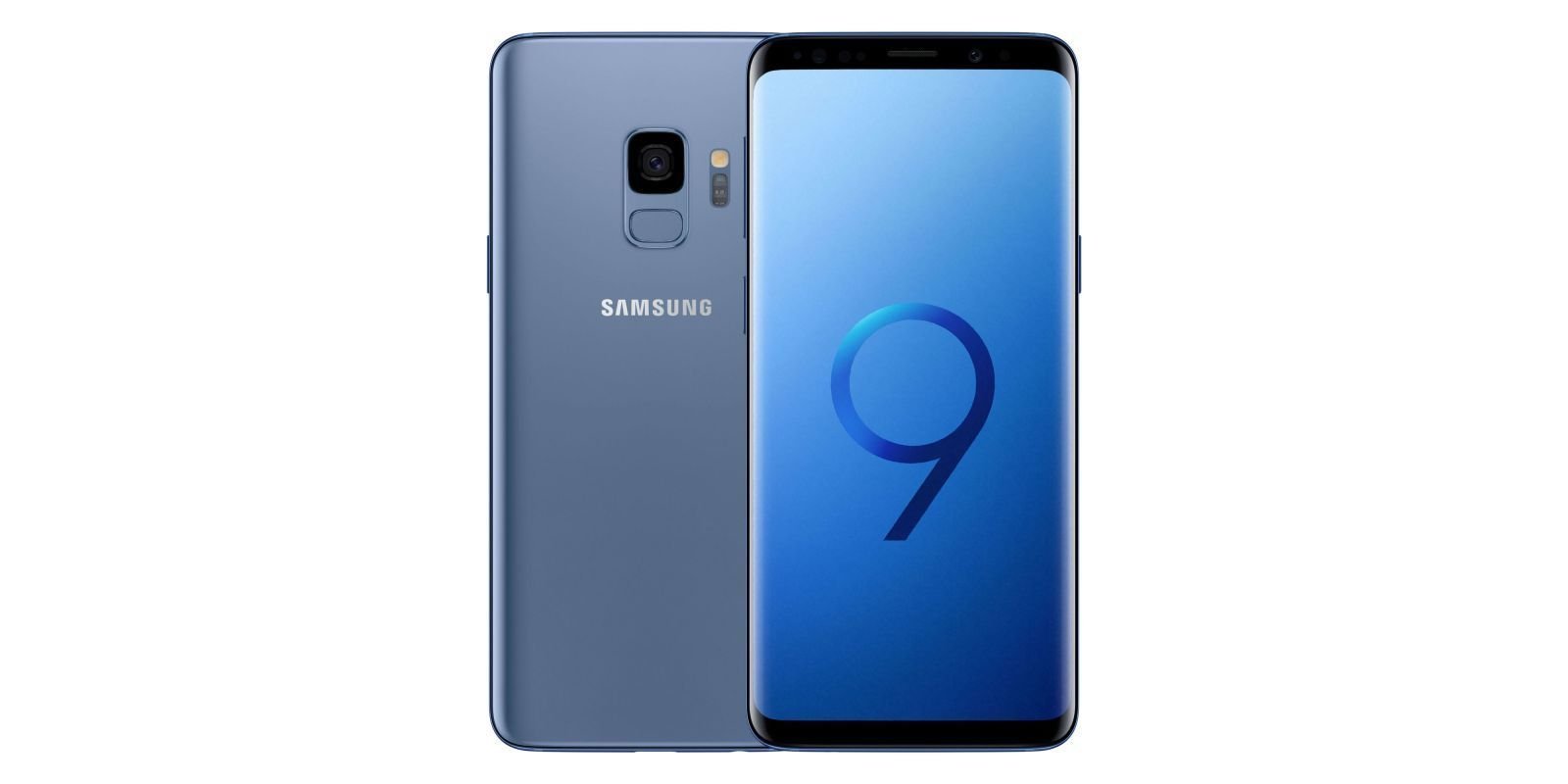
Image: Samsung Galaxy S9 Plus in Coral Blue, displaying its sleek design and dual camera setup.
2. Product Overview
2.1 Design and Display
- Dimensions: 6.22 x 0.33 x 2.91 inches
- Weight: 8.8 ounces
- Display: 6.2-inch Super AMOLED capacitive touchscreen, 16M colors.
- Resolution: 2960 x 1440 pixels.
- Features: HDR10+ support, ensuring vibrant and detailed visuals.
- Protection: Features Gorilla Glass on the front and back, along with an aluminum frame for enhanced durability.
2.2 Key Features
- Processor: 10nm, 64-bit, Octa-Core (2.7 GHz Quad + 1.7 GHz Quad) CPU.
- Memory & Storage: 6GB RAM, 128GB internal storage, expandable via microSD up to 400 GB (uses SIM 2 slot).
- Camera System: Dual 12 MP rear cameras (f/1.5-2.4, 1/2.55", 1.4 µm, Dual Pixel PDAF) + 12MP (f/2.4, 1/3.6", 1 µm, AF) with OIS, phase detection autofocus, 2x optical zoom, LED flash. Front Camera: 8 MP (f/1.7, 1/3.6", 1.22 µm) with autofocus and Auto HDR.
- Battery: 3500 mAh battery with fast charging and wireless charging capabilities.
- Connectivity: Dual Nano-SIM (4G + 3G), LTE support (check with carrier for compatibility).
- Operating System: Android.
3. Setup
3.1 SIM Card Installation
- Locate the SIM card tray on the side of the device.
- Insert the provided ejection pin into the small hole on the tray to open it.
- Place your Nano-SIM card(s) and/or microSD card into the tray with the gold contacts facing down.
- Carefully reinsert the tray into the device.
3.2 Powering On/Off
- To Power On: Press and hold the Power/Side key until the Samsung logo appears.
- To Power Off: Press and hold the Power/Side key, then tap "Power off" on the screen.
4. Operating Instructions
4.1 Basic Navigation
- Home Screen: Swipe left or right to access different app pages.
- App Drawer: Swipe up from the Home screen to view all installed applications.
- Notifications Panel: Swipe down from the top of the screen to access notifications and quick settings.
- Recent Apps: Tap the Recent Apps button (usually a square icon) to view and switch between recently used applications.
4.2 Customization
- Wallpapers & Themes: Personalize your device's appearance through the Settings menu.
- Widgets: Add widgets to your Home screen for quick access to information and functions.
5. Camera Features
The Samsung Galaxy S9 Plus offers a versatile camera system for capturing high-quality photos and videos.
- Rear Cameras: Dual 12 MP lenses with Optical Image Stabilization (OIS) and 2x optical zoom for detailed shots.
- Front Camera: 8 MP with autofocus and Auto HDR for clear selfies.
- Video Recording: Supports 4K HDR video capture.
- Special Modes: Includes features like Super Slow-mo, Night Mode, Panorama, and Pro Mode for various shooting scenarios.
6. Performance
Powered by a robust Octa-Core processor and 6GB of RAM, the Galaxy S9 Plus delivers smooth performance for multitasking, gaming, and demanding applications.
- Processor: 10nm, 64-bit, Octa-Core (2.7 GHz Quad + 1.7 GHz Quad) CPU.
- RAM: 6 GB.
- Internal Storage: 128 GB.
- Expandable Storage: Supports microSD cards up to 400 GB (uses SIM 2 slot).
7. Battery and Charging
The device is equipped with a 3500 mAh battery, designed to provide reliable power throughout your day.
- Battery Capacity: 3500 mAh.
- Talk Time: Up to 25 hours.
- Fast Charging: Supports fast charging for quick power-ups.
- Wireless Charging: Compatible with Qi wireless charging standards.
8. Specifications
| Feature | Detail |
|---|---|
| Model Name | Galaxy S9 Plus (SM-G965F/DS) |
| Product Dimensions | 6.22 x 0.33 x 2.91 inches |
| Item Weight | 8.8 ounces |
| OS | Android |
| RAM | 6 GB |
| Memory Storage Capacity | 128 GB |
| Screen Size | 6.2 Inches |
| Resolution | 2960 x 1440 |
| CPU Model | Snapdragon |
| CPU Speed | 1.7, 2.7 GHz |
| Battery Capacity | 3500 Milliamp Hours |
| Audio Jack | 3.5 mm |
| Special Features | Wireless Charging |
| Color | Coral Blue |
| First Available | March 15, 2018 |
9. Maintenance
- Software Updates: Regularly check for and install software updates to ensure optimal performance and security.
- Cleaning: Use a soft, lint-free cloth to clean the screen and body of the device. Avoid harsh chemicals.
- Battery Care: To prolong battery life, avoid extreme temperatures and do not let the battery drain completely too often.
- Storage Management: Periodically clear unnecessary files and apps to free up storage space and maintain performance.
10. Troubleshooting
- Device Unresponsive: If the device is unresponsive, press and hold the Power/Side key and Volume Down key simultaneously for more than 7 seconds to restart.
- Connectivity Issues: Check Wi-Fi or mobile data settings. Try toggling Airplane Mode on and off.
- App Malfunctions: Try clearing the app's cache or reinstalling the app.
- Battery Draining Quickly: Review battery usage in settings to identify power-hungry apps. Adjust screen brightness and background app refresh settings.
11. Warranty and Support
Important Note: This is an international version of the phone that comes with no warranty in the US. For support, please refer to the seller or Samsung's international support channels.
12. What's in the Box
The package includes the following items:
- Samsung Galaxy S9 Plus (SM-G965F/DS)
- USB Cable
- Earphone
- Ejection pin
- USB power adapter
- Quick start guide
- USB connector (USB type-C)
- Micro USB connector
- Clear view cover