1. Introduction
Welcome to the user manual for your new Samsung QN65Q7FN Flat 65” QLED 4K UHD 7 Series Smart TV. This manual provides essential information for setting up, operating, maintaining, and troubleshooting your television. Please read this manual thoroughly before using your TV to ensure proper and safe operation.
2. Product Overview
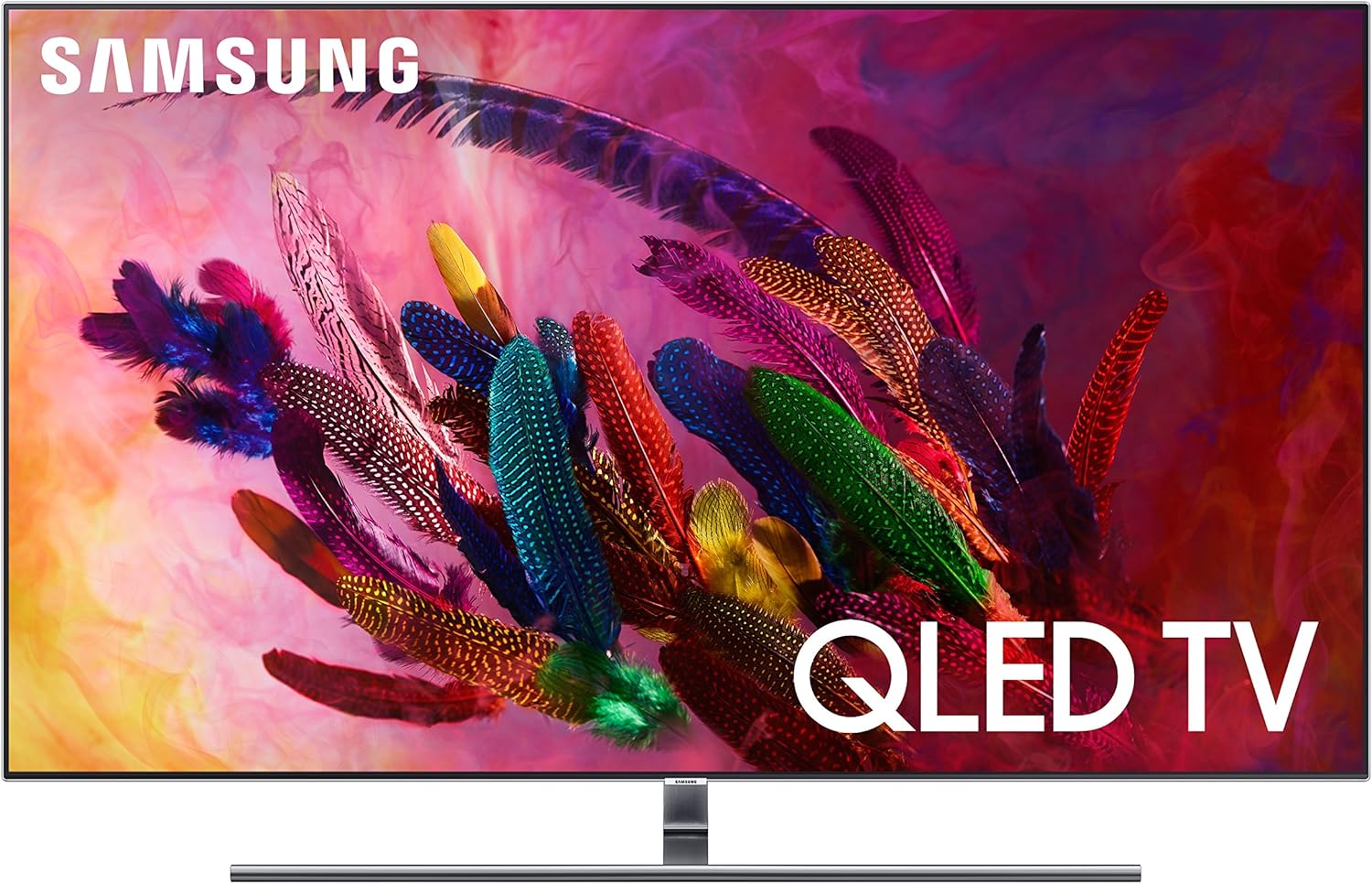
The Samsung QN65Q7FN QLED TV is designed to deliver an exceptional viewing experience with advanced display technologies and smart features. It features a sleek design with minimal cables and options for flush wall mounting.
Key Features:
- Q Contrast Plus: Experience dramatic depth with incredibly deep blacks and an anti-reflective screen.
- Q HDR Elite: Step up to Elite class HDR with the power to reveal stunning details and in-depth vibrant colors.
- Q Color: Push the boundaries of color with Quantum Dots and a billion shades, reserved for our flagship QLED TVs.
- Q Style Elite: Designed to achieve aesthetic excellence by minimizing wires and mounting flush to the wall as a picture.
- Ambient Mode: Elevate your living room with decorative content, useful information, your own photos, and even background music when the TV is not in use.
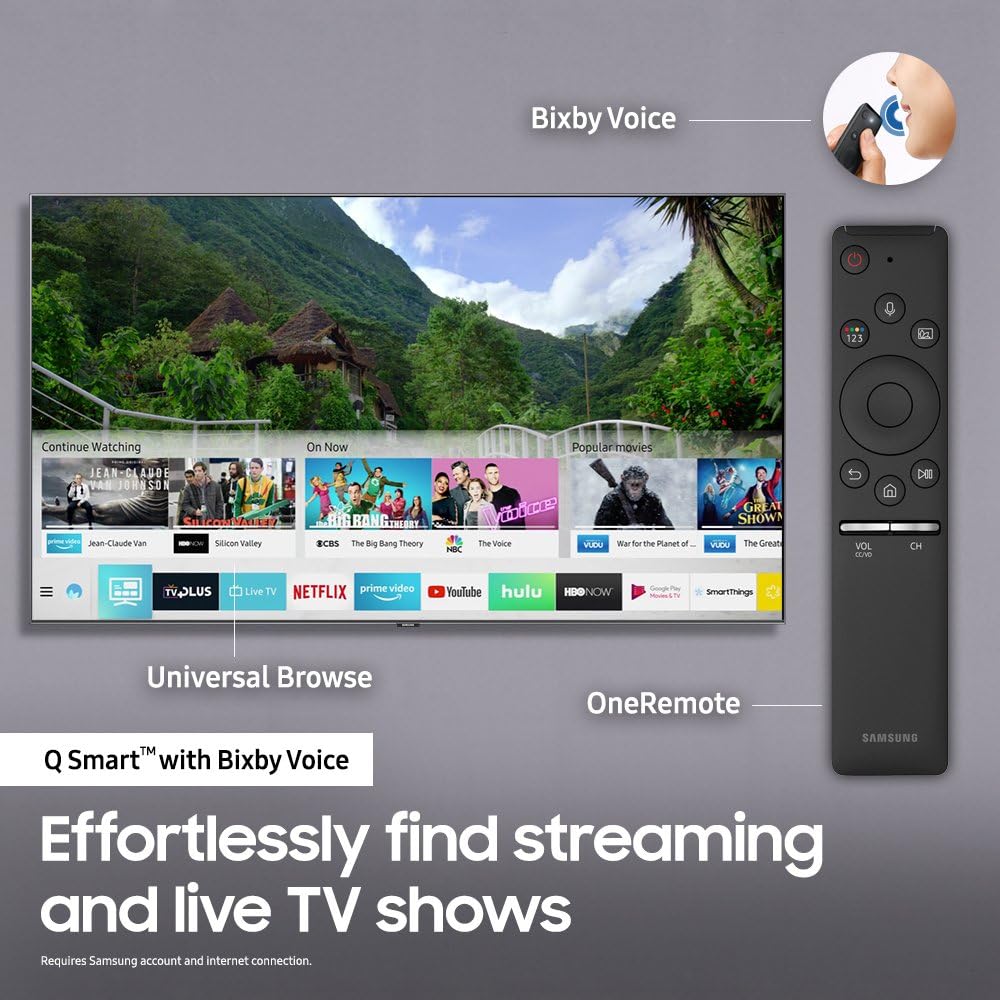
- Smart TV with Bixby Voice: A revolutionary way to help find streaming and live TV shows with a universal guide, OneRemote, and voice assistance.
Product Views:


3. Setup
Unpacking and Placement:
Carefully remove the TV and all components from the packaging. The TV weighs approximately 60 pounds. Ensure you have adequate space and support for placement. The dimensions with the stand are 56.9" W x 13.9" D x 56.9" H, and without the stand, 56.9" W x 1.8" D x 32.6" H. The stand width is 36.6".
Connecting the One Connect Box:
The Samsung QN65Q7FN utilizes a One Connect Box, which centralizes all TV connections. Connect the One Connect Box to the TV using the single, almost invisible optical cable. This allows for a clean setup, especially for wall-mounted installations, as all external devices connect to the One Connect Box rather than directly to the TV.
Power and Initial Setup:
Connect the power cable from the One Connect Box to a wall outlet. Insert 2 AA batteries into the OneRemote. Follow the on-screen instructions to complete the initial setup, including network connection (Wi-Fi is supported) and channel scanning.
Mounting Options:
- Stand Installation: Attach the provided stand to the TV following the instructions in the quick setup guide. Ensure the stand is securely fastened.
- Wall Mounting: The TV supports a No Gap Wall Mount (sold separately) for a flush-to-the-wall installation. A small gap may occur if the wall is not perfectly flat or if installed incorrectly.
4. Operating Your TV
Smart TV Features:
Your Samsung QN65Q7FN is a Smart TV with an intuitive user interface. It provides access to various streaming services, live TV, and apps. The UI is designed for ease of use, allowing for quick navigation and content discovery.
OneRemote and Bixby Voice:
The included OneRemote simplifies control of your TV and connected devices. Utilize Bixby Voice for effortless content search and control. Simply press the voice button on the OneRemote and speak your commands to find shows, movies, or adjust settings.
Picture Quality Enhancements:
- Q Contrast Plus: Delivers deep blacks and reduces glare for optimal viewing in various lighting conditions.
- Q HDR Elite: Provides stunning detail and vibrant colors, enhancing the dynamic range of content.
- Q Color: Utilizes Quantum Dot technology to produce a wide spectrum of colors, ensuring a rich and lifelike picture.
- Q Engine: Optimizes content for 4K UHD resolution, color accuracy, and HDR performance.


Ambient Mode:
When not actively watching TV, engage Ambient Mode to blend the TV into your room's décor. It can display decorative content, useful information, or your own photos, making the TV appear as part of the wall or environment.


5. Maintenance
Cleaning the Screen:
To clean the screen, gently wipe it with a soft, dry microfiber cloth. For stubborn smudges, lightly dampen the cloth with water or a screen-specific cleaning solution. Avoid using harsh chemicals, abrasive materials, or spraying liquid directly onto the screen.
Cleaning the TV Body:
Wipe the TV body and stand with a soft, dry cloth. Do not use any liquid cleaners directly on the TV body.
Cable Management:
Ensure all cables connected to the One Connect Box are neatly organized and not under tension to prevent damage.
6. Troubleshooting
If you encounter issues with your TV, refer to the following common troubleshooting steps:
- No Power: Ensure the power cable is securely connected to the One Connect Box and the wall outlet. Check if the outlet is functioning.
- No Picture/Sound: Verify that the correct input source is selected. Check all cable connections between the One Connect Box and external devices.
- Poor Picture Quality: Ensure you are viewing high-quality content (e.g., 4K HDR). Adjust picture settings in the TV menu. Note that viewing angles may affect picture quality, potentially causing a washed-out appearance from extreme sides. Local dimming performance may also vary.
- Remote Not Working: Check the batteries in the OneRemote (requires 2 AA batteries). Ensure there are no obstructions between the remote and the TV.
- One Connect Box Issues: If the One Connect Box experiences issues, it can affect TV functionality. Ensure it is properly connected and powered.
- Network Connectivity Problems: Check your Wi-Fi connection. Restart your router and the TV. Ensure strong internet connection for streaming content.
- Sound Issues: Check TV volume and external audio device volume. Ensure audio cables are correctly connected.
For more detailed troubleshooting, refer to the on-screen e-manual accessible through your TV's Smart Hub or visit the Samsung support website.
7. Specifications
| Feature | Detail |
|---|---|
| Brand Name | Samsung |
| Model Number | QN65Q7FNAFXZA |
| Screen Size | 64.5 Inches (Visible screen diagonal: 65" / 164 cm) |
| Display Technology | QLED |
| Resolution | 4K UHD |
| Refresh Rate | 240 Hz |
| Aspect Ratio | 16:9 |
| Product Dimensions (with stand) | 56.9" W x 13.9" D x 56.9" H |
| Product Dimensions (without stand) | 56.9" W x 1.8" D x 32.6" H |
| Item Weight | 60 Pounds |
| Color Name | Eclipse Silver |
| Speaker Type | 4.1CH |
| Connectivity Technology | HDMI, Wi-Fi |
| Batteries Required | 2 AA batteries (for remote) |
| On-mode Power Consumption | 90 watts |
| Energy Consumption (Annual) | 1684 Kilowatt Hours Per Year (based on 4 hours/day) |
| Date First Available | March 5, 2018 |
8. Warranty and Support
Warranty Information:
This product typically comes with a one-year manufacturer's warranty. For specific warranty terms and conditions, please refer to the documentation included with your purchase or visit the official Samsung support website.
Customer Support:
For technical assistance, product inquiries, or warranty claims, please contact Samsung Customer Support. You may also find helpful resources, FAQs, and software updates on the official Samsung support website. Additionally, a 30-day easy return policy may be available through your retailer.
Visit the Samsung Store for more information and products.