
1. Product Overview
This document provides instructions for the Hotpoint Ariston SJ4010 Mechanical Filter Holder with Self-Cleaning Brushes, an original replacement part designed specifically for the Hotpoint Ariston SJ4010 extractor. This component is crucial for efficient juice extraction and pulp separation.
Original Part Number: 482000090734 (C00297430).

Figure 1: Top view of the Hotpoint Ariston SJ4010 Mechanical Filter Holder. This image displays the filter holder in black, showing its top view with the integrated self-cleaning brushes around the inner rim.
2. Setup
2.1 Before You Begin
- Ensure your Hotpoint Ariston SJ4010 extractor is unplugged from the power outlet before attempting any installation or replacement.
- Identify the location of the existing filter holder within your extractor.
- Keep the work area clean and free from debris.
2.2 Installation Steps
- Remove Old Filter Holder: Carefully remove the old filter holder from the extractor. Refer to your main extractor manual for specific disassembly instructions if needed.
- Align New Filter Holder: Align the new Hotpoint Ariston SJ4010 Mechanical Filter Holder with the corresponding slot and guides within your extractor's main body.
- Secure in Place: Gently push the filter holder into place until it clicks securely. Ensure it is firmly seated and does not wobble. The self-cleaning brushes should align correctly with the extractor's rotating mechanism.
- Verify Installation: Visually inspect the installed filter holder to ensure it is flush and properly integrated.
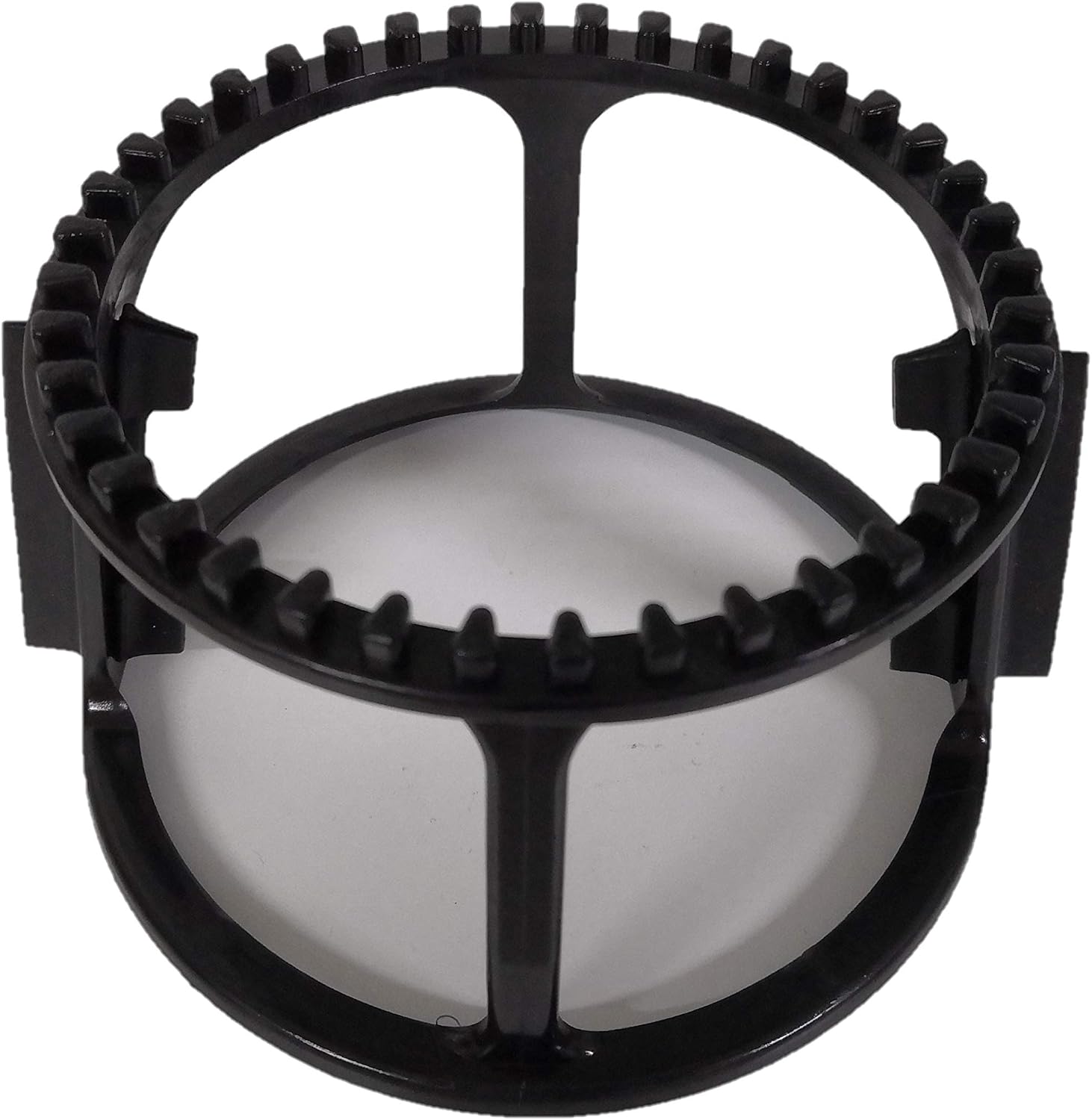
Figure 2: Side view of the Hotpoint Ariston SJ4010 Mechanical Filter Holder. This view highlights the gear-like structure of the self-cleaning brushes, which are crucial for clearing pulp during operation.

Figure 3: An alternative view of the filter holder, shown in red. This illustrates the general design and structure of the component.
3. Operation
The mechanical filter holder is an integral component of your Hotpoint Ariston SJ4010 extractor. Once correctly installed, it operates automatically as part of the juicing process.
Its primary function is to efficiently separate pulp from juice, ensuring a smooth and clear output. The integrated self-cleaning brushes are designed to continuously clear pulp from the filter mesh as the extractor operates, maintaining optimal efficiency and preventing clogging.
No direct user interaction is required for the operation of the filter holder itself once it is installed and the extractor is in use.
4. Maintenance
4.1 Cleaning
Regular cleaning of the filter holder is essential to maintain the performance and longevity of your extractor. Always unplug the extractor before cleaning.
- Disassemble: After each use, disassemble the extractor according to its main instruction manual to access the filter holder.
- Rinse: Remove the filter holder and rinse it thoroughly under running water. The self-cleaning brushes will aid in dislodging trapped pulp.
- Brush (if needed): For any stubborn residue or fine pulp caught in the mesh, use a soft, non-abrasive brush to gently clean the filter mesh and the brush mechanism.
- Dry: Ensure all components are completely dry before reassembling the extractor or storing the filter holder.
4.2 Storage
Store the filter holder in a clean, dry place, away from direct sunlight and extreme temperatures, when not in use.
5. Troubleshooting
| Problem | Possible Cause | Solution |
|---|---|---|
| Filter holder does not fit or is difficult to install. | Incorrect model part; misalignment; obstructions. | Verify the part number (482000090734) matches your SJ4010 extractor. Ensure correct alignment and check for any debris preventing proper seating. Do not force the part. |
| Ineffective pulp separation or frequent clogging. | Filter mesh is clogged; damaged self-cleaning brushes; improper installation. | Thoroughly clean the filter holder as per maintenance instructions. Inspect the self-cleaning brushes for any damage or wear. Re-install the filter holder ensuring it is securely seated. |
| Unusual noise coming from the extractor after installing the filter holder. | Filter holder not properly seated; foreign object. | Unplug the extractor and carefully re-seat the filter holder. Check for any foreign objects that may have fallen into the mechanism during installation. |
6. Specifications
| Attribute | Detail |
|---|---|
| Brand | Hotpoint |
| Model Number | part_B079WXKR2G (for Hotpoint Ariston SJ4010 Extractor) |
| Manufacturer | Hotpoint Ariston |
| Original Part Reference | 482000090734 (C00297430) |
| Package Dimensions | 11.8 x 11.6 x 7.2 cm |
| Item Weight | 40 grams |
7. Warranty Information
This filter holder is an original replacement part. For specific warranty information regarding this component, please refer to the terms and conditions provided by the original seller or manufacturer at the time of purchase. Keep your proof of purchase for any warranty claims.
8. Customer Support
For further assistance, technical support, or inquiries related to the Hotpoint Ariston SJ4010 extractor or its components, please consult your main appliance instruction manual or contact Hotpoint Ariston customer service directly. Contact details can typically be found on the manufacturer's official website or within your original product documentation.