
Important Compatibility Information
This remote control is designed to work exclusively with Liftmaster, Chamberlain, Craftsman, Sears, Raynor, and AccessMaster garage door openers that feature a Red or Orange Learn Button. It is not compatible with other learn button colors or brands.

Image: Compatibility diagram highlighting the required Red or Orange Learn Button on the garage door opener.
Compatible Remote Models:
- Liftmaster: 91LM, 92LM, 94LM, 96LM, 970LM, 971LM, 972LM, 973LM, 974LM
- Chamberlain: 950CB, 953CB, 956CB
- Sears Craftsman: 139.53680, 139.53681, 139.53661, 139.53662, 139.53663, 139.53664
Product Overview
The ExcelTek 971LM compatible garage door remote control offers a convenient and secure way to operate your garage door. Its compact design and robust features ensure reliable performance.

Image: The ExcelTek remote control, showing its compact size and attached keychain clip.
Key Features:
- Security+ Rolling Code Technology: Enhances security by changing the code each time the remote is used.
- Easy to Program: Simple wireless connection process.
- Sliding Protective Cover: Prevents accidental button presses.
- Multi-Frequency Support: Supports up to 3 encrypted frequencies (buttons C and D are linked).
- Compact and Lightweight: Designed for portability and convenience.
- Durable Construction: Rugged plastic and metal case for long-lasting use.
- Built-in LED Indicator: Illuminates when a signal is transmitted.
- Metal Reinforced Keychain Hole: Designed to withstand pressure.
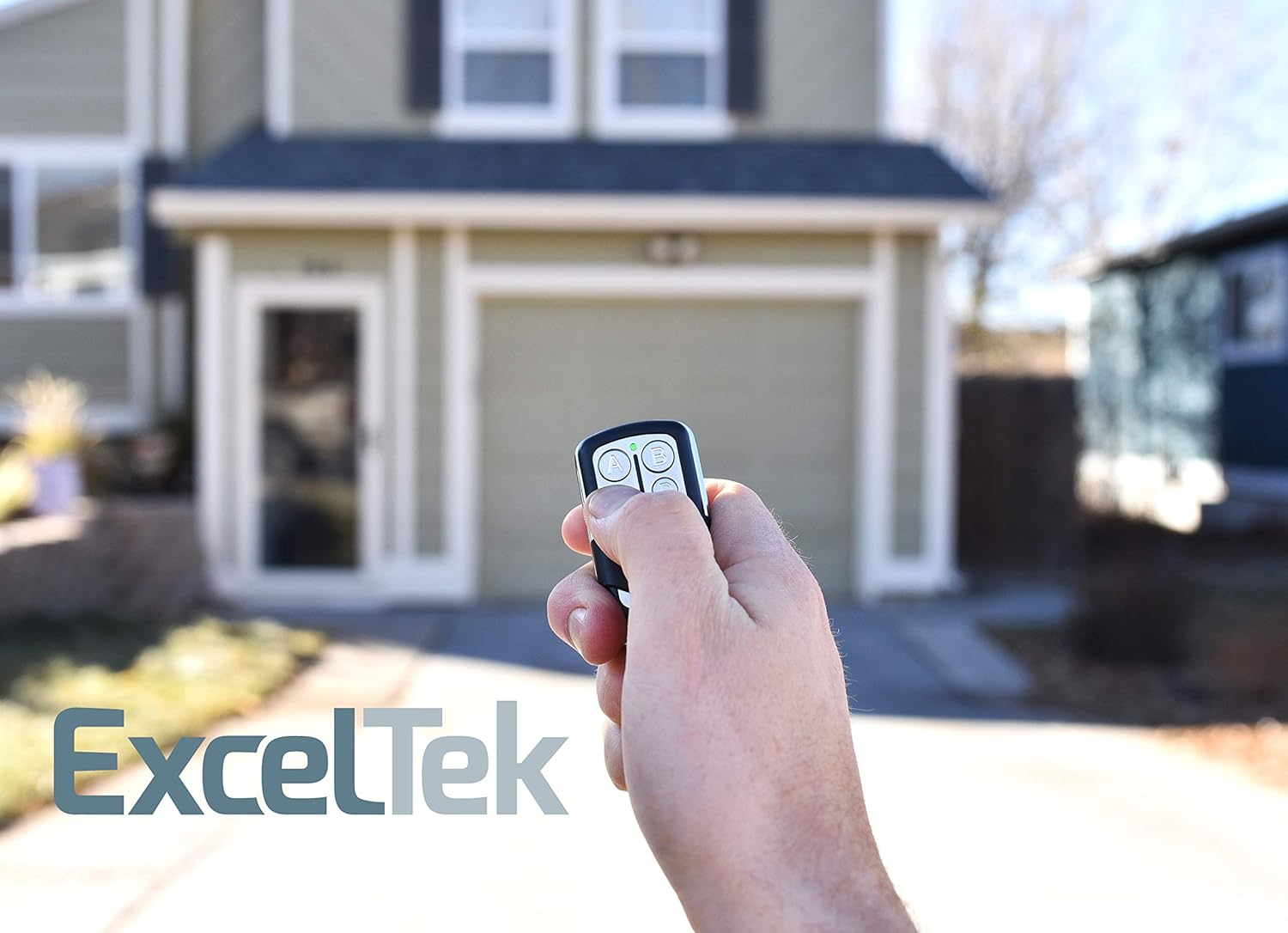
Image: Detailed diagram illustrating the various features of the ExcelTek remote control.
Package Contents:
- ExcelTek 971LM Compatible Remote Control
- Keychain Clip
- 1 x 27A 12V Battery (pre-installed)
- Programming Instructions

Image: The remote control, its packaging, programming instructions, and keychain clip.
Setup and Programming Instructions
Follow these steps to program your ExcelTek remote control to your garage door opener. Ensure your garage door opener has a Red or Orange Learn Button before proceeding.
- Locate the Smart/Learn Button: Find the Smart/Learn button on your garage door opener unit. This button is typically located on the motor head unit, often under the light cover or on the back panel.
- Activate Learn Mode: Press and immediately release the Smart/Learn button on your garage door opener. The Learn LED indicator on the opener will glow steadily for 30 seconds, indicating it is in programming mode.
-
Program the Remote: While the Learn LED is glowing (within 30 seconds), press and hold the desired button on your ExcelTek remote control. Release the button on the remote when the garage door opener lights blink or two clicks are heard. This confirms successful programming.
Note: If programming to other products or if the first attempt is unsuccessful, you may need to press the remote button a second time to activate the product.
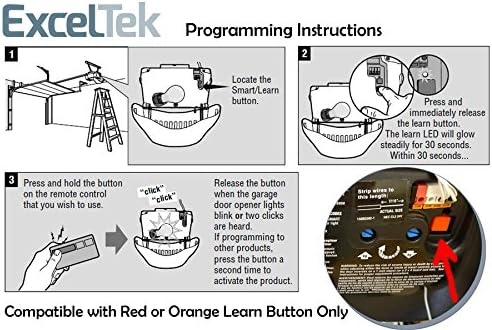
Image: Visual guide for programming the remote control, detailing the steps to sync with your garage door opener.
Operating Instructions
Using your ExcelTek remote control is straightforward:
- Open/Close Garage Door: Slide the protective cover down to expose the buttons. Press the programmed button (A, B, C, or D) once to open or close your garage door.
- Prevent Accidental Activation: Always slide the protective cover back up when not in use to prevent unintended button presses, especially when carrying the remote in a pocket or bag.
- Range: The remote has a maximum operating range of approximately 100 meters (328 feet). Optimal performance may vary based on environmental factors and obstructions.
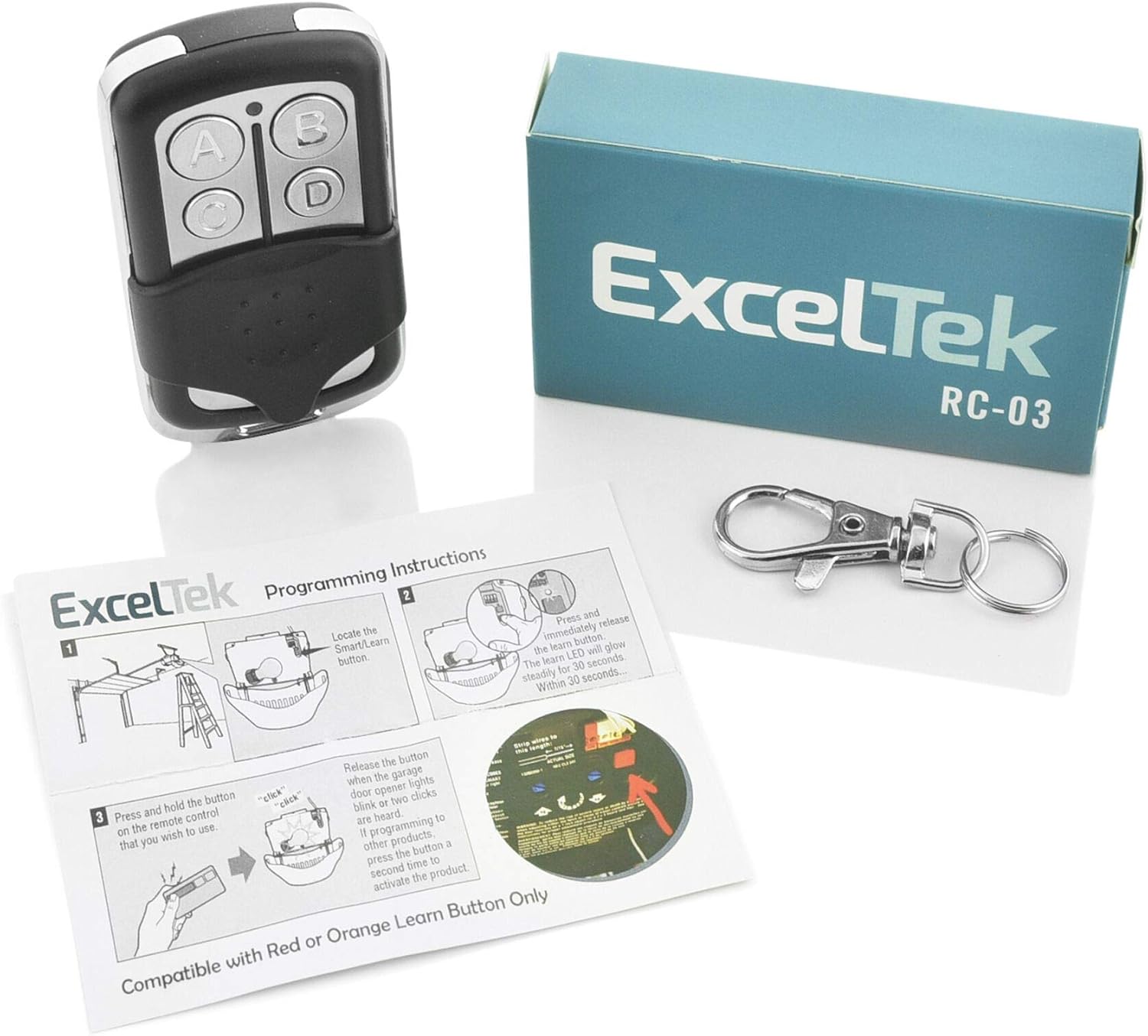
Image: A person using the ExcelTek remote control to operate a garage door.
Maintenance
Battery Replacement:
The remote control uses one 27A 12V battery. When the remote's range decreases significantly or the LED indicator does not light up, it may be time to replace the battery.
- Carefully open the remote control casing.
- Remove the old 27A 12V battery.
- Insert a new 27A 12V battery, ensuring correct polarity (+/-).
- Close the remote control casing securely.
Cleaning:
To clean the remote control, wipe it with a soft, dry cloth. Do not use abrasive cleaners or solvents, as these can damage the casing or internal components.
Troubleshooting
-
Remote Not Working / Intermittent Operation:
- Check the battery: Ensure the battery is correctly installed and has sufficient charge. Replace if necessary.
- Reprogram the remote: Follow the "Setup and Programming Instructions" to re-sync the remote with your garage door opener.
- Check compatibility: Verify that your garage door opener has a Red or Orange Learn Button.
- Obstructions: Ensure there are no obstructions blocking the signal between the remote and the garage door opener.
-
Garage Door Opens/Closes Accidentally:
- Ensure the sliding protective cover is closed when the remote is not in active use to prevent accidental button presses.
-
Reduced Operating Range:
- Replace the battery.
- Ensure there are no new sources of interference (e.g., new electronic devices) near your garage door opener.
Specifications
| Manufacturer: | ExcelTek |
| Model Name: | 971LM |
| Part Number: | RC-03 |
| Compatible Devices: | Garage Door Openers with Red or Orange Learn Button (Liftmaster, Chamberlain, Craftsman, Sears, Raynor, AccessMaster) |
| Connectivity Technology: | Radio Frequency |
| Number of Buttons: | 4 |
| Controller Type: | Button Control |
| Maximum Range: | 100 Meters (approx. 328 feet) |
| Battery Type: | 1 x 27A 12V (included) |
| Item Weight: | 0.05 Pounds (approx. 22.68 g) |
| Product Dimensions: | 6.46 x 3.55 x 1.32 cm |
| Special Features: | Easy to Program, Sliding Protective Cover |
Warranty and Support
For warranty information or technical support, please refer to the documentation included with your purchase or contact ExcelTek customer service directly. Contact details can typically be found on the product packaging or the manufacturer's official website.