
Introduction
This manual provides essential information for the safe and effective use of your YUSTDA 12V AC/DC Adapter. This adapter is designed to provide reliable power for compatible Stanley Intertek spotlights and other devices requiring 12VDC input. Please read this manual thoroughly before use and retain it for future reference.
Product Features
- Universal Input Voltage: Supports World Wide Input Voltage 100-240VAC 50/60Hz, making it suitable for international travel.
- High Compatibility: A reliable replacement AC Adapter/Charger, 100% compatible with the device models listed, including various Stanley Intertek spotlights.
- Extended Reach: Features a total 6.5 Ft long power cord for convenient placement and use.
- Advanced Safety Protections: Equipped with multiple safety features including over current protection, total power protection, over voltage protection, and short circuit protection to ensure safe operation.
- Quality Construction: Manufactured with high-quality materials and certified by FCC, CE, and RoHS for reliability and safety.
- Durable & Compact Design: Engineered for durability and a compact form factor, ideal for home, office, and travel.
- High Quality Power Cable: Features high quality copper wire and a PVC insulation jacket for enhanced durability and performance.
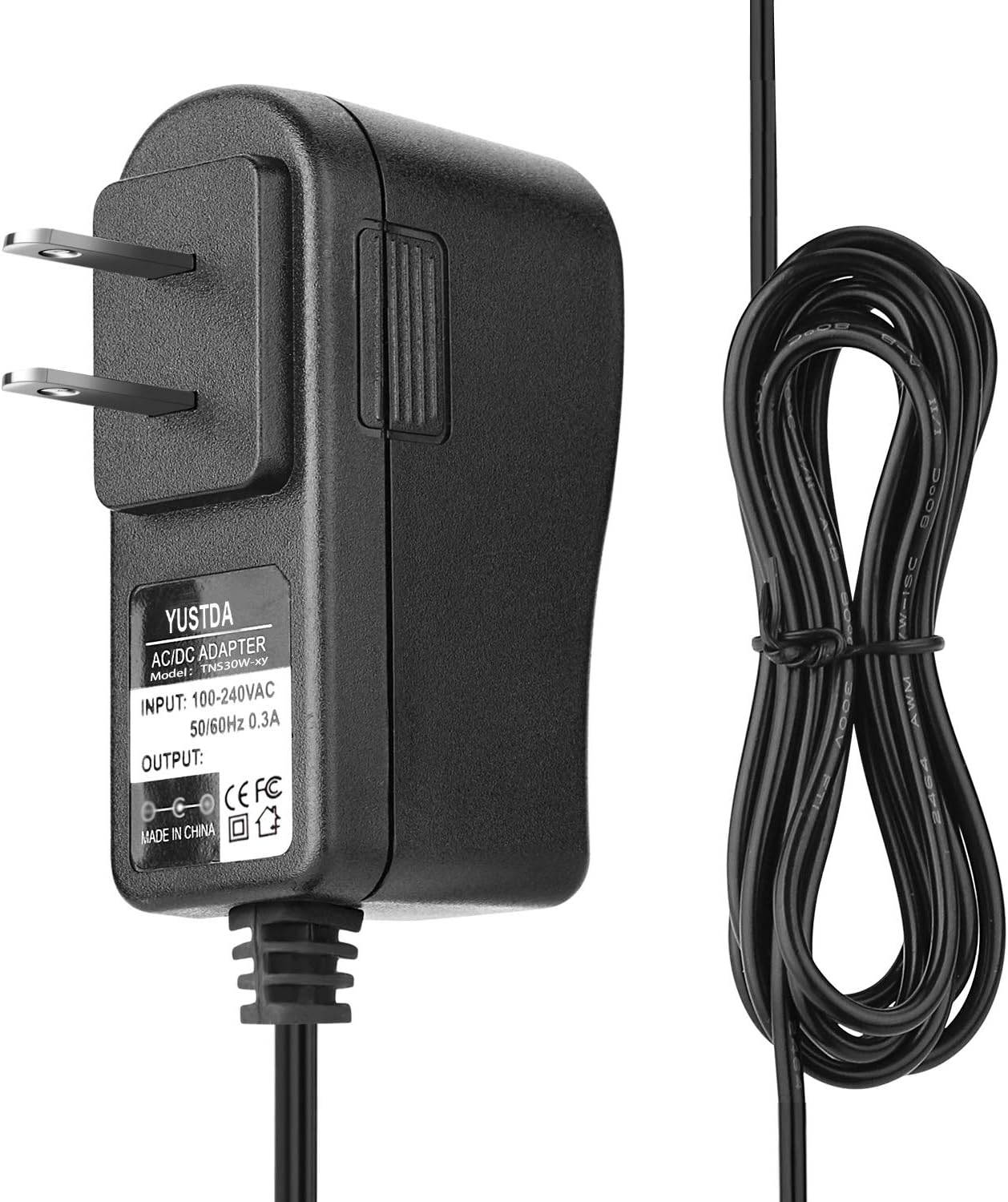
Image: The YUSTDA 12V AC/DC Adapter, showcasing its compact design and integrated power cord.

Image: An illustration detailing the high-quality power cable design, highlighting the copper wire and PVC insulation jacket.

Image: Visual representation of the adapter's safety design, including protections against over-temperature, over-voltage, over-current, and short circuits.
Setup and Installation
Follow these steps to properly set up your YUSTDA AC/DC Adapter:
- Identify Device Input: Locate the power input port on your compatible device (e.g., Stanley spotlight). Ensure the device requires a 12VDC power input.
- Connect to Device: Carefully insert the DC barrel connector of the YUSTDA adapter into your device's power input port. Ensure a snug and secure fit.
- Connect to Power Outlet: Plug the AC prongs of the adapter into a standard 100-240VAC wall outlet.
- Verify Connection: Confirm that both ends of the adapter are securely connected. The device should now receive power or begin charging if applicable.

Image: The YUSTDA AC/DC Adapter plugged into a power strip, demonstrating its compact design and ease of use in a typical setup.
Operating Instructions
The YUSTDA 12V AC/DC Adapter is designed for simple plug-and-play operation. Once properly connected to a power source and your compatible device, it will automatically supply the necessary power. No additional user interaction or configuration is required for its operation.
Maintenance
To ensure the longevity and optimal performance of your adapter, follow these maintenance guidelines:
- Cleaning: Keep the adapter clean and free from dust. Use a dry, soft cloth for cleaning. Do not use liquid cleaners or abrasive materials.
- Storage: Store the adapter in a cool, dry place when not in use for extended periods. Avoid exposing it to moisture, direct sunlight, or extreme temperatures.
- Inspection: Regularly inspect the power cord and connectors for any signs of damage, such as fraying, cuts, or bent pins. Discontinue use immediately if any damage is observed.
- Handling: Avoid dropping the adapter or subjecting it to strong impacts, as this can damage internal components.
Troubleshooting
If you encounter issues with your YUSTDA AC/DC Adapter, refer to the following common problems and solutions:
| Problem | Possible Cause | Solution |
|---|---|---|
| No power output from adapter | Adapter not fully plugged in; Wall outlet not functional; Device not compatible; Damaged adapter/cable. | Ensure adapter is securely plugged into both wall and device. Test wall outlet with another device. Verify device compatibility (12VDC input). Inspect adapter and cable for damage; replace if damaged. |
| Device not charging/operating correctly | Incorrect voltage/current; Device battery/components faulty; Loose connection. | Confirm device's power requirements match adapter's output (12VDC). Test device with its original adapter if available. Ensure all connections are secure. If problem persists, the device itself may be faulty. |
Specifications
| Specification | Value |
|---|---|
| Model Number | S0201-0216082 |
| Input Voltage | 100-240VAC, 50/60Hz, 0.3A |
| Output Voltage | 12VDC |
| Wattage | 72 watts |
| Cable Length | 6.5 Ft |
| Color | Black |
| Item Weight | 4.8 ounces |
| Package Dimensions | 3.7 x 3.3 x 0.9 inches |
| Certifications | FCC, CE, RoHS |
Safety Information
Please observe the following safety precautions to prevent injury or damage to the adapter and connected devices:
- Do not disassemble, modify, or attempt to repair the adapter. This will void the warranty and may cause electric shock or fire.
- Keep the adapter away from water, high humidity, and extreme temperatures.
- Do not use the adapter if the cord or plug is damaged.
- Ensure the adapter is used with devices that match its voltage and current specifications.
- Unplug the adapter from the power outlet when not in use for extended periods or during electrical storms.
- Keep out of reach of children and pets.
- Ensure adequate ventilation around the adapter during use to prevent overheating.
Warranty and Support
YUSTDA products are manufactured with high-quality materials and undergo rigorous testing. This product is typically covered by a 30-day return policy from the date of purchase.
For any questions, technical support, or issues with your YUSTDA 12V AC/DC Adapter, please do not hesitate to contact our customer service team:
Email: epcustomerservice@yahoo.com
We are committed to providing excellent customer service and support.
