
1. Introduction
This manual provides essential instructions for the safe and effective use of your Sonicare Protective Clean HX6829/71 rechargeable toothbrush. The Sonicare Protective Clean toothbrush is designed to deliver an exceptional clean, removing up to 6 times more plaque than a manual toothbrush. It features sonic technology with up to 31,000 brush strokes per minute and includes a Smartimer to ensure a complete brushing cycle.

Figure 1: Two Sonicare Protective Clean rechargeable toothbrushes with charging bases and travel cases. This image displays two Sonicare Protective Clean rechargeable toothbrushes, each with a brush head attached, resting on their individual charging bases. Two white travel cases are positioned behind the toothbrushes, and an additional brush head is shown separately.
2. Important Safety Information
Please read all instructions carefully before using this product.
- Keep out of reach of children. Small parts may pose a choking hazard.
- Statements regarding dietary supplements have not been evaluated by the FDA and are not intended to diagnose, treat, cure, or prevent any disease or health condition.
3. Package Contents
Verify that all items are present in your package:
- 2 Rechargeable Handles
- 2 Travel Chargers
- 2 Travel Cases
- 3 Brush Heads (2 Plaque Control & 1 Diamond Clean)

Figure 2: Retail packaging for Sonicare Protective Clean 5000 Gum Care Edition toothbrushes. The retail box for the Sonicare Protective Clean 5000 Gum Care Edition is shown, featuring two toothbrushes, charging bases, and brush heads. Text on the box highlights features like 'Improves gum health up to 100%' and 'Advanced Sonic Technology'.
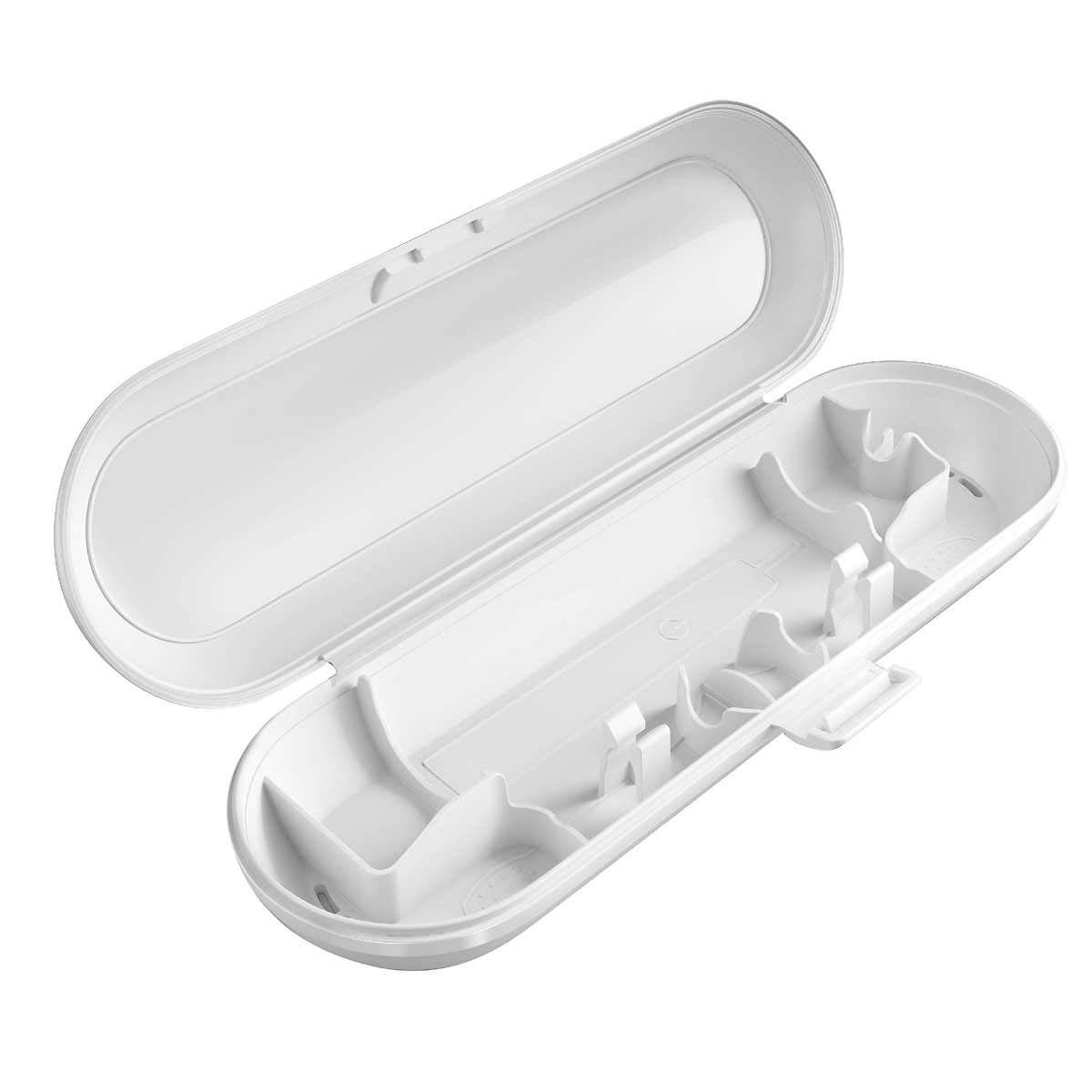
Figure 3: Open white travel case for Sonicare toothbrush. An open white travel case designed for a Sonicare toothbrush, showing compartments for one toothbrush handle and two brush heads.

Figure 4: Philips Sonicare G2 Optimal Plaque Control brush head. A single Philips Sonicare G2 Optimal Plaque Control brush head, featuring blue and white bristles, designed for effective plaque removal.
4. Setup and First Use
- Remove the toothbrush from its packaging.
- Charge the toothbrush before the first use. The two-color battery charge indicator will show when it's time to recharge.
- Wet the brush head and apply a small amount of toothpaste.
- Place the brush head against your teeth at a slight angle towards the gumline.
- Turn on the toothbrush and gently move it across your teeth, allowing the sonic vibrations to clean.
- Brush for two minutes, twice a day. The Smartimer will automatically turn off the toothbrush at the end of the brushing cycle.
- After brushing, rinse the brush head and let it air dry.

Figure 5: Philips Sonicare toothbrush charger. A white Philips Sonicare charging base with a small protruding peg for the toothbrush handle, and an attached power cord.
5. Operating Instructions
Brushing Modes
Your Sonicare Protective Clean toothbrush offers two distinct brushing modes:
- Clean: Provides an exceptional everyday clean.
- Gum Care: Gently stimulates and massages gums.
Smartimer
The Smartimer automatically turns off the toothbrush after 2 minutes of brushing, indicating that your brushing cycle is complete. Dental professionals recommend brushing for at least 2 minutes, twice a day.
6. Cleaning and Maintenance
- After each use, rinse the brush head thoroughly under running water.
- Wipe the toothbrush handle with a damp cloth. Do not submerge the handle in water.
- Clean the charging base periodically with a damp cloth. Ensure it is unplugged before cleaning.
- Replace brush heads every 3 months, or sooner if the bristles become frayed or worn.
7. Troubleshooting
Toothbrush Not Turning On
- Ensure the toothbrush is fully charged. Place it on the charger for at least 24 hours.
- Check if the charger is properly plugged into a working power outlet.
Reduced Brushing Power
- The battery may be low. Recharge the toothbrush.
- The brush head may be worn. Replace with a new Sonicare brush head.
Battery Indicator Not Working
- Ensure the toothbrush is correctly placed on the charger.
- If the issue persists after charging, contact customer support.
8. Specifications
| Model Number | HX6829/71 |
| Brand | Sonicare |
| Power Source | Battery Powered (1 A battery required) |
| Special Feature | Brushing Timer (Smartimer) |
| Item Firmness Description | Soft |
| Package Dimensions | 15.83 x 14.13 x 3.9 inches |
| Item Weight | 2 Pounds |
| UPC | 075020072306 |
9. Support and Warranty
For product support, warranty information, or to purchase replacement parts, please visit the official Sonicare website or contact their customer service.