
1. Introduction
Thank you for choosing the Master Flow GAF EGV6HT 1600 CFM Power Gable Mount Fan. This fan is designed to provide efficient exhaust ventilation for your attic, helping to remove hot and humid air. Equipped with an integrated humidistat and thermostat controller (HT1), it automatically regulates attic conditions to improve home comfort and energy efficiency. This manual provides essential information for the safe installation, operation, and maintenance of your new attic fan.
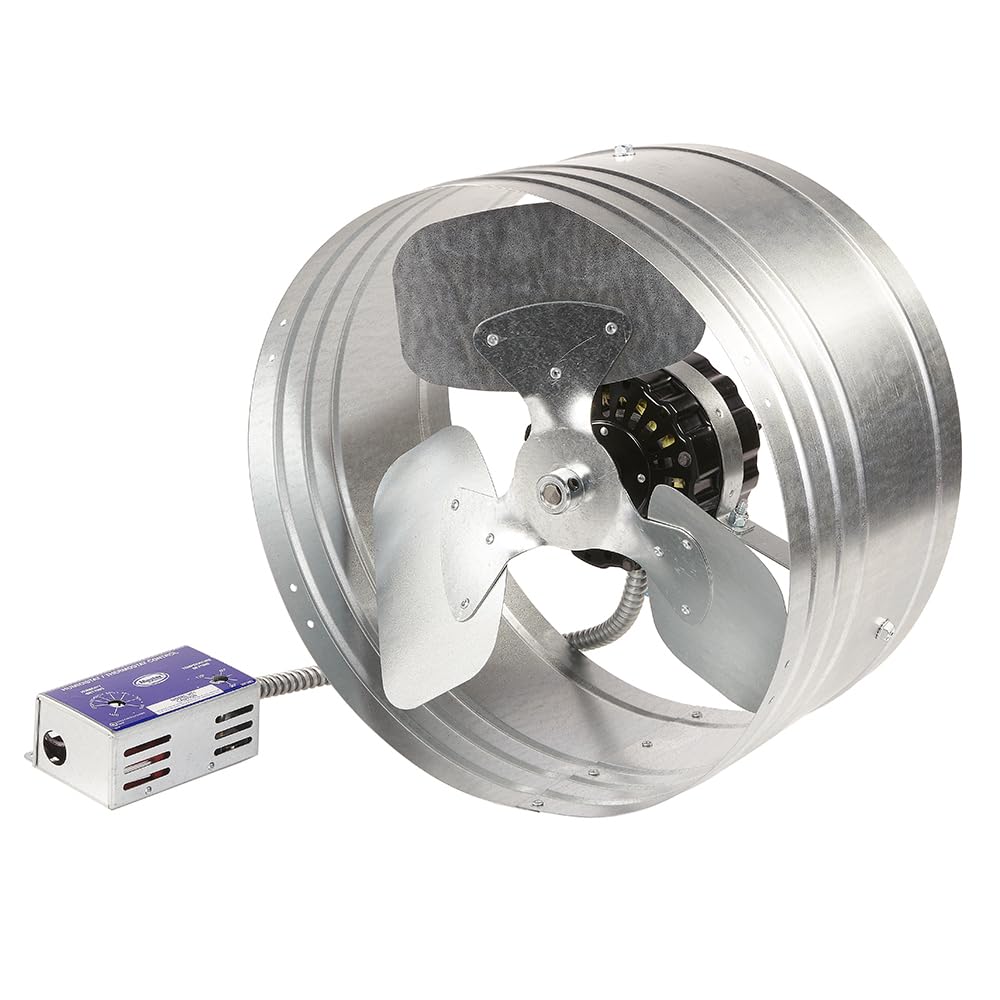
Figure 1: Master Flow GAF EGV6HT 1600 CFM Power Gable Mount Fan with Humidistat & Thermostat Controller.
2. Safety Information
Please read and understand all safety instructions before installing or operating this fan. Failure to follow these instructions may result in electric shock, fire, property damage, or personal injury.
- Disconnect Power: Always disconnect power at the circuit breaker or fuse box before installing, servicing, or cleaning the fan.
- Qualified Electrician: All electrical wiring should be performed by a qualified electrician in accordance with local codes and ordinances.
- Proper Grounding: Ensure the fan is properly grounded to prevent electrical shock.
- Moving Parts: Keep hands, hair, and loose clothing away from moving parts during operation.
- Attic Environment: Be aware of potential hazards in the attic, such as sharp objects, uneven surfaces, and extreme temperatures. Wear appropriate personal protective equipment.
- Do Not Obstruct: Do not obstruct the fan blades or motor. Ensure proper airflow around the unit.
3. Product Overview and Components
The Master Flow GAF EGV6HT fan system includes the following main components:
- Gable Mount Fan Unit (1600 CFM)
- Humidistat & Thermostat Controller (Model HT1)
- Mounting Brackets

Figure 2: Front view of the Master Flow GAF EGV6HT fan unit with the attached Humidistat & Thermostat Controller.
4. Setup and Installation
The Master Flow GAF EGV6HT fan is designed for straightforward installation in a gable vent opening. Ensure the chosen location allows for proper airflow and is structurally sound to support the fan's weight.
4.1 Pre-Installation Checks
- Verify that the gable vent opening is appropriately sized for the fan.
- Ensure access to a suitable electrical power source (120V AC, 60Hz).
- Confirm that adequate intake ventilation (e.g., soffit vents) is present to allow for proper air exchange.
4.2 Mounting the Fan
- Position the fan unit within the gable vent opening. The fan should be oriented to exhaust air out of the attic.
- Secure the fan using the provided mounting brackets. Ensure the fan is level and firmly attached to the attic framing or the gable vent frame.

Figure 3: Rear view of the fan motor and mounting brackets, showing attachment points.

Figure 4: Example of the Master Flow GAF EGV6HT fan installed within a gable vent.
4.3 Wiring the Humidistat & Thermostat Controller (HT1)
The HT1 controller manages the fan's operation based on attic temperature and humidity levels. Mount the controller in an accessible location within the attic, away from direct sunlight or heat sources that could affect its readings.
- Mount the HT1 controller to a sturdy surface using appropriate fasteners.
- Connect the fan's electrical wiring to the HT1 controller as per the wiring diagram provided with the unit (refer to the diagram on the controller itself or included documentation).
- Connect the HT1 controller to the main power supply, ensuring all connections are secure and insulated.

Figure 5: Close-up view of the HT1 Humidistat & Thermostat Control unit, showing setting dials and wiring entry.
5. Operating Instructions
The Master Flow GAF EGV6HT fan operates automatically via the HT1 controller. Once powered, the fan will activate when either the set temperature or humidity threshold is exceeded.
5.1 Setting the Humidistat
- Locate the 'HUMIDITY SETTING' dial on the HT1 controller (refer to Figure 5).
- Rotate the dial to your desired humidity level. Common settings range from 40% to 60%. The fan will turn on when the attic humidity rises above this set point.
5.2 Setting the Thermostat
- Locate the 'TEMPERATURE SETTING' dial on the HT1 controller (refer to Figure 5).
- Rotate the dial to your desired temperature level. Common settings range from 90°F to 120°F. The fan will turn on when the attic temperature rises above this set point.
The fan will continue to run until both the temperature and humidity levels fall below their respective set points. This dual control ensures optimal attic ventilation throughout the year.
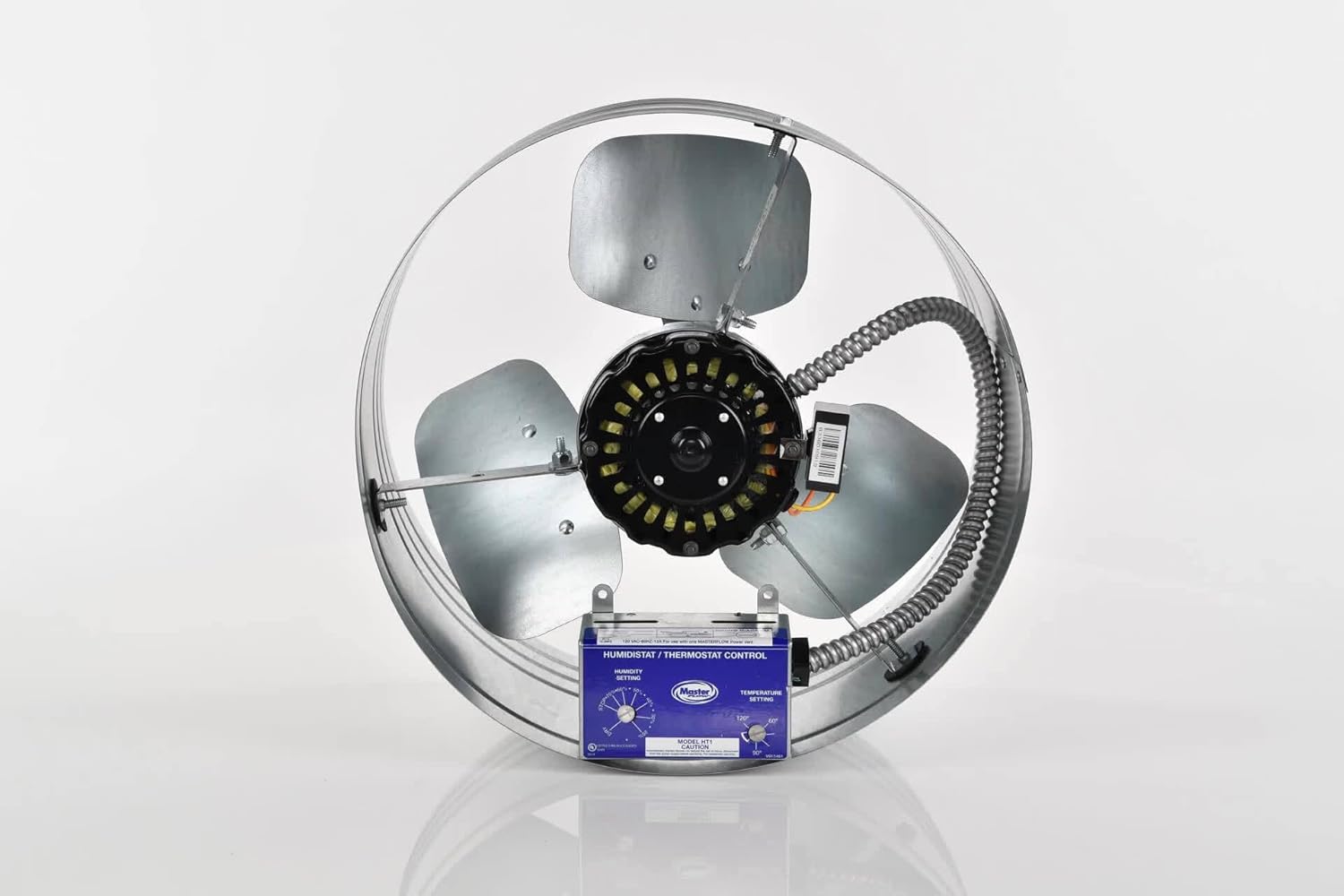
Figure 6: Front view of the fan and controller, ready for operation.
6. Maintenance
Regular maintenance ensures the longevity and efficient operation of your Master Flow GAF EGV6HT fan. Always disconnect power to the fan before performing any maintenance.
- Annual Inspection: Annually inspect the fan blades for any debris, dust, or obstructions. Carefully clean the blades with a soft cloth if necessary.
- Motor Check: Listen for any unusual noises from the motor during operation. If abnormal sounds are detected, consult a qualified technician.
- Wiring Inspection: Periodically check all electrical connections for tightness and signs of wear or damage.
- Ventilation Path: Ensure that the gable vent and any intake vents (e.g., soffit vents) are clear of obstructions to maintain proper airflow.
7. Troubleshooting
If you encounter issues with your Master Flow GAF EGV6HT fan, refer to the following troubleshooting guide:
| Problem | Possible Cause | Solution |
|---|---|---|
| Fan does not turn on |
|
|
| Fan runs continuously |
|
|
| Excessive noise or vibration |
|
|
8. Specifications
| Feature | Detail |
|---|---|
| Model | EGV6HT |
| Airflow Capacity | 1600 Cubic Feet Per Minute (CFM) |
| Coverage Area | Up to 3000 sq. ft. |
| Control Type | Integrated Humidistat & Thermostat (HT1) |
| Material | Alloy Steel |
| Item Weight | 11 Pounds |
| UPC | 050206036082 |
| ASIN | B079LGV8WZ |
| Manufacturer | GAF Master Flow |
9. Warranty and Support
9.1 Warranty Information
For specific warranty details regarding your Master Flow GAF EGV6HT fan, please refer to the warranty card included with your product packaging or visit the official Master Flow website. Warranty terms typically cover manufacturing defects for a specified period from the date of purchase.
9.2 Customer Support
If you have any questions, require technical assistance, or need to report an issue not covered in this manual, please contact Master Flow customer support. Contact information can typically be found on the product packaging or the manufacturer's official website.