
1. Introduction
This manual provides essential information for the safe and effective use of your FOUCECLAUS AC/DC Power Adapter. This adapter is designed to provide reliable power to compatible Brother P-Touch label makers, offering a convenient alternative to battery power.
2. Safety Information
Your FOUCECLAUS power adapter is UL Listed, ensuring it meets rigorous safety standards. It incorporates a multi-protection safety system to safeguard both the adapter and your connected devices.
- Over-Current Protection: Prevents damage from excessive current flow.
- Over-Voltage Protection: Protects against voltage spikes.
- Over-Temperature Protection: Manages internal temperature to prevent overheating.
- Short Circuit Protection: Automatically shuts off power in case of a short circuit.
Always ensure the adapter is used in a well-ventilated area and avoid covering it during operation. Do not expose the adapter to moisture or extreme temperatures.

Image: Internal view of the power adapter highlighting its safety features, including over-current, over-temp, over-voltage, and short circuit protection. UL and FC certifications are visible.
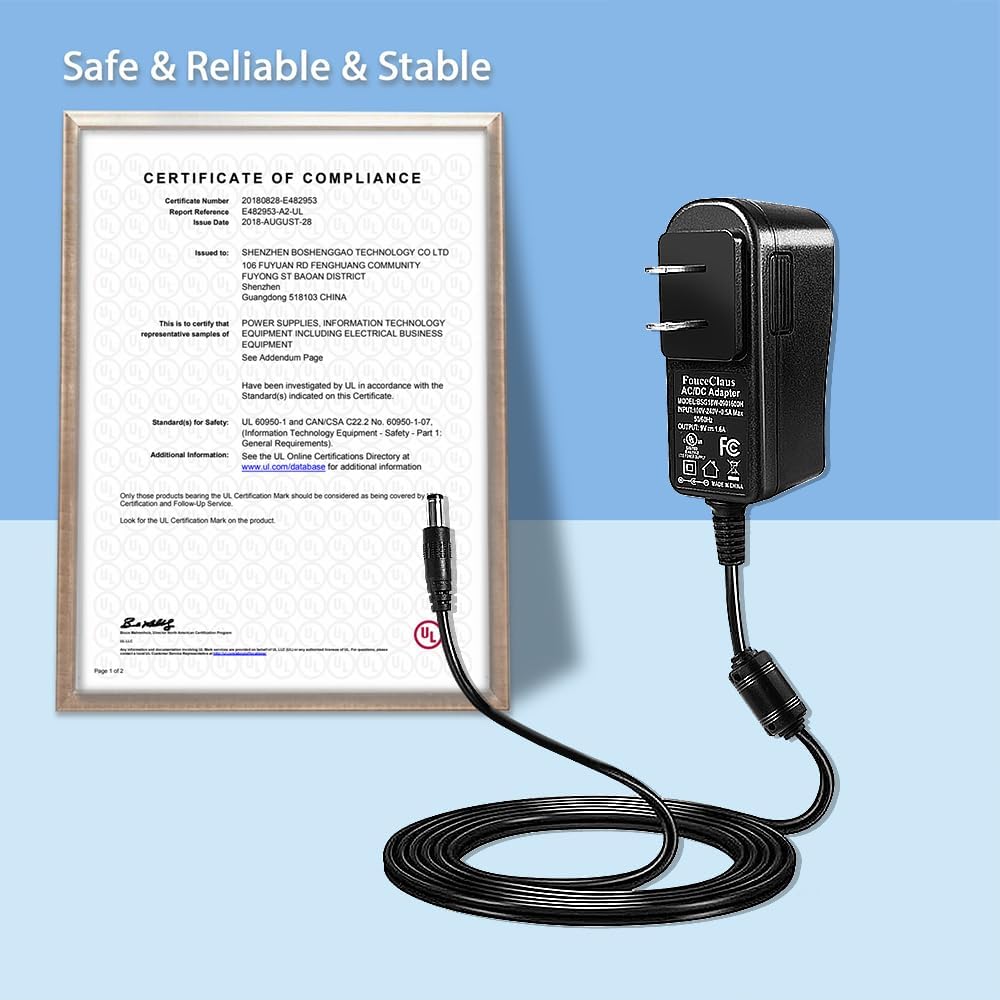
Image: A Certificate of Compliance from UL, indicating that the power adapter meets recognized safety standards.
3. Product Overview
The FOUCECLAUS AC/DC Power Adapter is designed for specific Brother P-Touch label maker models. It features an 8.2-foot long cord for extended reach and includes shielding to protect against electromagnetic interference, ensuring stable performance.
Compatible Brother P-Touch Label Maker Models:
- PT-200G, PT-D210, PTD210, PTD220, PT-D210BK, PT-H110, PTH110, PT-E100
- PT-1000, PT-1010, PT-1010B, PT-1010NB, PT-1010R, PT-1010S, PT-1090, PT-1090BK
- PT-1200, PT-1230PC, PT-1280, PT-1280SR, PT-1280TG, PT-128AF, PT-1290, PT-1290RS, PT-1290SBVP
- PT-1300, PT-1400, PT-1500PC, PT-1600, PT-1650, PT-1700, PT-1750SC, PT-1800, PT-1810, PT-1830, PT-1830C, PT-1830SC, PT-1830VP, PT-1880, PT-1880C, PT-1880SC, PT-1880W, PT-1890C, PT-1890SC, PT-1890W
- PT-1900, PT-2030, PT-2030AD, PT-2030VP, PT-2100, PT-2730

Image: The FOUCECLAUS power adapter displayed with several compatible Brother P-Touch label maker models, including PT-H110, PT-D210, and PT-D220.

Image: A detailed view of the 8.2-foot long power cord, highlighting its shielding features designed to reduce electromagnetic interference.

Image: The compact design of the FOUCECLAUS power adapter, shown plugged horizontally into a power strip to prevent blocking other outlets.
Video: An official product video from FouceClaus demonstrating the power adapter for Brother P-Touch PT-D210, PTD-220, and PTH110 label makers, showcasing its features and compatibility.
4. Setup
- Verify Compatibility: Ensure your Brother P-Touch label maker model is listed as compatible with this adapter.
- Connect to Label Maker: Insert the DC output plug of the power adapter into the power input jack on your Brother P-Touch label maker.
- Connect to Power Outlet: Plug the AC input prongs of the power adapter into a standard 100-240V AC wall outlet.
- Power On: Turn on your label maker. The adapter will supply power directly, bypassing the need for batteries.
5. Operating Instructions
Once the power adapter is correctly connected and plugged into a live outlet, your Brother P-Touch label maker will receive continuous power. Operate your label maker as usual according to its specific user manual. The adapter provides a stable 9V 1.6A output, matching the original charger specifications.
6. Maintenance
- Cleaning: Disconnect the adapter from the power outlet and the label maker before cleaning. Use a dry, soft cloth to wipe the exterior. Do not use liquid cleaners or solvents.
- Storage: When not in use, store the adapter in a cool, dry place, away from direct sunlight and moisture. Avoid tightly winding the cord to prevent damage.
- Inspection: Periodically inspect the power cord and adapter housing for any signs of damage, such as cuts, fraying, or cracks. If damage is found, discontinue use immediately.
7. Troubleshooting
No Power to Label Maker:
- Check Connections: Ensure the adapter is securely plugged into both the label maker and the wall outlet.
- Verify Outlet: Test the wall outlet with another device to confirm it is functioning correctly.
- Inspect Adapter: Look for any visible damage to the adapter or cord. If damaged, do not use.
- Label Maker Power: Ensure the label maker's power button is pressed or switched on.
Interference Issues:
- The adapter includes shielding to minimize electromagnetic interference. If you experience unusual behavior with your label maker or other nearby electronics, try plugging the adapter into a different outlet or moving it away from sensitive devices.
8. Specifications
| Feature | Detail |
|---|---|
| Model Number | BSG18W-0901600H |
| Input Voltage | 100-240V AC |
| Output Voltage | 9V |
| Output Amperage | 1.6A |
| Cord Length | 8.2 feet |
| Item Weight | 3.74 ounces |
| Color | Black |
| Certifications | UL Listed |
9. Warranty and Support
The FOUCECLAUS AC/DC Power Adapter is provided as a replacement power solution for your Brother P-Touch label maker. For specific warranty details and customer support, please refer to the manufacturer's official website or contact their customer service directly. Keep your purchase receipt for warranty claims.