
1. Introduction
This manual provides essential instructions for the proper use and maintenance of your Motiexic Remote Control. This remote is designed as a direct replacement for specific Bose Solo Series II TV Sound Systems, offering immediate functionality without complex setup.

Image: Front and side view of the Motiexic Remote Control, alongside a CR2025 coin battery.
2. Compatibility
The Motiexic Remote Control (Model RC3020) is compatible with the following Bose Solo Series II TV Sound Systems and TV speakers:
- Bose Solo 5 Series II TV Sound System
- Bose Solo 10 Series II TV Sound System (Model 740928-1120)
- Bose Solo 15 Series II TV Sound System (Note: Not compatible with Bose Solo 15 Series I)
- Bose TV Soundbar Sound System (Model 418775)
- Bose TV Speakers (Models 431974, 838309-1100)
- Bose Solo Series II TV Sound System (Models 845194-110, 732522-1110)
Please verify your Bose system model number to ensure compatibility. This remote is specifically designed for the listed Series II models and is not a universal remote for all Bose products.
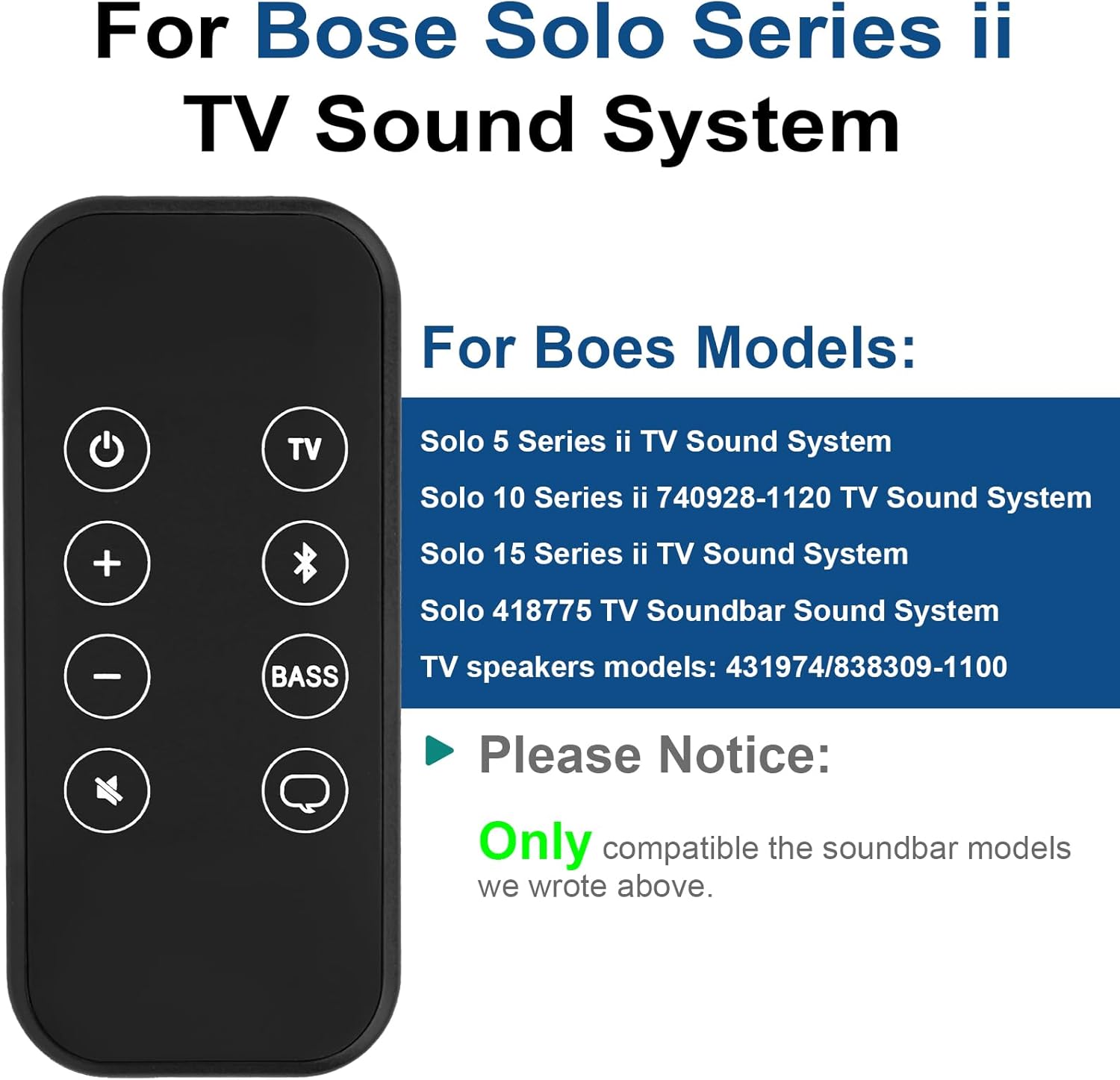
Image: The remote control displayed next to a list of compatible Bose Solo Series II TV Sound System models.
3. Setup
3.1 Battery Installation
The remote control comes with a CR2025 lithium metal coin battery pre-installed. Before first use, you must remove the protective film from the battery compartment.
- Locate the battery compartment on the back of the remote control.
- Gently pull the clear plastic tab protruding from the battery slot. This tab prevents battery discharge during storage.
- Ensure the battery is seated correctly with the positive (+) side facing up.
Note: The battery compartment is designed to be child-safe and may require some effort to open for replacement. Press firmly on the designated area to release the cover.

Image: A hand removing the protective film from the remote control's battery compartment.
3.2 Initial Use (No Pairing Required)
This remote control is designed for immediate use with compatible Bose Solo Series II sound systems. No programming, pairing, or complex setup is required. Once the protective film is removed from the battery, simply point the remote at your sound system and begin operation.

Image: The remote control in use, demonstrating that no pairing or setup is needed.
4. Operating Instructions
The remote control features a simple layout for intuitive control of your Bose Solo Series II sound system. Ensure a clear line of sight between the remote and the sound system for optimal performance.

Image: A detailed diagram showing the function of each button on the remote control.
- Power Button (⏻): Turns the sound system on or off.
- Volume Up (+): Increases the volume.
- Volume Down (-): Decreases the volume.
- Mute (🔇): Mutes or unmutes the sound.
- TV Button (TV): Switches the input to TV audio.
- Bluetooth Button (Ⓑ): Activates Bluetooth pairing mode or switches to Bluetooth input.
- Bass Button (BASS): Adjusts the bass level.
- Dialogue Mode Button (💬): Enhances dialogue clarity.
The remote operates effectively up to a distance of approximately 10 meters (32 feet), provided there are no obstructions between the remote and the sound system.

Image: Illustration of the remote control's effective operating range of 10 meters (32 feet).
5. Maintenance
5.1 Battery Replacement
When the remote control's performance diminishes or it stops responding, the CR2025 battery may need replacement.
- Locate the battery compartment on the back of the remote.
- Press firmly on the indicated area of the battery cover until it pops open. This design is intended to prevent accidental opening by children.
- Remove the old CR2025 battery.
- Insert a new CR2025 battery with the positive (+) side facing up.
- Close the battery cover securely until it clicks into place.

Image: Step-by-step guide on how to change the battery in the remote control.
5.2 Cleaning
To clean the remote control, use a soft, dry cloth. Do not use liquid cleaners, aerosols, or solvents, as these may damage the remote's surface or internal components.
6. Troubleshooting
- Remote not responding:
- Ensure the protective film has been removed from the battery.
- Check if the battery is inserted correctly with the positive (+) side up.
- Replace the CR2025 battery if it is depleted.
- Ensure there is a clear line of sight between the remote and the sound system. Obstructions can block the infrared signal.
- Confirm your Bose sound system model is listed in the compatibility section.
- Difficulty opening battery compartment:
- The battery compartment is designed with a child-safe mechanism. Apply firm pressure to the designated area on the cover to release it.
7. Specifications
| Feature | Specification |
|---|---|
| Model Number | RC3020 |
| Product Dimensions | 5.12 x 1.97 x 0.79 inches |
| Item Weight | 0.353 ounces |
| Batteries Required | 1 Lithium Metal (CR2025) |
| Connectivity Technology | Infrared |
| Max Number of Supported Devices | 1 |
| Compatible Devices | Bose Solo Series II TV Sound Systems |
8. Warranty and Support
For warranty information or technical support, please refer to the product packaging or contact Motiexic customer service directly through their official website or the retailer where the product was purchased. Please have your product model number (RC3020) available when contacting support.