
1. Introduction
This manual provides essential information for the safe and efficient operation of your MEISHILE S-1200-48 48V 25A 1200W Switching Power Supply. Please read these instructions carefully before installation and use. This power supply is designed to convert AC input voltage to a stable DC 48V output, suitable for various industrial and LED applications.
2. Safety Information
- Electrical Hazard: Installation and wiring should only be performed by qualified personnel. Ensure the power supply is disconnected from the main power source before any installation or maintenance.
- Input Voltage: Verify the input voltage switch setting (110V) matches your local power grid before connecting. Incorrect voltage selection can damage the unit.
- Ventilation: Ensure adequate ventilation around the power supply to prevent overheating. Do not block ventilation openings.
- Environment: Do not expose the unit to moisture, dust, or extreme temperatures. Operate within specified environmental conditions.
- Grounding: Proper grounding is essential for safety. Connect the earth wire securely.
- Overload: Do not exceed the maximum output current or power rating to prevent damage and ensure safety.
3. Product Features
- AC Input Voltage: 110V (range 85-145V). Please confirm input voltage before use.
- Built-in protections: Short Circuit Protection, Over Load Protection, Over Voltage Protection.
- International safety certifications: FCC/CE compliant.
- 100% Full load Burn-in Test for reliability.
- Manufactured using lead-free processes, compliant with RoHS environmental requirements.
- High efficiency, long operational life, and high reliability.

Figure 3.1: Internal components of the power supply, highlighting the fan cooling system, aluminum shell, and high-quality internal parts.
4. Specifications
| Parameter | Value |
|---|---|
| Model Number | S-1200-48 |
| AC Input Voltage | 110V (85-145V) |
| DC Output Voltage | 48V |
| Output Current | 25 Amps |
| Output Power | 1200 Watts |
| Item Weight | 3.41 pounds |
| Dimensions (L x W x H) | 24.5cm x 12.5cm x 6.5cm (approx. 9.7" x 5" x 2.6") |
| Safety Certifications | FCC/CE, RoHS |

Figure 4.1: Physical dimensions of the power supply.
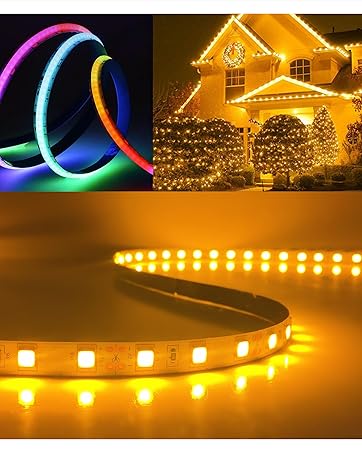
Figure 4.2: Certificate of Conformity indicating FCC and CE compliance.
5. Setup and Installation
5.1 Input Voltage Selection
The power supply has a switch to select the AC input voltage. For North American regions, ensure the switch is set to 110V. Verify this setting before connecting the power supply to the mains.
5.2 Wiring Instructions
Follow the wiring diagram carefully. Incorrect wiring can cause damage to the unit or connected devices, and poses a safety risk.

Figure 5.1: Detailed wiring instructions for AC input and DC output.
- AC Input: Connect the Live wire to 'L', Neutral wire to 'N', and Earth wire to the ground symbol terminal.
- DC Output: Connect the positive load wire(s) to 'V+' terminals and the negative load wire(s) to 'V-' terminals. Multiple V+ and V- terminals are provided for convenience and current distribution.
5.3 Output Voltage Adjustment
The power supply features a RHEOSTAT (potentiometer) for fine-tuning the DC output voltage. This allows for an adjustment range of approximately ±5% around the nominal 48V output. Use a small screwdriver to carefully turn the adjustment screw. Monitor the output voltage with a multimeter during adjustment to avoid over-voltage to your connected devices.
6. Operating Instructions
- After completing all wiring and verifying connections, connect the power supply to the AC mains.
- An operation LED indicator will illuminate, confirming the unit is powered on.
- Ensure the total current draw of your connected devices does not exceed 25 Amps.
- The integrated fan cooling system will activate as needed to maintain optimal operating temperature.
7. Applications
This MEISHILE switching power supply is versatile and suitable for a wide range of applications requiring a stable 48V DC power source.

Figure 7.1: Wide range of applications for the MEISHILE power supply.
- As a power supply for LED lighting (e.g., LED strips, signs).
- As a power source for various electronic devices and industrial automation equipment.
- Integration into power distribution cabinets.
- Applied to landscape and planting lighting systems.
- Use in computer rooms and research facilities.
- Power supply for displays, CCTV, and surveillance systems.
7.1 Not Applicable Uses
This power supply is not designed for the following applications:

Figure 7.2: Applications for which this power supply is not suitable.
- Conditioning modules or program control panels.
- Dimming LEDs or LED plant lights requiring adjustable brightness.
- PWM motors or applications requiring variable voltage.
- Battery charging.
8. Maintenance
- Cleaning: Ensure the power supply is disconnected from all power sources before cleaning. Use a dry, soft cloth to clean the exterior. Do not use liquid cleaners.
- Ventilation: Periodically check that the ventilation openings and fan are free from dust and debris to ensure proper airflow.
- Connections: Regularly inspect all wiring connections to ensure they are secure and free from corrosion.
- Storage: If storing the unit, do so in a cool, dry place away from direct sunlight and extreme temperatures.
9. Troubleshooting
- No Power Output:
- Check if the AC input voltage switch is correctly set (110V).
- Verify that the AC input power cable is securely connected and the power source is active.
- Check for any tripped circuit breakers or blown fuses in the power circuit.
- Ensure the operation LED is illuminated. If not, the unit may not be receiving power or may be faulty.
- Low or Unstable Output Voltage:
- Check the load connected to the power supply. An overload can cause voltage drop.
- Adjust the output voltage using the RHEOSTAT (potentiometer) as described in Section 5.3.
- Ensure all DC output connections are secure.
- Overheating:
- Ensure adequate ventilation around the unit. Clear any obstructions from the fan and vents.
- Reduce the load if it exceeds the power supply's capacity.
- Unit Shuts Down:
- This may indicate activation of over-load, over-voltage, or short-circuit protection.
- Disconnect the load, power cycle the unit, and reconnect the load gradually to identify the issue.
- Check for short circuits in the connected load wiring.
10. Warranty and Support
This MEISHILE power supply comes with a 1-Year Warranty from the date of purchase. This warranty covers defects in materials and workmanship under normal use.
The warranty does not cover damage caused by:
- Improper installation or wiring.
- Misuse, abuse, or negligence.
- Operating outside specified environmental conditions.
- Unauthorized modifications or repairs.
- Natural disasters or external causes.
For warranty claims or technical support, please contact your retailer or MEISHILE customer service with your purchase details and model number (S-1200-48).