
Introduction
The Anchor Audio LIB2-AIR Liberty 2 AIR is a powerful and versatile wireless companion speaker designed to expand your existing Liberty 2 sound system. This portable PA speaker delivers 200 watts of power, producing 117dB of clear sound suitable for crowds of over 1,500 people. It features a 10-inch woofer for robust low-end and a ceramic compression driver for clear articulation. The unit includes a built-in digital mixer with various input/output options, wireless microphone compatibility, and Bluetooth connectivity. An integrated Anchor AIR receiver allows seamless wireless connection with other Liberty 2 speakers. The LIB2-AIR is powered by a rechargeable lithium-ion battery, offering up to eight hours of continuous use.
What's in the Box
Carefully unpack your Anchor Audio LIB2-AIR and ensure all components are present:
- One (1) 200-watt Powered PA Speaker
- One (1) 8-hour Rechargeable Battery (pre-installed or separate)
- One (1) Wireless Mic Receiver (integrated)
- One (1) Ceramic HF Driver (integrated)
- One (1) Anchor AIR Receiver (integrated)
- Power Cable
Setup
Follow these steps for initial setup of your Liberty 2 AIR Wireless Companion Speaker:
- Unpacking and Inspection: Remove all packaging materials. Inspect the speaker for any signs of damage during transit.
- Initial Battery Charge: Before first use, fully charge the internal lithium-ion battery. Connect the provided power cable to the speaker's power input and a suitable electrical outlet. A full charge takes approximately 8 hours. The speaker can be used while charging.
- Placement: Position the speaker on a stable, flat surface. The LIB2-AIR is designed for floor mounting. Ensure adequate space around the unit for ventilation.
- Power On: Locate the power switch, typically on the rear or side panel. Flip the switch to the 'ON' position. Indicators will illuminate to confirm power.
- Connecting as a Wireless Companion: To use the LIB2-AIR as a wireless companion speaker with another Liberty 2 system, ensure both units have their Anchor AIR receivers active. Refer to your primary Liberty 2 system's manual for specific pairing instructions.
- Connecting Audio Sources: Utilize the built-in digital mixer's I/O for wired connections. For wireless audio, proceed to the 'Operating' section for Bluetooth pairing.
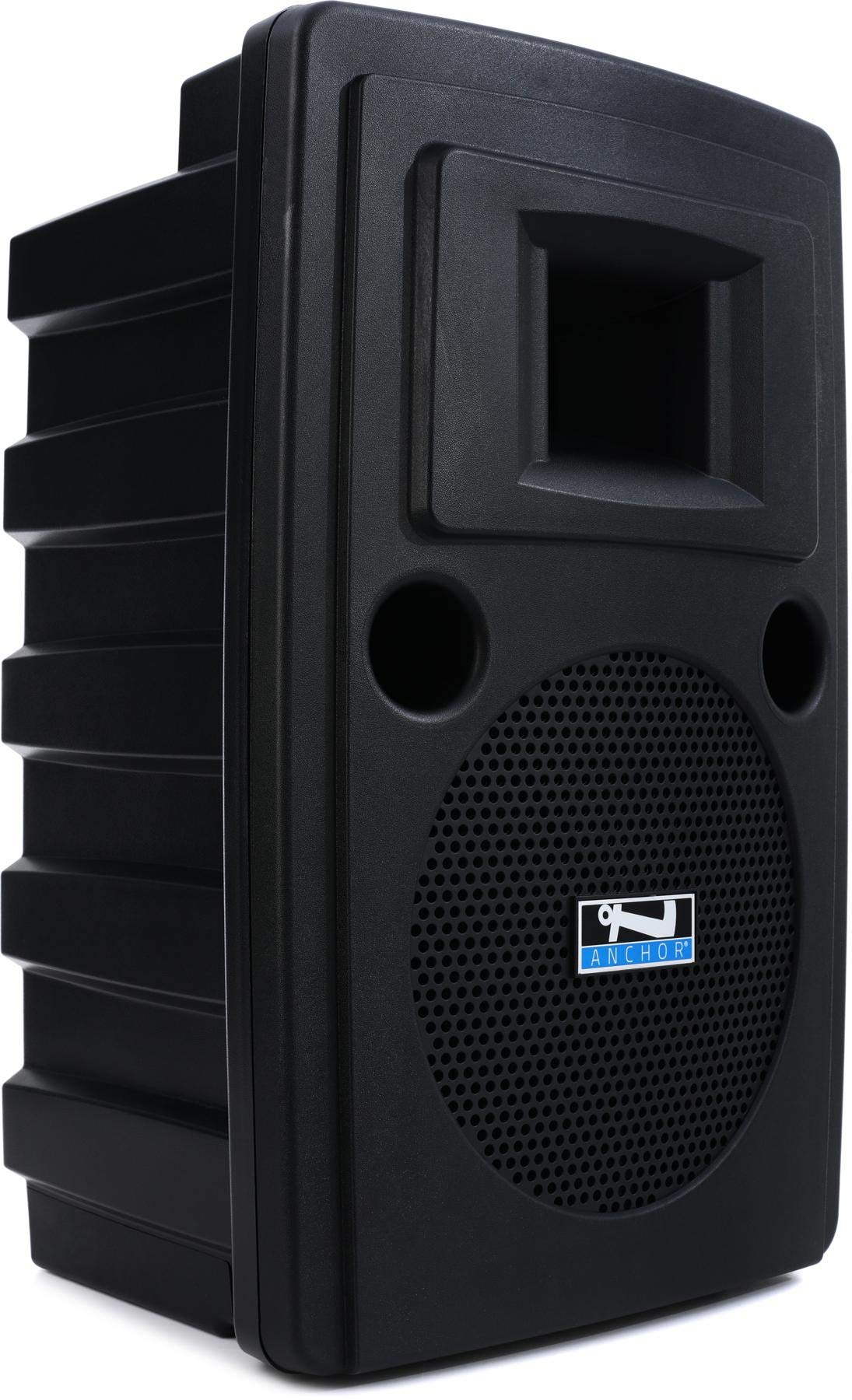
Front view of the Anchor Audio LIB2-AIR Liberty 2 AIR Wireless Companion Speaker, showing its robust design and speaker grille.
Operating
This section details the operational functions of your Liberty 2 AIR speaker.
Powering On/Off
- To power on, press the main power switch to the 'ON' position.
- To power off, press the main power switch to the 'OFF' position.
Bluetooth Connectivity
The Liberty 2 AIR supports Bluetooth wireless communication for connecting compatible devices such as smartphones, tablets, and laptops.
- Ensure the speaker is powered on.
- Activate Bluetooth on your source device (e.g., smartphone).
- On the speaker's control panel (or via the dedicated app, if available), activate Bluetooth pairing mode.
- Search for available devices on your source device. The speaker should appear as "Liberty 2 AIR" or similar.
- Select the speaker to pair. A confirmation tone or indicator light will signal a successful connection.
Wireless Microphone Usage
The integrated wireless mic receiver allows for wireless microphone operation. Refer to your specific wireless microphone's manual for pairing and frequency settings. Ensure the microphone and receiver are on compatible channels.
Using as an Anchor AIR Wireless Companion Speaker
The LIB2-AIR can wirelessly link with other Anchor Audio Liberty 2 speakers equipped with Anchor AIR technology. This creates an expanded sound system without the need for long audio cables.
- Ensure both the primary Liberty 2 speaker and the LIB2-AIR companion speaker are powered on.
- Activate the Anchor AIR transmission on the primary speaker and reception on the LIB2-AIR.
- Follow the pairing instructions provided with your primary Liberty 2 system to establish the wireless link.
Digital Mixer and I/O
The built-in digital mixer provides various inputs and outputs for connecting external audio sources. Consult the control panel for specific input types (e.g., XLR, 1/4-inch, RCA) and corresponding level controls. Adjust input gains and master volume as needed for optimal sound.
App Control
The speaker supports control via a dedicated application. Download the official Anchor Audio app from your device's app store and follow the in-app instructions to connect and control your LIB2-AIR speaker.
Maintenance
Proper maintenance ensures the longevity and optimal performance of your Liberty 2 AIR speaker.
- Cleaning: Use a soft, dry cloth to clean the exterior of the speaker. For stubborn dirt, a slightly damp cloth with mild soap can be used, followed by a dry cloth. Avoid abrasive cleaners or solvents.
- Battery Care: The speaker uses a rechargeable lithium-ion battery. For best battery life, avoid completely draining the battery frequently. Recharge the battery regularly, especially if the unit will be stored for extended periods. Store the speaker in a cool, dry place.
- Environmental Conditions: The Liberty 2 AIR is not waterproof. Protect the speaker from rain, moisture, and extreme temperatures. Avoid exposing it to direct sunlight for prolonged periods.
- Storage: When not in use, store the speaker in a clean, dry environment, preferably in its original packaging or a protective case.
Troubleshooting
If you encounter issues with your Liberty 2 AIR speaker, refer to the following common problems and solutions:
- No Power:
- Ensure the power cable is securely connected to both the speaker and a working electrical outlet.
- Check if the battery is charged. If not, charge the unit for at least 30 minutes before attempting to power on again.
- Verify the power switch is in the 'ON' position.
- No Sound:
- Check all volume controls (master volume, input gain) on the speaker and the connected audio source.
- Ensure audio cables are properly connected and not damaged.
- If using Bluetooth, confirm the device is paired and connected, and the volume on the source device is up.
- If using a wireless microphone, ensure it is powered on, paired, and on the correct frequency.
- Distorted Sound:
- Reduce the volume on both the speaker and the audio source.
- Check for loose cable connections.
- Ensure the input signal is not too strong (clipping). Adjust input gain as necessary.
- Bluetooth Disconnection:
- Ensure your source device is within the effective range of the speaker.
- Check for interference from other wireless devices.
- Try unpairing and re-pairing the Bluetooth connection.
If the problem persists after attempting these solutions, please contact Anchor Audio customer support.
Specifications
| Feature | Specification |
|---|---|
| Model Name | Liberty 2 AIR |
| Item Model Number | LIB2 |
| Brand | Anchor Audio |
| Speaker Type | Wireless Companion |
| Mounting Type | Floor Mount |
| Speaker Maximum Output Power | 200 Watts |
| Wattage | 200 watts |
| Woofer Diameter | 10 Inches |
| Audio Driver Type | Dynamic Driver |
| Connectivity Technology | Bluetooth |
| Wireless Communication Technology | Bluetooth |
| Control Method | App |
| Power Source | Battery Powered |
| Battery Charging Time | 8 Hours |
| Item Weight | 33.8 Pounds |
| Product Dimensions | 27.8 x 16.45 x 14.35 inches |
| Color | Black |
| Is Waterproof | FALSE |
| UPC | 819941015772 |
| GTIN | 819941015772 |
Warranty
The Anchor Audio LIB2-AIR Liberty 2 AIR Wireless Companion Speaker comes with a Limited Warranty. For specific terms, conditions, and duration of the warranty, please refer to the warranty card included with your product or visit the official Anchor Audio website. Keep your proof of purchase for warranty claims.
Support
For further assistance, technical support, or service inquiries regarding your Anchor Audio LIB2-AIR Liberty 2 AIR Wireless Companion Speaker, please contact Anchor Audio customer support directly. Contact information can typically be found on the manufacturer's website or in the product packaging.


