1. Product Overview
The Lindby Kuno LED Table Lamp (Model 9643035) is a modern and functional lighting solution designed for desks, offices, and bedside tables. It features an integrated LED light source, a movable upper arm for adjustable illumination, a touch dimmer for brightness control, and a convenient USB port for charging mobile devices.

Figure 1: Lindby Kuno LED Table Lamp. This image shows the lamp in its upright position, highlighting its sleek black design and the base with touch controls.
Key Features:
- Energy-Efficient LED: Utilizes modern LED technology for comfortable and energy-saving illumination.
- Integrated USB Port: Conveniently charge smartphones and other mobile devices directly from the lamp's base.
- Touch Dimmer: Adjust light intensity to create a personalized and cozy atmosphere.
- Adjustable Arm: The upper arm can be moved to direct light precisely where needed.
- Integrated Switch: Equipped with a touch-sensitive switch for easy operation.
2. Safety Instructions
Please read these safety instructions carefully before using the lamp. Failure to follow these instructions may result in electric shock, fire, or personal injury.
- Ensure the lamp is connected to a 230V power supply.
- Do not expose the lamp to moisture or extreme temperatures.
- Do not attempt to disassemble or modify the lamp. Repairs should only be performed by qualified personnel.
- Keep the lamp away from flammable materials.
- This lamp is designed for indoor use only (IP20 rating).
- Unplug the lamp from the power outlet before cleaning or performing any maintenance.
3. Setup
- Unpack: Carefully remove all components from the packaging. Ensure all parts are present: the lamp unit, and the power adapter.
- Placement: Place the lamp on a stable, flat surface, such as a desk or bedside table. Ensure there is adequate space around the lamp for ventilation and adjustment.
- Connect Power: Insert the power adapter cable into the power input port located at the rear of the lamp's base. Then, plug the power adapter into a standard 230V wall outlet.
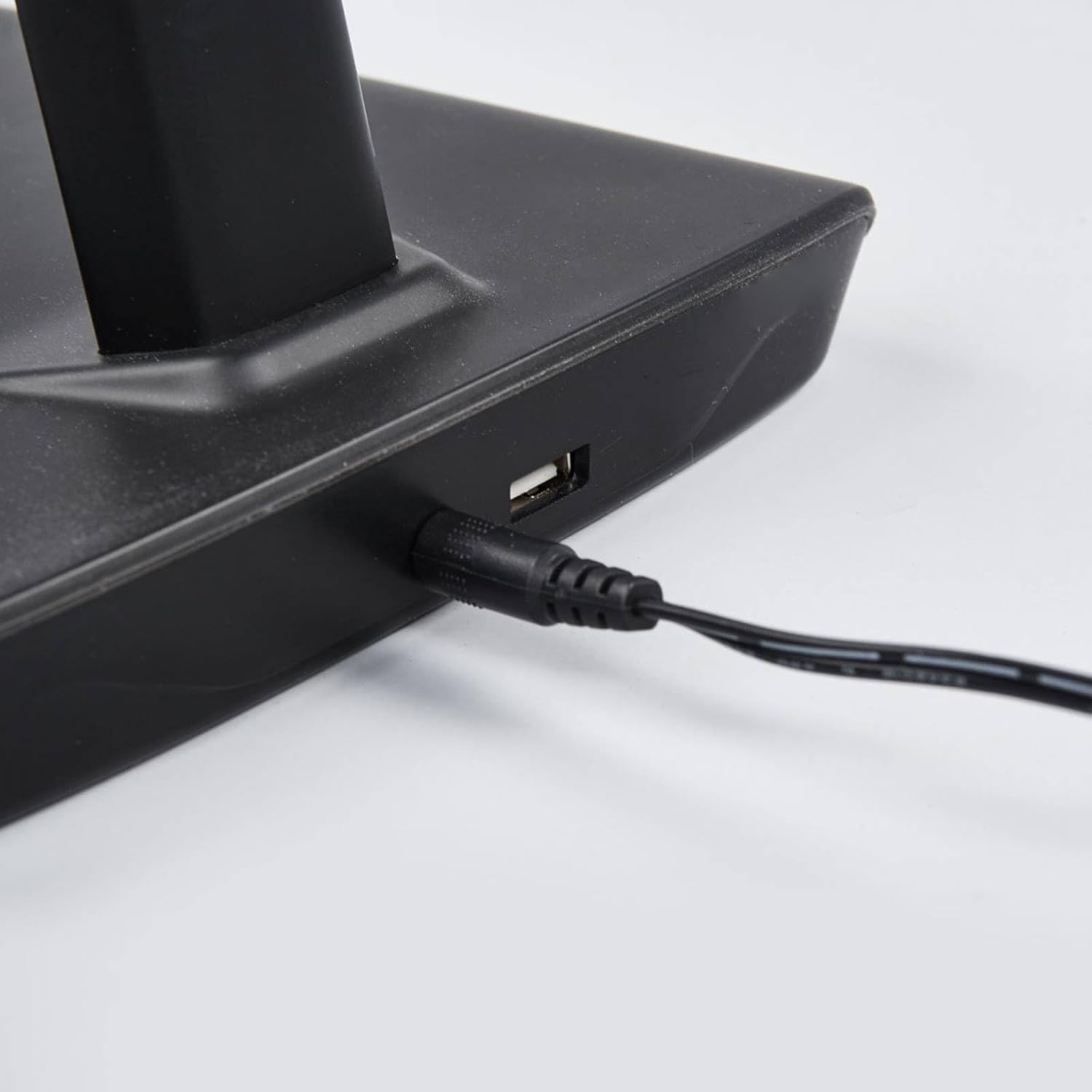
Figure 2: Rear view of the lamp base showing the USB charging port and the power input port. Connect the power adapter here.

Figure 3: The power adapter supplied with the Lindby Kuno LED Table Lamp.
4. Operating Instructions
4.1. Power On/Off
The lamp is equipped with a touch-sensitive power button on its base. Lightly touch the power symbol (◯) on the base to turn the lamp on or off.

Figure 4: Close-up of the lamp base showing the touch-sensitive controls, including the power button and dimmer settings.
4.2. Dimming Function
To adjust the brightness, use the touch-sensitive dimmer controls on the lamp's base. The base features a series of dots or a slider-like area. Touch and hold or tap the appropriate area to cycle through brightness levels or select a desired intensity.
4.3. Adjusting the Lamp Arm
The upper arm of the lamp can be adjusted to direct the light. Gently pivot the arm at the joint to achieve the desired angle and position for optimal illumination.
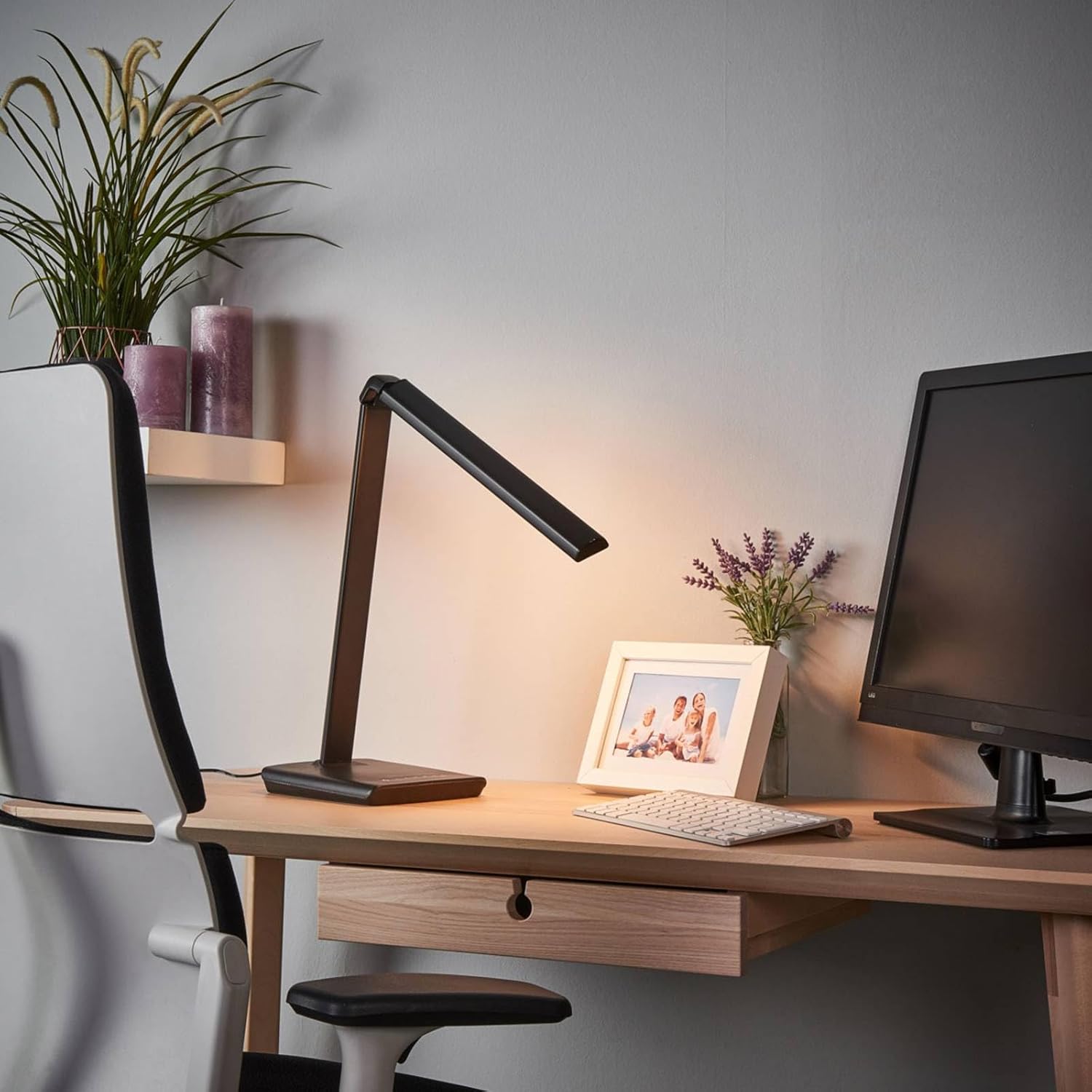
Figure 5: The Lindby Kuno lamp positioned on a desk, demonstrating the adjustable arm feature to direct light.

Figure 6: Detailed view of the lamp's adjustable joint, allowing for precise positioning of the light source.
4.4. Using the USB Charging Port
A USB-A port is located on the rear of the lamp's base. Connect your mobile phone, tablet, or other USB-powered device to this port using a compatible USB cable for charging.
5. Maintenance
- Cleaning: Before cleaning, ensure the lamp is unplugged from the power outlet. Use a soft, dry cloth to wipe the lamp's surfaces. Do not use abrasive cleaners, solvents, or liquids directly on the lamp.
- LED Light Source: The LED light source is integrated and not user-replaceable. If the LED fails, contact customer support for assistance.
- Storage: If storing the lamp for an extended period, unplug it and store it in a clean, dry place away from direct sunlight and extreme temperatures.
6. Troubleshooting
| Problem | Possible Cause | Solution |
|---|---|---|
| Lamp does not turn on. | No power supply; loose connection; faulty outlet. | Check if the power adapter is securely plugged into the lamp and the wall outlet. Test the outlet with another device. |
| Dimming function not working. | Incorrect touch input; temporary software glitch. | Ensure you are touching the correct area on the base. Unplug the lamp for 30 seconds and plug it back in to reset. |
| USB charging not working. | Device not compatible; faulty USB cable; lamp not powered. | Ensure the lamp is powered on. Try a different USB cable or device. The USB port provides standard charging output. |
7. Specifications
| Feature | Detail |
|---|---|
| Brand | Lindby |
| Model Number | 9643035 |
| Type | LED Table Lamp |
| Material | Plastic |
| Color | Black |
| Height | Approx. 46 cm (18.11 inches) |
| Depth | Approx. 37.5 cm |
| Weight | 1.34 Kilograms |
| Light Source | Integrated LED (1 x 8.2W LED / 10W total) |
| Connection Voltage | 230V |
| Housing Rating | IP20 (Indoor use only) |
| Protection Class | II |
| Special Features | Dimmable, USB Charging Port, Touch Switch |

Figure 7: Energy efficiency label for the Lindby Kuno LED Table Lamp.
8. Warranty and Support
For warranty information and technical support, please refer to the purchase documentation or contact your retailer. Keep your proof of purchase for any warranty claims.
Manufacturer: Lampenwelt
Date First Available: 25 January 2018