
Avantree CK11 (BTCK-11-TTN)
Avantree CK11 Hands Free Bluetooth 5.0 Car Kit Instruction Manual
Model: BTCK-11-TTN
Product Overview
The Avantree CK11 is a versatile Bluetooth 5.0 car kit designed for hands-free communication and audio streaming in your vehicle. It features a 3W loud speakerphone, support for voice assistants like Siri, motion-activated auto on/off, and a convenient volume knob, ensuring clear calls and safe driving.
What's in the Box
- Avantree CK11 Bluetooth car kit (with built-in battery)
- USB car charger
- Sun-visor clip
- USB charging cable
- Quick user guide / User Manual

This image displays all items included in the product packaging: the Avantree CK11 unit, a USB car charger, a sun-visor clip for mounting, and a USB charging cable.
Product Components
Familiarize yourself with the key components of your Avantree CK11.

The main unit features a speaker on the left, an LED indicator, a mute button, a multi-function button (MFB) for calls and voice assistant, and a rotary volume knob on the right. The charging port is located on the side.
Charging the Device
Before first use, fully charge the Avantree CK11.
- Connect the provided USB charging cable to the charging port on the CK11.
- Plug the other end into the USB car charger or any standard USB power source (DC 5V, 500mA).
- The LED indicator will show charging status. A full charge takes approximately 3 hours.
- A full charge provides up to 22 hours of talk time and 600 hours of standby time.
Installation
The Avantree CK11 is designed for easy installation on your car's sun visor.
- Attach the sun-visor clip to the back of the CK11 unit.
- Securely clip the unit onto your car's sun visor. Ensure it is positioned for clear audio and microphone pickup.

The image shows the Avantree CK11 attached to a car's sun visor, demonstrating its intended placement for hands-free use.
Auto Power On/Off Feature
The CK11 features a motion sensor for automatic power management.
- When set to 'Auto Power On', the device will automatically turn on when your car door opens and connect to your paired phone.
- It will automatically turn off when the Bluetooth disconnects (e.g., when you leave the car) after 70 minutes of no activity.
This video demonstrates the automatic power on/off feature of the Avantree CK11, showing how it activates when entering the car and deactivates upon leaving, along with hands-free calling and voice assistant activation.
Pairing and Connecting
First Time Pairing
- Slide the power switch to the "ON" position. The LED indicator will flash BLUE and RED alternately, indicating it's in pairing mode.
- On your phone, enable Bluetooth and search for new devices.
- Select "Avantree CK11" from the list of found devices to connect. Once connected, the LED will turn solid BLUE.
Connecting a Second Phone (Multi-point)
- First, pair and connect the CK11 with the first phone as described above.
- Press and hold the Multi-function Button (MFB) for 3 seconds until the LED indicator flashes BLUE and RED alternately to enter pairing mode again.
- On the second phone, turn on Bluetooth and search for new devices. Select "Avantree CK11" to connect.
- Once the second phone is connected, reboot the CK11 by turning it off and then on again. Both phones will now be connected.
- If a phone does not automatically connect, you can manually select "Avantree CK11" from your phone's Bluetooth settings to connect.
Operating Instructions
Answering/Ending Calls
When a call comes in, press the Multi-function Button (MFB) once to answer the call. Press it again to end the call.
Voice Assistant (Siri/Google Assistant)
To activate your phone's voice assistant (Siri or Google Assistant), press the MFB button once. You can then use voice commands for calls, texts, or navigation.
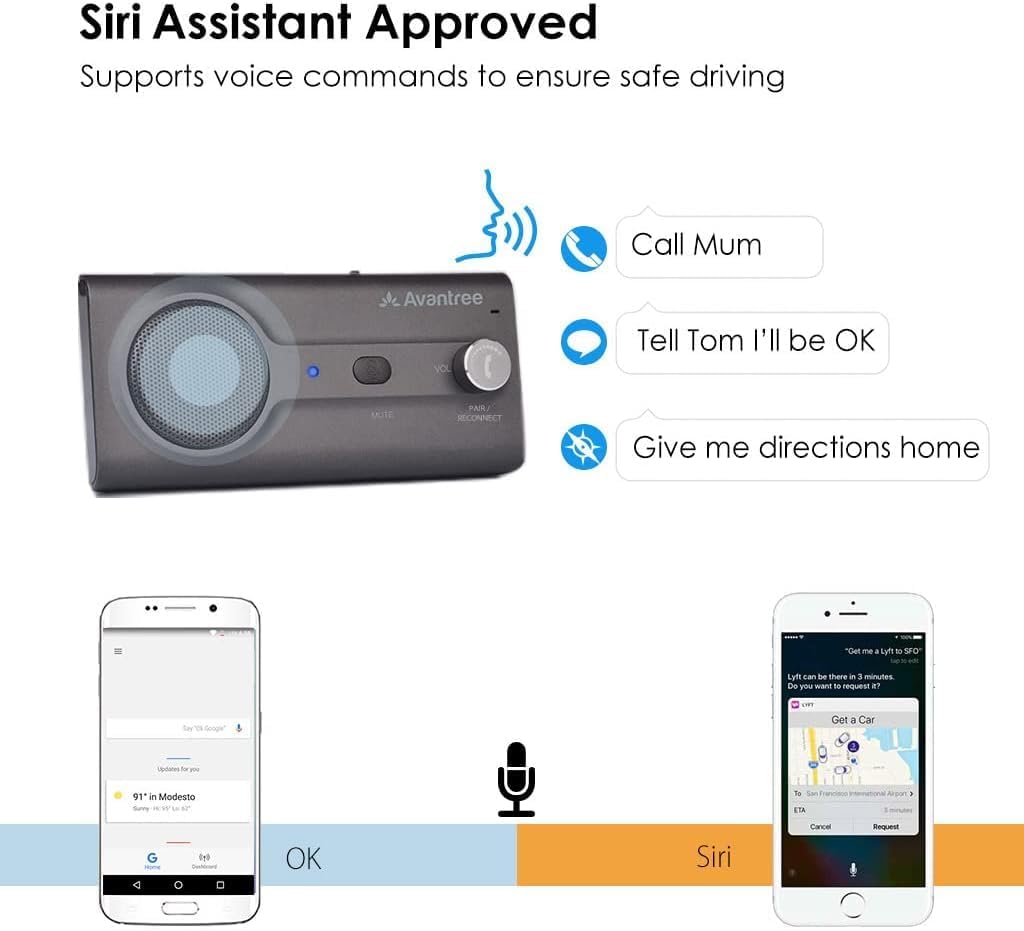
This image illustrates the use of the voice assistant feature, showing how the Avantree CK11 integrates with Siri or Google Assistant for hands-free commands.
Volume Control
Rotate the volume knob on the right side of the device to adjust the call or media volume.
The image shows the rotary volume knob on the Avantree CK11, highlighting its ease of use for adjusting audio levels during calls or media playback.
Mute Function
Press the "MUTE" button to mute the microphone during a call. Press it again to unmute.
Troubleshooting
Clearing Pairing History (Factory Reset)
If you experience issues with pairing or connectivity, you can clear the device's pairing history.
- Set the CK11 to pairing mode by pressing and holding the MFB for 3 seconds until the LED flashes BLUE and RED alternately.
- While in pairing mode, double-click the mute button. You will hear two beeps, indicating a successful reset. The device will then automatically re-enter pairing mode.
This action clears all previous pairing records, allowing you to start fresh.
Common Issues
No Sound / Low Volume
- Ensure the CK11 is powered on and connected to your phone.
- Adjust the volume knob on the CK11 and your phone's volume.
- Check if the device is muted.
Device Not Connecting
- Ensure Bluetooth is enabled on your phone.
- Make sure the CK11 is in pairing mode (flashing BLUE and RED LED).
- Try clearing the pairing history on the CK11 and your phone, then re-pair.
- Ensure the device is charged.
Voice Assistant Not Responding
- Ensure the CK11 is connected to your phone.
- Verify that your phone's voice assistant is enabled and configured correctly.
- Press the MFB button firmly and briefly to activate.
Specifications
| Feature | Detail |
|---|---|
| BT Compliance | V5.0 |
| Supported Profiles | A2DP, AVRCP, HSP, HFP |
| Operation Frequency Band | 2.4GHz~2.48GHz unlicensed ISM band |
| Operation Range | Class 2, Up to 30ft. |
| Working Time | up to 22 hrs |
| Standby Time | up to 600hrs |
| Charging Time | about 3 hrs |
| Charger Voltage | DC5.0V, 500mA |
| Battery | 650mA, BL-5B, rechargeable lithium-ion battery |
| Product Dimensions | 5.12 x 2.36 x 1.18 inches |
| Item Weight | 3.81 ounces |
| Model Number | BTCK-11-TTN |
| Color | Titannium |
| Material | Titanium |
Safety Information
Please read and follow these safety guidelines to ensure proper and safe use of your Avantree CK11.
- Avoid exposure to extreme temperatures.
- Handle batteries with care to prevent leakage.
- Keep away from other wireless devices to prevent interference.
- Do not attempt to disassemble or modify the device.
- Dispose of the device and its battery responsibly according to local regulations.
Warranty & Support
Avantree provides a warranty for this product. For detailed warranty information, product support, FAQs, and video tutorials, please visit the official Avantree support website.
Official Support: support.avantree.com
Email: support@avantree.com
Phone: 1-800-232-2078
Brand Store: Avantree Amazon Store