
1. Introduction
This manual provides essential information for the safe and effective use of your YUSTDA 12V AC/DC Adapter. This adapter is designed to provide power to compatible devices, including various Harbor Freight Tools and Chicago Electric Power Pack Systems, car jump starters, and chargers. Please read this manual thoroughly before use and retain it for future reference.
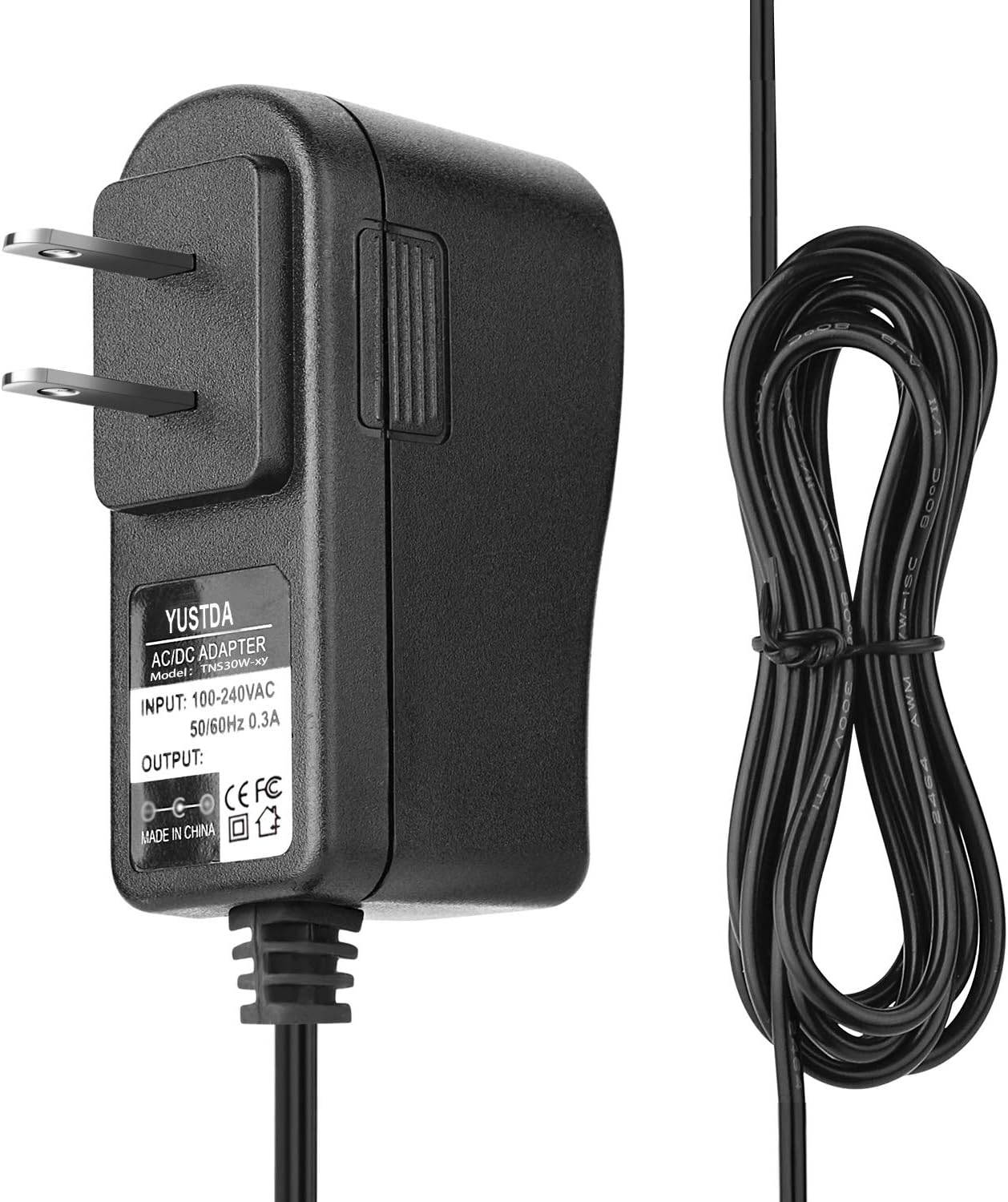
Figure 1.1: The YUSTDA 12V AC/DC Adapter, showing the main unit with its two-prong plug and the attached power cord with a barrel connector.
2. Safety Information
To ensure safe operation and prevent damage, observe the following safety precautions:
- Do not expose the adapter to rain or moisture.
- Do not disassemble the adapter. Refer all servicing to qualified personnel.
- Ensure the adapter is used with devices that match its voltage and current specifications.
- Keep the adapter away from heat sources and direct sunlight.
- Unplug the adapter from the power outlet when not in use or during electrical storms.
- The adapter features built-in safety protections:
- Over Current Protection: Prevents damage from excessive current flow.
- Total Power Protection: Safeguards against power overloads.
- Over Voltage Protection: Protects connected devices from voltage spikes.
- Short Circuit Protection: Automatically shuts down in case of a short circuit.

Figure 2.1: Illustration of the adapter's integrated safety features, including over-temperature, over-voltage, over-current, and short-circuit protection.
3. Setup
- Verify Compatibility: Before connecting, ensure your device requires a 12V AC/DC adapter and that its power input specifications (current, connector type) match those of this YUSTDA adapter. This adapter is compatible with various Harbor Freight Tools Chicago Electric Power Pack Systems (e.g., Item 96157, CEN TECH 60703, 38391, 56349, 60657, 60666, 64083, 69401) and similar car jump starters/chargers.
- Connect to Device: Insert the barrel connector of the adapter firmly into the power input port of your compatible device.
- Connect to Power Outlet: Plug the two-prong AC plug of the adapter into a standard 100-240VAC 50/60Hz wall outlet.

Figure 3.1: The YUSTDA AC/DC adapter plugged into a power strip, demonstrating a typical connection scenario.
4. Operating Instructions
Once properly connected, the adapter will begin supplying power to your device. For charging applications, monitor your device's charging indicator (if available) to determine charging status. The adapter is designed for continuous operation within its specified limits.
- Ensure the adapter is placed in a well-ventilated area to prevent overheating.
- Avoid covering the adapter during operation.
- Disconnect the adapter from the power source and the device when charging is complete or when the device is not in use for extended periods.
5. Maintenance
The YUSTDA AC/DC Adapter requires minimal maintenance. Follow these guidelines to prolong its lifespan:
- Cleaning: Disconnect the adapter from all power sources before cleaning. Use a soft, dry cloth to wipe the exterior. Do not use liquid cleaners or solvents.
- Storage: Store the adapter in a cool, dry place away from direct sunlight and extreme temperatures. Coil the power cord loosely; avoid tight coiling or sharp bends that can damage the cable.
- Inspection: Periodically inspect the adapter and its cable for any signs of damage, such as cuts, frayed wires, or bent prongs. If damage is found, discontinue use immediately and replace the adapter.

Figure 5.1: An illustration detailing the internal structure of the power cable, highlighting the high-quality copper wire and PVC insulation jacket for durability.
6. Troubleshooting
If you encounter issues with your adapter, refer to the following common problems and solutions:
| Problem | Possible Cause | Solution |
|---|---|---|
| Adapter not supplying power. |
|
|
| Adapter feels hot during use. |
|
|
7. Specifications
Key technical specifications for the YUSTDA 12V AC/DC Adapter:
- Model Number: S180118744
- Input Voltage: 100-240VAC, 50/60Hz
- Output Voltage: 12 Volts
- Wattage: 45 watts (implied from 12V output, typical for such adapters)
- Connector Type: Barrel connector
- Power Cord Length: Approximately 6.5 Ft (2 meters)
- Safety Certifications: CE, RoHS (as per product specifications)
- Dimensions: 3.98 x 3.31 x 1.3 inches (Package Dimensions, adapter itself is smaller)
- Item Weight: 3.84 ounces

Figure 7.1: The back of the YUSTDA AC/DC Adapter, showing the product label with input/output specifications and safety markings.
8. Warranty and Support
YUSTDA products are manufactured with quality and reliability in mind. While specific warranty details are not provided in this document, for any questions, concerns, or support needs regarding your YUSTDA 12V AC/DC Adapter, please contact our customer service team.
Customer Support Email: epcustomerservice@yahoo.com
When contacting support, please provide your product model number (S180118744) and a detailed description of your inquiry.