
1. Introduction
Thank you for choosing the Jungle Care Portable USB Electric Hearing Aid Dryer. This device is designed to protect your hearing aids or wireless headphones from moisture damage using gentle heat and UV-C light. Its compact design makes it ideal for both home use and travel.
Please read this manual thoroughly before using the product to ensure proper operation and longevity of your device.
2. Key Features
- Moisture Protection: Effectively removes moisture from hearing devices and wireless headphones.
- UV-C Cleaning: Integrated UV-C light kills 99.9% of germs, bacteria, and fungi, promoting ear canal health.
- Easy Operation: Simple one-touch sensor button for activation.
- Energy Efficient: Designed for low power consumption and safe operation.
- Automatic Temperature Modulation: Adjusts to room temperature for optimal drying.
- Automatic Shut-off: Device automatically turns off after 4 hours of drying.
- Portable Design: Compact size and USB power make it convenient for travel.

Image: The Jungle Care hearing aid dryer shown open with two hearing aids inside, alongside a list of its key features including warm air drying, 5V Micro-USB, UV-C light, easy handling, automatic temperature modulation, 4-hour auto shut-off, and energy efficiency.
3. Setup Instructions
- Unpack the Device: Carefully remove the hearing aid dryer and all accessories from the packaging.
- Inspect Components: Ensure all included components are present: the dehumidifier unit, USB power cable, and user manual.

Image: The Jungle Care hearing aid dryer, USB power adapter, USB cable, and user manual laid out next to a protective carry case, showing the complete package contents.
- Connect Power: Connect the provided USB power cable to the dryer's USB port (located at the back). Plug the other end into a compatible USB power adapter (5V) or a USB port on a computer.

Image: A close-up view of the back of the Jungle Care hearing aid dryer, highlighting the USB power input port.
- Placement: Place the dryer on a stable, flat surface away from direct sunlight and heat sources. Ensure adequate ventilation around the device.
4. Operating Instructions
- Open the Lid: Gently open the lid of the dryer.
- Place Devices: Place your hearing aids or wireless headphones inside the drying compartment. Ensure they are clean and free from excessive debris before placing them in the dryer. The compartment is spacious enough for two hearing aids or a pair of wireless headphones.
- Start Drying Cycle: Briefly touch the sensor button (power button) located on the front of the device to power on the dryer.

Image: A hand demonstrating how to briefly touch the sensor button on the Jungle Care hearing aid dryer to power it on.
- Drying Process:
- The dryer will operate for a 4-hour cycle.
- During the first 5 minutes, both UV-C light and warm red light will be active for sterilization and initial drying.
- For the next period, only warm red light will be active for continuous drying.
- During the last 5 minutes, UV-C light and warm red light will activate again for final sterilization and drying.

Image: A visual representation of the 4-hour drying cycle, indicating when UV-C light and warm red light are active.
- Automatic Shut-off: The device will automatically shut down after the 4-hour cycle is complete.
- Manual Shut-off: To manually shut down the dryer, keep touching the sensor button for 2 seconds.
- Remove Devices: Once the cycle is complete or manually stopped, open the lid and remove your dry and sterilized devices.
Video: Jungle Care Hearing Aid Dryer Overview
Video: A brief overview of the Jungle Care Portable USB Electric Hearing Aid Dryer, demonstrating its features and ease of use.
5. Maintenance
- Cleaning the Dryer:
- Ensure the dryer is unplugged before cleaning.
- Wipe the exterior with a soft, dry cloth. Do not use abrasive cleaners or solvents.
- Periodically clean the interior drying compartment with a soft, slightly damp cloth. Ensure it is completely dry before next use.
- Hearing Aid Dome Replacement: Regularly inspect hearing aid domes for wear and tear. Replace them as needed to maintain optimal performance and hygiene.
Video: How to Replace Hearing Aid Domes
Video: A step-by-step guide on how to properly remove and replace the domes on a hearing aid device. This ensures a secure fit and prevents the dome from being left in the ear canal.
- Storage: When not in use, store the dryer in its protective carry case in a cool, dry place.
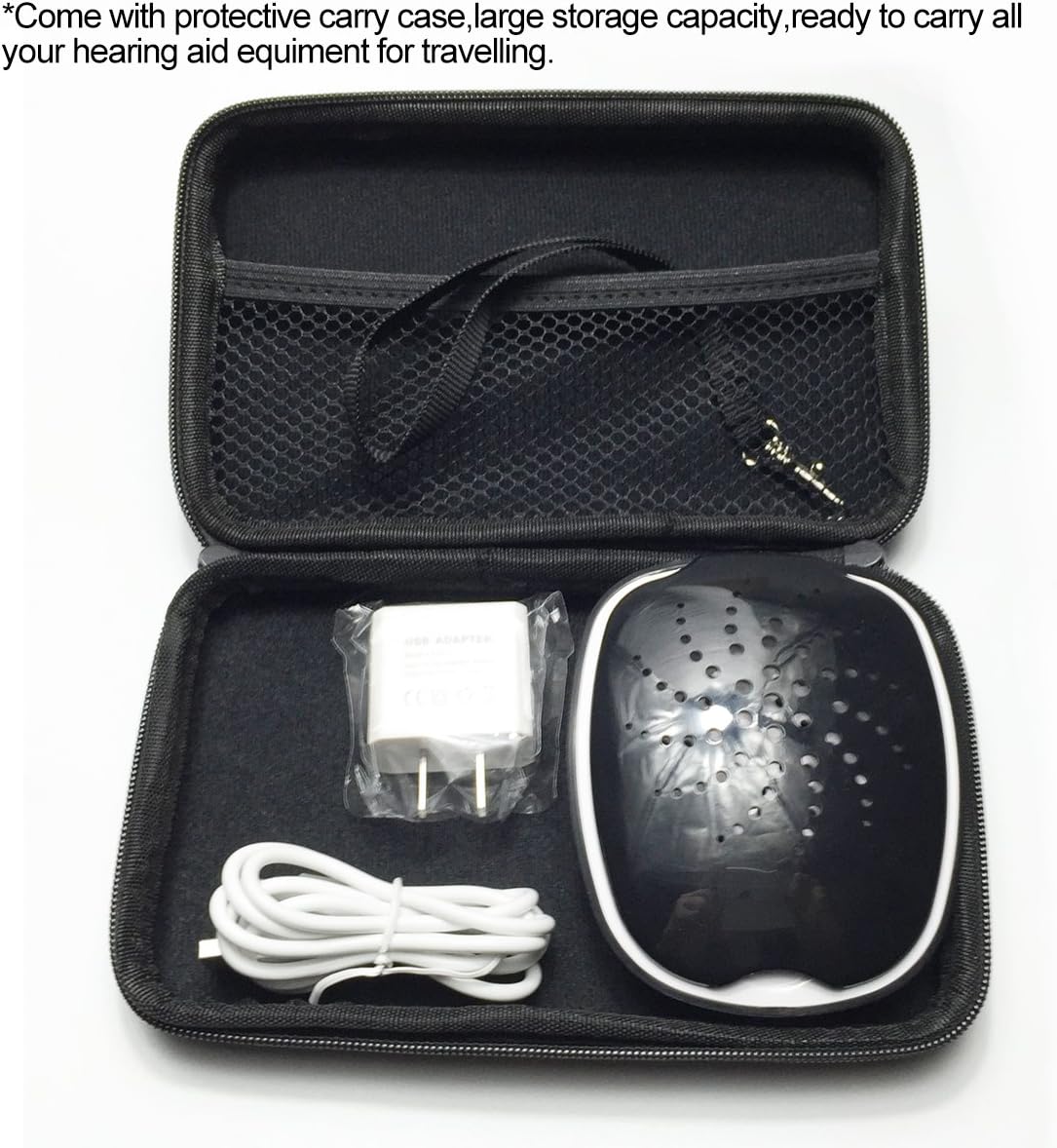
Image: The Jungle Care hearing aid dryer, USB cable, and power adapter neatly packed in a black zippered protective carry case, ready for travel or storage.
6. Troubleshooting
| Problem | Possible Cause | Solution |
|---|---|---|
| Device does not power on. | No power supply or loose connection. | Ensure the USB cable is securely connected to both the dryer and a working power source. Try a different USB port or adapter. |
| Drying cycle does not start. | Power button not pressed correctly. | Briefly touch the sensor button to initiate the cycle. If it still doesn't start, check power connection. |
| Devices are not drying effectively. | Excessive moisture or improper placement. | Ensure devices are placed correctly within the compartment. For very wet devices, an additional cycle may be needed. Ensure the lid is closed during operation. |
| UV-C light is not visible. | UV-C light is only active during specific phases of the cycle. | The UV-C light operates during the first and last 5 minutes of the 4-hour cycle. It may not be visible if the lid is open or during the main drying phase. |
7. Specifications
| Brand | Jungle Care |
| Model Number | BD15434 |
| Color | Black White |
| Product Dimensions (D x W x H) | 3.54" x 3.94" x 1.18" |
| Item Weight | 100 Grams |
| Upper Temperature Rating | 122 Degrees Fahrenheit (50 Degrees Celsius) |
| Operation Mode | Sleep (Quiet operation) |
| Power Input | 5V Micro-USB |
| Drying Cycle Duration | 4 hours (automatic shut-off) |
| Included Components | Dehumidifier, User Manual, USB Power Cable, USB Power Adapter (may vary by package) |
| UPC | 659516562290 |

Image: A diagram illustrating the storage capacity and dimensions of the Jungle Care hearing aid dryer, both open and closed.
8. Warranty & Support
Jungle Care is committed to providing excellent service and quality products. This product comes with a 45-day hassle-free return policy.
For any service needs, questions, or concerns regarding your Jungle Care Portable USB Electric Hearing Aid Dryer, please contact our customer support directly. Refer to the contact information provided with your purchase or on the official Jungle Care website.
Note: Specific warranty terms and conditions may apply. Please retain your proof of purchase for warranty claims.