
1. Introduction
This manual provides essential information for the safe and effective use of your Battery Hawk ELB B001 NiCad 3.6V 900mAh emergency light replacement battery. This battery is designed for use in compatible emergency lighting and exit sign fixtures. Please read this manual thoroughly before installation and operation.
2. Safety Information
- Battery Type: This is a Nickel-Cadmium (NiCad) battery. Do not attempt to open, crush, or incinerate the battery.
- Voltage and Capacity: Ensure the replacement battery matches the voltage (3.6V) and capacity (900mAh) requirements of your emergency light fixture.
- Polarity: Always connect the battery with correct polarity. Incorrect connection can damage the battery and the fixture.
- Charging: Use only the charging circuit provided by the emergency light fixture. Do not attempt to charge with incompatible chargers.
- Temperature: Store and operate the battery within recommended temperature ranges to prevent damage and ensure optimal performance.
- Disposal: NiCad batteries contain hazardous materials. Do not dispose of in regular household waste. Follow local regulations for proper recycling and disposal.
3. Setup and Installation
Before installing the new battery, ensure the emergency light fixture is disconnected from its power source to prevent electrical shock.
3.1. Compatibility Check
Verify that your emergency light or exit sign model is compatible with the ELB B001 battery. Refer to the compatibility list below or your fixture's original manual.

Image: Compatibility list showing various emergency light and exit sign models that use the ELB B001 battery.
3.2. Installation Steps
- Disconnect Power: Turn off the main power supply to the emergency light fixture at the circuit breaker.
- Access Battery Compartment: Open the emergency light fixture's housing to access the battery compartment. This may require a screwdriver.
- Remove Old Battery: Carefully disconnect the old battery from its connector. Note the orientation of the wires (red and black).
- Insert New Battery: Connect the new Battery Hawk ELB B001 battery to the fixture's connector. Ensure the red wire connects to red and the black wire connects to black. The connector is a black 2-pin type.
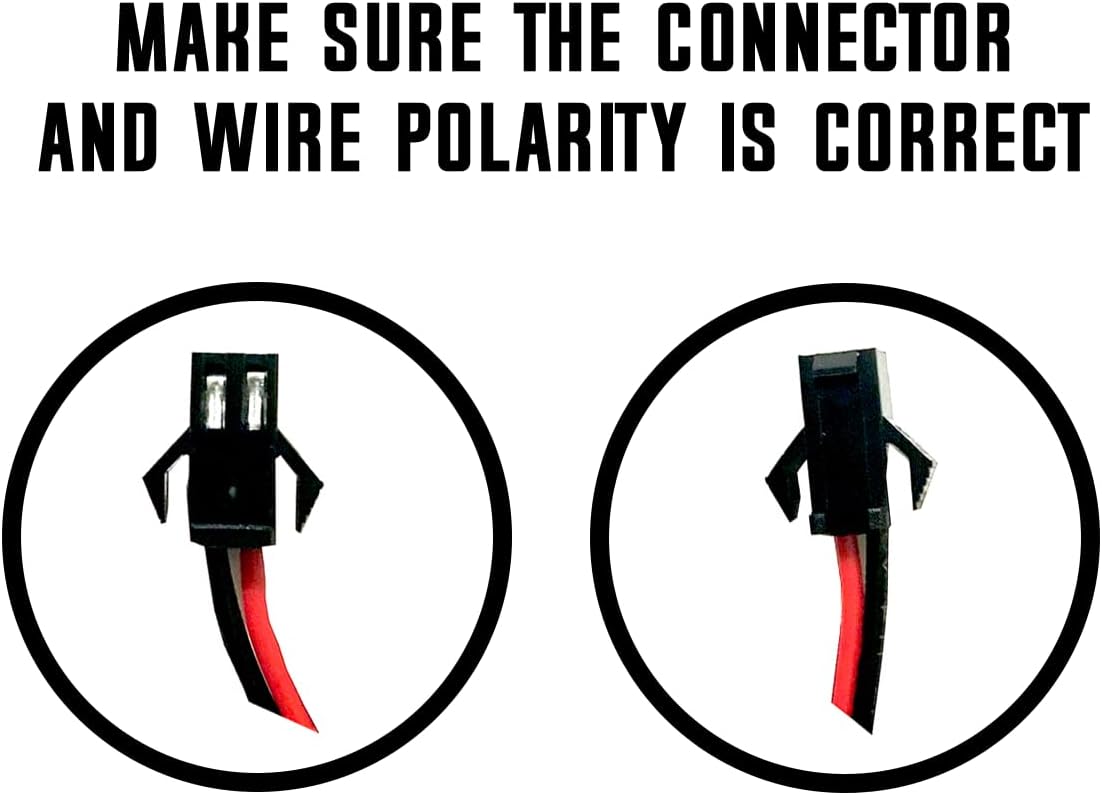
Image: Visual guide illustrating the correct orientation for the 2-pin connector and wire polarity.
- Secure Battery: Place the new battery securely within the compartment.
- Close Fixture: Reassemble the fixture's housing.
- Restore Power: Turn the main power supply back on at the circuit breaker.
4. Operating Instructions
4.1. Initial Charging
After installation, allow the battery to charge for a minimum of 24 hours. The emergency light fixture's internal charging circuit will automatically charge the battery. During this initial charge, the emergency light may not operate at its full duration if power is interrupted.
4.2. Normal Operation
The ELB B001 battery is designed to provide backup power to your emergency light or exit sign during power outages. When AC power is present, the battery remains in a charged state. Upon loss of AC power, the battery automatically activates to illuminate the fixture.

Image: The Battery Hawk ELB B001 NiCad battery pack with its 2-pin connector and wire leads.
5. Maintenance
5.1. Regular Testing
It is recommended to perform monthly and annual tests of your emergency lighting system as per local safety codes. This typically involves briefly cutting power to the fixture to ensure the battery provides illumination for the required duration.
5.2. Cleaning
Keep the battery and its connections clean and free from dust or corrosion. Disconnect power before cleaning.
5.3. Disposal and Recycling
NiCad batteries contain cadmium, a heavy metal that requires special disposal. When the battery reaches the end of its service life, it must be recycled or disposed of properly according to local environmental regulations. Do not discard in general waste. Many retailers and recycling centers accept NiCad batteries for recycling.
6. Troubleshooting
- Light does not illuminate during power outage:
- Check if the battery is properly connected.
- Ensure the battery has had sufficient time to charge (at least 24 hours initially).
- The battery may have reached the end of its service life and needs replacement.
- Light illuminates but for a short duration:
- The battery may not be fully charged. Allow more charging time.
- The battery's capacity may have degraded, indicating it needs replacement.
- Battery does not fit:
- Verify the model number of your fixture and compare it with the ELB B001's compatibility list.
- Check the dimensions of the battery against the available space in the fixture.
7. Specifications
Detailed specifications for the Battery Hawk ELB B001 NiCad battery:
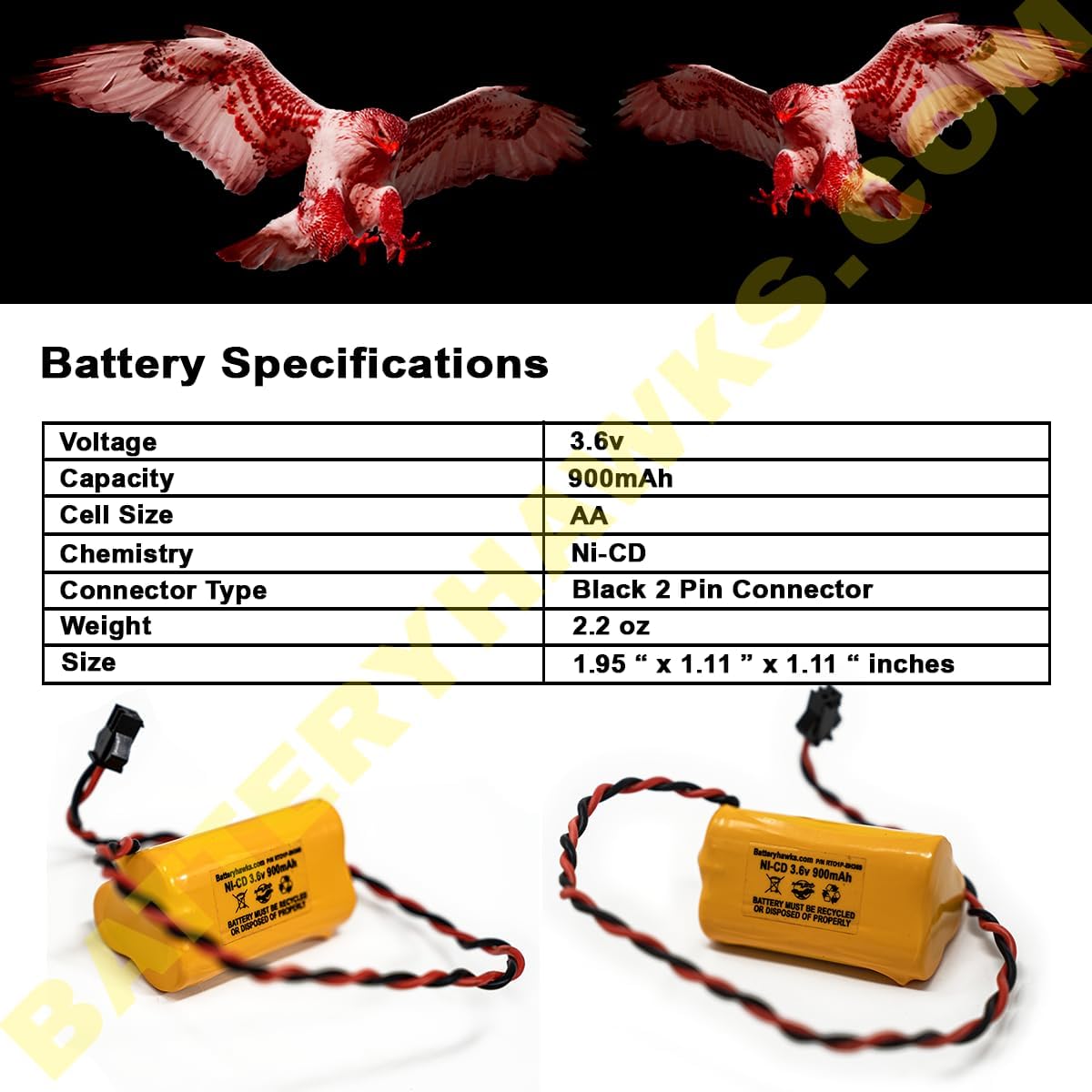
Image: Table displaying key specifications of the ELB B001 battery.
| Specification | Value |
|---|---|
| Brand | Battery Hawk |
| Model Number | ELB B001 |
| Battery Cell Composition | NiCAD |
| Voltage | 3.6 Volts |
| Battery Capacity | 900 mAh |
| Reusability | Rechargeable |
| Connector Type | Black 2 Pin Connector |
| Item Dimensions (L x W x H) | 2 x 2 x 1 inches |
| Item Weight | 3 Ounces |
8. Warranty and Support
8.1. Warranty Information
This Battery Hawk ELB B001 battery comes with a warranty that covers manufacturing defects. If you experience an issue due to a defect, the product will be replaced. Please retain your proof of purchase for warranty claims.
8.2. Customer Support
For further assistance, technical support, or warranty inquiries, please contact Battery Hawk customer service. You can find contact information and additional resources on the official Battery Hawk store page: Visit the Battery Hawk Store.