
Introduction
The LittleHippo Mella is an all-in-one children's sleep trainer, alarm clock, night light, and sound machine designed to help children develop healthy sleep habits. This manual provides comprehensive instructions for setting up and operating your Mella device.
Safety Information
The Mella device is constructed from child-safe ABS and silicone materials. It is FCC, CE, RoHS, CA65, REACH, and CPSIA approved, ensuring compliance with safety standards. Always ensure the device is placed securely and the power cord is out of reach of young children.
Package Contents
- LittleHippo Mella Sleep Trainer Alarm Clock (Arctic Blue)
- USB Cable and Adapter
- Instruction Manual
Product Overview
The Mella clock features a friendly face display, surrounded by a customizable night light ring. Control buttons are located on the back for easy access to settings.
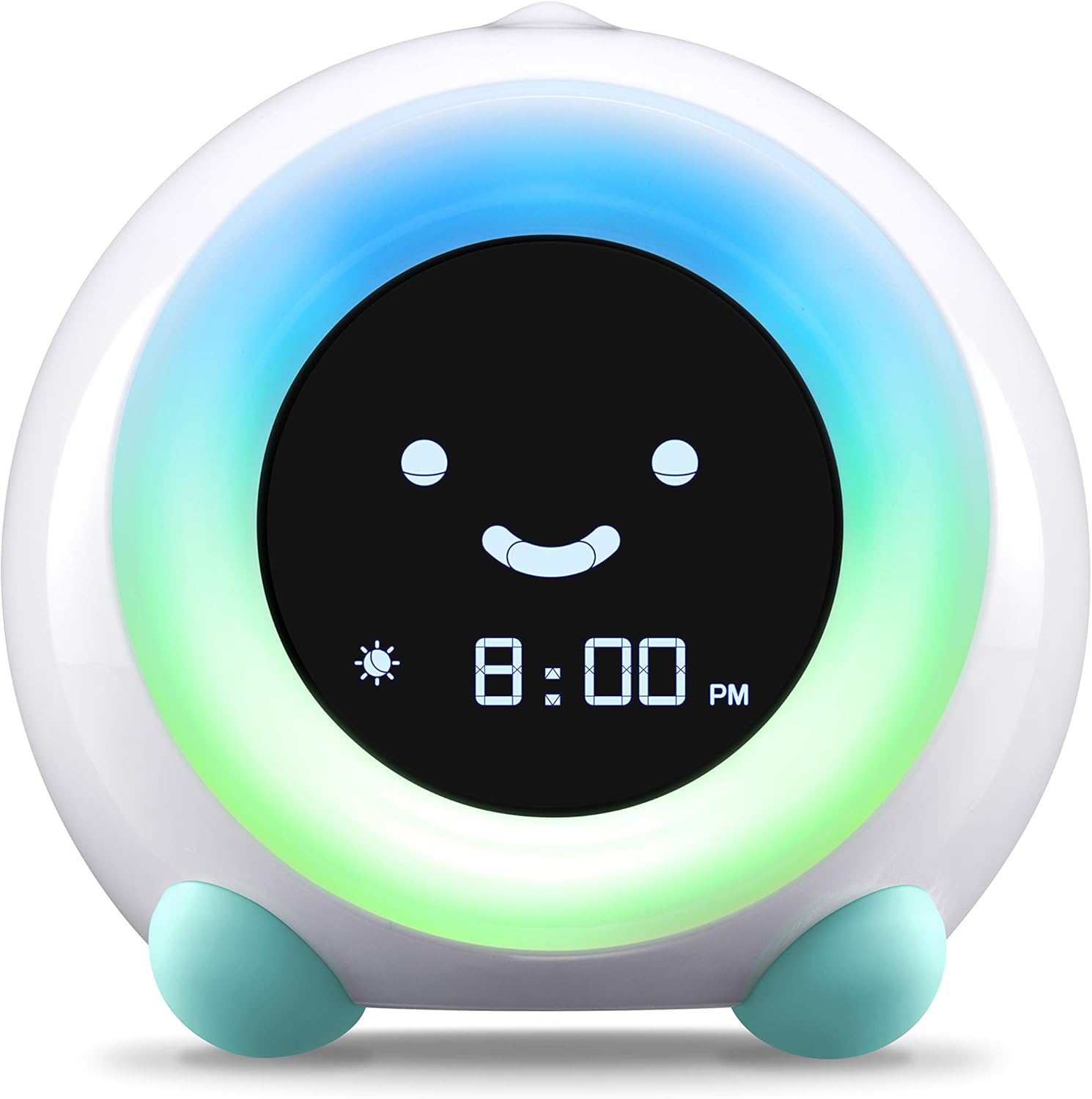
Figure 1: Front view of the LittleHippo Mella Sleep Trainer Alarm Clock.

Figure 2: Rear view showing control buttons for Time, Alarm, Sleep/Wake, Sound, Light, Nap, Set, and Child Lock.
Setup
- Power Connection: Connect the provided USB cable to the Mella device and plug the adapter into a power outlet. The device requires continuous power to function.
- Initial Time Setting: Press and hold the 'TIME' button on the back. Use the '+' and '-' buttons to adjust the hour and minutes. Press 'SET' to confirm each setting.
- Child Lock Activation: To prevent accidental changes, activate the child lock by pressing and holding the 'LOCK' button. A lock icon will appear on the display. Repeat to unlock.
Operating Instructions
Sleep Trainer Function
Mella uses colors and facial expressions to signal sleep and wake times.
- Bedtime (Red Light): Set the desired bedtime. Mella will glow red, indicating it's time to stay in bed. The display shows a sleeping face.
- Almost Wake Up (Yellow Light - Optional Play): Approximately 30 minutes before the set wake-up time, Mella will glow yellow. This signals it's almost time to start the day, allowing for quiet play in the room.
- Wake Up (Green Light): At the set wake-up time, Mella will glow green, indicating it's okay to get out of bed. The display shows a happy, awake face.

Figure 3: Visual representation of Mella's sleep, optional play, and wake functions.
Night Light
Mella offers five night light colors to soothe your child. Press the 'LIGHT' button to cycle through colors or turn off the night light.

Figure 4: Mella's customizable night light colors.
Sound Machine
Choose from three sleep sound options and three alarm sounds. Use the 'SOUND' button to cycle through available sounds. Use '+' and '-' to adjust volume.
Alarm Clock
Set up to two independent alarms. Press 'ALARM1' or 'ALARM2' button, then use '+' and '-' to set the desired alarm time. Press 'SET' to confirm. You can also choose an alarm sound.
Nap Timer
For timed activities or naps, press the 'NAP' button and use '+' and '-' to set the countdown duration. Mella will signal when the time is up.

Figure 5: Overview of Mella's alarm, sound machine, and nap timer functionalities.
Maintenance
- Clean the device with a soft, dry cloth. Avoid abrasive cleaners or solvents.
- Ensure the device is unplugged before cleaning.
- Keep away from water and excessive moisture.
Troubleshooting
| Problem | Solution |
|---|---|
| Clock not turning on. | Ensure the USB cable and adapter are securely connected and plugged into a working power outlet. |
| Settings are changing unexpectedly. | Activate the child lock feature by pressing and holding the 'LOCK' button on the back. |
| Light or sound not working. | Check the specific 'LIGHT' or 'SOUND' settings and ensure they are enabled and configured correctly. |
Specifications
- Brand: LittleHippo
- Model: KHAC
- Color: Arctic Blue
- Display Type: LCD
- Power Source: Must be plugged in with adapter (Corded)
- Material: Plastic (Acrylonitrile Butadiene Styrene)
- Product Dimensions: 4.25"W x 4.5"H
- Item Weight: 8 Ounces
Warranty & Support
The LittleHippo Mella comes with a 1-year limited warranty. LittleHippo stands behind its products and offers a 100% satisfaction guarantee. If you are not happy, contact our customer support team for assistance.
For further support, please visit the official LittleHippo store: LittleHippo Store
