
1. Introduction
Thank you for choosing the AQUANEAT Bio Corner Sponge Filter. This filter is designed to provide efficient mechanical and biological filtration for small aquariums, promoting a healthy aquatic environment. Its unique quarter-cylinder shape allows for discreet placement in tank corners, maximizing space. The air infusion chamber produces fine bubbles, enhancing oxygen solubility in the water.
This filter is particularly suitable for small fish species such as Bettas, Dwarf Cichlids, Guppies, Killifish, and is ideal for hatcheries, maternity tanks, and fry tanks due to its gentle current and minimal risk of harming small aquatic life.
2. Package Contents
- 1 x AQUANEAT Bio Corner Sponge Filter Unit (Model SF-A228)
Note: An air pump, airline tubing, and check valve are required for operation and are not included with this product.
3. Product Dimensions
The AQUANEAT Bio Corner Sponge Filter (Model SF-A228) is compact, designed for tanks up to 10 gallons.
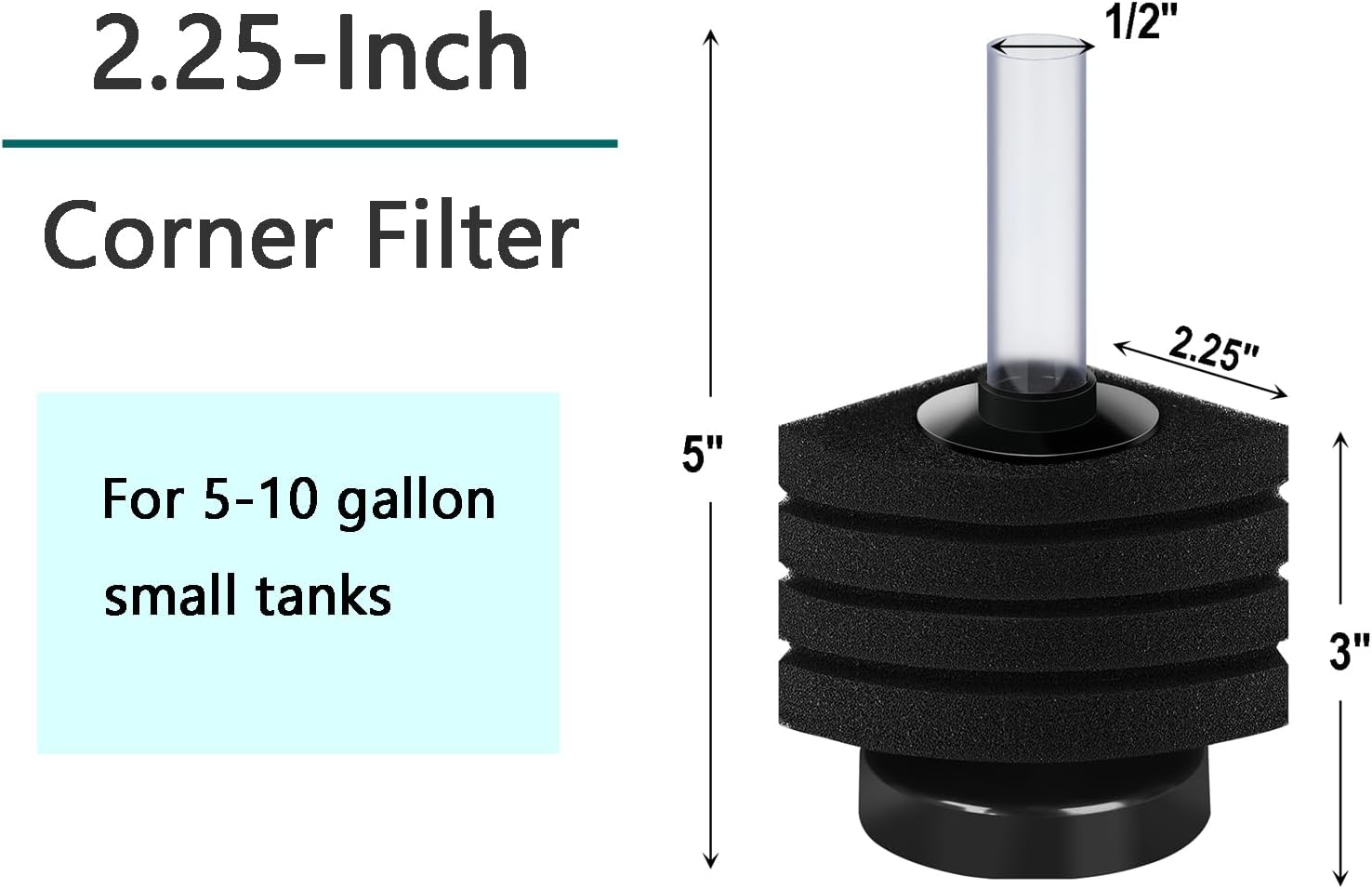
Figure 1: Filter Dimensions. The filter measures approximately 2.25 inches (L) x 2.25 inches (W) x 5.00 inches (H).
4. Setup Instructions
Follow these steps to set up your AQUANEAT Bio Corner Sponge Filter:
- Disassemble the Filter: The filter features a detachable design for easy assembly and cleaning. Gently separate the components as shown in Figure 2.
- Assemble the Filter: Reassemble the sponge layers onto the central filter basket, ensuring they are securely seated. Attach the air tube to the top of the filter unit.
- Connect Airline Tubing: Connect one end of your airline tubing (not included) to the air tube on the filter. Connect the other end of the airline tubing to an air pump (not included). It is recommended to use a check valve (not included) on the airline tubing to prevent water backflow into your air pump.
- Placement in Aquarium: Place the assembled filter in a corner of your aquarium. The weighted base helps it sink, but it may initially float until the sponge becomes saturated with water. If it continues to float, gently press it down or place a small amount of aquarium gravel on the base to secure it.
- Power On: Once the filter is submerged and positioned, turn on your air pump. Air bubbles will rise through the central tube, drawing water through the sponge for filtration.
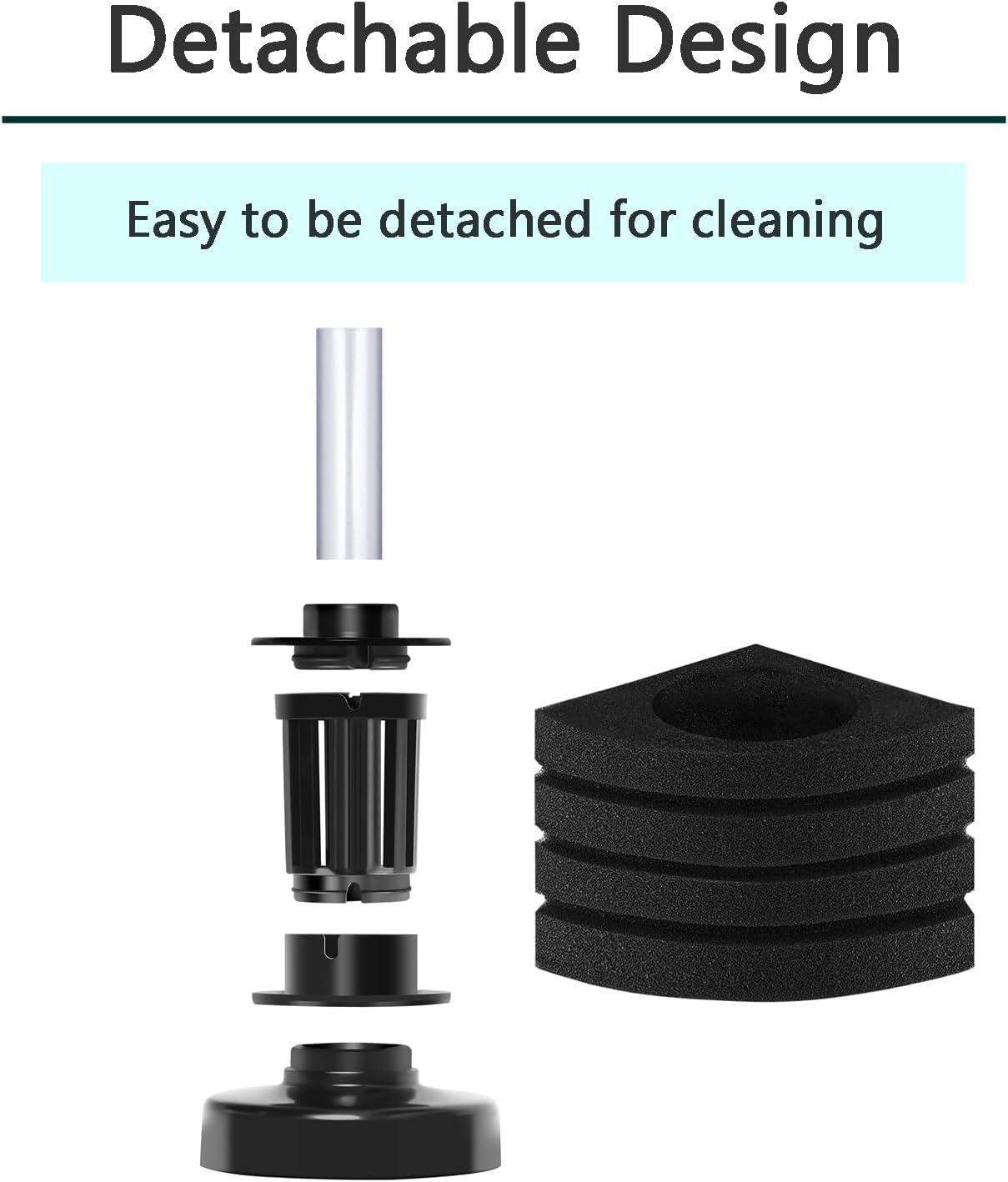
Figure 2: Detachable Design for easy assembly and cleaning.

Figure 3: Filter positioned in the corner of an aquarium.
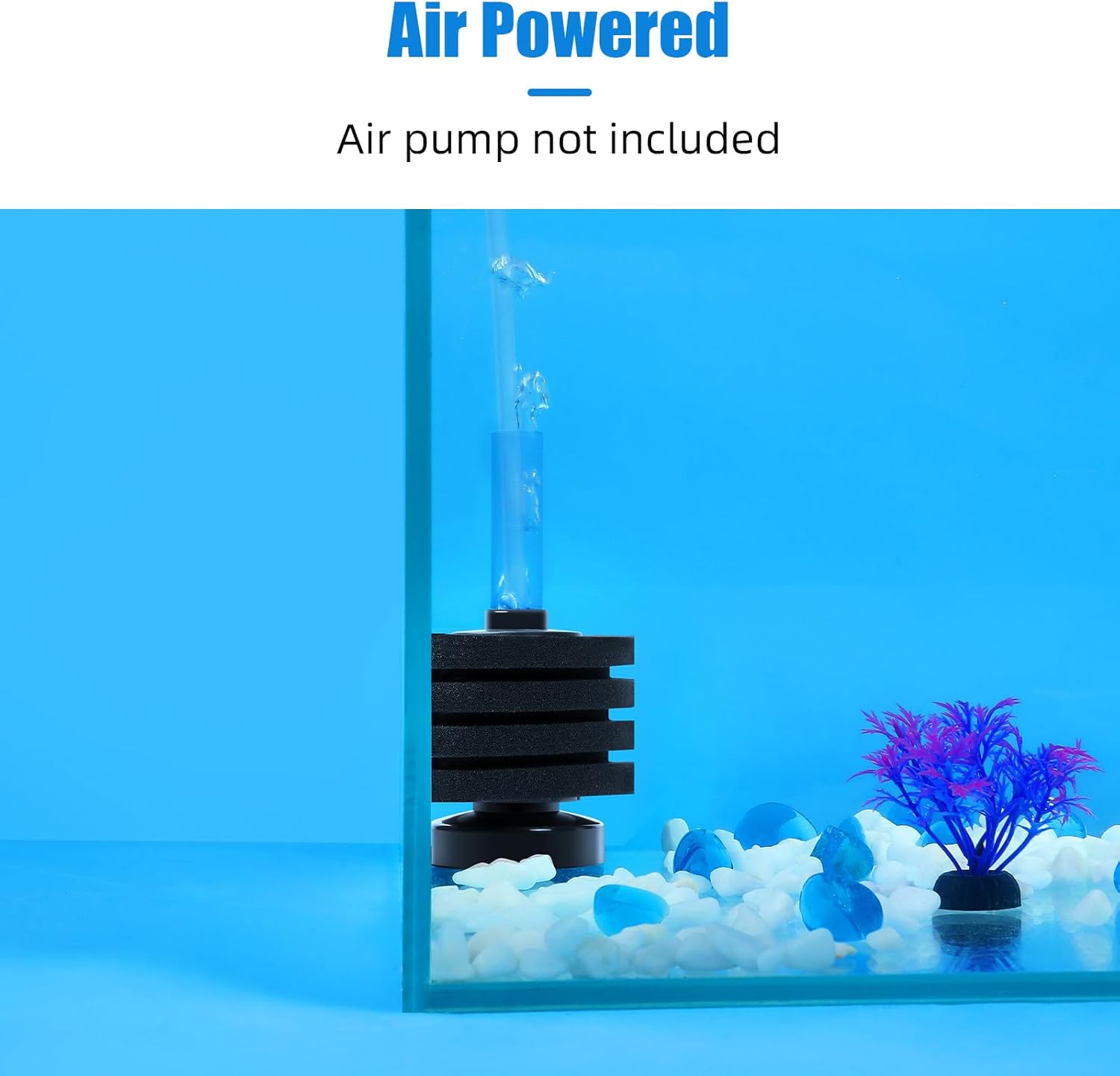
Figure 4: Air-powered operation of the filter.
5. Operating Your Filter
The AQUANEAT Bio Corner Sponge Filter provides dual-stage filtration:
- Mechanical Filtration: The soft sponge material effectively traps floating debris and particulate matter, keeping your aquarium water clear.
- Biological Filtration: The porous surface of the sponge provides a large area for beneficial bacteria to colonize. These bacteria break down harmful ammonia and nitrites into less toxic nitrates, maintaining a healthy nitrogen cycle.
The air infusion chamber ensures a steady supply of oxygen to the water, which is crucial for fish health and the beneficial bacteria. The gentle flow created by the air bubbles is safe for delicate fish and fry, preventing them from being sucked into the filter.
6. Maintenance
Regular cleaning of your sponge filter is essential for optimal performance and water quality.
- Frequency: Rinse and squeeze the sponge every 2-4 weeks, or more frequently if water flow decreases significantly or the sponge appears heavily soiled.
- Cleaning Procedure:
- Turn off your air pump.
- Carefully remove the filter from the aquarium.
- Gently detach the sponge from the filter unit.
- Important: Rinse and squeeze the sponge thoroughly in a bucket of used aquarium water. Do NOT use tap water, as chlorine and chloramines can kill the beneficial bacteria living in the sponge, disrupting your tank's biological filtration.
- Reassemble the filter and place it back into the aquarium.
- Turn on your air pump.

Figure 5: Rinse the sponge with tank water every 2-4 weeks.
7. Troubleshooting
| Problem | Possible Cause | Solution |
|---|---|---|
| Reduced airflow or no bubbles | Air pump not working, airline tubing kinked/disconnected, sponge clogged. | Check air pump connection and function. Inspect airline tubing for kinks or blockages. Clean the sponge as per maintenance instructions. |
| Filter floats | Sponge not fully saturated with water, insufficient weight. | Gently press the filter down to expel trapped air and allow the sponge to fully absorb water. Place a small amount of aquarium gravel or a decorative rock on the base to weigh it down. |
| Water remains cloudy | Overfeeding, insufficient water changes, new tank syndrome, filter not adequately sized for tank. | Reduce feeding. Perform partial water changes more frequently. Ensure the filter is appropriate for your tank size (up to 10 gallons for this model). Allow time for beneficial bacteria to establish in new tanks. |
8. Specifications
- Model Number: SF-A228
- Brand: AQUANEAT
- Recommended Tank Size: Up to 10 Gallons
- Dimensions (L x W x H): Approximately 2.25" x 2.25" x 5.00"
- Item Weight: 3.2 ounces
- Filtration Type: Mechanical and Biological
- Power Source: Air Pump (not included)
9. Warranty and Support
For information regarding product warranty, returns, or technical support, please refer to the AQUANEAT official website or contact your retailer directly. Please retain your proof of purchase for any warranty claims.