1. Introduction
Thank you for choosing the SKMEI Digital Watch Model 1295. This watch is designed for an active lifestyle, featuring a digital display, pedometer, calorie tracking, and 50-meter water resistance. This manual provides detailed instructions to help you understand and utilize all functions of your new watch.
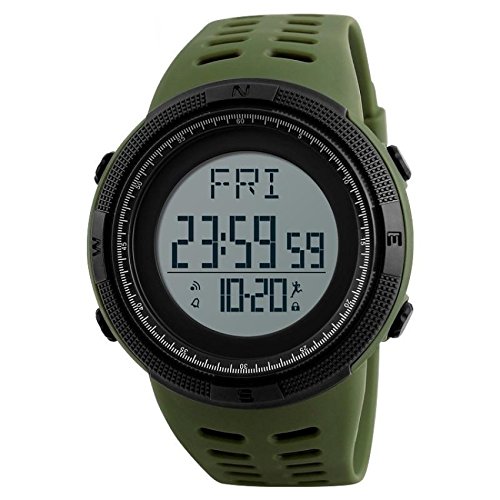
Image 1.1: Front view of the SKMEI Digital Watch Model 1295.
2. Features Overview
The SKMEI Digital Watch Model 1295 offers a range of features to support your daily activities:
- Digital Display: Clear and easy-to-read digital time and date.
- Pedometer: Tracks steps, distance, and calories burned.
- Dual Time: Allows setting of a second time zone.
- Alarm Function: Daily alarm for reminders.
- EL Backlight: Electroluminescent backlight for visibility in low light conditions.
- 50M Water Resistance: Suitable for daily use, including swimming and showering.
- 20-Day Data Storage: Records daily activity data.
- 12/24 Hour Format: Selectable time display format.
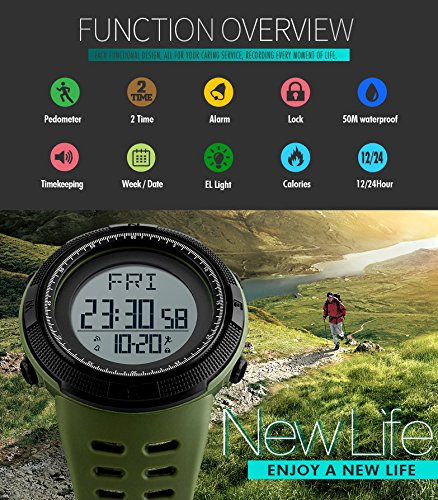
Image 2.1: Overview of watch functions.
3. Watch Components and Button Functions
Familiarize yourself with the watch's buttons and their primary functions:
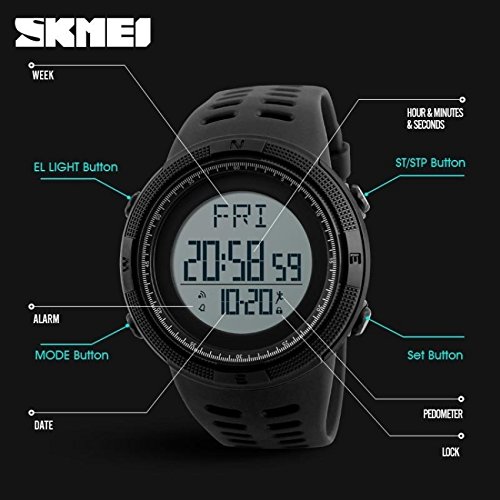
Image 3.1: Labeled diagram of watch buttons and display elements.
- EL LIGHT Button: Activates the backlight.
- MODE Button: Cycles through different watch modes (Time, Pedometer, Calorie, Alarm, Time2).
- SET Button: Used to enter setting mode and confirm selections.
- ST/STP Button: Starts/stops functions like stopwatch or pedometer reset.
- ALARM: Indicates alarm status.
- DATE: Displays the current date.
- PEDOMETER: Indicates pedometer function is active.
- LOCK: Indicates button lock status.
4. Setup and Basic Operation
4.1 Setting Time and Date
- In Time Mode, press and hold the SET button until the display flashes, indicating setting mode.
- Use the MODE button to cycle through the settings (seconds, minutes, hours, 12/24H format, year, month, day).
- Use the ST/STP button to adjust the flashing value.
- Press the SET button again to confirm the current setting and move to the next, or to exit setting mode.
4.2 Activating Backlight
Press the EL LIGHT button to illuminate the display for a few seconds.
5. Operating Modes
Press the MODE button to cycle through the following display modes:
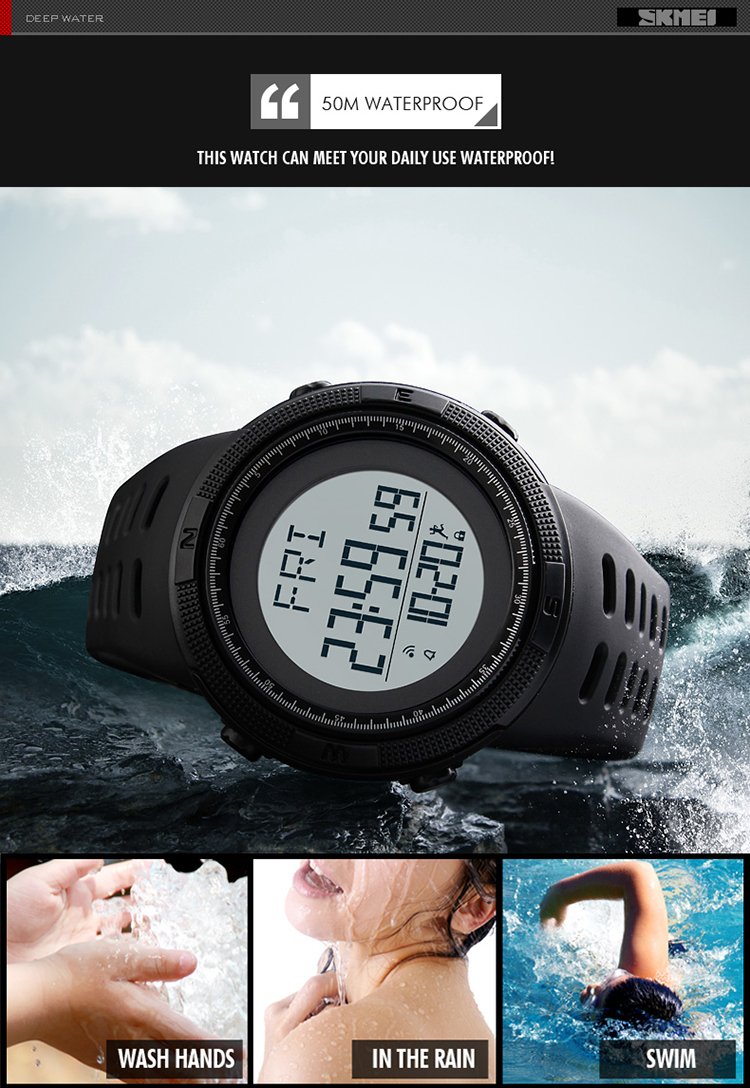
Image 5.1: Examples of different watch display modes.
5.1 Time Mode
This is the default display, showing the current time, day of the week, and date.
5.2 Pedometer Mode
In Pedometer Mode, the watch displays your total steps, distance traveled, and calories burned. The watch stores up to 20 days of data.

Image 5.2: Pedometer 3D feature display.
To Use the Pedometer:
- Ensure the pedometer function is enabled (refer to setting instructions if needed).
- Wear the watch on your wrist. The watch automatically detects and counts steps.
- To view daily data, cycle to Pedometer Mode using the MODE button.
- To reset daily data, press and hold the ST/STP button in Pedometer Mode.
5.3 Calorie Mode
This mode displays the estimated calories burned based on your activity tracked by the pedometer.
5.4 Alarm Mode
Set a daily alarm to alert you at a specific time.
To Set the Alarm:
- In Alarm Mode, press and hold the SET button until the alarm time flashes.
- Use the MODE button to select hours or minutes.
- Use the ST/STP button to adjust the flashing value.
- Press the SET button to confirm and exit.
- Press the ST/STP button to toggle the alarm ON/OFF.
5.5 Time2 Mode (Dual Time)
This mode allows you to set and display a second time zone.
To Set Dual Time:
- In Time2 Mode, press and hold the SET button until the time flashes.
- Use the MODE button to select hours or minutes.
- Use the ST/STP button to adjust the flashing value.
- Press the SET button to confirm and exit.
6. Water Resistance
The SKMEI Digital Watch Model 1295 features a 50-meter (5ATM) water resistance rating. This means it is suitable for:
- Washing hands
- Rain exposure
- Showering (cold water)
- Swimming in shallow water
Important: Do not press any buttons while the watch is submerged in water. Avoid exposure to hot water, steam, or extreme temperature changes, as this can compromise the water resistance seals.
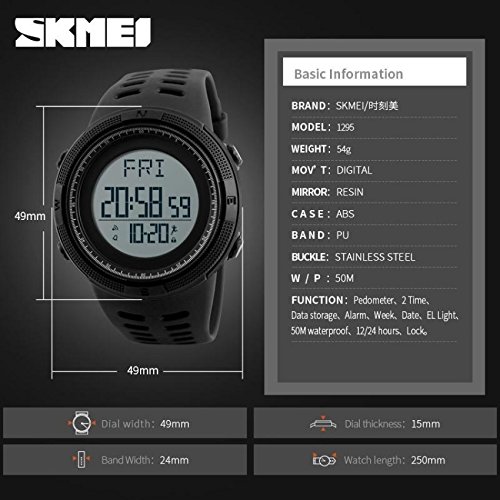
Image 6.1: Water resistance capabilities.
7. Maintenance
To ensure the longevity and optimal performance of your SKMEI watch, follow these maintenance guidelines:
- Cleaning: Wipe the watch case and band regularly with a soft, damp cloth. Avoid harsh chemicals or abrasive materials.
- Avoid Extreme Temperatures: Do not expose the watch to extreme heat or cold, as this can affect battery life and internal components.
- Impact Protection: While durable, avoid dropping the watch or subjecting it to strong impacts.
- Battery Replacement: When the display dims or functions become erratic, the battery may need replacement. It is recommended to have this done by a professional to maintain water resistance.
- Storage: When not in use for extended periods, store the watch in a cool, dry place away from direct sunlight.
8. Troubleshooting
If you encounter any issues with your watch, refer to the following common problems and solutions:
- Display is blank or dim: The battery may be low or depleted. Replace the battery.
- Buttons are unresponsive: Ensure the watch is not in a locked mode (if applicable). If not, try resetting the watch by removing and reinserting the battery (professional assistance recommended).
- Pedometer readings are inaccurate: Ensure the watch is worn securely on your wrist. Movement patterns can affect accuracy. Recalibration may be required (refer to advanced settings if available).
- Water inside the watch: Immediately stop using the watch and seek professional repair. Do not attempt to dry it yourself.
9. Specifications
Detailed technical specifications for the SKMEI Digital Watch Model 1295:
| Feature | Specification |
|---|---|
| Brand | SKMEI |
| Model Number | 1295 |
| Movement Type | Digital (Quartz) |
| Case Material | Plastic |
| Case Diameter | 49 Millimeters |
| Band Material Type | Plastic |
| Band Color | Green |
| Dial Color | White |
| Dial Glass Material | Mineral |
| Water Resistance Depth | 50 Meters |
| Item Weight | 70 Grams |
| Package Dimensions | 9.14 x 9.14 x 6.6 cm |
| First Available | 8 January 2018 |

Image 9.1: Watch dimensions and basic information.
10. Warranty and Support
This product comes with a manufacturer's warranty. For specific warranty terms and conditions, please refer to the documentation provided at the time of purchase or contact SKMEI customer support. For technical assistance or service inquiries, please visit the official SKMEI website or contact your retailer.