
Introduction
This manual provides essential information for the proper use, installation, and maintenance of your HQRP 8-Pack Carbon Filters. These filters are designed to enhance air quality by absorbing and eliminating common household odors.
HQRP Replacement Carbon Odor Filters naturally deodorize the air by absorbing and eliminating odors that may originate from pets, garbage, bathrooms, smoke, litter boxes, or cooking. These activated carbon (charcoal) filters are specifically designed for use in Holmes and Bionaire branded table top and tower air purifiers.
Product Overview
The HQRP Carbon Filters are an integral component for improving indoor air quality. They work in conjunction with HEPA-type filters to provide comprehensive air purification.
- Quantity: 8-pack of carbon filters.
- Function: Traps chemicals, noxious odors, and cigarette smoke; absorbs and eliminates household odors.
- Material: Activated Carbon.
- Dimensions: Approximately 4 1/4 inches x 9 1/2 inches per filter.
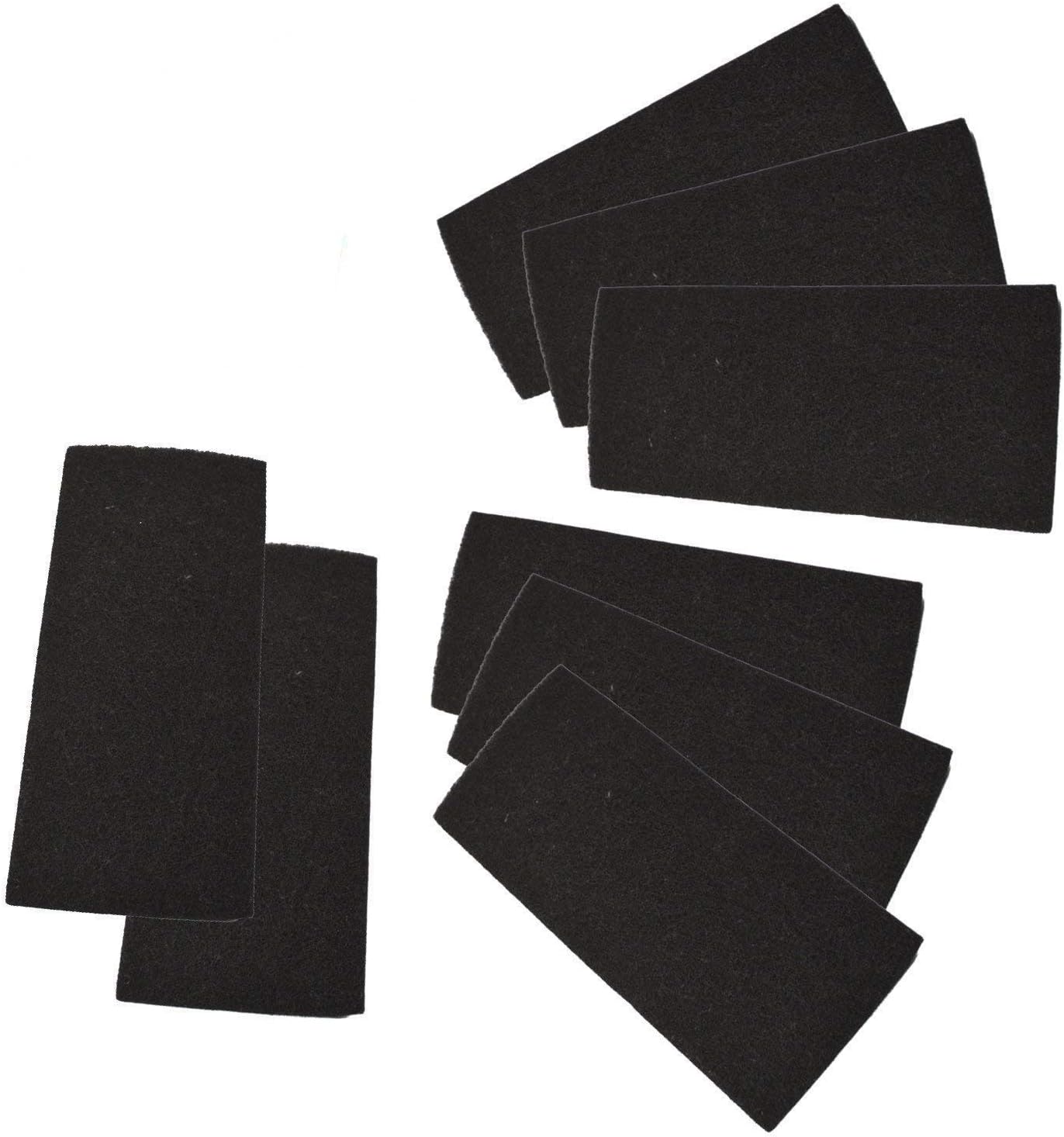
Image: Eight HQRP carbon filters, showing the quantity included in the pack.

Image: HQRP carbon filters displayed with their packaging, indicating high quality.

Image: A single HQRP carbon filter with measurements indicating its dimensions of 4 1/4 inches by 9 1/2 inches.
Compatibility
These HQRP Carbon Filters are compatible with the following Holmes and Bionaire air purifier models:
- Holmes HAP9240
- Holmes HAP9241
- Holmes HAP9242
- Holmes HAP9243
- Holmes HAP702
- Holmes HAP706
- Holmes HAP716
- Holmes HAP1702
- Holmes HAP1200
- Holmes BHOR31-1 AOR31 AOR31-U carbon filter Replacement
Setup and Installation
Follow these steps to properly install your HQRP Carbon Filters into your compatible air purifier:
- Power Off: Ensure your air purifier is turned off and unplugged from the power outlet before beginning installation.
- Access Filter Compartment: Open the filter compartment of your air purifier. Refer to your air purifier's specific manual for instructions on how to access its filter area.
- Remove Old Filters: Carefully remove any old or used carbon filters and dispose of them according to local regulations.
- Install Carbon Filter: Insert the new HQRP Carbon Filter into the designated slot. These carbon filters are designed for use with HEPA-type filters (Aer1 / HAPF30 / HAPF300 series) and cannot be used independently. They do NOT replace washable foam pre-filters. Ensure the carbon filter is placed correctly, typically in front of or alongside the HEPA filter, depending on your air purifier model.
- Close Compartment: Securely close the filter compartment.
- Restore Power: Plug your air purifier back into the power outlet and turn it on.
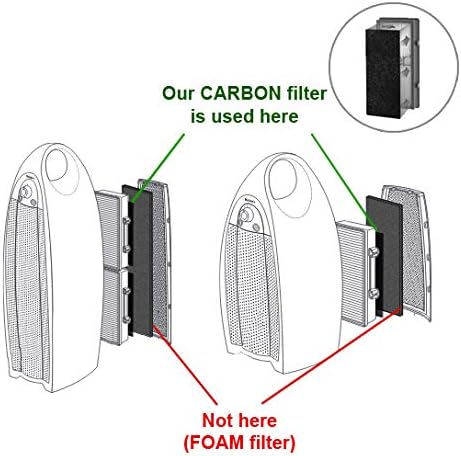
Image: A diagram illustrating the correct placement of the carbon filter within an air purifier, highlighting that it is used in conjunction with other filters, not as a foam pre-filter.

Image: A hand demonstrating the installation of a pre-filter into an air purifier, which is a step often associated with carbon filter replacement.
Operating Principles
Once installed, the HQRP Carbon Filters work by utilizing activated carbon, a highly porous material with a large surface area. This material effectively adsorbs gaseous pollutants, volatile organic compounds (VOCs), and various odors from the air as it passes through the filter. This process helps to neutralize unpleasant smells, contributing to a fresher indoor environment.
Maintenance
To ensure optimal performance and continued air purification, regular maintenance of your carbon filters is essential:
- Replacement Frequency: Carbon filters have a finite capacity for odor absorption. The lifespan of the filter depends on usage and the level of pollutants in the air. It is recommended to replace carbon filters every 3 to 6 months, or more frequently if strong odors persist or if the filter appears visibly dirty.
- Disposal: Used carbon filters should be disposed of as regular household waste.
- Cleaning: These carbon filters are not washable and should not be cleaned. Attempting to wash them will diminish their effectiveness.
Troubleshooting
If you experience issues after installing your HQRP Carbon Filters, consider the following:
- Persistent Odors: If odors remain after filter replacement, ensure the carbon filter is correctly installed and that it is not obstructed. Also, check the condition of your HEPA-type filter, as both work together for comprehensive air purification.
- Reduced Airflow: While carbon filters are designed to allow airflow, a severely clogged filter can restrict it. If airflow is significantly reduced, it may be time for a replacement.
- Filter Not Fitting: Double-check the compatibility list to ensure your air purifier model is supported. Verify the dimensions of the filter against the space in your air purifier.
Specifications
| Attribute | Detail |
|---|---|
| Product Type | Carbon Air Purifier Filters |
| Quantity | 8-Pack |
| Material | Activated Carbon |
| Dimensions (each) | 4 1/4" x 9 1/2" inches |
| Manufacturer | HQRP |
| Compatible Devices | Holmes and Bionaire Air Purifiers (specific models listed in Compatibility section) |
Warranty and Support
Warranty: This product comes with a 2-week DOA (Dead On Arrival) replacement warranty. Please contact HQRP-US for any issues within this period.
Important Note: This is not an Original Equipment Manufacturer (OEM) product; HQRP branded product is a replacement. All brand names and logos mentioned are registered trademarks of their respective owners. Any use of these brand names or model designations for this product is made solely for purposes of demonstrating compatibility.
Support: For further assistance or inquiries, please visit the official HQRP website or contact their customer support channels.