
1. Introduction
Thank you for choosing Look X-Track Race pedals. These pedals are designed for mountain biking, offering a wide contact surface, reliable engagement in various conditions, and adjustable tension for personalized performance. This manual provides essential information for the correct installation, operation, and maintenance of your pedals to ensure safety and optimal performance.
2. Safety Information
Always prioritize safety when working with bicycle components. Improper installation or maintenance can lead to serious injury or product damage. Please read and understand all instructions before proceeding.
- Ensure all components are clean and free from debris before installation.
- Use appropriate tools for installation and adjustment.
- Tighten all bolts to the manufacturer's specified torque settings. Overtightening or undertightening can cause damage or failure.
- Regularly inspect pedals and cleats for wear or damage. Replace worn parts immediately.
- Practice clipping in and out in a safe, controlled environment before riding in traffic or challenging terrain.
- Adjust cleat tension to a comfortable level that allows for easy disengagement when needed.
3. What's in the Box
Your Look X-Track Race pedal package should contain the following items:
- One pair of Look X-Track Race pedals
- One pair of X-Track cleats
- Mounting hardware for cleats (bolts and washers)
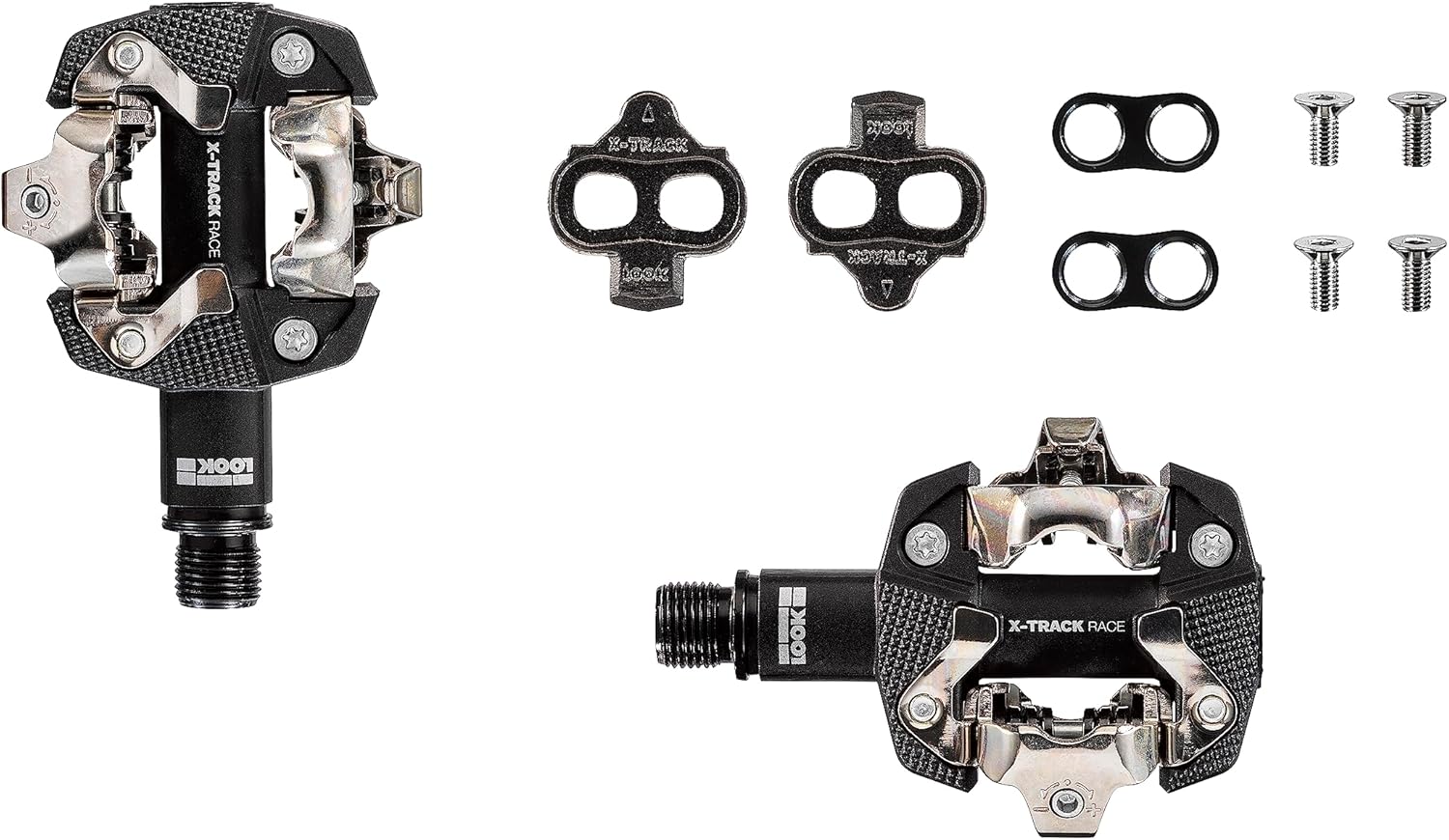
Image: Contents of the Look X-Track Race pedal package, showing two pedals, two cleats, and associated mounting bolts and washers.
4. Setup and Installation
4.1. Pedal Installation
- Identify Left and Right Pedals: The pedals are marked "L" for left and "R" for right. The right pedal has a standard thread, and the left pedal has a reverse thread.
- Prepare Crank Arms: Apply a small amount of grease to the pedal threads on your crank arms. This prevents seizing and makes future removal easier.
- Install Right Pedal: Thread the right pedal (R) into the right crank arm (drive side) clockwise. Tighten firmly with a 15mm pedal wrench or an 8mm hex key (depending on pedal design) to the manufacturer's recommended torque (typically 35-40 Nm).
- Install Left Pedal: Thread the left pedal (L) into the left crank arm (non-drive side) counter-clockwise. Tighten firmly with a 15mm pedal wrench or an 8mm hex key to the manufacturer's recommended torque (typically 35-40 Nm).

Image: A pair of Look X-Track Race pedals, ready for installation or already installed on crank arms.
4.2. Cleat Installation on Cycling Shoes
The X-Track cleats are compatible with 2-bolt SPD-style cycling shoes.
- Locate Mounting Holes: Remove any covers from the 2-bolt mounting holes on the sole of your cycling shoes.
- Position Cleat: Place a cleat over the mounting holes. The cleats can be adjusted forward/backward and rotated to find the optimal position for your foot. Start with a neutral position, typically centered over the ball of your foot.
- Insert Bolts: Insert the cleat bolts through the cleat and into the shoe's mounting holes. Do not fully tighten yet.
- Adjust Cleat Position: Sit on your bike or stand with your shoes on and experiment with the cleat position. The goal is to align your foot naturally with the pedal stroke, avoiding knee strain. Adjust the cleat forward/backward and rotationally until comfortable.
- Tighten Cleat Bolts: Once the desired position is found, tighten the cleat bolts evenly and securely. Refer to your shoe or cleat manufacturer's torque specifications (typically 5-6 Nm).
- Repeat for Second Shoe: Install the cleat on the second shoe, mirroring the adjustments made for the first.

Image: A close-up of a cyclist's foot, wearing a cycling shoe with a cleat, engaged with a Look X-Track Race pedal on a mountain bike.
5. Operating the Pedals
5.1. Clipping In
To clip in, place the front of your cleat onto the front engagement mechanism of the pedal. Then, push down firmly with your heel until you hear a "click," indicating that the cleat is securely engaged with the rear mechanism.
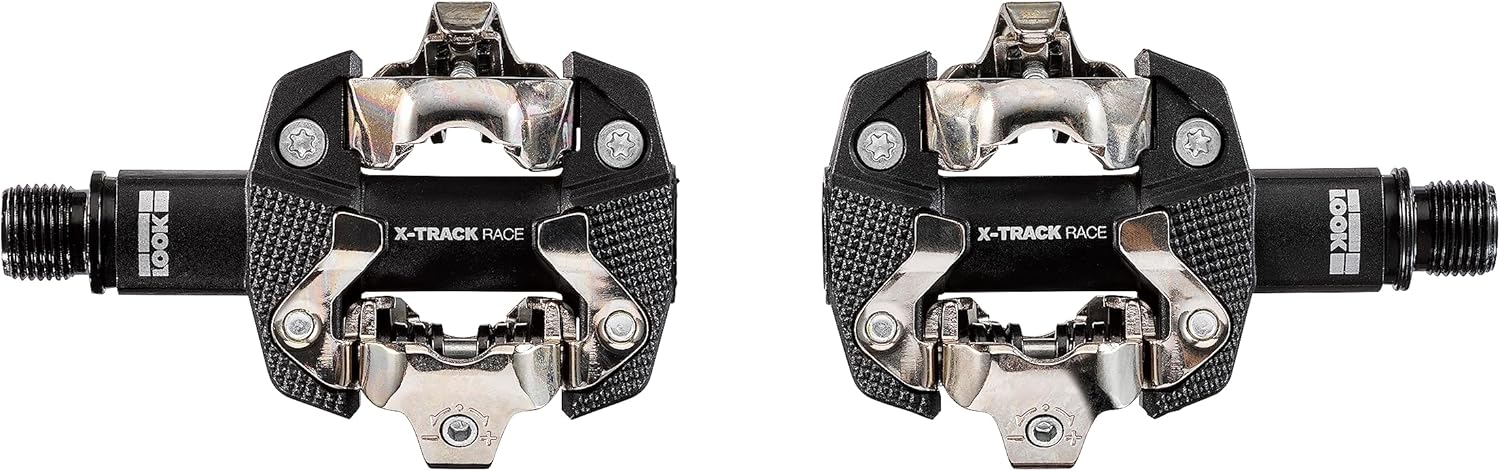
Image: Top view of two Look X-Track Race pedals, showing the engagement mechanisms.
5.2. Clipping Out
To clip out, rotate your heel outwards, away from the bicycle frame. A firm, decisive twist of the heel will disengage the cleat from the pedal. Practice this motion until it becomes natural, especially before riding in situations where quick disengagement is necessary.

Image: A close-up of a cyclist's foot on a Look X-Track Race pedal, illustrating the position during engagement.
5.3. Adjusting Cleat Tension
The Look X-Track Race pedals feature adjustable tension, allowing you to customize the force required to clip in and out. This adjustment is made using a 2.5mm hex key on the small screw located at the rear of each pedal's binding mechanism.
- Increase Tension: Turn the screw clockwise to increase the tension, making it harder to clip in and out.
- Decrease Tension: Turn the screw counter-clockwise to decrease the tension, making it easier to clip in and out.
Start with a lower tension setting, especially if you are new to clipless pedals, and gradually increase it as you become more comfortable. Ensure both pedals are set to the same tension for consistent performance.
6. Maintenance
Regular maintenance will prolong the life of your pedals and ensure safe operation.
- Cleaning: After riding in wet or muddy conditions, clean your pedals and cleats with water and a mild detergent. Dry thoroughly to prevent rust.
- Lubrication: Apply a small amount of dry lubricant to the pedal binding mechanisms periodically, especially after cleaning or riding in wet conditions. This helps maintain smooth engagement and disengagement.
- Inspection: Regularly check the pedal body, axle, and binding mechanisms for signs of wear, cracks, or damage. Inspect cleats for excessive wear; worn cleats can lead to poor engagement or accidental unclipping.
- Bolt Torque: Periodically check the tightness of the pedal bolts on the crank arms and the cleat bolts on your shoes. Retighten to specified torque values if necessary.
7. Troubleshooting
| Issue | Possible Cause | Solution |
|---|---|---|
| Difficulty clipping in/out |
|
|
| Accidental unclipping |
|
|
| Squeaking or creaking noise |
|
|
8. Specifications
| Model Number | PEXT18222 |
| Brand | Look |
| Material | Composite body, Chromoly+ axle |
| Weight | Approximately 182g (per pedal) |
| Contact Surface Area | 515mm² |
| Tension Adjustment | Adjustable from 6 to 14 |
| Thread Size | 9/16 inches |
| Compatibility | 2-bolt SPD-style cycling shoes |
| Country of Origin | France |
Note: Specifications are subject to change without notice.
9. Warranty and Support
Look products are manufactured to high standards and come with a manufacturer's warranty. For specific warranty details, please refer to the warranty card included with your product or visit the official Look website. For technical support, spare parts, or service inquiries, please contact your authorized Look dealer or the Look customer service department.
Official Look Website: www.lookcycle.com
10. Product Videos
No official product videos from the seller were found for this product in the provided data.

