1. Introduction
The Linksys Velop AC2200 Tri-Band Mesh WiFi Router System provides seamless, full-speed Wi-Fi coverage throughout your home. This 2-pack system creates a unified mesh network, eliminating dead zones and ensuring consistent internet speed across an area of up to 4,000 square feet. Each Velop node works in harmony to deliver a reliable and secure wireless connection.
2. Package Contents
Verify that your package contains the following items:
- 2 x Linksys Velop AC2200 Tri-Band Nodes
- 2 x Power Adapters
- 1 x Ethernet Cable
- 1 x Quick Start Guide
3. Product Overview
Each Linksys Velop node is a compact, tower-designed device that integrates seamlessly into your home environment. The top of each node features an LED indicator that communicates the system's status, while the bottom houses the necessary ports for power and network connectivity.
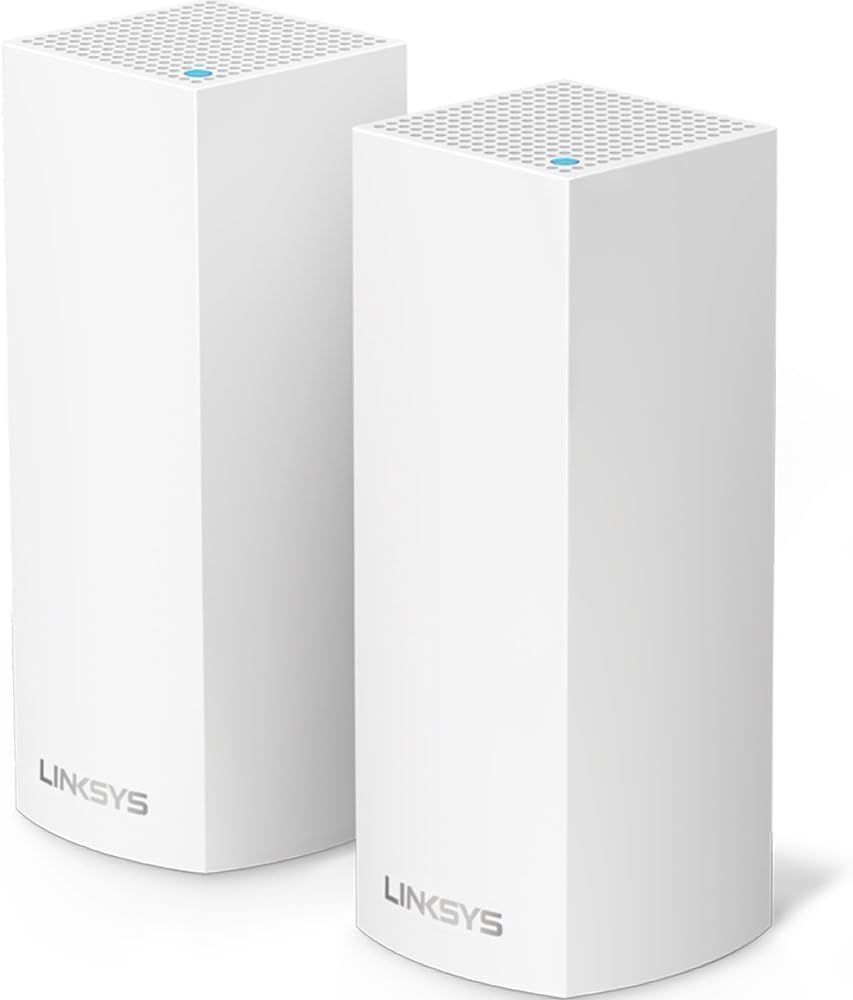
Image: Two Linksys Velop AC2200 Tri-Band Mesh WiFi Nodes, shown side-by-side. These white, rectangular devices feature a perforated top surface and the Linksys logo on the front.
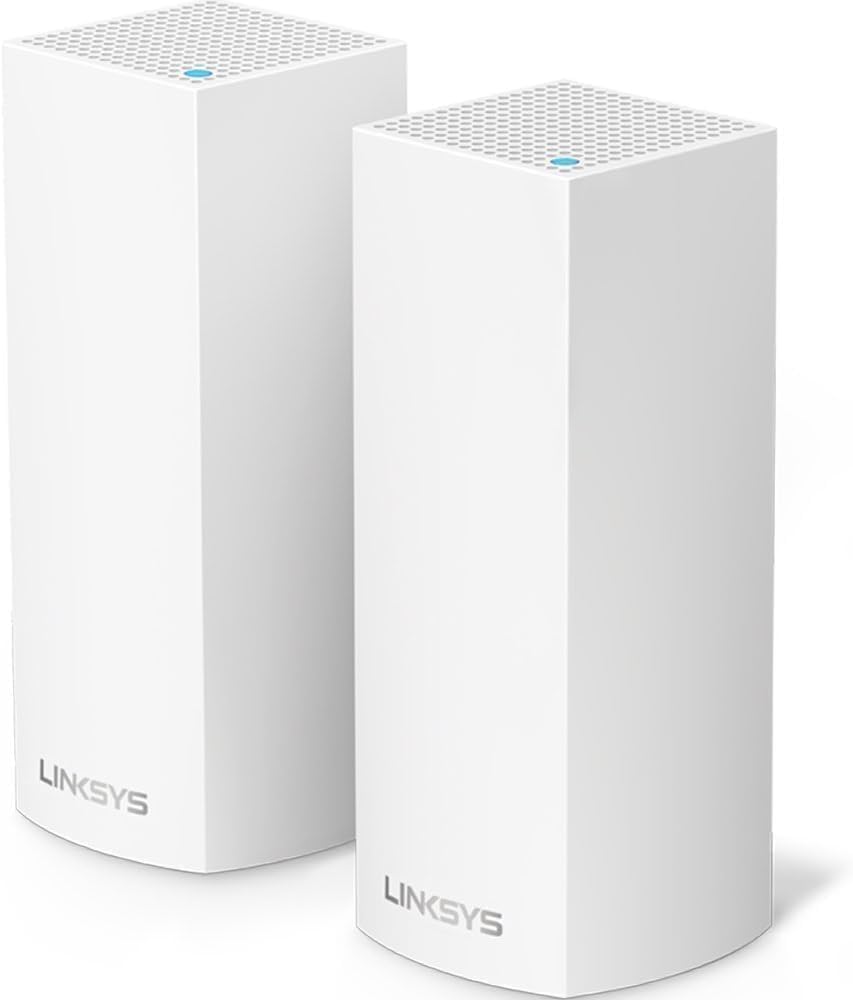
Image: Side view of a single Linksys Velop node, highlighting the extensive ventilation holes along its surface. The bottom portion shows a slight inward curve, indicating where ports are located.
LED Indicator Status:
- Solid Blue: Excellent connection, node is online.
- Solid Red: No internet connection.
- Pulsing Blue: Node is starting up.
- Pulsing Red: Node is out of range or has a weak connection.
- Solid Yellow: Fair connection.
Ports:
- Power Port: Connects to the power adapter.
- Ethernet Ports: For connecting to your modem and wired devices.
- Reset Button: Used to restore factory default settings.
4. Setup Instructions
Setting up your Linksys Velop system is primarily done through the Linksys App, available for mobile devices. Ensure you have an active internet connection with a modem before beginning.
Requirements:
- Internet connection with a modem.
- Mobile device with Android 4.4 or iOS 8 and higher (Bluetooth preferred for initial setup).
Step-by-Step Setup:
- Download the Linksys App: Search for "Linksys" in your mobile device's app store and download the official application.
- Connect the First Node:
- Unplug your modem from its power outlet.
- Connect one end of the included Ethernet cable to the Internet port on your Velop node and the other end to your modem's Ethernet port.
- Plug your modem back into its power outlet.
- Plug the Velop node into a power outlet. Wait for the LED indicator on top to turn solid blue.
- Follow In-App Instructions: Open the Linksys App on your mobile device. The app will guide you through the remaining steps, including creating a Linksys account, naming your Wi-Fi network, and setting a password.
- Add Additional Nodes: Once the first node is set up, the app will prompt you to add the second node. Place the second node in a central location within the desired coverage area, ensuring it is within range of the first node. Plug it into a power outlet and follow the app's instructions to connect it to your mesh network.
5. Operating Instructions
The Linksys Velop system is designed for ease of use, providing a single Wi-Fi network name (SSID) for all your devices. Your devices will automatically connect to the strongest signal as you move around your home.
Using the Linksys App:
The Linksys App is your primary tool for managing your mesh network. It allows you to:
- Monitor your network status and connected devices.
- Set up guest access.
- Prioritize devices for optimal performance.
- Perform parental controls.
- Run speed tests.
- Receive notifications about network issues.
Mesh Network Functionality:
The Velop nodes communicate wirelessly to form a robust mesh network. If one node loses connection, the remaining units will automatically re-establish the internet connection, ensuring continuous service.
6. Maintenance
Proper maintenance ensures the longevity and optimal performance of your Linksys Velop system.
Placement:
Place nodes in open areas, away from large metal objects, thick walls, and other electronic devices that may cause interference. Optimal placement ensures maximum coverage and signal strength.
Firmware Updates:
The Linksys App typically manages firmware updates automatically. Ensure your nodes are connected to the internet to receive the latest updates, which include performance improvements and security enhancements.
Cleaning:
Gently wipe the exterior of the nodes with a soft, dry cloth. Avoid using liquid cleaners or abrasive materials, as these can damage the device.
7. Troubleshooting
If you encounter issues with your Velop system, try the following troubleshooting steps:
- No Internet Connection (Solid Red LED):
- Check the Ethernet cable connection between the primary Velop node and your modem.
- Restart your modem by unplugging it for 30 seconds and then plugging it back in.
- Restart the primary Velop node.
- Weak Signal or Slow Speeds (Pulsing Red or Solid Yellow LED):
- Relocate the affected node closer to the primary node or another connected node.
- Ensure there are no major obstructions (e.g., large appliances, metal objects) between the nodes.
- Use the Linksys App to check node placement and signal strength.
- Node Not Connecting:
- Ensure the node is powered on and within range of an existing Velop node.
- Try resetting the individual node by pressing the reset button for 5-10 seconds until the LED flashes red, then attempt setup again via the app.
- Forgot Wi-Fi Password:
- Access the Linksys App to view or change your Wi-Fi password.
For further assistance, refer to the Linksys support website or contact their customer service.
8. Specifications
| Feature | Detail |
|---|---|
| Brand | Linksys |
| Model Number | WHW0302-RM2 |
| Product Dimensions | 6.2 x 3.1 x 7.3 inches |
| Item Weight | 3.76 pounds |
| Frequency Band Class | Tri-Band (AC2200) |
| Wireless Communication Standard | 802.11ac, 802.11n |
| Connectivity Technology | Wireless |
| Recommended Uses | Home |
9. Warranty and Support
This Linksys Velop system is a Certified Refurbished product. It is manufacturer refurbished, shows limited or no wear, and includes all original accessories plus a 90-day warranty from the date of purchase.
For technical support, warranty claims, or additional product information, please visit the official Linksys support website or contact their customer service department. Contact details can typically be found on the Linksys website or in the Quick Start Guide.