
1. Introduction
This manual provides essential information for the safe and effective use of your Ikelite 200DL Underwater Housing, specifically engineered for the Nikon D750 DSLR camera. This durable and high-quality housing is designed to withstand the rigors of underwater photography, whether you're exploring the vibrant world of scuba diving, snorkeling, or capturing the action of surf and poolside shoots. Crafted with precision, the 200DL Underwater Housing boasts an innovative Dry Lock (DL) port system, a significant upgrade from the traditional Four Lock (FL) system. This new system offers a more robust build and simpler assembly process, ensuring that your camera is protected in even the most challenging underwater environments. The DL ports are not only lighter and more adaptable but also capable of accommodating large diameter lenses such as the Nikon 14-24mm or Sigma 10-20mm HSM with ease, making it an essential choice for professionals seeking top-tier optical performance.
2. Safety Information
Please read and understand all safety instructions before using the Ikelite 200DL Underwater Housing. Failure to follow these instructions may result in damage to the equipment or personal injury.
- Pre-Dive Check: Always perform a thorough leak test without the camera inside before each dive.
- O-Ring Maintenance: Regularly inspect and clean O-rings. Lubricate sparingly with Ikelite silicone grease. Never use petroleum-based lubricants.
- Depth Limits: Do not exceed the maximum operating depth of 200 feet (60.96 meters).
- Temperature: Avoid extreme temperature changes that can cause condensation inside the housing.
- Handling: Handle the housing with care. Avoid dropping or subjecting it to impact, which can compromise its waterproof integrity.
- Cleaning: Rinse the housing thoroughly with fresh water after each use in salt water.
3. Package Contents
Upon unpacking, please verify that all components are present. The standard package for the Ikelite 200DL Underwater Housing typically includes:
- Ikelite 200DL Underwater Housing
- Rear O-ring
- Port O-ring
- Silicone Lubricant
- Tool Kit
- Instruction Manual (this document)
4. Setup
4.1 Camera Preparation
Before placing your Nikon D750 camera into the housing, ensure the camera battery is fully charged and a formatted memory card is inserted. Set your desired camera settings (e.g., white balance, ISO, aperture, shutter speed) as some controls may be less accessible once inside the housing. Remove any neck straps or accessories that might interfere with the housing's closure.
4.2 Housing Preparation
Inspect the housing for any debris, cracks, or damage. Pay close attention to the main O-ring and port O-rings. Ensure they are clean, free of hair or lint, and lightly lubricated with Ikelite silicone grease. A clean O-ring is crucial for a watertight seal.

Image: Front view of the Ikelite 200DL Underwater Housing, displaying the robust construction and the Dry Lock (DL) port system opening. The housing is white with black accents and features various control knobs and handles.
4.3 Installing the Camera
Carefully slide the Nikon D750 camera into the housing, ensuring it aligns correctly with the internal mounting plate and controls. Gently close the housing, making sure the main O-ring is seated properly and no foreign objects are pinched. Secure the latches firmly.

Image: Rear view of the Ikelite 200DL Underwater Housing with a Nikon D750 camera securely installed. The camera's LCD screen is visible through the clear back panel, displaying a vibrant underwater photograph, demonstrating proper camera placement and functionality.
4.4 Attaching Lens Ports
The 200DL housing utilizes the Dry Lock (DL) port system. Select the appropriate DL port for your lens. Ensure the port O-ring is clean and lubricated. Align the port with the housing's port opening and twist to lock it securely. Verify a tight seal.
4.5 Leak Testing
Before taking the housing underwater with your camera, perform a leak test. Submerge the empty housing in a shallow body of water (e.g., a sink or bucket) for at least 30 minutes. Observe for any bubbles indicating a leak. If bubbles appear, remove the housing, dry it, and re-inspect all O-rings and seals before re-testing.
5. Operating the Housing
5.1 Controls Overview
The Ikelite 200DL housing provides access to essential camera controls through mechanical push-buttons, dials, and levers. These are designed for comfortable and intuitive operation, even when wearing gloves. Familiarize yourself with the location and function of each control before diving.

Image: Top view of the Ikelite 200DL Underwater Housing, highlighting the arrangement of control buttons and dials on the upper surface, which allow for manipulation of camera settings while submerged.
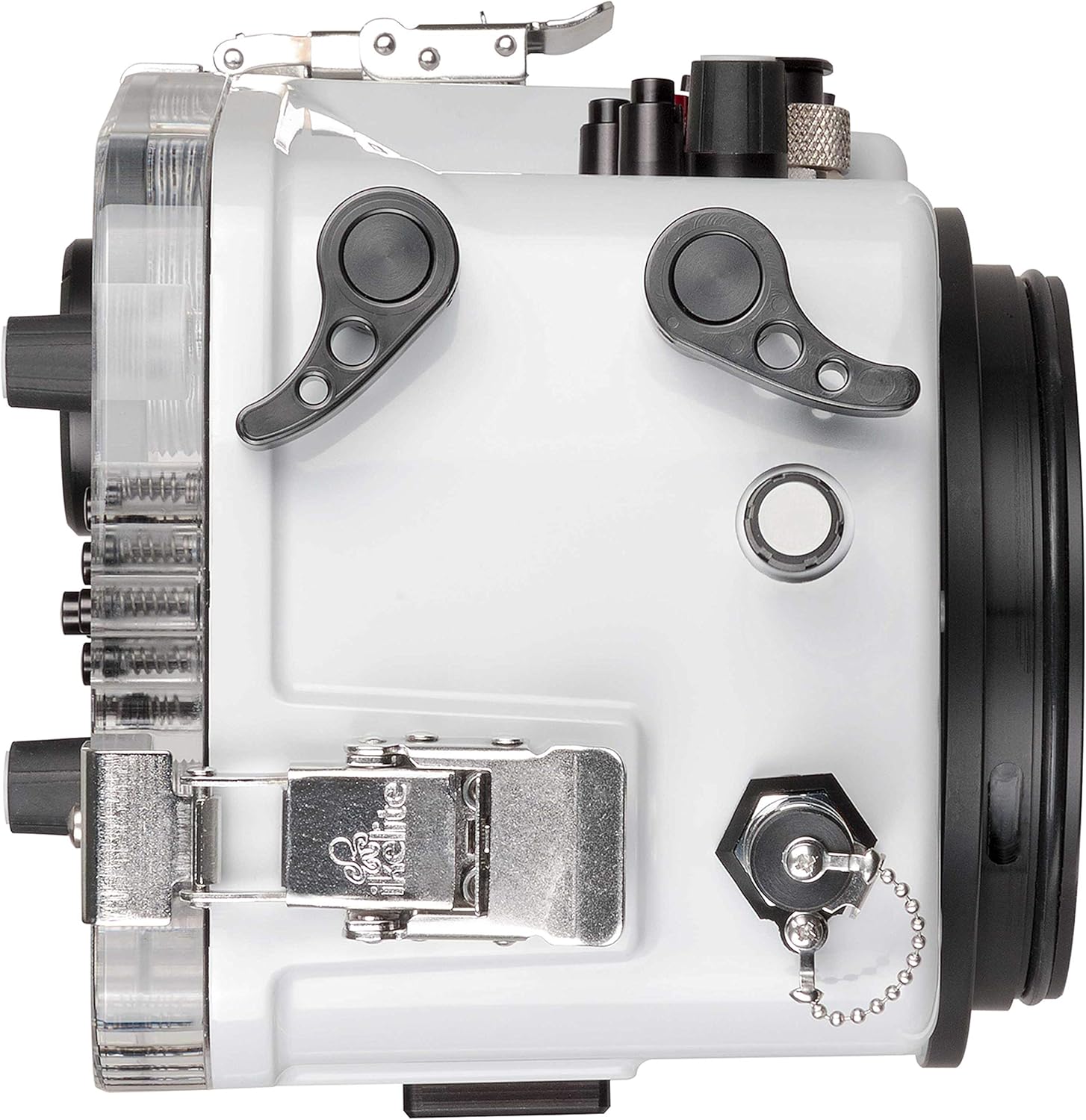
Image: Right side view of the Ikelite 200DL Underwater Housing, illustrating the ergonomic placement of side-mounted controls and the secure latching mechanism for sealing the housing.
5.2 Depth Rating
The Ikelite 200DL Underwater Housing is rated for a maximum operating depth of 200 feet (60.96 meters). Always adhere to this limit to ensure the safety of your camera and the integrity of the housing.
6. Maintenance
6.1 Post-Dive Care
Immediately after each dive, rinse the housing thoroughly with fresh water, especially if used in salt water. Operate all controls while rinsing to flush out any trapped salt or debris. Allow the housing to air dry completely before opening.
6.2 O-Ring Care
Periodically remove, clean, and inspect all O-rings. Look for nicks, cuts, or signs of wear. Replace damaged O-rings immediately. Apply a thin, even coat of Ikelite silicone grease to the O-rings before reinstallation. Store O-rings in a cool, dry place away from direct sunlight.
6.3 Storage
When not in use, store the housing in a cool, dry place away from direct sunlight. It is recommended to store the housing with the latches open and the O-rings removed or slightly unseated to prevent compression set.
7. Troubleshooting
This section addresses common issues you might encounter with your Ikelite 200DL Underwater Housing.
- Leakage: If water enters the housing, immediately remove the camera and dry both the camera and housing. Inspect all O-rings for damage, dirt, or improper seating. Re-lubricate and re-test.
- Controls Sticking: Rinse controls thoroughly after each dive. If a control remains stiff, it may require cleaning and lubrication of the shaft seal. Consult Ikelite support if the issue persists.
- Condensation Inside Housing: This can occur due to temperature differences. Ensure the camera and housing are at the same temperature before sealing. Using desiccant packets inside the housing can help absorb moisture.
- Difficulty Closing Latches: Ensure the main O-ring is properly seated and not twisted. Check for any obstructions preventing the housing halves from mating correctly.
8. Specifications
| Feature | Specification |
|---|---|
| Product Dimensions | 17.9 x 13 x 9.1 inches |
| Item Weight | 11 pounds |
| Model Number | 200DL |
| Brand | Ikelite |
| Water Resistance Level | Waterproof (200 feet / 60.96 meters) |
| Mounting Type | Tabletop |
| Color | White |
| Material | Acrylonitrile Butadiene Styrene (ABS) |
| Date First Available | January 2, 2018 |
9. Warranty and Support
Ikelite products are manufactured to high standards and are backed by a manufacturer's warranty against defects in materials and workmanship. Please refer to the official Ikelite website or your purchase documentation for specific warranty terms and conditions.
For technical support, service, or inquiries regarding your Ikelite 200DL Underwater Housing, please contact Ikelite customer service directly. Contact information can typically be found on the official Ikelite website.