
1. Introduction
This manual provides essential information for the safe and effective use of your CREABEST 8V MAX 1500mAh Lithium-Ion replacement battery. This battery is designed to provide reliable power for compatible DEWALT 8V MAX cordless tools.
Product Compatibility:
- Compatible with DEWALT 8V MAX cordless power drill tools.
- Replaces DEWALT battery models: DCB080.
- Compatible with DEWALT tool models: DCF680N1, DW4390, DCF680N2, DCF680G2.

Image 1.1: CREABEST 8V MAX 1500mAh Lithium-Ion Replacement Battery.
2. Safety Information
WARNING: Read all safety warnings and instructions before using this battery.
- DO NOT disassemble the battery.
- USE ONLY with original or CREABEST chargers designed for this battery type.
- If the battery pack is CRACKED or DAMAGED, DO NOT insert it into a charger or tool.
- DO NOT incinerate the battery.
- Avoid short-circuiting the battery terminals.
- Do not expose the battery to water or excessive heat.
- Keep out of reach of children.
This CREABEST 8V MAX replacement battery has been certified by FCC, PSE, CE, and RoHS, ensuring high safety standards. It includes multiple protection features:
- Over-discharge Protection
- Over-charge Protection
- Over-voltage Protection
- Over-power Protection
- Over-heating Protection
- Short-circuit Protection

Image 2.1: Safety certifications and multiple protection features.
3. Setup
3.1 Initial Charging
- Ensure the battery is clean and dry before charging.
- Insert the CREABEST 8V MAX battery into a compatible DEWALT 8V MAX charger or a CREABEST charger designed for this battery.
- Allow the battery to charge fully before first use. Refer to your charger's manual for specific charging indicators.
3.2 Battery Installation
- Ensure the power tool is turned off and disconnected from any power source.
- Align the battery with the battery slot on your compatible DEWALT 8V MAX cordless tool (e.g., DCF680N1, DCF680N2).
- Slide the battery firmly into the tool until it clicks into place. Ensure it is securely seated to prevent accidental dislodgement during operation.
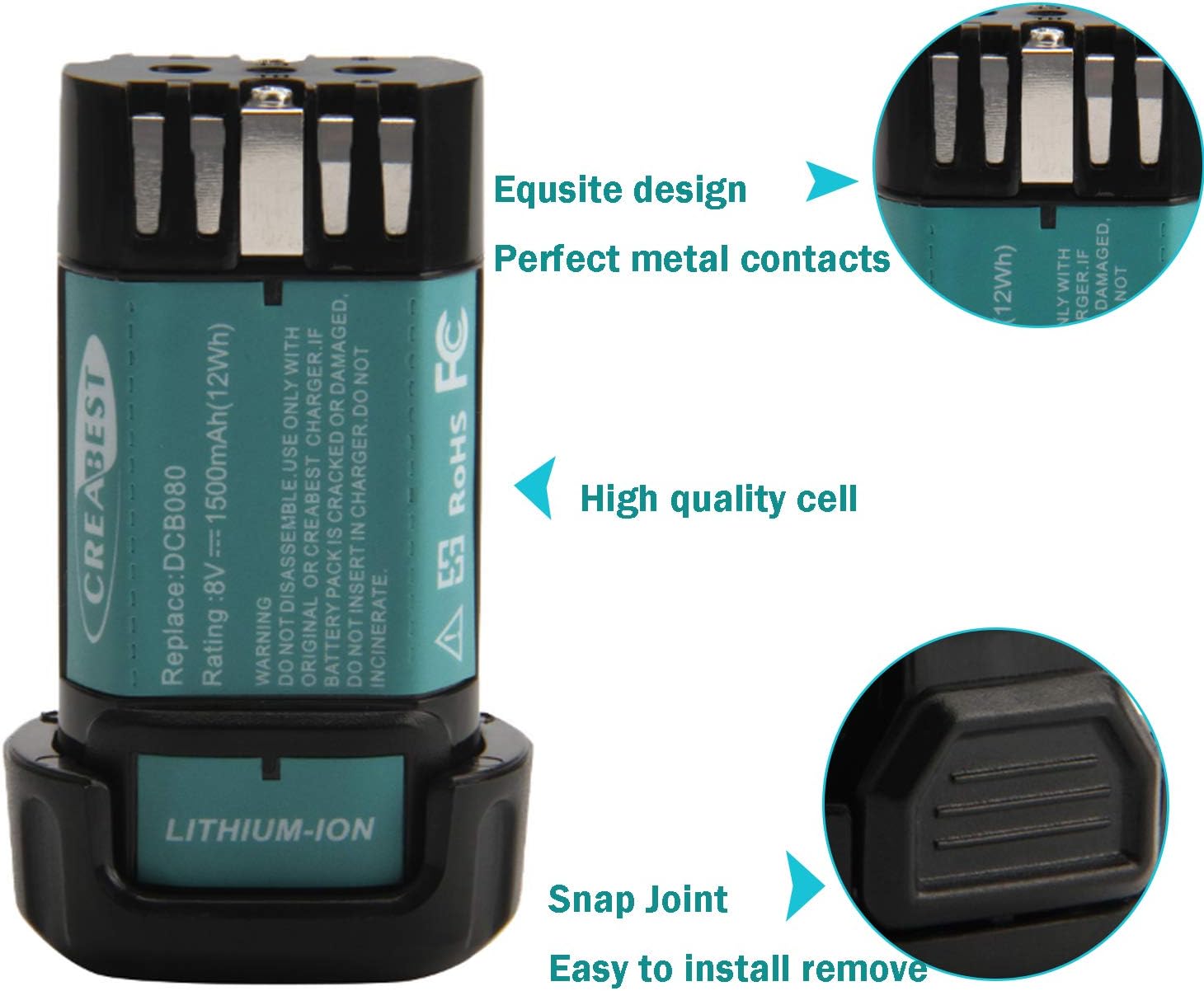
Image 3.1: Battery design features for easy installation.
4. Operating
4.1 General Use
Once installed, the CREABEST 8V MAX battery provides power to your compatible DEWALT cordless tool. The 8V voltage output and 1500mAh capacity ensure sufficient power for various applications such as drilling, sanding, and driving screws.

Image 4.1: CREABEST 8V MAX Battery powering compatible DEWALT tools.
4.2 Battery Life and Performance
This battery features high-quality cells for long-lasting performance. While in use, monitor your tool's performance. A noticeable decrease in power or speed indicates the battery may need recharging.

Image 4.2: Capacity comparison highlighting the 1500mAh capacity.
5. Maintenance
5.1 Charging Practices
- Always use a compatible charger.
- Do not overcharge the battery. Disconnect once fully charged.
- Avoid charging in extreme temperatures. Charge in a well-ventilated area between 40°F (4°C) and 105°F (40°C).
5.2 Cleaning and Storage
- Keep battery terminals clean and free of debris. Use a dry cloth to wipe them if necessary.
- Store the battery in a cool, dry place away from direct sunlight and moisture.
- For long-term storage, charge the battery to approximately 50% capacity. Avoid storing fully charged or completely discharged batteries for extended periods.
- Remove the battery from the tool when not in use for extended periods.
6. Troubleshooting
If you encounter issues with your CREABEST 8V MAX replacement battery, consider the following common solutions:
| Problem | Possible Cause | Solution |
|---|---|---|
| Battery not charging | Incompatible charger, damaged battery, dirty terminals, extreme temperature. | Ensure charger compatibility. Inspect battery for damage. Clean terminals. Charge in recommended temperature range. |
| Short run time | Battery not fully charged, old battery, heavy tool usage. | Ensure full charge. Consider battery age (lifespan varies). Reduce continuous heavy load. |
| Battery not fitting tool | Incorrect tool model, debris in slot. | Verify tool compatibility (refer to Section 1). Clean tool's battery slot. |
If problems persist after attempting these solutions, please contact CREABEST Customer Support for further assistance.
7. Specifications
Key technical specifications for the CREABEST 8V MAX 1500mAh Replacement Battery:
- Battery Type: Lithium Ion
- Voltage: 8V MAX
- Capacity: 1500mAh (12Wh)
- Item Model Number: DW011-010-B
- Product Dimensions: 0.79 x 1.57 x 1.97 inches
- Item Weight: 3.2 ounces
- Certifications: FCC, PSE, CE, RoHS
- Manufacturer: Creabest

Image 7.1: Visual summary of key battery specifications.
8. Warranty Information
CREABEST products are manufactured to high-quality standards. For specific warranty details regarding your 8V MAX replacement battery, please refer to the warranty card included with your purchase or visit the official CREABEST website. Keep your proof of purchase for warranty claims.
9. Customer Support
For any questions, technical assistance, or warranty inquiries, please contact CREABEST Customer Support. You can typically find contact information on the product packaging, the official CREABEST website, or through the retailer where the product was purchased.
We are committed to providing high-performance and user-friendly solutions, ensuring safe and efficient operations.