
Panasonic DC-GH5S
Panasonic LUMIX GH5S Body 4K Digital Camera Instruction Manual
Model: DC-GH5S
1. Introduction
This manual provides essential information for the safe and effective use of your Panasonic LUMIX GH5S Body 4K Digital Camera. Please read this manual thoroughly before using the camera and retain it for future reference. The LUMIX GH5S is a high-performance mirrorless camera designed for professional photo and video production, featuring a 10.2-megapixel Micro Four Thirds sensor, C4K/4K UHD video recording, and advanced connectivity options.
2. Safety Information
- Do not expose the camera to water or moisture. The camera is splash/dustproof, but not waterproof.
- Avoid extreme temperatures. Do not leave the camera in direct sunlight or in very cold environments.
- Use only genuine Panasonic accessories, including batteries and chargers.
- Keep the camera and its accessories out of reach of children.
- Do not attempt to disassemble or modify the camera. Refer servicing to qualified personnel.
3. Package Contents
Verify that all items are present in your camera package:
- Panasonic LUMIX GH5S Camera Body
- Battery Pack
- Battery Charger (AC Adaptor)
- Body Cap
- Hot Shoe Cover
- Eye Cup
- Flash Synchro Socket Cap
- Cover for the Battery Grip Connector
- USB Connection Cable
- Shoulder Strap
- Cable Holder
- BNC Converter Cable
4. Camera Overview
4.1 Front View

This image displays the front of the LUMIX GH5S camera body, highlighting the lens mount, the 'GH5S' branding, and the front function buttons. The Micro Four Thirds lens mount is central, ready for lens attachment.
4.2 Rear View
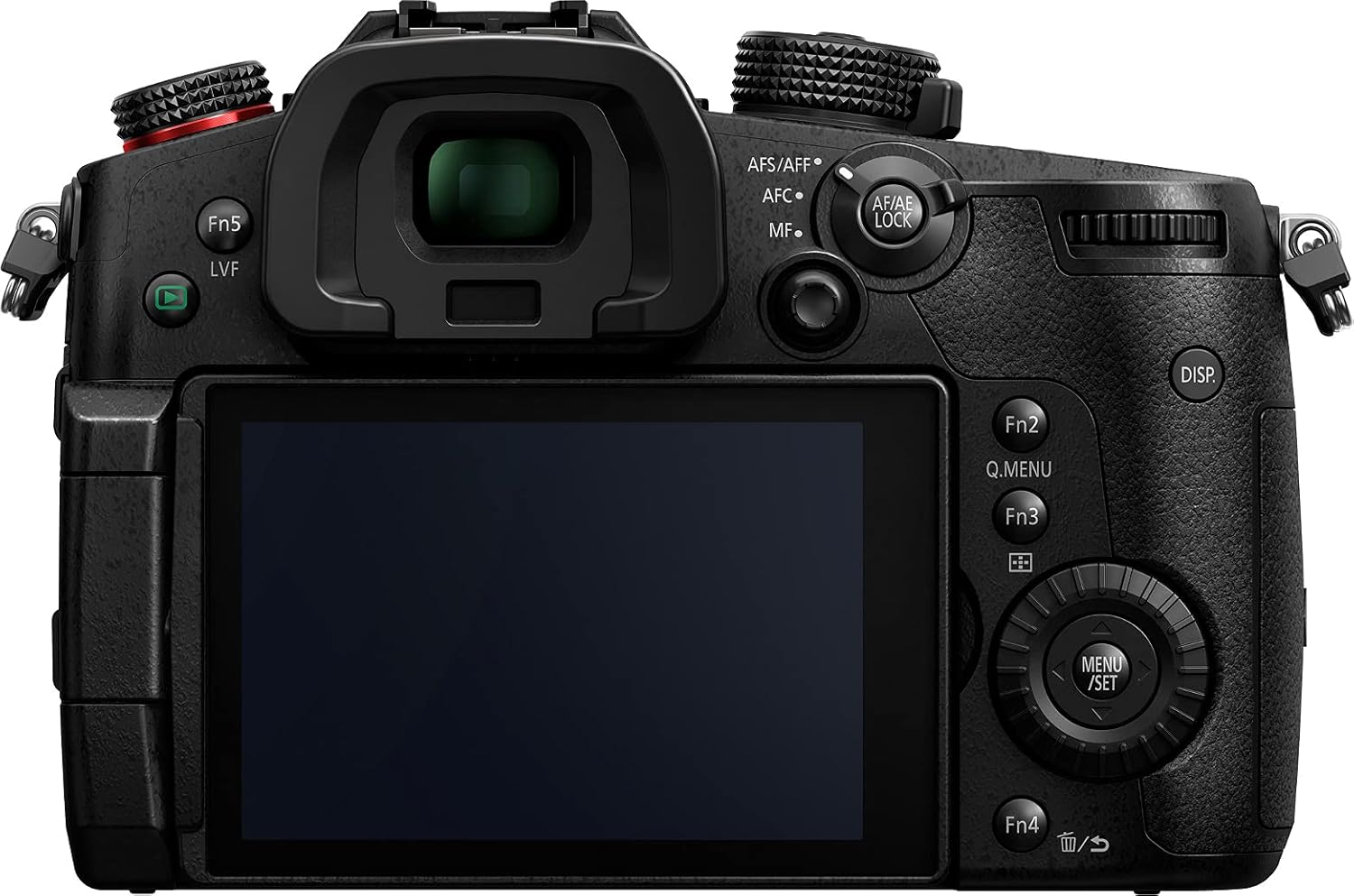
The rear view shows the electronic viewfinder (EVF), the articulating LCD touchscreen, and various control buttons including the joystick, AF/AE LOCK, MENU/SET, and function buttons (Fn1-Fn5).
4.3 Top View
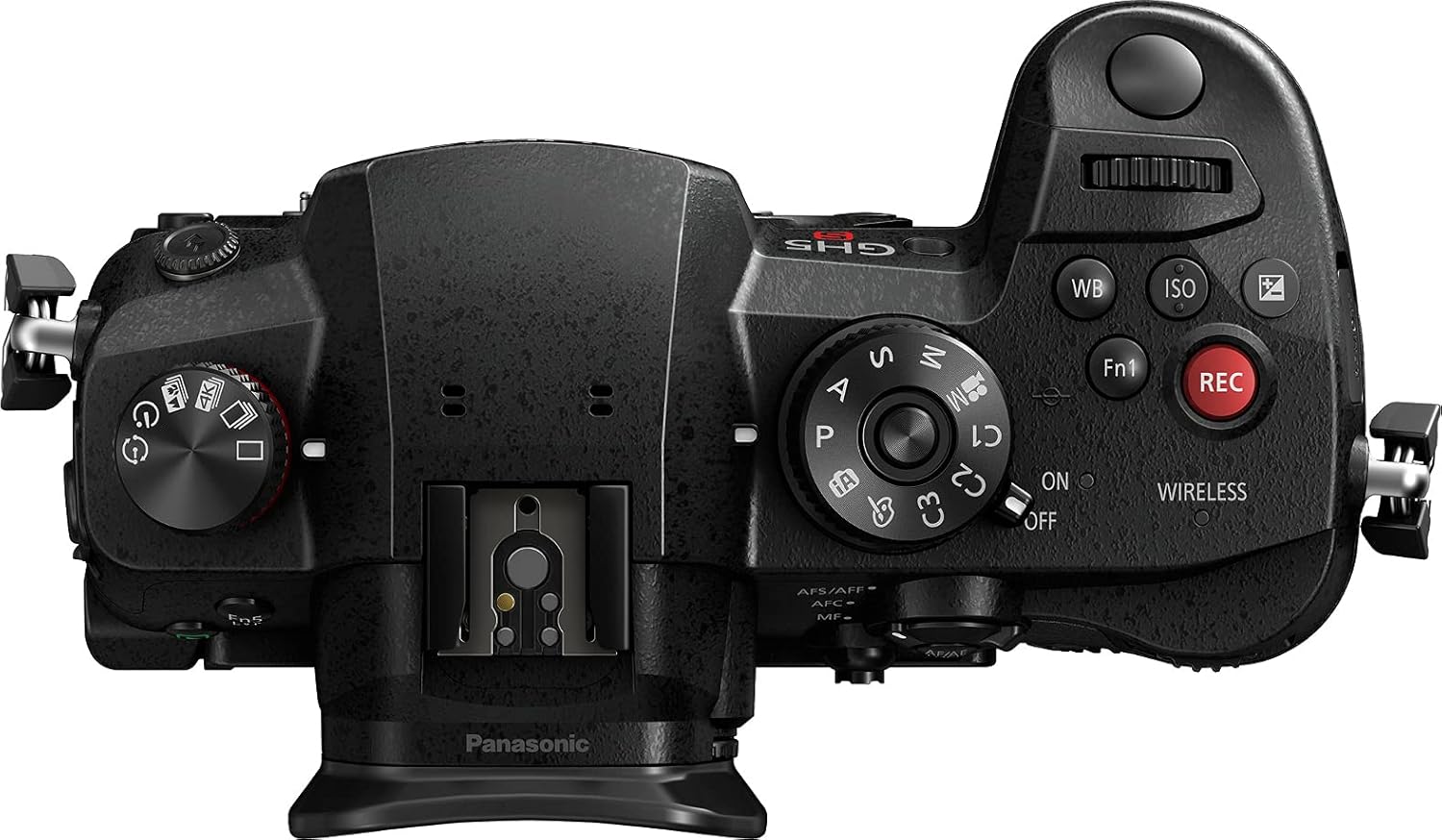
From the top, the camera's mode dial (P, A, S, M, C1, C2, C3), hot shoe, power switch, and dedicated video record button (REC) are visible. Dials for ISO and White Balance are also present.
4.4 Side View (Ports)
This image illustrates the left side of the camera, revealing the covered ports for HDMI (Type A), USB-C 3.1, 3.5mm microphone input, and 3.5mm headphone output.
4.5 Side View (SD Card Slots)
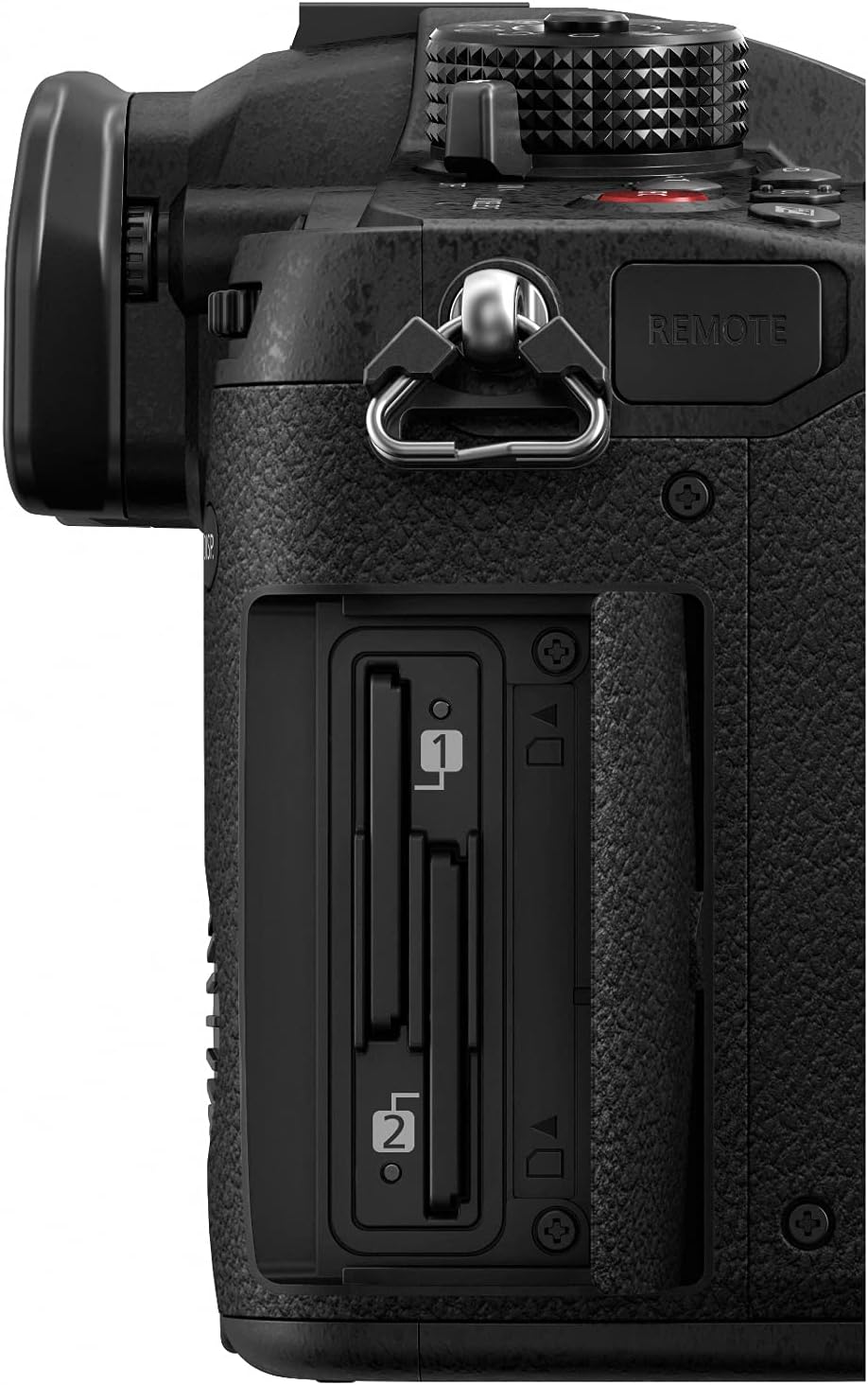
The right side of the camera features the dual SD card slots, compatible with UHS-II U3 cards, allowing for flexible recording options.
5. Setup
5.1 Charging the Battery
- Insert the battery pack into the supplied battery charger.
- Connect the AC adaptor to the charger and plug it into a power outlet.
- The charging indicator will illuminate during charging and turn off when complete.
5.2 Inserting the Battery and SD Card
- Open the battery compartment cover on the bottom of the camera.
- Insert the charged battery pack until it clicks into place.
- Open the SD card slot cover on the side of the camera.
- Insert the SD memory card(s) into the slots until they click. Ensure the card is facing the correct direction.
- Close both covers securely.
5.3 Attaching a Lens
- Remove the body cap from the camera and the rear cap from the lens.
- Align the mounting marks on the lens and the camera body.
- Turn the lens clockwise until it clicks into place.
6. Operating the Camera
6.1 Power On/Off
Slide the power switch located on the top of the camera to the 'ON' or 'OFF' position.
6.2 Basic Shooting Modes
Rotate the mode dial on the top of the camera to select your desired shooting mode:
- P (Program AE): The camera automatically sets aperture and shutter speed.
- A (Aperture Priority AE): You set the aperture, and the camera sets the shutter speed.
- S (Shutter Priority AE): You set the shutter speed, and the camera sets the aperture.
- M (Manual Exposure): You set both aperture and shutter speed.
- C1, C2, C3 (Custom Modes): Register frequently used settings for quick recall.
6.3 Recording Video
Press the dedicated red 'REC' button on the top of the camera to start and stop video recording. The GH5S supports various C4K/4K UHD recording formats, including 60p/50p 8-bit and 30p/25p/24p 4:2:2 10-bit internally.
6.4 Using the LCD and Viewfinder
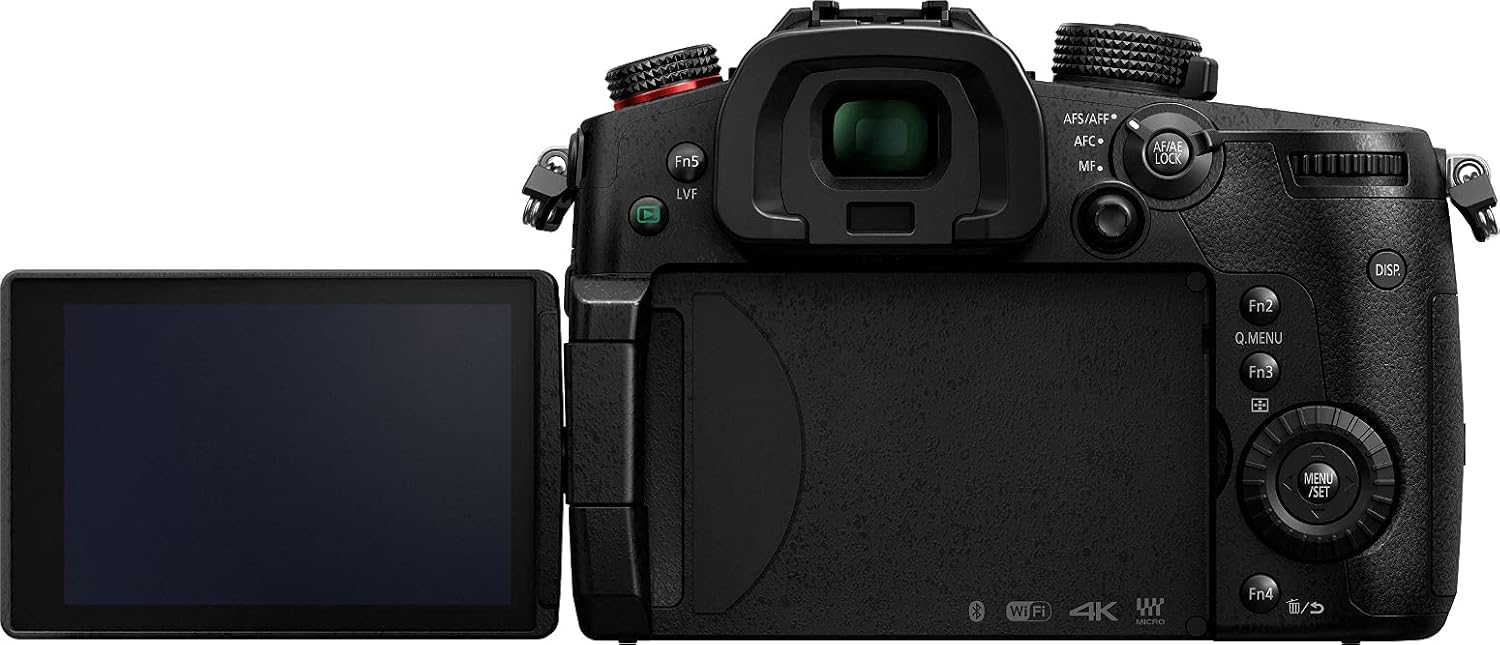
The 3.2-inch articulating LCD touchscreen can be rotated for various viewing angles. The high-resolution OLED electronic viewfinder (EVF) provides a clear view, especially in bright conditions.
7. Advanced Features
7.1 Dual Native ISO
The GH5S features Dual Native ISO technology, which significantly improves low-light performance and dynamic range by having two native ISO circuits. This allows for cleaner images at higher ISO settings.
7.2 V-LogL and HDR Hybrid Log Gamma
The camera comes pre-installed with V-LogL for maximum dynamic range and color grading flexibility in post-production. HDR Hybrid Log Gamma (HLG) is also available for capturing high dynamic range video.
7.3 Anamorphic Video Mode
The GH5S supports Anamorphic video recording, allowing for cinematic widescreen aspect ratios when used with compatible anamorphic lenses.
8. Connectivity
- HDMI (Type A): For external monitor connection or recording to an external recorder.
- USB-C 3.1: For data transfer and camera control.
- TC In/Out/Synchro Terminal: For time code synchronization with other devices (via included BNC cable).
- 3.5mm Microphone Jack: For connecting an external microphone.
- 3.5mm Headphone Jack: For audio monitoring during recording.
- 2.5mm Remote Socket: For connecting a remote control.
- Wi-Fi and Bluetooth: For wireless control and image transfer via the Panasonic Image App.
9. Maintenance
9.1 Cleaning the Camera
- Use a soft, dry cloth to clean the camera body.
- For the lens and sensor, use a blower brush to remove dust, followed by a lens cleaning solution and cloth if necessary. Avoid touching the sensor directly.
- Clean the LCD screen with a soft, lint-free cloth.
9.2 Battery Care
- Store batteries in a cool, dry place when not in use.
- Do not fully discharge batteries for extended periods.
- Replace batteries when their performance significantly degrades.
9.3 Storage
When storing the camera for an extended period, remove the battery and memory card. Store the camera in a dry, well-ventilated area, preferably with a desiccant to prevent mold and mildew.
10. Troubleshooting
10.1 Camera Does Not Power On
- Ensure the battery is fully charged and correctly inserted.
- Check that the battery compartment cover is securely closed.
10.2 Memory Card Error
- Ensure the memory card is correctly inserted.
- Try formatting the memory card (this will erase all data).
- Use a different memory card to rule out card malfunction.
10.3 Image Quality Issues
- Check lens cleanliness and ensure it is properly attached.
- Verify camera settings such as ISO, aperture, and shutter speed are appropriate for the lighting conditions.
- Clean the camera sensor if dust spots appear in images.
11. Specifications
| Model Name | Panasonic LUMIX GH5S (DC-GH5S) |
| Sensor Type | 10.2 MP High-Sensitivity MOS Sensor |
| Lens Mount | Micro Four Thirds |
| Video Recording | C4K: 60p/50p 8-bit, 30p/25p/24p 4:2:2 10-bit; 4K: 60p/50p 4:2:0 8-bit, 30p/25p/24p 4:2:2 10-bit |
| ISO Sensitivity | Dual Native ISO, Expanded ISO Minimum 90, Maximum 51200 |
| Image Stabilization | Digital, Dynamic, Hybrid |
| LCD Screen | 3.2-inch Articulating Touchscreen LCD (1,620,000 dots) |
| Viewfinder | OLED Electronic Viewfinder (3,680,000 dots, 0.76x magnification) |
| Memory Card Slots | Dual SD Card Slots (UHS-II U3 compatible) |
| Connectivity | HDMI Type A, USB-C 3.1, TC In/Out/Synchro, 3.5mm Mic, 3.5mm Headphone, 2.5mm Remote, Wi-Fi, Bluetooth |
| Weight | 1.5 Pounds (approx. 680g) |
| Water Resistance Level | Water Resistant (Splash/Dustproof) |
12. Warranty and Support
The Panasonic LUMIX GH5S is covered by a manufacturer's warranty. Please refer to the warranty card included in your package for specific terms and conditions. For technical support, service, or additional information, please visit the official Panasonic website or contact their customer service department.
You can also find more information and accessories at the Panasonic Store.