
Introduction
This manual provides instructions for the AULCMEET replacement remote control, compatible with various VIZIO Sound Bar Home Theater models including VSB200, VSB210, VSB210WS, VSB211, VSB211WS, VSB205, VSB206, and VSB207. This remote is designed for immediate use without complex programming.
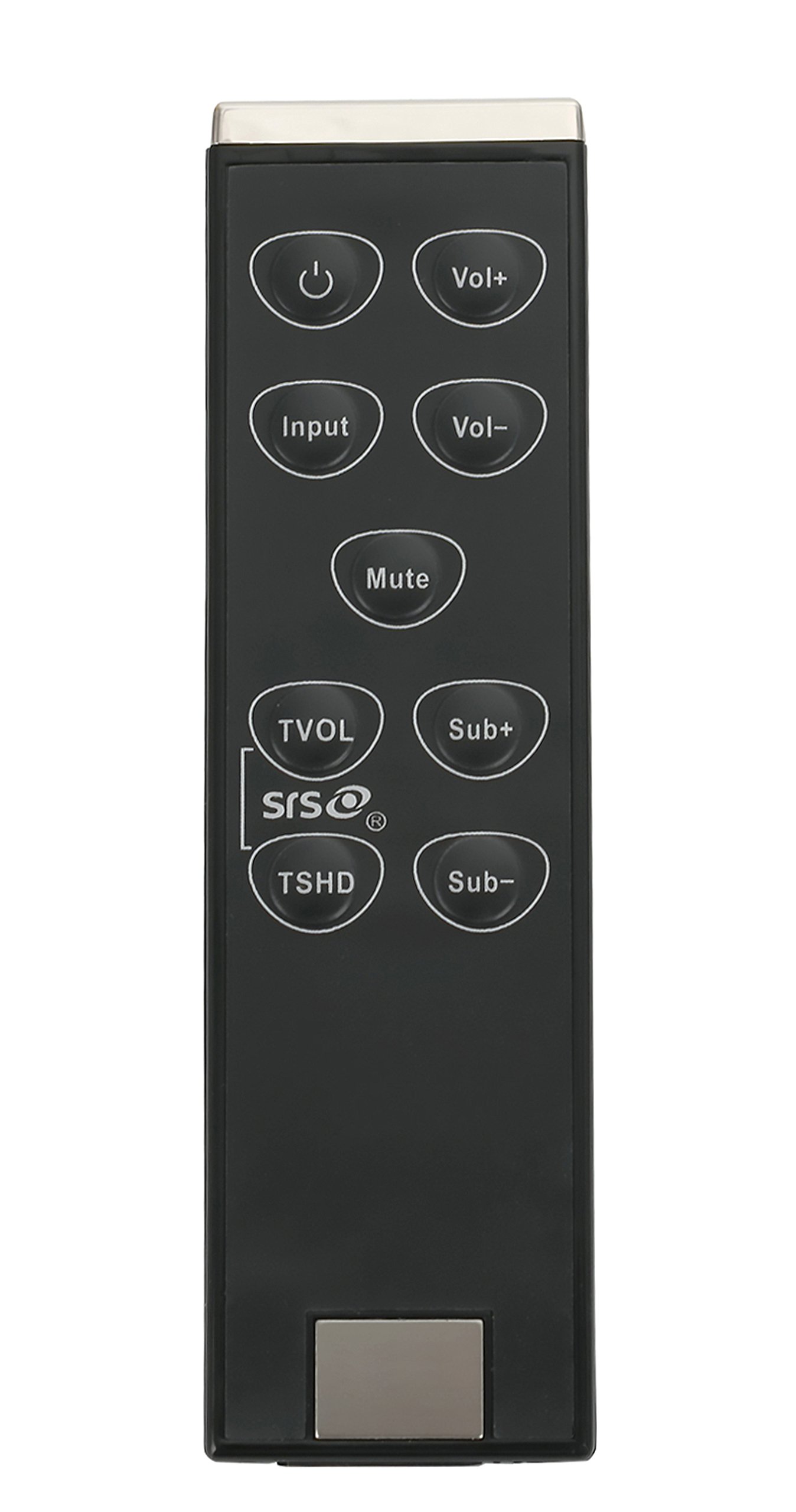
This image shows the AULCMEET replacement remote control, designed for VIZIO Sound Bar models VSB200, VSB210, VSB210WS, VSB211, VSB211WS, VSB205, VSB206, and VSB207. The remote features a standard button layout for soundbar functions.
Setup
1. Battery Installation
- Locate the battery compartment on the back of the remote control.
- Slide the battery compartment cover downwards or in the direction indicated by an arrow to open it.
- Insert two (2) AAA batteries, ensuring the positive (+) and negative (-) terminals align correctly with the markings inside the compartment.
- Replace the battery compartment cover by sliding it back into place until it clicks securely.
2. Initial Use
This AULCMEET replacement remote control requires no programming. Once batteries are correctly installed, it is ready for immediate use with compatible VIZIO Sound Bar Home Theater systems.
Operating the Remote
The remote control features 30 buttons designed to control your VIZIO Sound Bar. Common functions include:
- Power Button: Turns the soundbar on or off.
- Volume Up/Down: Adjusts the master volume level.
- Mute Button: Silences the soundbar output.
- Input/Source Button: Cycles through available audio input sources (e.g., Optical, Coaxial, Analog, Bluetooth).
- Bass/Treble Controls: Adjusts bass and treble levels (if supported by your soundbar model).
- Surround/EQ Modes: Selects different audio modes or equalizer presets.
Refer to your VIZIO Sound Bar's original manual for specific button functions if you encounter any unfamiliar controls.
Maintenance
Cleaning
To clean the remote control, use a soft, dry cloth. Do not use liquid cleaners, sprays, or abrasive materials, as these may damage the remote's surface or internal components.
Battery Replacement
Replace batteries when the remote's response becomes inconsistent or stops working. Always replace both AAA batteries at the same time with new ones. Do not mix old and new batteries, or different types of batteries.
Troubleshooting
- Remote Not Responding:
- Ensure batteries are installed correctly with proper polarity (+/-).
- Replace old batteries with new AAA batteries.
- Check for any obstructions between the remote and the soundbar's infrared (IR) receiver.
- Ensure the soundbar is powered on.
- Short Operating Range:
- Replace batteries with new ones.
- Ensure there are no strong light sources (like direct sunlight or fluorescent lights) interfering with the IR signal.
Specifications
| Brand | AULCMEET |
| Model Number | VSB210WS VSB200 VSB210 |
| Compatible Devices | VIZIO Sound Bar Home Theater (VSB200, VSB210, VSB210WS, VSB211, VSB211WS, VSB205, VSB206, VSB207) |
| Connectivity Technology | Infrared (IR) |
| Number of Buttons | 30 |
| Maximum Range | 33 Feet (10 meters) |
| Batteries Required | 2 x AAA (not included) |
| Item Dimensions (L x W x H) | 5" x 1" x 0.5" (approximately) |
| Special Feature | Ergonomic design |
Warranty Information
Specific warranty details for this replacement remote control may vary. Please refer to the product packaging or contact the seller directly for information regarding warranty coverage and terms.
Customer Support
If you experience any issues or have questions regarding your AULCMEET replacement remote control, please contact the retailer or manufacturer's customer support. Provide your product model number (VSB210WS VSB200 VSB210) and any relevant purchase details for efficient assistance.