
1. Introduction
This manual provides essential instructions for the safe and effective installation, operation, and maintenance of your BulbAmerica Replacement Projector Lamp for the NEC NP44LP projector. This lamp assembly includes a genuine OEM bulb housed within a compatible frame, designed to meet the exact specifications of your projector for optimal brightness, longevity, and performance.
2. Safety Information
Please read and understand all safety precautions before handling or installing the projector lamp. Failure to follow these instructions may result in injury or damage to the product or projector.
- High Temperature: Projector lamps operate at extremely high temperatures. Always allow the projector and lamp to cool completely (at least 60 minutes) before attempting removal or installation.
- High Pressure: The lamp contains high-pressure mercury vapor. Handle with care. If the lamp breaks, avoid direct contact with broken glass or mercury. Ventilate the area and dispose of materials according to local regulations.
- Electrical Shock: Always disconnect the projector from the power outlet before opening the lamp compartment or performing any maintenance.
- Do Not Touch Bulb: Avoid touching the glass surface of the bulb with bare hands. Oils from your skin can cause hot spots and reduce lamp life. Use gloves or a clean cloth if necessary.
- Proper Disposal: This product contains mercury. Dispose of the used lamp according to local, state, and federal laws. Do not discard with regular household waste.

Figure 2.1: Top view of the lamp housing showing important safety and disposal warnings.
3. Package Contents
Verify that your package contains the following items:
- One (1) BulbAmerica Replacement Projector Lamp for NEC NP44LP (Housing Assembly with Original OEM Bulb)
4. Setup and Installation
Follow these steps to safely replace the projector lamp:
- Power Off and Unplug: Turn off the projector and disconnect the power cord from the electrical outlet.
- Allow to Cool: Wait at least 60 minutes for the projector and the old lamp to cool down completely. Attempting to remove a hot lamp can cause severe burns.
- Locate Lamp Compartment: Refer to your projector's user manual to locate the lamp compartment cover. This is typically found on the side, top, or bottom of the projector.
- Remove Lamp Cover: Unscrew the retaining screw(s) for the lamp cover and carefully remove the cover.
- Remove Old Lamp: Loosen the screw(s) that secure the lamp module in place. Gently grasp the handle or designated area on the old lamp module and pull it straight out of the projector. Do not force it.
- Install New Lamp: Carefully insert the new BulbAmerica lamp module into the projector, ensuring it slides smoothly and is seated firmly in place. Do not force the lamp.
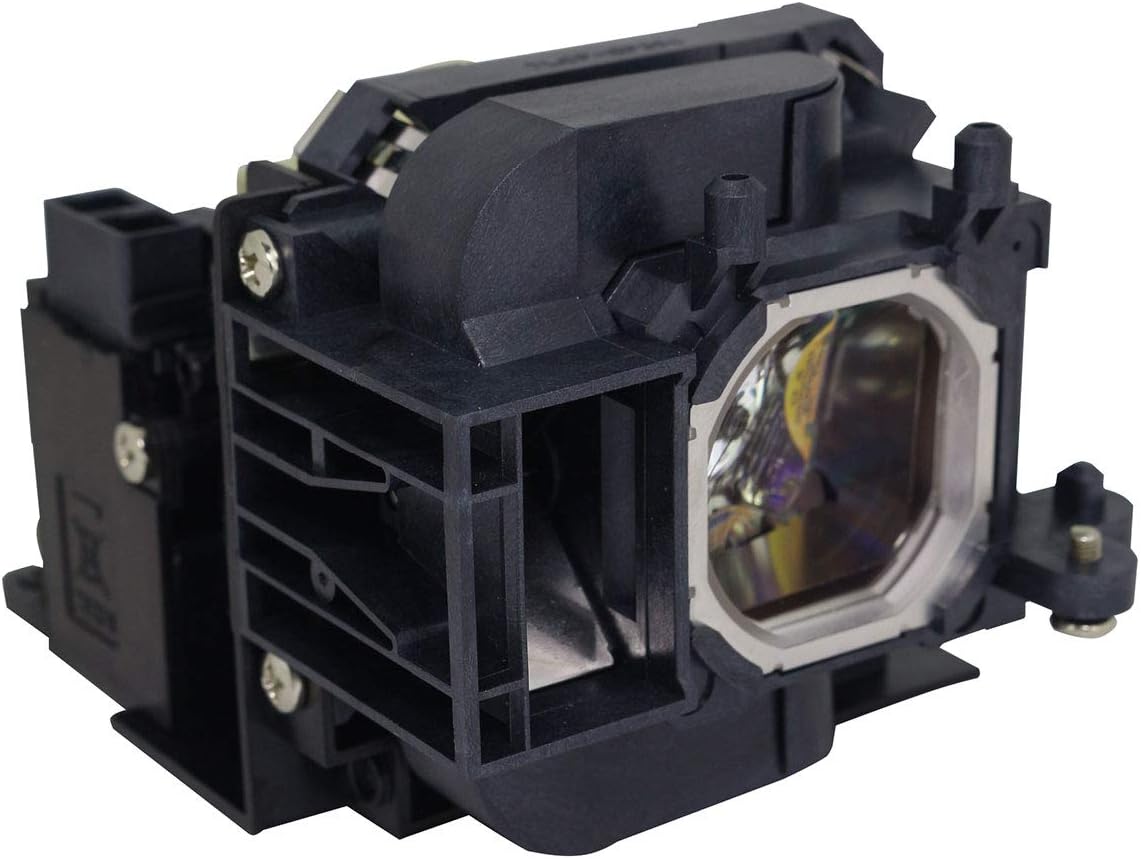
Figure 4.1: BulbAmerica Projector Lamp Assembly for NEC NP44LP.
- Secure New Lamp: Tighten the screw(s) to secure the new lamp module.
- Replace Lamp Cover: Reattach the lamp compartment cover and secure it with its screw(s).
- Reconnect Power: Plug the projector's power cord back into the electrical outlet.
- Reset Lamp Timer: It is crucial to reset the lamp hour timer in your projector's menu system after installing a new lamp. Refer to your projector's user manual for specific instructions on how to reset the lamp timer. Failure to reset the timer may result in inaccurate lamp life readings or premature lamp warning indicators.
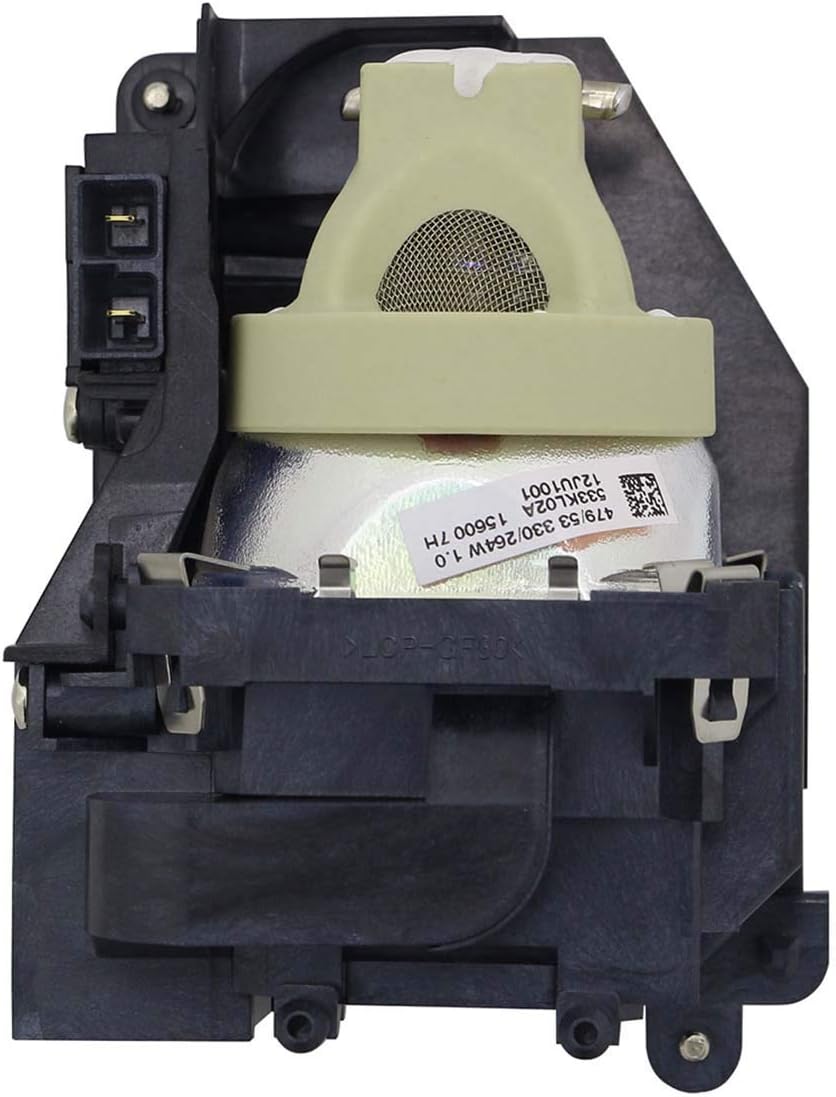
Figure 4.2: Close-up view of the OEM bulb within the lamp housing.
5. Operating Instructions
Once the new lamp is installed and the lamp timer is reset, the projector is ready for normal operation. The lamp will function automatically when the projector is powered on. Always ensure proper ventilation around the projector during operation to prevent overheating.
6. Maintenance
Proper maintenance can help extend the life of your projector lamp and ensure consistent performance:
- Cool Down Period: Always allow the projector to complete its cool-down cycle after use before unplugging it or moving it. Abrupt power-offs can significantly reduce lamp life.
- Clean Air Filters: Regularly clean or replace the projector's air filters as recommended by the projector manufacturer. Clogged filters can lead to overheating and premature lamp failure.
- Environmental Conditions: Operate the projector in a clean, dust-free environment with adequate ventilation. Avoid extreme temperatures or humidity.
7. Troubleshooting
If you encounter issues after installing the new lamp, consider the following:
- Lamp Not Lighting:
- Ensure the lamp module is fully seated and secured.
- Verify the lamp compartment cover is correctly installed and secured. Many projectors have a safety switch that prevents operation if the cover is open.
- Check if the lamp timer was reset.
- Dim Image:
- Confirm the projector is in the correct display mode (e.g., Bright, Presentation).
- Check for dust on the projector lens or internal optics (refer to projector manual for cleaning).
- Lamp Warning Light:
- Ensure the lamp timer was properly reset after installation.
- If the warning persists, consult your projector's user manual for specific error codes or indicators.
If problems persist, contact BulbAmerica customer support.
8. Specifications
| Feature | Detail |
|---|---|
| Brand | BulbAmerica |
| Model Number | NP44LP |
| Voltage | 120 Volts |
| Item Weight | 1.5 Pounds |
| UPC | 675650244434 |
| GTIN | 675650244434 |
| Part Number | NP44LP |
| Specific Uses | Projector Lamp |
9. Warranty Information
The BulbAmerica Replacement Projector Lamp for NEC NP44LP is covered by a 180-day warranty. This warranty protects against any defective products from the date of purchase. Please retain your proof of purchase for warranty claims.
10. Support
For technical assistance, warranty claims, or any questions regarding your BulbAmerica projector lamp, please contact BulbAmerica customer support through their official website or the retailer where the product was purchased.