
Schumacher Electric SC1341
Schumacher Electric SC1341 4-in-1 Battery Charger and Engine Starter User Manual
Model: SC1341
1. Introduction
The Schumacher Electric SC1341 is a versatile 4-in-1 device designed for comprehensive battery management. It functions as an engine starter, battery charger, battery maintainer, and desulfator. This unit is engineered for reliability and ease of use, making it suitable for various 12V battery types including standard, AGM, gel, and deep-cycle batteries found in cars, trucks, and marine vehicles.
This manual provides essential information for the safe and effective operation, maintenance, and troubleshooting of your SC1341 unit. Please read it thoroughly before first use.

Figure 1: The Schumacher SC1341 offers four key functions: engine starting, battery charging, desulfation, and battery maintaining.
2. Safety Information
Always prioritize safety when operating electrical equipment. Failure to follow these instructions may result in electric shock, fire, or serious injury.
- Read all instructions before using the product.
- Do not expose the unit to rain or wet conditions.
- Ensure proper ventilation during operation to prevent overheating.
- Wear eye protection and protective clothing when working with batteries.
- Keep out of reach of children.
- Disconnect power before making or breaking connections to the battery.
- Avoid touching uninsulated battery clamps or wires.
- This product contains chemicals known to the State of California to cause cancer and birth defects or other reproductive harm. Wash hands after handling.
3. What's Included
Your Schumacher Electric SC1341 package includes the following items:
- Schumacher Electric SC1341 4-in-1 6A Battery Charger and 100A Engine Starter Unit
- Heavy-duty booster cables with color-coded clamps (red for positive, black for negative)
- User Manual

Figure 2: The SC1341 unit with its included booster cables.
4. Product Overview
The SC1341 is designed for intuitive operation with clear indicators and robust construction.

Figure 3: Front view of the SC1341 unit, highlighting the control panel and clamps.
4.1. Controls and Indicators
The unit features a user-friendly interface with LED indicators and push-button controls.

Figure 4: Key components and controls of the SC1341 unit.
- Battery Type Button: Selects the appropriate battery chemistry (Standard, AGM, Gel, Deep-Cycle).
- Start/Stop Button: Initiates or terminates the charging/starting process.
- Rate Selection Button: Cycles through available amperage rates (100A Engine Start, 20A Boost, 6A Charge, 2A Maintain).
- LED Indicators: Provide visual feedback on charging status, battery type, and selected rate.
- Tough Metal Case: Ensures durability and longevity.
- Color-Coded Clamps: Heavy-duty clamps for secure and correct battery connections.
4.2. Dimensions and Weight
The compact design of the SC1341 allows for easy storage and portability.
- Product Dimensions: 5.38"D x 11.25"W x 11"H
- Item Weight: 13.79 pounds

Figure 5: The compact footprint of the SC1341 for easy handling and storage.
5. Setup
Before operating the SC1341, ensure the unit is placed on a stable, dry surface away from flammable materials. Follow these steps for initial setup:
- Unpack the SC1341 unit and all accessories.
- Inspect the unit and cables for any signs of damage. Do not use if damaged.
- Ensure the area is well-ventilated.
- Connect the AC power cord to a standard 120V AC outlet. The unit will power on and enter standby mode.
6. Operating Instructions
The SC1341 offers multiple operating modes for various battery needs. Always ensure correct polarity when connecting to a battery.
6.1. Connecting to a Battery
- Ensure the SC1341 is unplugged from the AC outlet.
- Connect the red positive (+) clamp to the positive terminal of the battery.
- Connect the black negative (-) clamp to the negative terminal of the battery. For vehicles, connect the negative clamp to the vehicle chassis or engine block away from the battery.
- Once clamps are securely attached, plug the SC1341 into a 120V AC outlet.
Video 1: Demonstration of connecting the Schumacher SC1341 battery charger to a vehicle battery and selecting the operating mode.
6.2. Battery Charging (6A)
This mode is for regular charging of 12V batteries.
- Connect the unit to the battery as described in Section 6.1.
- Use the Rate Selection Button to choose the 6A charge rate.
- Use the Battery Type Button to select the correct battery type (Standard, AGM, Gel, Deep-Cycle).
- Press the Start/Stop Button to begin charging. The unit will automatically adjust the charging process and indicate progress via LED lights.
- Once fully charged, the unit will automatically switch to Maintain Mode.
6.3. Engine Starting (100A)
The 100A engine start feature provides a quick burst of power to start vehicles with a weak battery.
- Connect the unit to the battery as described in Section 6.1.
- Ensure the vehicle's ignition and all accessories are off.
- Use the Rate Selection Button to choose the 100A engine start rate.
- Press the Start/Stop Button.
- Attempt to start the vehicle. If the vehicle does not start after 5 seconds, wait 3 minutes before attempting again to allow the unit to cool.
- Once the vehicle starts, immediately disconnect the AC power, then the negative clamp, followed by the positive clamp.
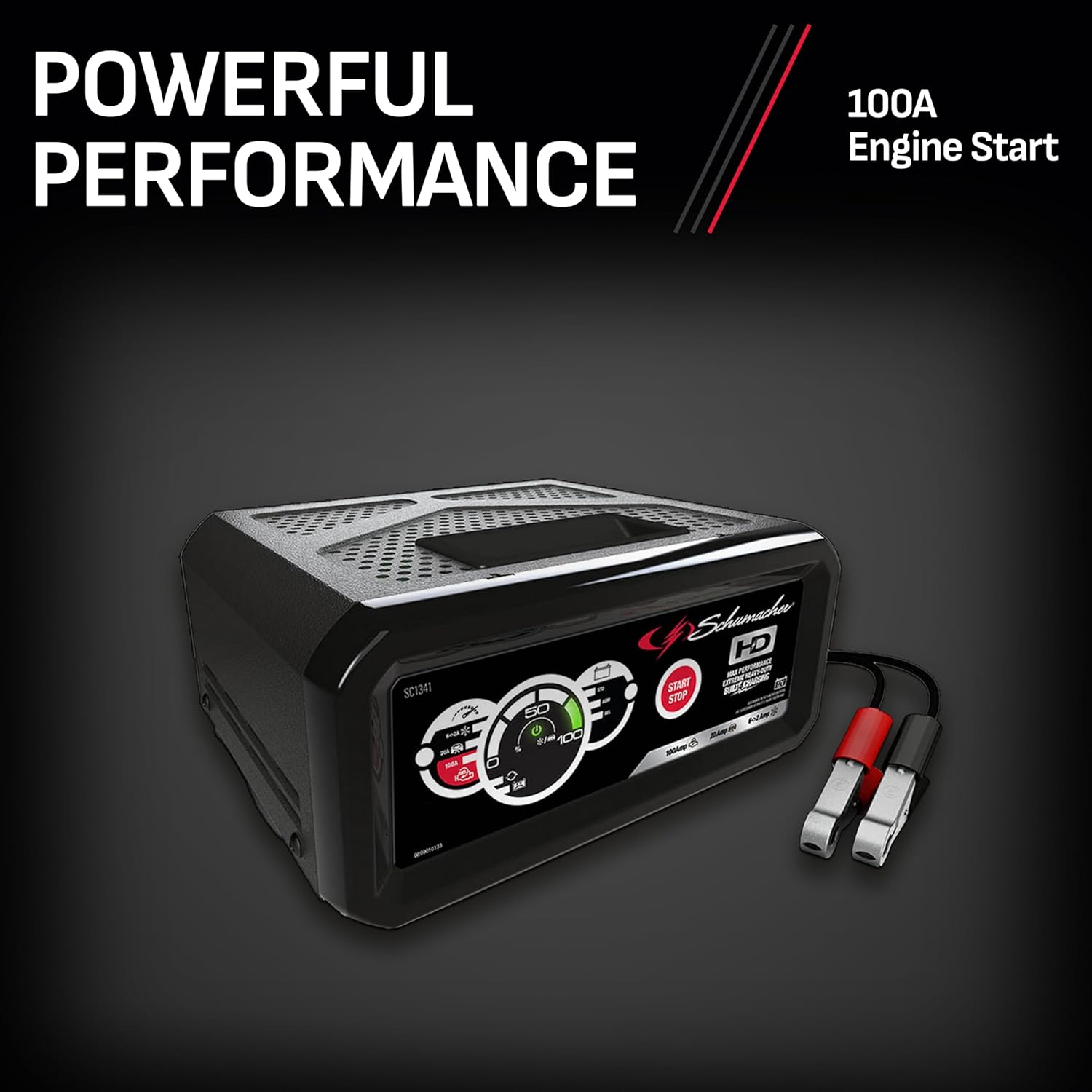
Figure 6: The SC1341 providing engine start power to a vehicle.
6.4. Boost Mode (20A)
The 20A boost mode provides a rapid charge to deeply discharged batteries, preparing them for engine starting or full charging.
- Connect the unit to the battery as described in Section 6.1.
- Use the Rate Selection Button to choose the 20A boost rate.
- Use the Battery Type Button to select the correct battery type.
- Press the Start/Stop Button to begin boosting. The unit will automatically transition to a lower charge rate or maintain mode once the battery has received sufficient boost.
6.5. Battery Maintainer (2A)
The 2A maintain mode keeps a battery at optimal charge without overcharging, ideal for long-term storage.
- Connect the unit to the battery as described in Section 6.1.
- Use the Rate Selection Button to choose the 2A maintain rate.
- Use the Battery Type Button to select the correct battery type.
- Press the Start/Stop Button. The unit will monitor the battery and provide a trickle charge as needed.

Figure 7: The SC1341 in operation, maintaining a vehicle battery.
7. Maintenance
Proper maintenance ensures the longevity and optimal performance of your SC1341 unit.
- Cleaning: Disconnect the unit from power and battery. Wipe the case and cables with a dry cloth. Do not use solvents or abrasive cleaners.
- Cable Care: Inspect cables and clamps regularly for damage, fraying, or corrosion. Replace if necessary.
- Storage: Store the unit in a cool, dry place when not in use. Coil cables neatly to prevent tangling and damage.
8. Troubleshooting
If you encounter issues with your SC1341, refer to the following common problems and solutions:
| Problem | Possible Cause | Solution |
|---|---|---|
| Unit does not power on. | No AC power; faulty outlet. | Check AC power connection; try a different outlet. |
| Charging/Starting does not begin. | Incorrect battery connection (reverse polarity); battery too deeply discharged; unit fault. | Verify clamp connections (red to positive, black to negative); allow unit to attempt desulfation (if applicable); contact customer support if issue persists. |
| Unit overheats. | Poor ventilation; prolonged high-amperage use. | Ensure adequate airflow around the unit; allow unit to cool down before resuming operation. |
| Battery not fully charged after extended time. | Battery sulfation; battery capacity too large for selected rate; faulty battery. | Ensure correct battery type is selected; consider professional battery testing; unit may be attempting desulfation. |
9. Specifications
| Feature | Detail |
|---|---|
| Model | SC1341 |
| Input Voltage | 120V AC |
| Output Voltage | 12V DC |
| Engine Start Amperage | 100A |
| Boost Amperage | 20A |
| Charge Amperage | 6A |
| Maintain Amperage | 2A |
| Compatible Battery Types | Standard, AGM, Gel, Deep-Cycle (12V) |
| Microprocessor Controlled | Yes |
| Multi-Stage Charging | Yes |
| Float Mode Monitoring | Yes |
| Bad Battery Detection | Yes |
| Reverse Hook-Up Protection | Yes |
| Safety Certification | UL Listed |
| Product Dimensions | 5.38"D x 11.25"W x 11"H |
| Item Weight | 13.79 pounds |
10. Warranty and Support
Schumacher Electric products are built to last and are backed by a manufacturer's warranty. For specific warranty details, please refer to the warranty card included with your product or visit the official Schumacher Electric website.
For technical support, troubleshooting assistance, or to inquire about replacement parts, please contact Schumacher Electric Customer Service. Contact information can typically be found on the product packaging or the official website.
Online Resources: For additional information, FAQs, and product registration, visit the Schumacher Electric Store on Amazon.