
1. Product Overview
The Pangea Audio Prime Interconnect Cable is designed for high-fidelity audio signal transmission between components. It features a simple yet effective design, utilizing carefully selected premium materials to ensure optimal performance.
Key features include:
- 99.99% pure oxygen-free copper conductors for clear signal transfer.
- Double-sided AL/Mylar shield to reduce RF and EM interference.
- Advanced foamed PE insulation with tiny air bubbles to minimize dielectric absorption.
- Non-magnetic and non-ferrous RCA covers with a metallic finish.
- Gold-plated machined brass conductors with Polyoxymethylene (POM) insulator for durable, high-quality connections.
- Split RCA center pin design for improved positive conductor connection.
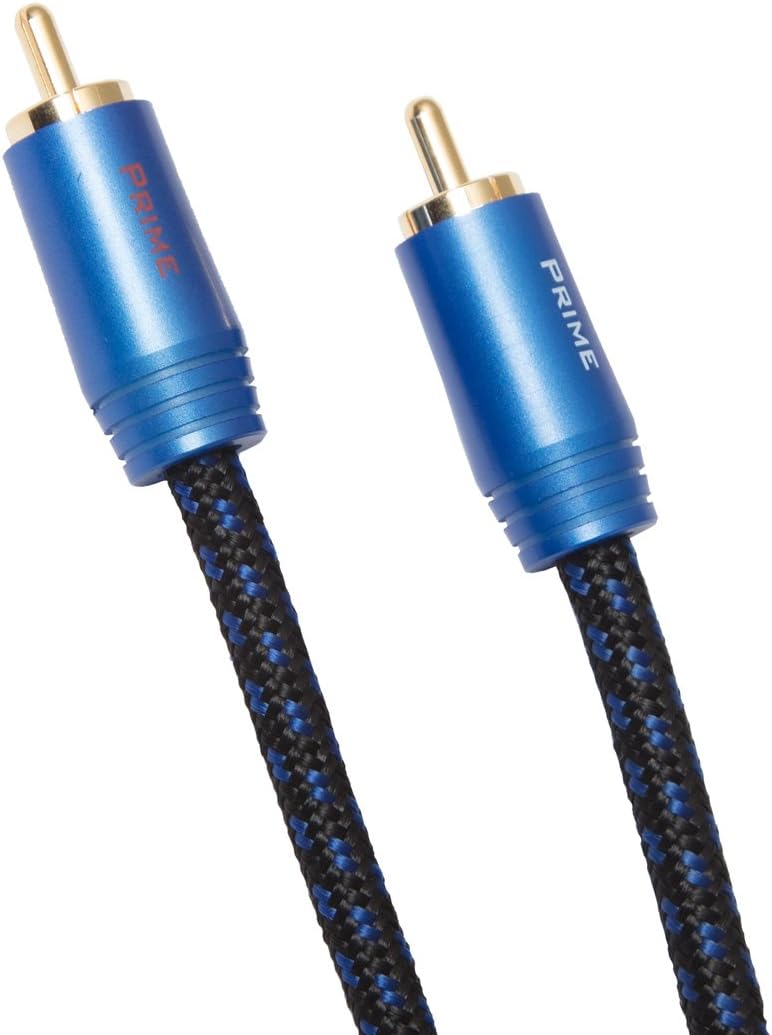
Figure 1: Pangea Audio Prime Interconnect Cable RCA to RCA. This image displays a pair of blue and black braided cables with gold-plated RCA connectors, highlighting the product's design and construction.
2. Setup Instructions
This section details the proper connection of your Pangea Audio Prime Interconnect Cables to your audio components.
- Identify Components: Locate the RCA output jacks on your source component (e.g., CD player, preamplifier) and the RCA input jacks on your receiving component (e.g., amplifier, receiver). RCA jacks are typically color-coded: red for the right channel and white (or black) for the left channel.
- Power Off Equipment: Ensure all audio equipment is powered off and unplugged from the mains before making any connections to prevent damage.
- Connect Source to Cable: Gently push the RCA connectors of one cable into the corresponding output jacks of your source component. Match the red connector to the red jack and the white/black connector to the white/black jack.
- Connect Cable to Receiving Component: Connect the other end of the cable to the corresponding input jacks of your receiving component, again matching colors.
- Secure Connections: Ensure all connections are firm and fully seated. The split center pin design of the RCA connectors provides a secure fit.
- Cable Management: Route the cables away from power cords and other potential sources of interference to maintain signal integrity.

Figure 2: A hand holding two Pangea Audio Prime Interconnect Cables, demonstrating the size and connector type. This image illustrates the physical appearance of the cables and their RCA connectors.
3. Operating Instructions
Once the Pangea Audio Prime Interconnect Cables are properly connected, their operation is passive. They facilitate the transfer of analog audio signals between your components.
- Signal Transmission: The cables are designed to transmit line-level analog audio signals from a source component to a receiving component with minimal loss and interference.
- Directionality: These cables are not directional. Either end can be connected to the source or the receiving component.
- Optimal Performance: For optimal audio performance, ensure that the cables are not excessively bent or kinked, and that connections remain secure.
4. Maintenance
Proper maintenance ensures the longevity and continued performance of your Pangea Audio Prime Interconnect Cables.
- Cleaning: If necessary, gently wipe the cable jacket with a soft, dry, lint-free cloth. Avoid using harsh chemicals or abrasive cleaners.
- Connector Care: Periodically inspect the gold-plated RCA connectors for dust or debris. If cleaning is required, use a cotton swab lightly dampened with isopropyl alcohol, ensuring the connectors are completely dry before re-connecting.
- Storage: When not in use, store cables loosely coiled, avoiding tight bends or kinks that could damage the internal conductors. Keep them in a clean, dry environment.
- Handling: Always grasp the connector housing when plugging or unplugging cables, rather than pulling on the cable itself, to prevent strain on the connections.
5. Troubleshooting
If you experience issues with your audio system, consider the following troubleshooting steps related to your interconnect cables.
- No Audio Output:
- Ensure all components are powered on and selected to the correct input/output.
- Verify that the RCA cables are securely connected at both ends, matching left and right channels.
- Test with another known working cable if available to rule out a cable fault.
- Hum or Buzzing Sound:
- Check for loose connections. Re-seat all RCA connectors.
- Ensure cables are routed away from power cords, transformers, and other electrical interference sources.
- Verify that all audio components are properly grounded.
- Test by temporarily disconnecting other components to isolate the source of the hum.
- Intermittent Audio:
- Inspect the cable for any visible damage (kinks, cuts).
- Ensure connectors are clean and free of corrosion.
- Wiggle the cable gently at the connectors to see if the audio cuts in and out, indicating a loose internal connection or faulty connector.
6. Specifications
| Brand | Pangea Audio |
| Model | Prime Interconnect Cable RCA to RCA |
| Length | 1.0 Meter |
| Connector Type | RCA (Male-to-Male) |
| Conductor Material | 99.99% Pure Oxygen-Free Copper |
| Shielding | Double-sided AL/Mylar |
| Insulation | Advanced Foamed PE |
| Connector Plating | Gold-plated machined brass |
| UPC | 815414016024 |
| Item Weight | 7.4 ounces |
| Indoor/Outdoor Usage | Indoor |
7. Warranty and Support
For information regarding warranty coverage, technical support, or service inquiries for your Pangea Audio Prime Interconnect Cable, please refer to the official Pangea Audio website or contact their customer service department directly. Specific warranty terms may vary by region and retailer.
You can typically find contact information and detailed warranty policies on the manufacturer's official website: