
1. Introduction
This manual provides instructions for the VINABTY AXD7534 replacement remote control. This remote is designed to function as a direct replacement for various Pioneer AV receiver models, offering essential control without the need for complex programming.
2. Setup
2.1 Battery Installation
The AXD7534 remote control requires two (2) AAA batteries for operation. Follow these steps to install the batteries:
- Locate the battery compartment cover on the back of the remote control.
- Slide the cover downwards or press the latch to open it.
- Insert two AAA batteries, ensuring the positive (+) and negative (-) terminals align correctly with the markings inside the compartment.
- Replace the battery compartment cover until it clicks securely into place.
No programming is required for this replacement remote control; it is ready for use once batteries are installed.

Figure 2.1: The AXD7534 remote control, showing its dimensions and implying the location for battery installation on the reverse side.
3. Operating Instructions
3.1 Basic Functions
Point the remote control directly at your Pioneer AV receiver. Ensure there are no obstructions between the remote and the receiver's infrared sensor.
- Power: Press the RECEIVER button to turn the AV receiver on or off.
- Input Select: Use buttons like BD, TV, DVR, CD, TUNER, MULTI IN to select the desired audio/video input source.
- Volume Control: Use the VOL + and VOL - buttons to adjust the master volume.
- Mute: Press the MUTE button to temporarily silence the audio output.
- Navigation: Use the directional arrow buttons (UP, DOWN, LEFT, RIGHT) and the ENTER button for menu navigation.
- Menu Access: Buttons such as HOME MENU, SETUP, and TOP MENU provide access to the receiver's on-screen menus.

Figure 3.1: Overview of the AXD7534 remote control buttons.
3.2 Compatibility
This remote control is compatible with a wide range of Pioneer AV receiver models, including but not limited to:
- VSX-519V-k, Vsx-519v-s, VSX-519V
- SX-319V, VSX-324-K-P
- VSX-517-S, VSX-521-K
- VSX-817-K, VSX817S, VSX-817-S, VSX817K
- VSX-80TXV
- VSX-822
- VSX-916-K
- VSX-1022, VSX-1023, VSX-1024-K
- Sub remote control models: AXD7542, AXD7586, AXD7565, AXD7569, AXD7582, AXD7536, AXD7676, AXD7619
The remote operates effectively at a range of up to 30 feet (approximately 9 meters).
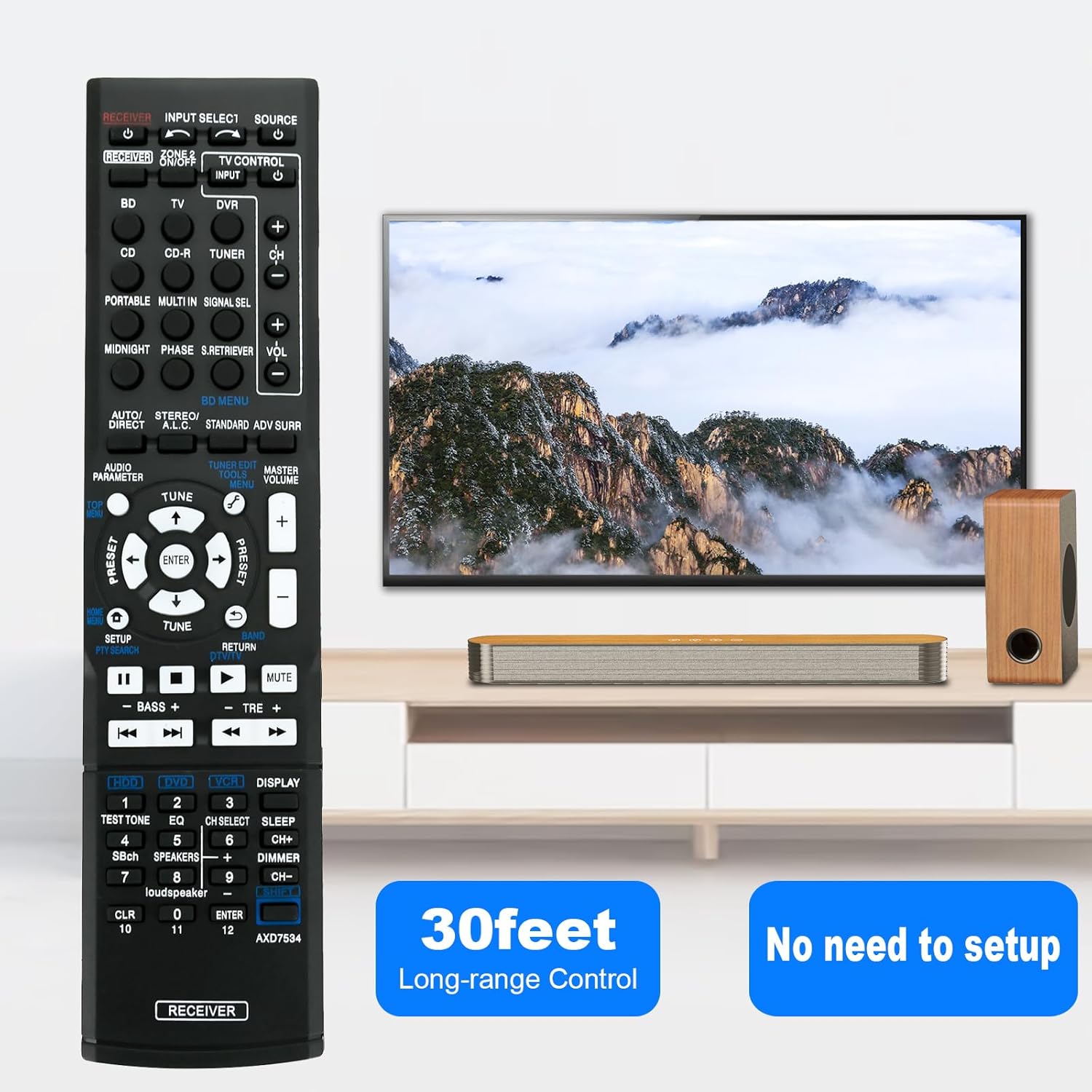
Figure 3.2: The remote control offers long-range operation and requires no setup.
4. Maintenance
4.1 Battery Replacement
If the remote control's performance degrades (e.g., reduced range, unresponsive buttons), replace the AAA batteries. Always replace both batteries at the same time with new ones. Do not mix old and new batteries, or different types of batteries.
4.2 Cleaning
To clean the remote control, gently wipe its surface with a soft, dry cloth. For stubborn dirt, slightly dampen the cloth with water or a mild, non-abrasive cleaner. Avoid using harsh chemicals or excessive moisture, as these can damage the remote's electronics or finish.
4.3 Storage
Store the remote control in a cool, dry place away from direct sunlight and extreme temperatures. If the remote will not be used for an extended period, it is advisable to remove the batteries to prevent leakage and potential damage.
5. Troubleshooting
- Remote is unresponsive:
- Check if the batteries are correctly installed and have sufficient charge. Replace them if necessary.
- Ensure there is a clear line of sight between the remote control and the AV receiver's infrared sensor. Remove any obstructions.
- Verify that the remote is pointed directly at the receiver.
- Some functions do not work or are mapped incorrectly:
- While this remote is designed for broad compatibility, some specific functions or button mappings may vary slightly depending on the exact Pioneer AV receiver model. Refer to your receiver's original manual for specific button functions if you encounter discrepancies.
- Ensure your receiver model is listed in the compatibility section (Section 3.2).
- Remote range is reduced:
- Replace the batteries. Low battery power can significantly reduce the remote's effective range.
- Ensure no strong light sources (e.g., direct sunlight, fluorescent lights) are interfering with the receiver's IR sensor.
6. Specifications
- Model Number: AXD7534
- Brand: VINABTY
- Manufacturer: VINABTY factory
- Product Dimensions: 5 x 1.9 x 0.5 inches (12.7 x 4.8 x 1.3 cm)
- Item Weight: 2.57 ounces (72.86 grams)
- Batteries Required: 2 x AAA (not included)
- Color: Black
- Compatible Devices: Pioneer Home Theater AV Receivers (specific models listed in Section 3.2)
7. Warranty and Support
Specific warranty information for this product is not provided in this manual. For warranty details or technical support, please contact the seller or the manufacturer directly through their official channels. Keep your purchase receipt as proof of purchase.