
1. Introduction
This manual provides essential information for the safe and effective operation, maintenance, and troubleshooting of your BLACK+DECKER BEG120-QS Angle Grinder. Please read this manual thoroughly before using the tool and keep it for future reference. This powerful and compact angle grinder features a double safety switch, durable metal casing, and tool-free disc change for enhanced accessibility.

Figure 1: BLACK+DECKER BEG120-QS Angle Grinder with side handle attached.
2. Safety Information
Always observe basic safety precautions when using electrical tools to reduce the risk of fire, electric shock, and personal injury.
2.1 General Power Tool Safety Warnings
- Work Area Safety: Keep the work area clean and well lit. Cluttered or dark areas invite accidents. Do not operate power tools in explosive atmospheres, such as in the presence of flammable liquids, gases or dust.
- Electrical Safety: Power tool plugs must match the outlet. Never modify the plug in any way. Do not expose power tools to rain or wet conditions.
- Personal Safety: Stay alert, watch what you are doing and use common sense when operating a power tool. Do not use a power tool while you are tired or under the influence of drugs, alcohol or medication. Always wear appropriate personal protective equipment (PPE) including safety glasses, hearing protection, gloves, and a dust mask.
- Tool Use and Care: Do not force the power tool. Use the correct power tool for your application. Disconnect the plug from the power source before making any adjustments, changing accessories, or storing power tools.
2.2 Specific Angle Grinder Safety Warnings
- The guard must be securely attached and positioned for maximum safety, so the least amount of wheel is exposed towards the operator.
- Always use the auxiliary handle provided with the tool. Control over the tool can be lost without it.
- Never place your hand near the rotating accessory.
- Do not use the tool for applications for which it is not intended, such as cutting wood with a wood cutting blade.
- Be aware that sparks are generated during operation. Keep bystanders and flammable materials away from the work area.
3. Product Components
The BLACK+DECKER BEG120-QS Angle Grinder consists of several key components designed for efficient and safe operation.
- Main Body: Houses the motor and internal mechanisms.
- Side Handle: Provides additional grip and control, can be attached in 3 positions.
- Spindle Lock Button: Used to lock the spindle for disc changes.
- Guard: Protects the user from sparks and debris.
- Power Switch: Features a double safety switch and an anti-restart function for enhanced safety.
- Power Cord: For connecting to an electrical outlet.
4. Setup
4.1 Unpacking
Carefully remove the angle grinder and all accessories from the packaging. Inspect the tool for any damage that may have occurred during shipping. Do not use the tool if any parts are damaged or missing.
4.2 Attaching the Side Handle
The side handle can be screwed into one of the three available threaded holes on the gear housing. Choose the position that offers the best control and comfort for your specific application and handedness.
4.3 Installing/Changing the Grinding Disc
- Ensure the tool is unplugged from the power source.
- Press and hold the spindle lock button.
- Using the provided wrench (if applicable, though tool-free disc change is a feature), loosen the outer flange nut by turning it counter-clockwise.
- Remove the outer flange nut and the old disc.
- Place the new 125mm grinding or cutting disc onto the inner flange, ensuring it is seated correctly.
- Replace the outer flange nut and tighten it firmly by hand or with the wrench while holding the spindle lock button. The tool-free disc change feature allows for quick and easy disc replacement.
4.4 Power Connection
Connect the power cord to a suitable 220V electrical outlet. Ensure the power switch is in the "OFF" position before plugging in the tool.
5. Operating Instructions
5.1 Turning On/Off
The BEG120-QS features a double safety switch and an anti-restart switch for enhanced user protection. To turn on the grinder, first engage the safety lock, then press the main power switch. To turn off, release the main power switch. The anti-restart feature prevents the tool from automatically restarting after a power interruption if the switch is still in the "ON" position.
5.2 Grinding and Cutting Techniques
Always hold the grinder firmly with both hands, using the main handle and the side handle. Apply light, even pressure. Allow the tool's 750W motor and 300 RPM maximum rotational speed to do the work. For cutting, use a cutting disc and ensure the workpiece is securely clamped. For grinding, use a grinding disc and move the tool smoothly across the surface.

Figure 2: Using the angle grinder to cut ceramic tile. Ensure proper eye and hand protection.
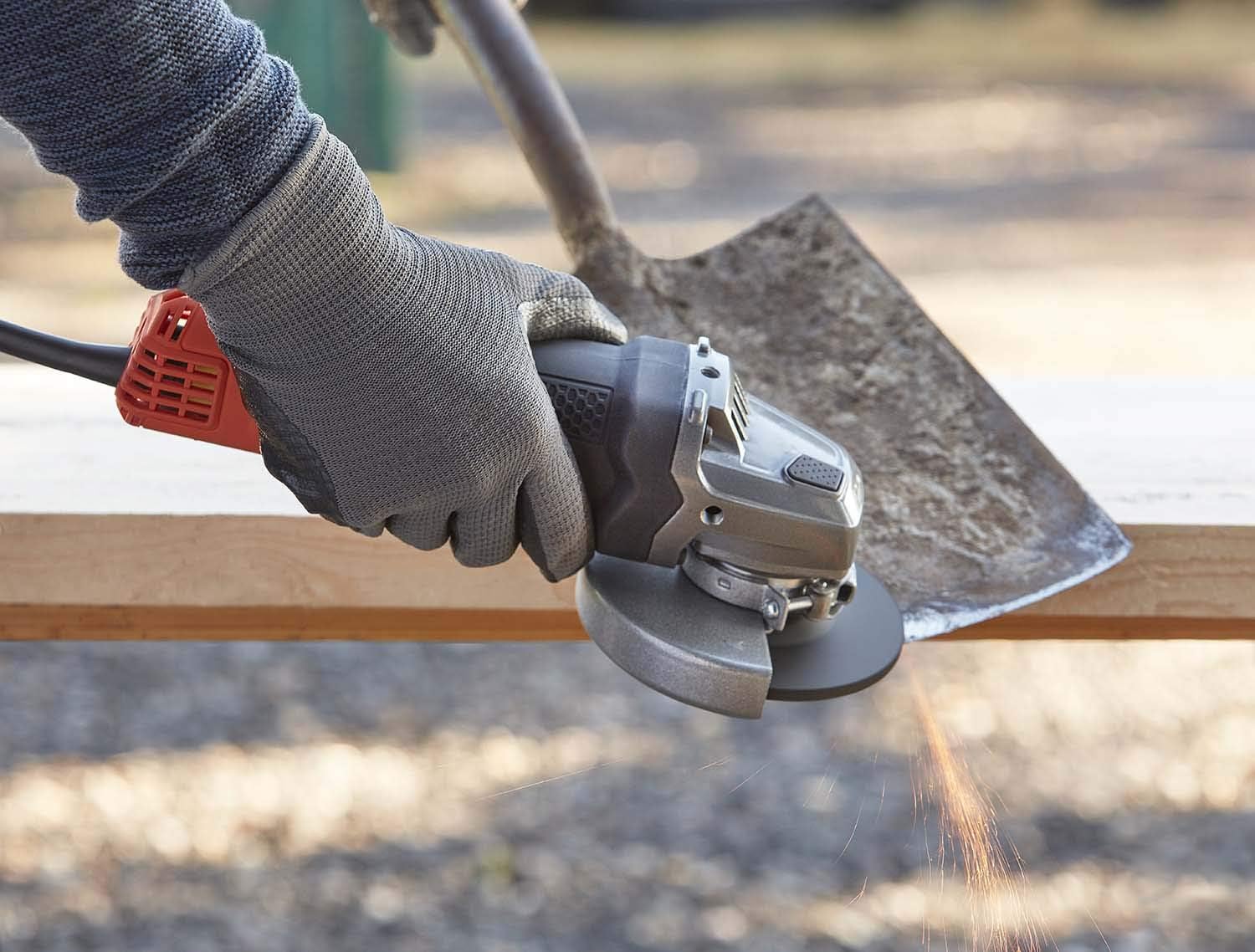
Figure 3: Angle grinder in use, generating sparks. Maintain a clear work area and wear appropriate PPE.

Figure 4: Cutting a metal pipe with the angle grinder. Secure the workpiece firmly before cutting.

Figure 5: Grinding a concrete or stone surface. Ensure adequate ventilation and dust control.
6. Maintenance
Regular maintenance ensures the longevity and optimal performance of your angle grinder. Always disconnect the tool from the power source before performing any maintenance.
6.1 Cleaning
Clean the ventilation slots regularly to prevent overheating. Use a soft brush or compressed air to remove dust and debris. Do not use water or chemical cleaners.
6.2 Disc Replacement
Replace worn or damaged grinding/cutting discs immediately. Refer to section 4.3 for instructions on changing discs. Only use discs rated for the grinder's maximum RPM and appropriate for the 125mm size.
6.3 Inspection
Periodically inspect the power cord for damage. Check the guard and side handle for secure attachment. The durable metal housing is designed for resilience, but inspect it for any cracks or damage after heavy use.
6.4 Storage
Store the angle grinder in a dry, secure place out of reach of children. Protect it from direct sunlight and extreme temperatures.
7. Troubleshooting
This section addresses common issues you might encounter with your angle grinder.
| Problem | Possible Cause | Solution |
|---|---|---|
| Grinder does not start. | No power supply; Safety switch not engaged; Anti-restart feature activated. | Check power outlet and cord. Ensure both parts of the double safety switch are engaged. If power was interrupted, release and re-engage the switch. |
| Excessive vibration. | Disc improperly installed or damaged; Loose guard or handle. | Check disc installation and replace if damaged. Tighten guard and side handle. |
| Overheating. | Blocked ventilation slots; Overloading the tool. | Clean ventilation slots. Reduce pressure on the tool; allow it to cool down. |
8. Technical Specifications
| Feature | Specification |
|---|---|
| Brand | BLACK+DECKER |
| Model Number | BEG120-QS |
| Power Source | Corded Electric |
| Voltage | 220V |
| Wattage | 750 watts (800 Watts Horsepower) |
| Maximum Rotational Speed | 300 RPM |
| Disc Diameter | 125 mm |
| Handle Positions | 3 |
| Material | Metal (housing) |
| Item Weight | 0.1 Kilograms (approx. 3.52 ounces) |
| Sound Level | 44 dB |
| Included Components | 1 x 750W grinder |
9. Warranty Information
The BLACK+DECKER BEG120-QS Angle Grinder comes with a 2-year warranty from the date of purchase. This warranty covers defects in materials and workmanship under normal use. It does not cover damage resulting from misuse, abuse, alteration, or unauthorized repair. Please retain your proof of purchase for warranty claims.
For specific warranty terms and conditions, please refer to the warranty card included with your product or visit the official BLACK+DECKER website.
10. Customer Support
If you have any questions, require technical assistance, or need to report an issue with your BLACK+DECKER BEG120-QS Angle Grinder, please contact BLACK+DECKER customer support. You can typically find contact information on the official BLACK+DECKER website or on the product packaging.
For more information and product registration, visit: www.blackanddecker.com


