
1. Introduction
Thank you for choosing the Litom Super Bright Solar Lights. This manual provides essential information for the proper installation, operation, and maintenance of your solar-powered outdoor motion sensor lights. Please read these instructions carefully before use to ensure optimal performance and longevity of the product.
2. Safety Information
- Ensure the product is installed in a location where it receives direct sunlight for at least 6-8 hours daily for optimal charging.
- Do not disassemble, modify, or attempt to repair the unit yourself. This may void the warranty and cause damage.
- Keep the solar panel clean from dust, dirt, and debris to maintain charging efficiency.
- Avoid installing near heat sources or flammable materials.
- The product is designed for outdoor use and is IP65 rated for weather resistance. However, avoid submerging it in water.
- Dispose of batteries and electronic components according to local regulations.
3. Package Contents
Upon opening the package, please verify that all components are present and undamaged. The standard package includes:
- Litom Super Bright Solar Lights (4 units, as per product description)
- Mounting Screws and Wall Plugs
- User Manual (this document)

Image 1: Contents of the Litom Super Bright Solar Lights package, displaying four units.
4. Product Features
- High Brightness: Equipped with 102 LEDs, providing up to 1500 lumens of illumination.
- Wide Coverage: Offers a 270° lighting angle, covering an area of approximately 500 sq ft.
- Motion Sensor: Integrated PIR motion sensor detects movement to activate brighter light modes.
- Solar Powered: Efficient solar panel for charging during the day, ensuring operation at night.
- Multiple Lighting Modes: Three distinct lighting modes to suit various needs.
- Durable Design: IP65 waterproof rating for all-weather performance and a lifespan exceeding 30,000 hours.
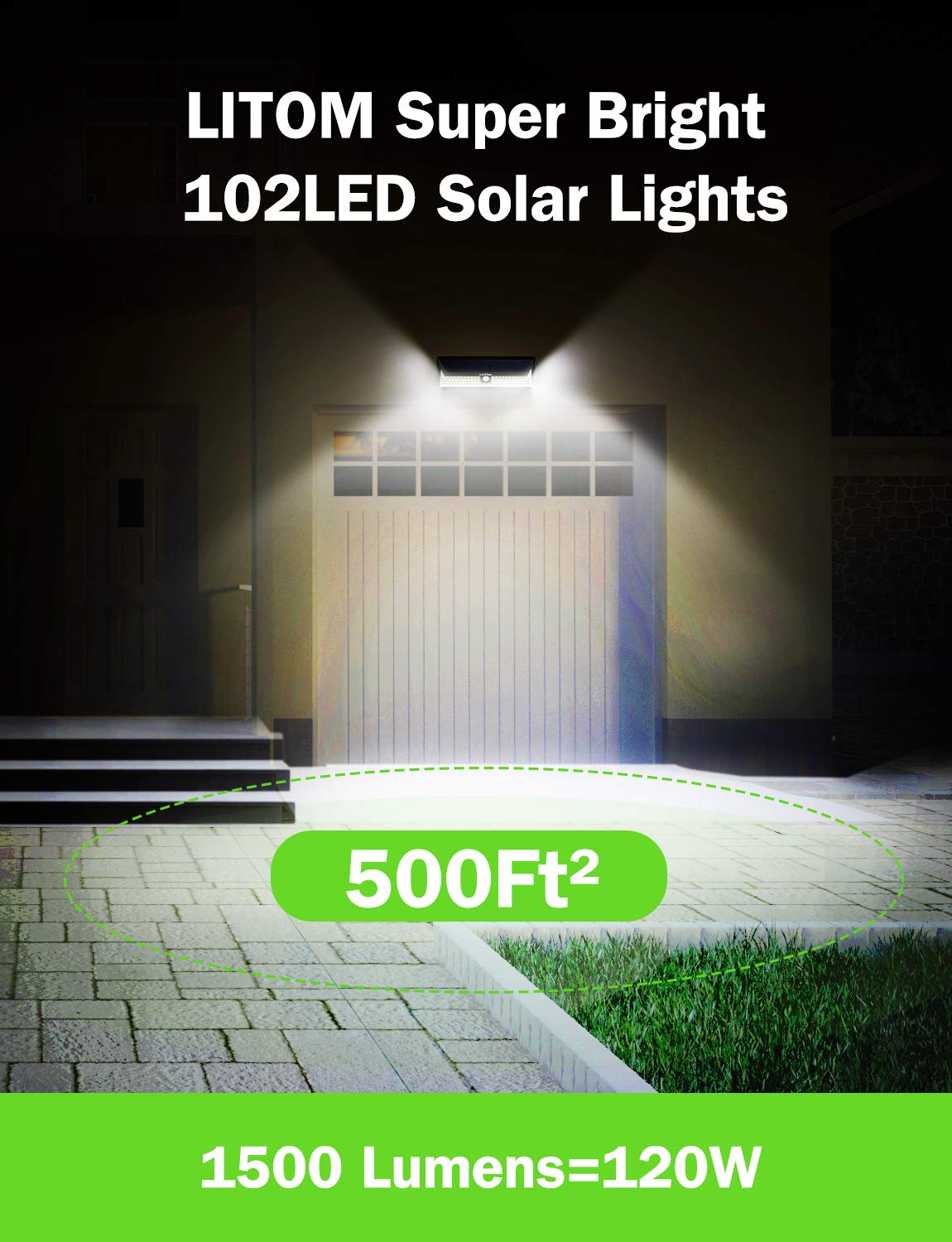
Image 2: Illustration of the light coverage and brightness provided by the Litom solar light.

Image 3: Feature comparison highlighting the advantages of Litom solar lights.

Image 4: Depiction of solar charging efficiency and extended working time.

Image 5: Illustration of the light's durability and weather resistance.
5. Setup and Installation
- Choose a Location: Select an outdoor location that receives direct sunlight for at least 6-8 hours daily. Avoid areas under eaves, trees, or other obstructions that might block sunlight or motion detection.
- Initial Charge: Before first use, allow the solar light to charge in direct sunlight for a full day (8-10 hours) to ensure the internal battery is adequately charged.
- Mounting Height: For optimal motion detection and light coverage, install the light at a height of approximately 6-10 feet (1.8-3 meters) from the ground.
- Installation Steps:
- Mark the desired mounting position on the wall.
- Drill two holes at the marked positions.
- Insert the wall plugs into the drilled holes.
- Align the light's mounting holes with the wall plugs and secure it with the provided screws.

Image 6: Examples of Litom solar lights installed in different outdoor environments.
6. Operating Instructions
The Litom Super Bright Solar Light features three distinct lighting modes, selectable via a switch located on the unit. Please refer to the diagram below to identify the switch and its positions.

Image 7: Visual guide to the three lighting modes and the mode selection switch.
- Mode 1: Medium Light Mode
The light stays on at a medium brightness level throughout the night, regardless of motion detection. This mode is suitable for continuous ambient lighting.
- Mode 2: Low Brightness + Motion Sensor Mode
The light stays on at a low brightness level at night. When motion is detected, it switches to full brightness for approximately 15-30 seconds, then returns to low brightness.
- Mode 3: Induction Mode (Motion Sensor Only)
The light remains off at night. When motion is detected, it turns on at full brightness for approximately 15-30 seconds, then turns off completely.
- OFF:
Slide the switch to 'OFF' to turn off the light completely and stop charging.
To select a mode, simply slide the switch to the desired position (1, 2, 3, or OFF). The light will automatically operate according to the chosen mode when it gets dark.
7. Maintenance
- Clean the Solar Panel: Regularly wipe the solar panel with a soft, damp cloth to remove dust, dirt, and debris. A clean panel ensures maximum charging efficiency.
- Check for Obstructions: Periodically inspect the installation area to ensure no new obstructions (e.g., growing branches, new structures) are blocking sunlight to the solar panel or interfering with the motion sensor.
- Battery Care: The integrated battery is designed for long-term use. For optimal lifespan, ensure the light receives consistent daily charging. Avoid prolonged storage in a completely discharged state.
8. Troubleshooting
| Problem | Possible Cause | Solution |
|---|---|---|
| Light does not turn on at night. |
|
|
| Light is dim or only stays on for a short time. |
|
|
| Motion sensor is not working or is too sensitive. |
|
|
9. Specifications
| Feature | Detail |
|---|---|
| Model Number | LTCD128AB |
| Light Source | 102 LED |
| Power Source | Solar Powered |
| Voltage | 3.7 Volts |
| Wattage | 8.14 Watts |
| Special Feature | Motion Sensor |
| Indoor/Outdoor Usage | Outdoor |
| Installation Type | Flush Mount |
| Item Weight | 1.8 kg |
| Dimensions (LxWxH) | 30.6 x 12.4 x 12.4 Centimeters |
| IP Rating | IP65 (Weather Resistant) |
| Batteries Included | Yes |
10. Warranty and Support
Litom products are manufactured to high-quality standards. For specific warranty details, please refer to the warranty card included with your purchase or visit the official Litom website. If you encounter any issues or require technical assistance, please contact Litom customer support through their official channels. Please have your model number (LTCD128AB) and purchase information ready when contacting support.