
1. Introduction
This manual provides detailed instructions for the Takara Tomy PP-09 Optimus Prime figure from the Power of the Prime series. This figure is designed to transform between multiple modes and interact with Prime Master figures (sold separately) to enhance play and display options. Please read these instructions carefully before assembly and operation.
2. Product Components
Verify that all components are present in the package:
- Optimus Prime Body (1)
- Matrix (1)
- Weapons (1)
- Instruction Manual (this document)
Note: Prime Master figures, such as Micronus (PP-01), are sold separately and are required for certain combination features.
3. Initial Setup and Robot Mode
Upon unboxing, your Optimus Prime figure will typically be in its primary robot mode. Ensure all joints move freely before proceeding with transformations.

Figure 3.1: Optimus Prime in his primary robot mode, equipped with his blaster. This mode features red and blue coloring with grey accents and Autobot insignia on the shoulders.
The included weapon can be held in either hand. The Matrix accessory can be stored within the figure's chest compartment.
4. Operating Instructions: Transformation Modes
4.1. Transformation to Vehicle Mode (Truck with Trailer)
- Begin with Optimus Prime in robot mode.
- Fold the hands into the forearms.
- Rotate the waist and fold the legs to form the rear section of the truck.
- Collapse the chest and head section to form the truck cab.
- Attach the trailer section, ensuring all connection points are secure.

Figure 4.1: Optimus Prime in complete vehicle mode, a semi-truck with an extended grey trailer featuring blue stripes and an Autobot symbol.

Figure 4.2: Optimus Prime in truck cab mode, showing the front section of the vehicle without the trailer attached.
4.2. Transformation to Orion Pax Robot Mode
The Optimus Prime figure can separate into a smaller robot, Orion Pax, and a battle station/trailer. This transformation involves detaching the cab from the trailer and then transforming the cab into Orion Pax.
- Separate the truck cab from the trailer section.
- Transform the truck cab into the Orion Pax robot mode by unfolding the limbs and head.
- The remaining trailer section can be configured as a battle station or weapon platform.

Figure 4.3: Orion Pax in robot mode, a smaller red and blue figure. This mode represents Optimus Prime's original form before becoming a Prime.
4.3. Prime Master Interaction (Spark Core & Pretendersuit)
The Power of the Prime series allows for interaction with Prime Master figures (sold separately). These figures can transform into "Spark Cores" or "Weapons" and integrate with Optimus Prime.
- Spark Core Integration: In Optimus Prime's robot mode, open the chest compartment to reveal a slot for a Prime Master in Spark Core form.
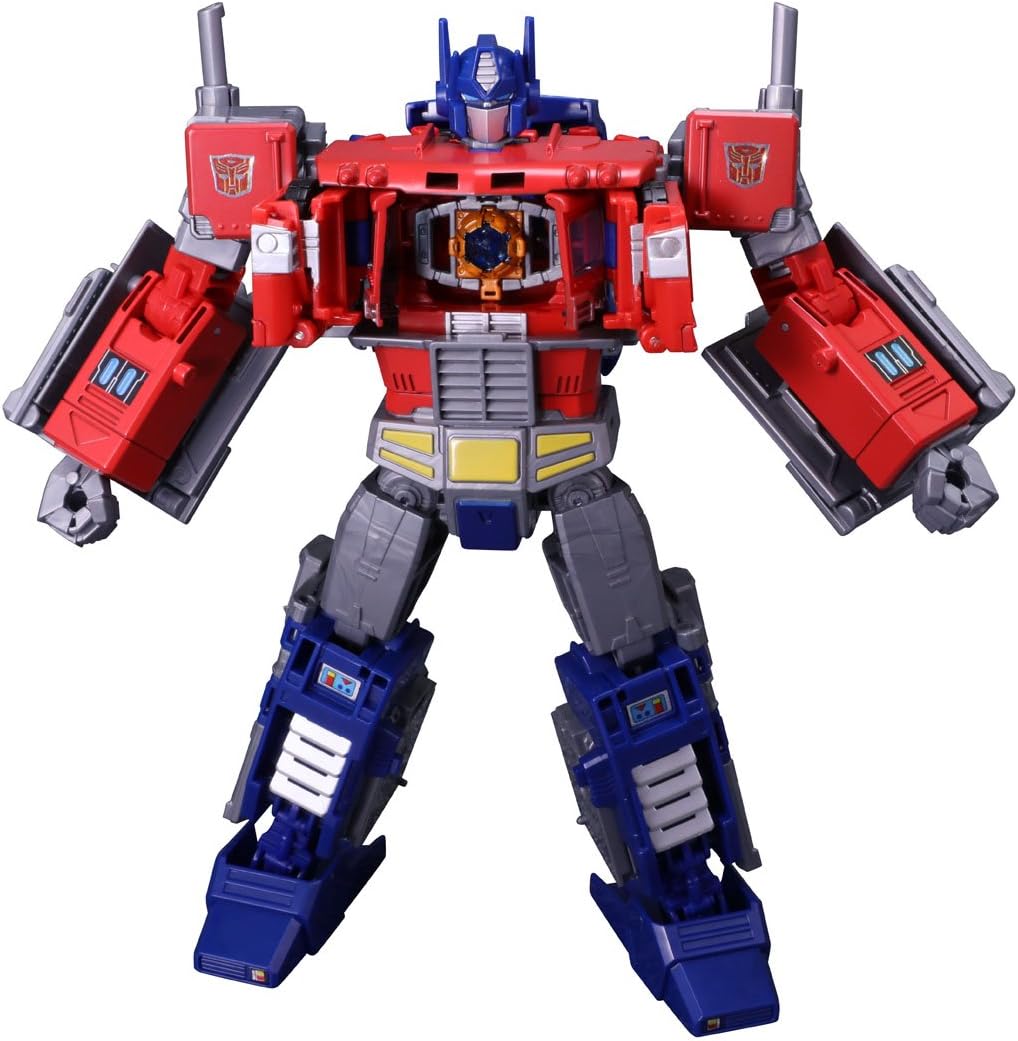
Figure 4.4: Optimus Prime's chest compartment opened, showing the designated slot for a Prime Master in Spark Core mode.
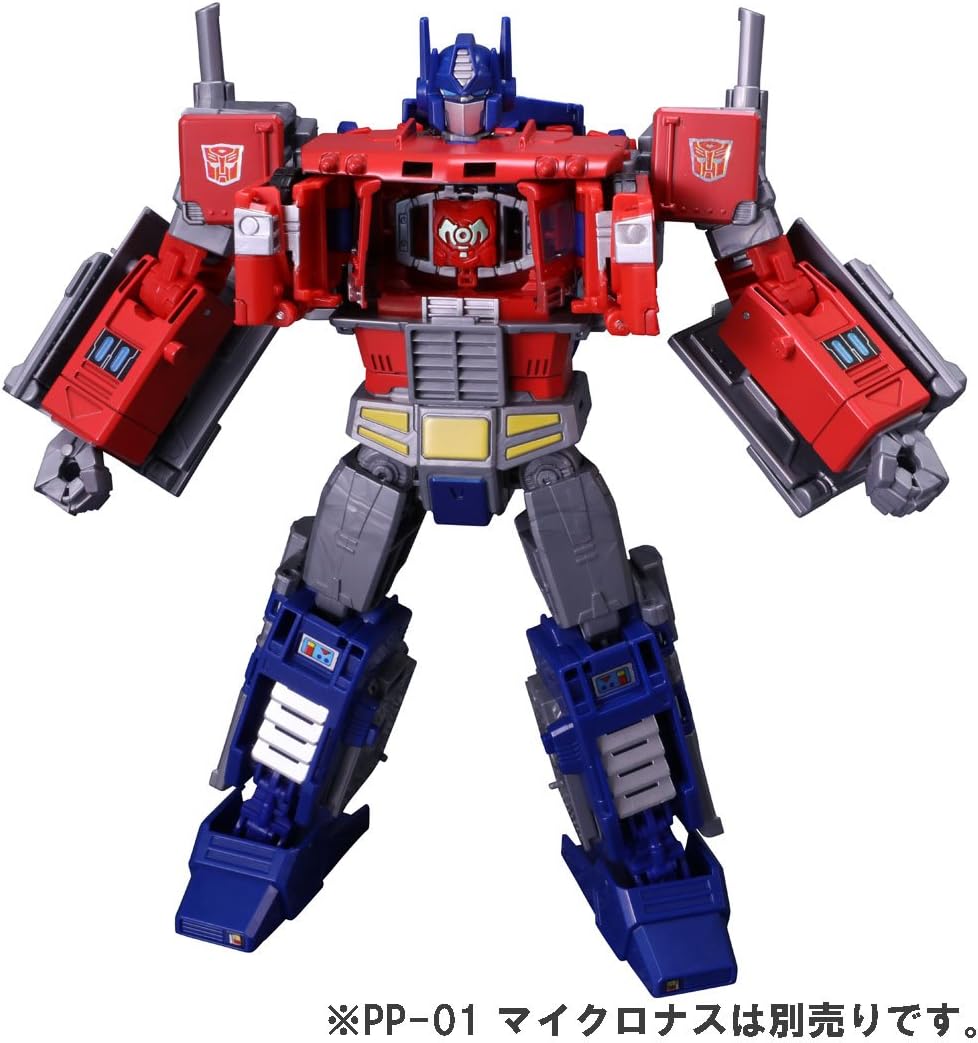
Figure 4.5: Another view of Optimus Prime's open chest, ready to receive a Prime Master Spark Core.
- Weapon Combination: A Prime Master can also transform into a weapon mode and combine with the included weapons or be held by Optimus Prime directly.

Figure 4.6: Optimus Prime holding a weapon formed by combining his blaster with a Prime Master figure (e.g., Micronus, sold separately).
Refer to the instructions included with your Prime Master figure for specific transformation steps into Spark Core or weapon modes.
5. Maintenance
- Cleaning: Wipe the figure with a soft, dry cloth. Do not use harsh chemicals or abrasive cleaners.
- Storage: Store the figure in a cool, dry place away from direct sunlight to prevent discoloration or material degradation.
- Joint Care: Avoid forcing joints. If a joint feels stiff, gently work it back and forth. Do not apply excessive force, as this may cause breakage.
6. Troubleshooting
- Difficulty Transforming: Refer to the transformation steps in Section 4. Ensure all parts are aligned correctly. Do not force parts into place.
- Loose Joints: Some figures may have slightly looser joints. This is generally within manufacturing tolerances. For persistent issues, contact customer support.
- Missing Parts: If any components are missing upon unboxing, contact the retailer or manufacturer's customer support immediately.
7. Specifications
| Brand | TOMY (Takaratomy) |
| Model Number | PP-09 |
| ASIN | B077XQHFSY |
| Package Dimensions | 12.68 x 10.08 x 4.09 inches |
| Item Weight | 1.41 pounds |
| Recommended Age | 15 years and up |
8. Warranty and Support
For warranty information or customer support inquiries, please refer to the contact details provided on the product packaging or visit the official TOMY website. Keep your proof of purchase for any warranty claims.
Online Resources:
- TOMY Official Website: www.tomy.com
- For product updates and additional information, visit the TOMY Store on Amazon.