
Lowrance 000-14305-001
Lowrance HOOK2 12 Fish Finder Instruction Manual
Model: 000-14305-001
1. Product Overview
The Lowrance HOOK2 12 is a 12-inch fish finder designed for ease of use, featuring a TripleShot transducer and pre-installed US Inland Lake Maps. It simplifies fish finding with auto-tuning sonar and intuitive menus, allowing anglers to spend more time fishing and less time adjusting settings. This device provides comprehensive sonar views, including DownScan, SideScan, and CHIRP sonar, alongside basic GPS navigation capabilities.

Figure 1: Lowrance HOOK2 12 display with integrated mapping and sonar views.
2. Key Features
- Easiest to Use: Features auto-tuning sonar and phone-like menus for simplified operation.
- Wider Sonar Coverage: Offers a wide-angle CHIRP sonar cone, providing double the coverage of traditional fish finders.
- Easy Setup: Single transducer mounting options for transom, inside hull, trolling motor, or scupper hole.
- More Sonar Views: Includes TripleShot transducer for DownScan (straight down), SideScan (up to 300' to each side), and CHIRP sonar (fish arch) views.
- Preloaded High Detail Mapping: Comes with US mapping featuring 4,000 lakes with 1-foot contours for precise navigation and structure identification.
- Fish Finder & GPS: Provides basic navigation with a GPS plotter for waypoints, trails, and navigation.
- Upgradable: SD card slot for software and mapping upgrades, and future features.
3. Setup & Installation
The Lowrance HOOK2 12 is designed for straightforward installation. The primary connections involve the transducer and power cable.
3.1 Connecting the Transducer and Power
The unit requires only two plugs to become operational: one for the transducer and one for the power cable. Ensure these connections are secure to prevent interruptions during use.
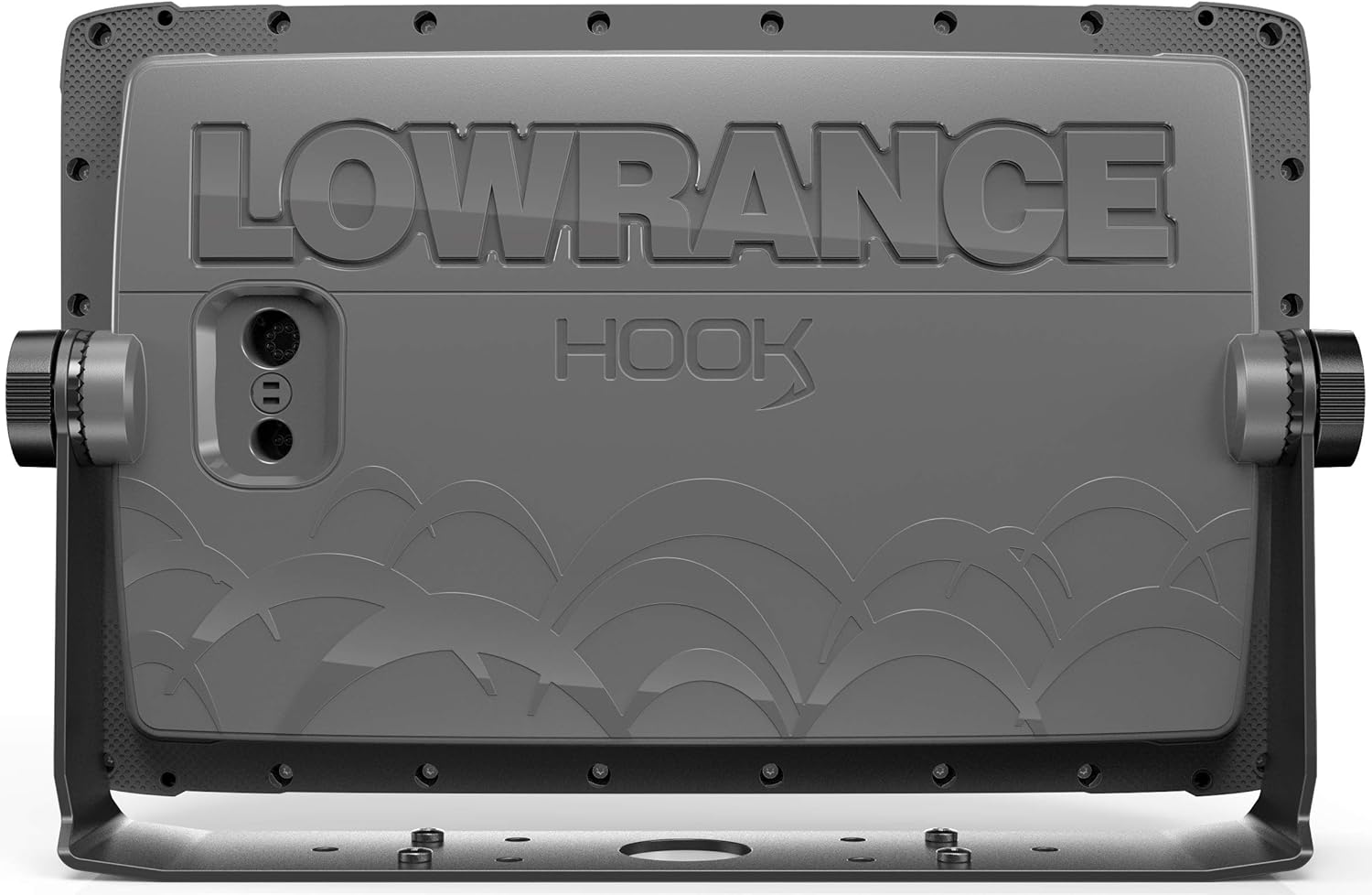
Figure 2: Rear ports for transducer and power connections.
3.2 Transducer Mounting Options
The single TripleShot transducer can be mounted in various locations depending on your vessel and preference:
- Transom Mount: Common for most boats, providing clear water readings.
- Inside-the-Hull Mount: Suitable for fiberglass hulls, offering protection but may reduce performance.
- Trolling Motor Mount: Ideal for precise targeting and shallow water fishing.
- Through-Hull Scupper Mount: Specific to certain kayak designs.
Refer to the detailed mounting instructions included in the packaging for specific steps and best practices for your chosen installation method.
4. Operating Instructions
The Lowrance HOOK2 12 is designed for intuitive operation with a simplified menu system and automated sonar tuning.
4.1 Powering On and Basic Navigation
To begin, simply press the power button. The device features a phone-like home screen with simplified menus, making it easy to navigate between different functions such as Chart, Sonar, and Structure views.
4.2 Auto-Tuning Sonar
The HOOK2 12 features fully-automated sonar tuning. This means the device automatically adjusts sonar settings for the best possible image, removing the guesswork and allowing you to focus on fishing.
Video 1: An overview of the Lowrance HOOK2 series, demonstrating ease of use, sonar capabilities, and navigation features. This video highlights the automated sonar tuning and simplified menu interface.
5. Sonar Technology
The HOOK2 12 utilizes advanced sonar technologies to provide clear and detailed underwater views.
5.1 TripleShot Sonar
The included TripleShot transducer combines three powerful sonar technologies:
- Wide-Angle High CHIRP Sonar: Provides double the coverage of traditional fish finders, showing bigger fish arches and removing guesswork.
- SideScan Imaging: Allows you to see both sides of your boat, revealing structure and fish targets over a wide area.
- DownScan Imaging: Delivers picture-like images of structure and fish directly below your boat.
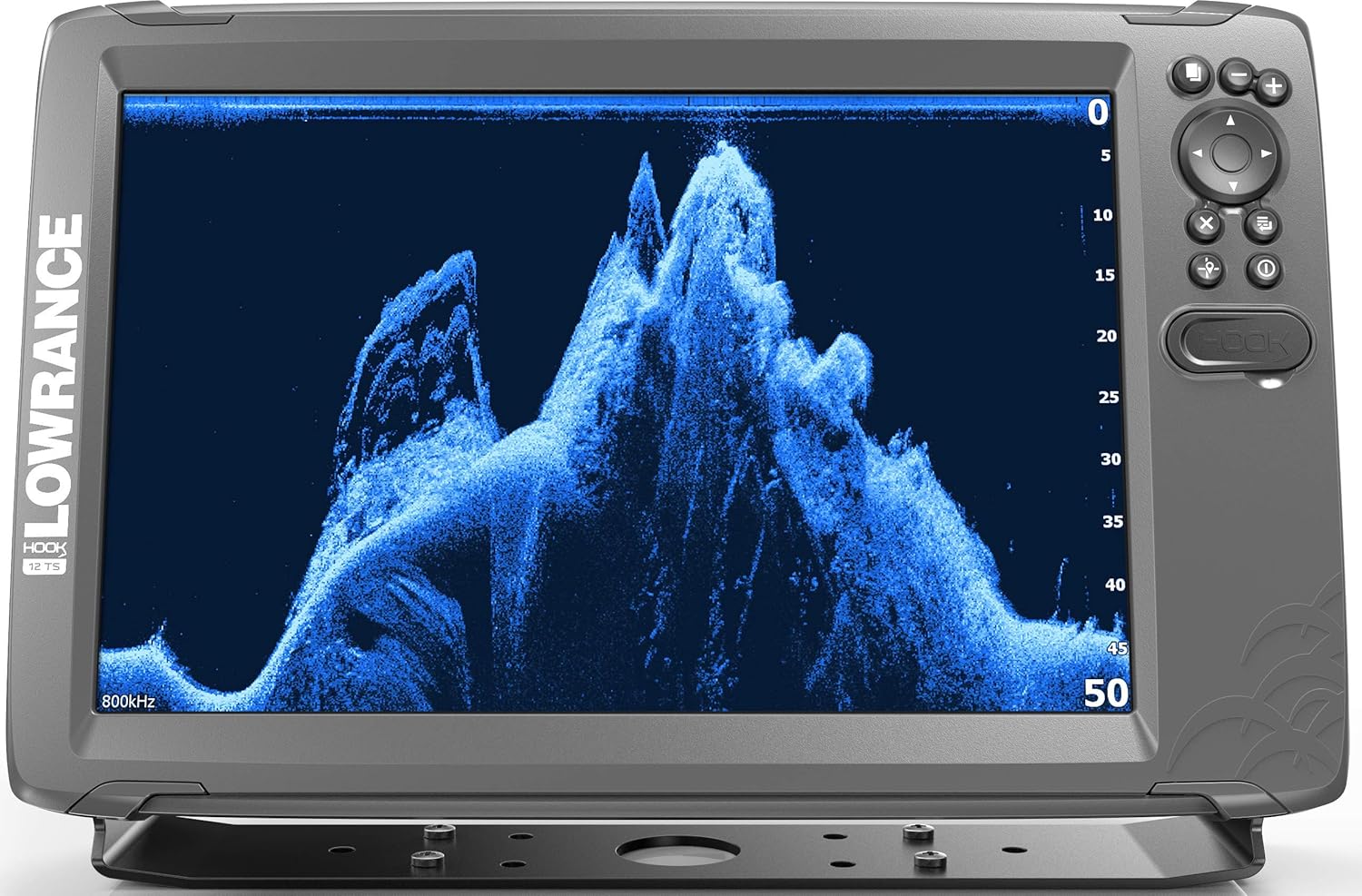
Figure 3: Sonar view displaying distinct fish arches, indicating fish presence.

Figure 4: Detailed DownScan image revealing underwater structure.
5.2 Bullet Transducer (Alternative/Optional)
While the HOOK2 12 typically comes with TripleShot, other models in the HOOK2 series may feature a Bullet transducer, which provides 2x wider sonar coverage for traditional CHIRP sonar. This option focuses on maximizing the area scanned directly beneath the boat.
6. Mapping & Navigation
The HOOK2 12 is equipped with robust mapping and navigation features to help you explore and find fishing spots.
6.1 Preloaded US Inland Lake Maps
The device comes with high-detail US mapping preloaded, covering 4,000 lakes with 1-foot contours. This allows you to easily locate fish-holding structures such as ledges, drop-offs, and cover, narrowing your search for productive water.
6.2 GPS Plotter
The integrated GPS plotter provides basic navigation capabilities. You can:
- Add waypoints to mark important locations.
- Follow trails to retrace your path or navigate to previously visited areas.
- Navigate directly to saved points or along planned routes.
The enhanced base map is pre-loaded, and upgrade bundle options are available for more detailed charting if desired.
7. Maintenance
Proper maintenance ensures the longevity and optimal performance of your Lowrance HOOK2 12.
- Cleaning: Regularly wipe the screen and unit exterior with a soft, damp cloth. Avoid abrasive cleaners or solvents.
- Transducer Care: Inspect the transducer for marine growth or damage after each use. Clean gently with water and a soft brush if necessary.
- Connections: Ensure all cable connections are clean, dry, and securely fastened.
- Storage: When not in use for extended periods, store the unit in a dry, temperate environment, away from direct sunlight.
- Software Updates: Periodically check the Lowrance website for software updates to ensure you have the latest features and performance enhancements. Updates can be installed via the SD card slot.
8. Troubleshooting
This section addresses common issues you might encounter with your HOOK2 12.
| Problem | Possible Cause | Solution |
|---|---|---|
| No Power | Loose power connection, blown fuse, low battery. | Check power cable connections. Inspect and replace fuse if necessary. Charge or replace boat battery. |
| No Sonar Image | Transducer not connected, damaged transducer, air bubbles under transducer. | Ensure transducer cable is securely plugged in. Inspect transducer for damage. Reposition transducer to avoid air bubbles. |
| Inaccurate Depth Readings | Transducer interference, dirty transducer, incorrect installation. | Clean transducer face. Check for obstructions near transducer. Verify transducer mounting angle and depth. |
| GPS Not Acquiring Signal | Unit not in clear view of sky, interference from other electronics. | Move unit to an open area with clear sky view. Turn off other electronics that may cause interference. |
If you continue to experience issues, please contact Lowrance customer support for further assistance.
9. Specifications
| Feature | Detail |
|---|---|
| Brand | Lowrance |
| Model Name | 000-14305-001 |
| Screen Size | 12 Inches |
| Display Type | LED |
| Power Source | Battery Powered |
| Item Weight | 8.95 Pounds |
| Mounting Type | Surface Mount |
| Product Dimensions (LxWxH) | 14.75 x 9.56 x 11.44 inches |
| Color | Gray |
| Transducer Included | TripleShot 3-in-1 |
| Mapping | US Inland Lake Maps (preloaded) |
10. Warranty & Support
For warranty information and technical support, please refer to the official Lowrance website or contact their customer service directly. Keep your purchase receipt as proof of purchase for warranty claims.
Online Resources: www.lowrance.com
Ask a question about this manual
Ask about setup, troubleshooting, compatibility, parts, safety, or missing instructions. Manuals+ will review the question and use this page’s manual context to help answer it.