
1. Introduction
This manual provides essential information for the safe and effective use of your EAGLEGGO 24V 3A Power Supply Adapter. This adapter is designed as a replacement power source for various Fujitsu Image Scanner FI-Series models.
2. Safety Information
- Ensure the adapter is used with compatible devices only.
- Do not expose the adapter to water or excessive moisture.
- Avoid dropping or subjecting the adapter to severe impact.
- Do not attempt to disassemble or repair the adapter.
- Keep out of reach of children.
- Unplug the adapter from the power outlet when not in use for extended periods.

3. Package Contents
The package includes the following items:
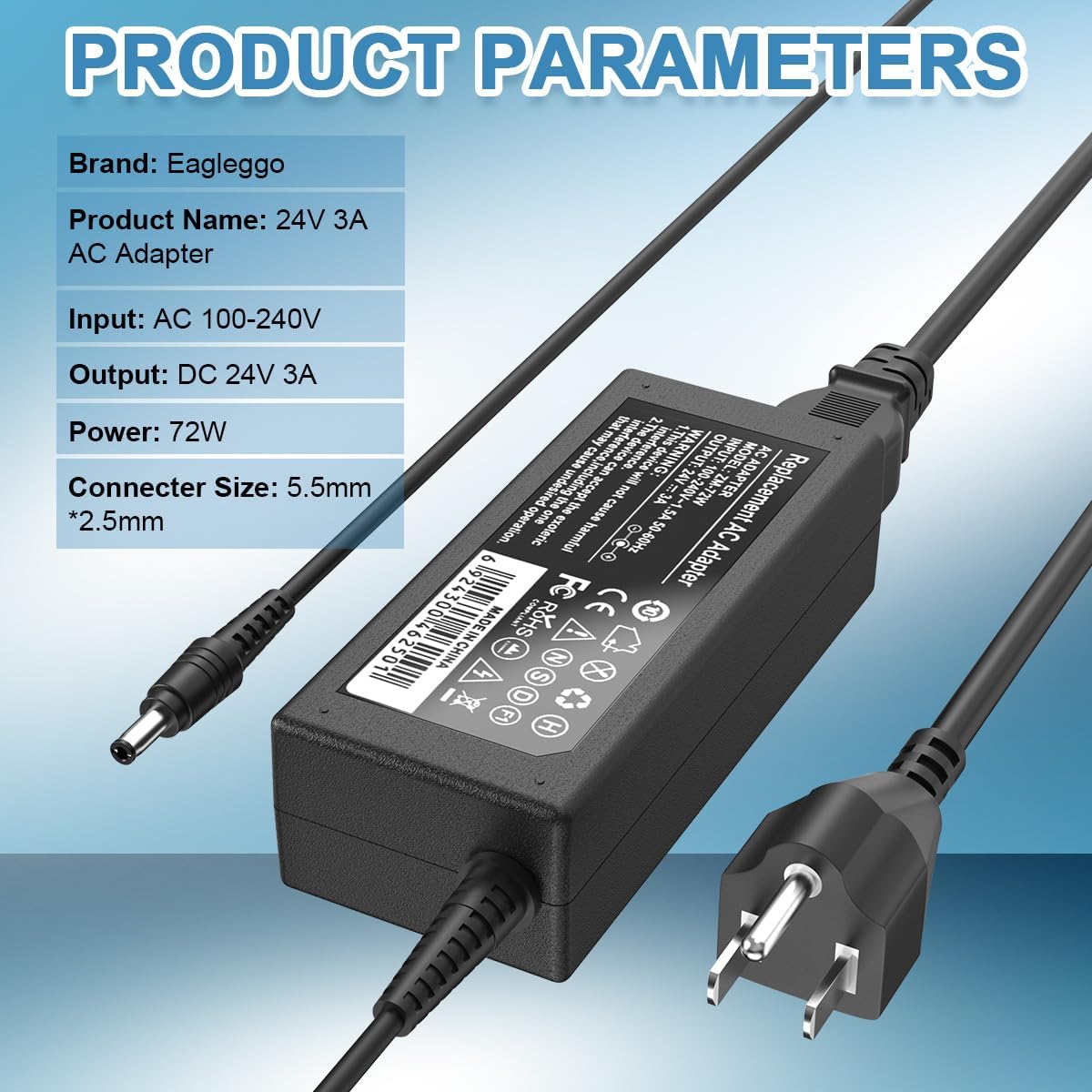
- 1 x EAGLEGGO 24V 3A Power Charger Adapter (Model: ZM-72W)
- 1 x US Power Cord

Video 1: A detailed view of the EAGLEGGO 24V 3A Power Supply Adapter and its components, showcasing the adapter unit, DC output connector, and the AC input power cord.
4. Specifications
| Model Number | ZM-72W |
| Input Voltage Range | AC 100-240V, 50-60Hz |
| Output | DC 24V, 3A (72W) |
| DC Connector Size | 5.5mm x 2.5mm |
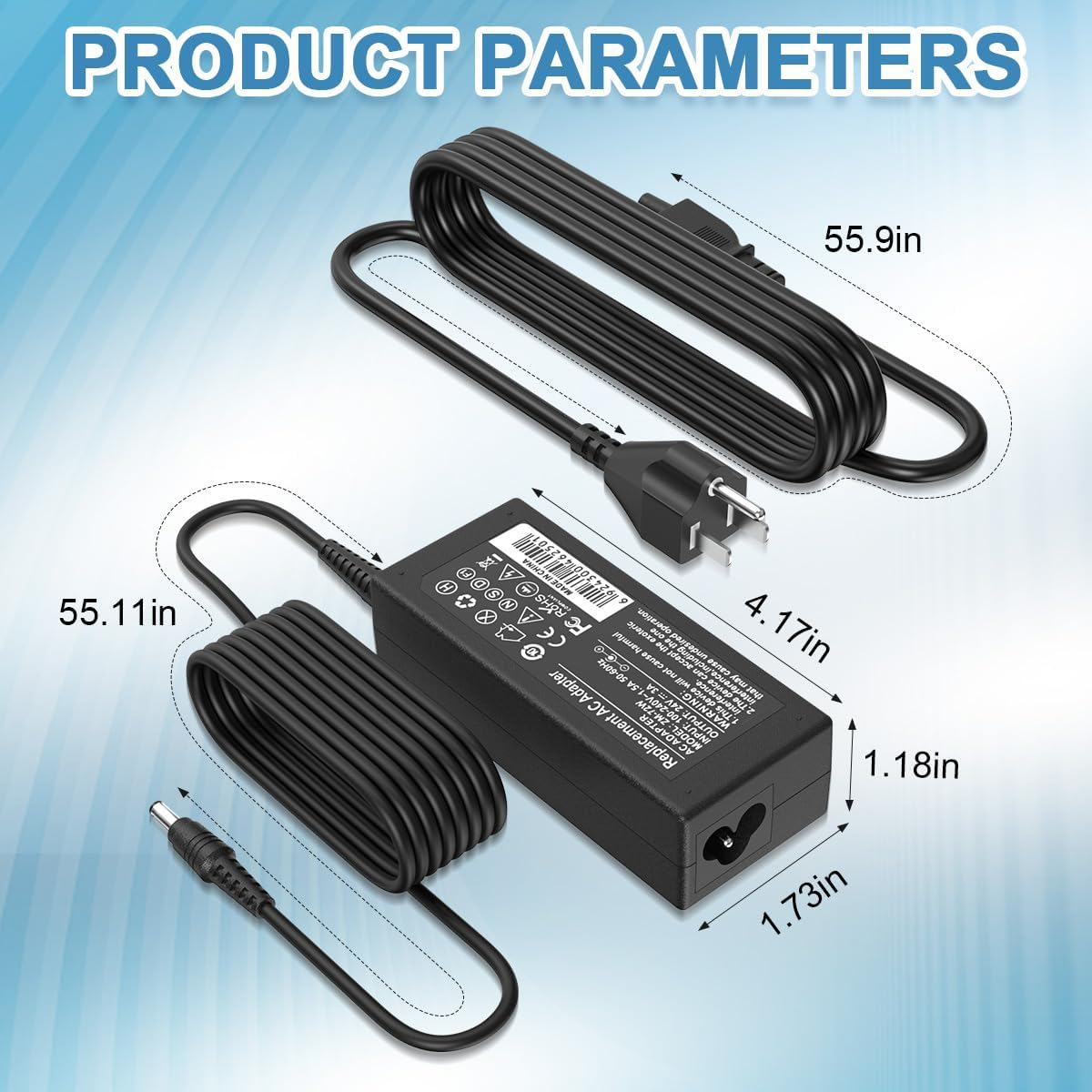
| Package Dimensions | 7.4 x 5.08 x 1.85 inches |
| Item Weight | 9.1 ounces |
5. Compatibility
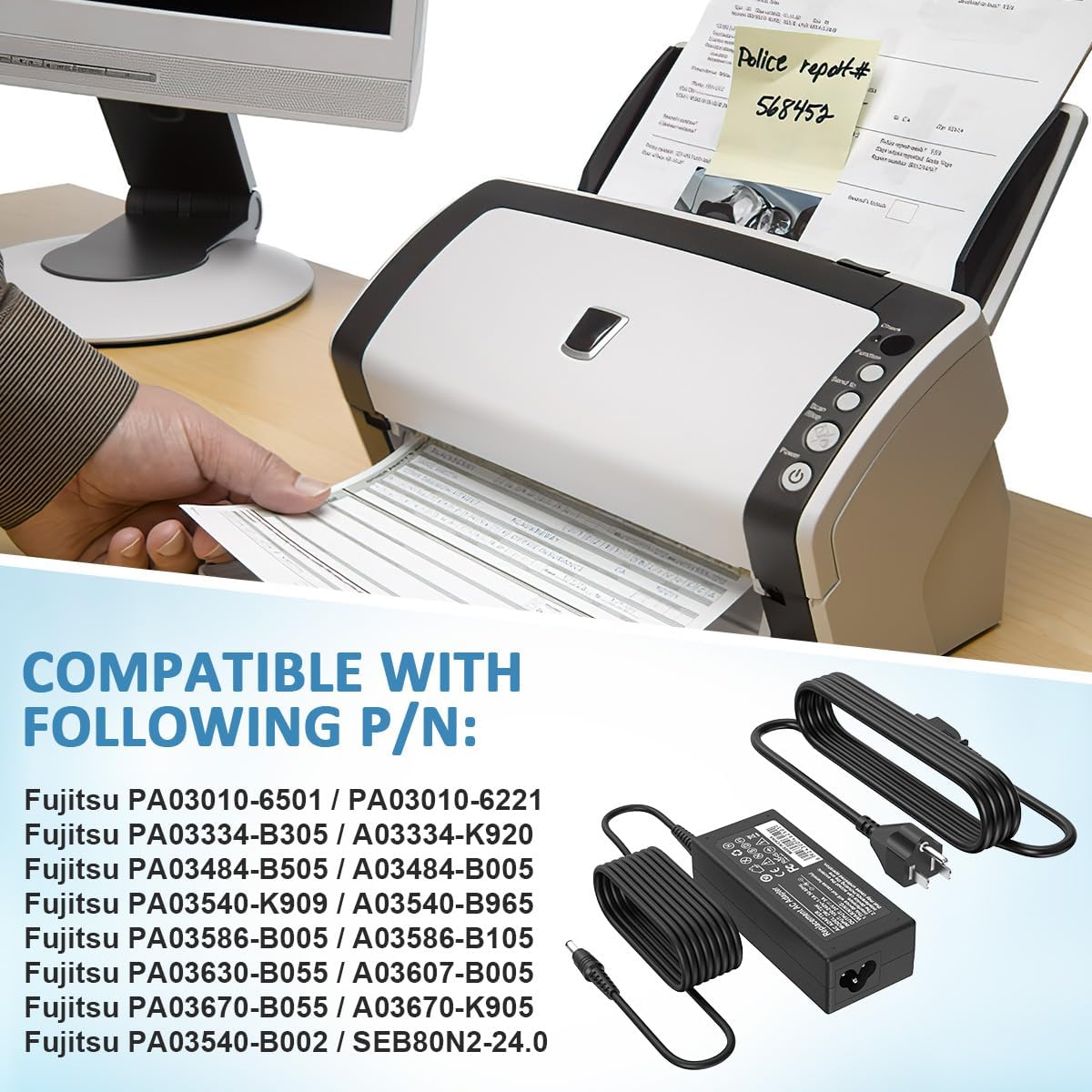
This power supply adapter is compatible with a range of Fujitsu Image Scanners and specific part numbers. Please verify your device's requirements before use.
5.1. Compatible Fujitsu Image Scanner FI-Series Models:
- fi-5120C
- fi-5220C
- fi-5530C
- fi-5530C2
- fi-6110
- fi-6130
- fi-6140
- fi-6230
- fi-6240
- fi-6130Z
- fi-6230Z
- fi-6140Z
- fi-6240Z
- fi-7160
- fi-7180
- fi-7260
- fi-7280
- Fujitsu Scan Snap: S1500 / S1500M
5.2. Compatible Part Numbers (P/N):
- Fujitsu SEB80N2-24.0
- Fujitsu PA03010-6501 / PA03010-6221
- Fujitsu PA03334-B305 / PA03334-K920
- Fujitsu PA03484-B505 / PA03484-B005
- Fujitsu PA03540-K909 / PA03540-B965 / PA03540-B002
- Fujitsu PA03586-B005 / PA03586-B105
- Fujitsu PA03630-B055 / PA03607-B005
- Fujitsu PA03670-B055 / PA03670-K905

6. Setup and Operating Instructions
- Verify Compatibility: Before connecting, ensure your device requires a 24V DC output and has a 5.5mm x 2.5mm DC input connector. This adapter is NOT for 12V devices.
- Connect the AC Power Cord: Insert the 3-prong end of the US power cord into the AC input port of the EAGLEGGO power adapter.
- Connect to Power Outlet: Plug the 2-prong end of the US power cord into a standard AC 100-240V wall outlet.
- Connect to Device: Insert the DC output connector (barrel connector) from the power adapter into the corresponding power input port on your Fujitsu Image Scanner.
- Power On: Once connected, your scanner should receive power. Refer to your scanner's manual for specific power-on procedures.
Important Note: Always ensure the power adapter is securely connected to both the wall outlet and your device to prevent intermittent power supply.
7. Maintenance
- Keep the adapter and cables clean and free from dust.
- Store the adapter in a cool, dry place when not in use.
- Avoid bending or crimping the cables excessively, as this can damage the internal wiring.
- Regularly inspect the cables and connectors for any signs of wear or damage. Replace if necessary.

8. Troubleshooting
If your device is not receiving power, perform the following checks:
- Check Connections: Ensure all cables are securely plugged into the wall outlet, the power adapter, and your scanner.
- Verify Outlet Functionality: Test the wall outlet with another known working device to confirm it is supplying power.
- Confirm Compatibility: Double-check that your scanner requires 24V DC output and has the correct 5.5mm x 2.5mm connector size.
- Inspect for Damage: Look for any visible damage to the adapter or cables. If damage is found, discontinue use and replace the adapter.
9. Customer Support
EAGLEGGO values customer satisfaction. If you have any questions or encounter issues with your power supply adapter, please contact our customer service team. We are committed to resolving your concerns as quickly as possible.
For support, please visit the EAGLEGGO Store on Amazon or refer to the contact information provided with your purchase.


